
STL to SVG Converter
Drop an STL file here
Binary or ASCII STL in millimetres. Get a cross-section, a layer stack or a top / front / side outline.
Runs in your browser — your files are never uploaded.
- Nothing uploaded
- True size in mm
- Sections + silhouettes
- SVG + DXF
A 3D model to a 2D cut file in seconds
The mesh is cut with real geometry, so a section through a 32 mm part measures 32 mm in your laser software.
- 3outputs: a cross-section, a layer stack or a top / front / side outline
- 1:1SVG width and height written in mm, viewBox in mm
- 0files uploaded — slicing runs on your device
How to convert STL to SVG
Three steps from a 3D print file to a vector your laser or CNC can cut.
Add the STL
Drop a binary or ASCII .stl in millimetres — or open the chess rook or mounting bracket sample.
Pick section, layers or outline
Slide the height for one cross-section, set your sheet thickness for a stack of layers, or choose a top, front or side silhouette.
Download SVG or DXF
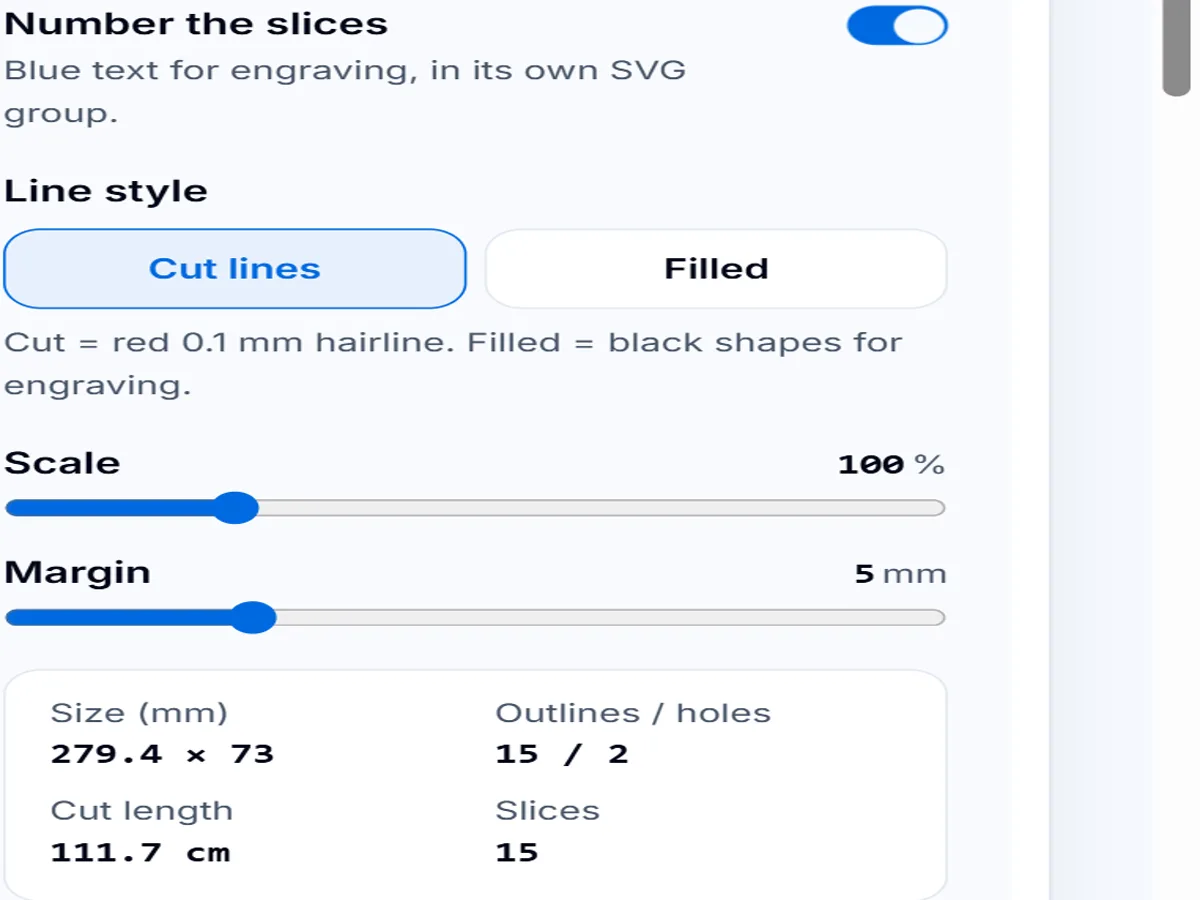
Choose red hairline cut lines or a black fill for engraving, add a margin, then save. Import at 100 % and the part is the right size.
How an STL becomes an SVG
Two different questions: "what does the part look like where I cut it?" and "what shape does it throw from above?"
A plane meets every triangle
Each triangle that crosses height Z contributes one short segment where the plane cuts it.
Segments are welded into loops
Shared edges give identical end points, so the segments link up into closed outlines; holes and inner walls come out as inner loops.
Silhouettes are traced
For a top, front or side outline the triangles are filled into a fine grid and its edge is traced back into a smooth polygon.
Written at true size
The SVG gets width and height in mm and a viewBox in mm, so 1 unit is exactly 1 millimetre in your laser software.
What an STL can — and cannot — give you in 2D
An STL is a closed surface of flat triangles with no sketches or curves inside. This is what each output takes from it when you convert STL to SVG.
| Output | What you get | Notes |
|---|---|---|
| Cross-section at height Z | Exact cut outline | Every triangle is intersected with the plane; inner loops (holes, walls of a hollow part) are kept. |
| Layer stack | One outline per sheet | Slices sit in the middle of each sheet and are numbered so you can glue them back in order. |
| Top / front / side outline | Traced silhouette | The projected shape is filled on a grid and traced; accuracy is half a grid cell (shown under the stats). |
| Through-holes in an outline | Kept (option) | Switch "Keep holes" off for a plain outer silhouette, e.g. a cutting template. |
| Curves | Polylines | STL already stores curves as straight facets, so arcs come out as many short straight segments. |
| Units | Millimetres | STL has no unit field; the file is treated as mm, the slicer convention. Use Scale for inch models. |
| Colours, textures, hidden edges | Not in an STL | No line drawings of internal edges — this is a cut-file tool, not a technical drawing generator. |
Laser software reads the SVG width and height in mm, so import at 100 %. If a program ignores units (some older ones assume 72 or 96 dpi), use the DXF instead — it carries $INSUNITS = mm.
References:MDN — SVG viewBoxLightBurn — importing SVG
What STL slices look like once they are cut
Stacked-slice sculptures, layered topography and plywood models are built exactly this way: one outline per sheet, glued in order. These photos by other makers show the result.
 Reference example
Stacked-layer lake depth mapvia flickr.com 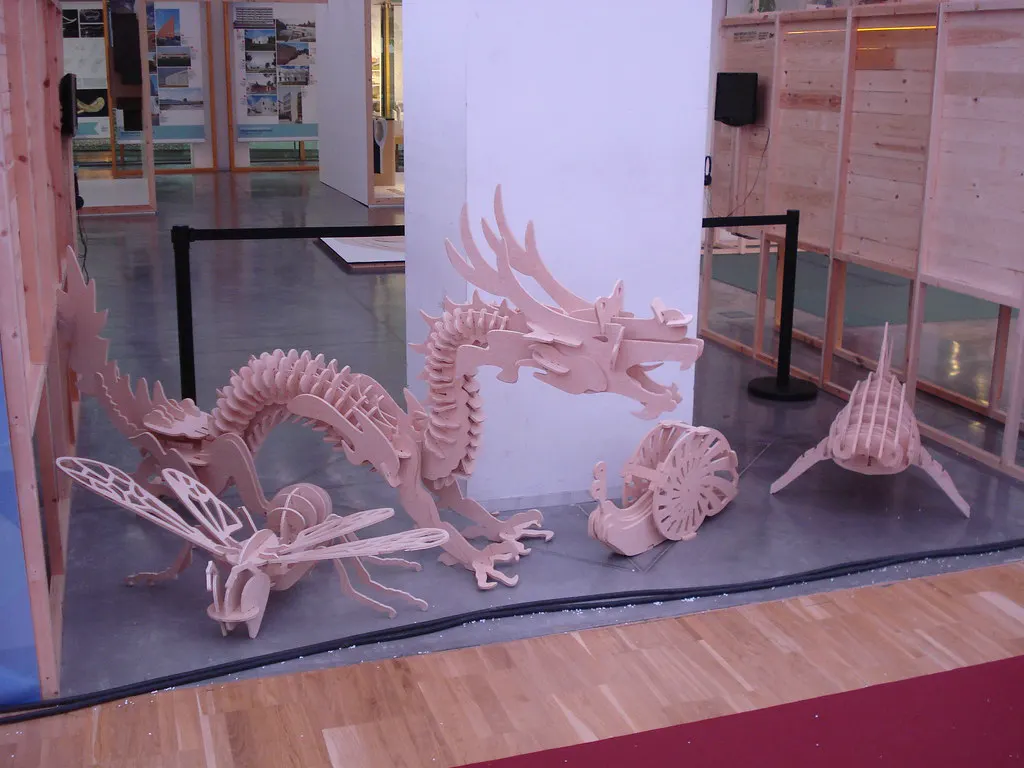 Reference example
Sculptures from laser-cut plywoodvia flickr.com 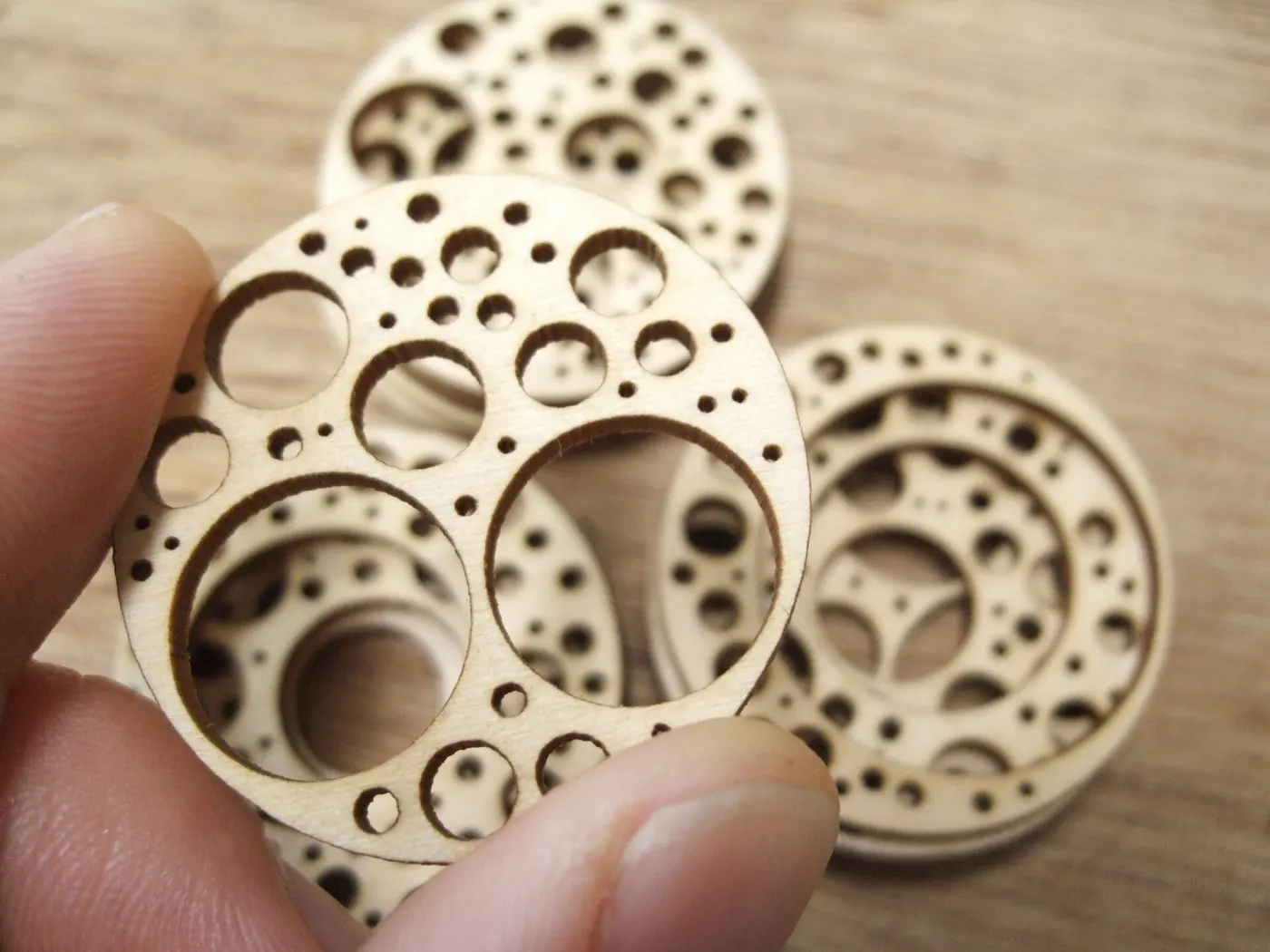 Reference example
Laser-cut plywood parts with holesvia commons.wikimedia.org  Reference example
CNC waterjet cutting a sheetvia images.nasa.gov
Reference examples from other sites, shown to illustrate laser-cut layer models. They were not made with this tool.
Made with this STL to SVG converter
Real outputs from the tool on this page, shown as the SVG preview before download.
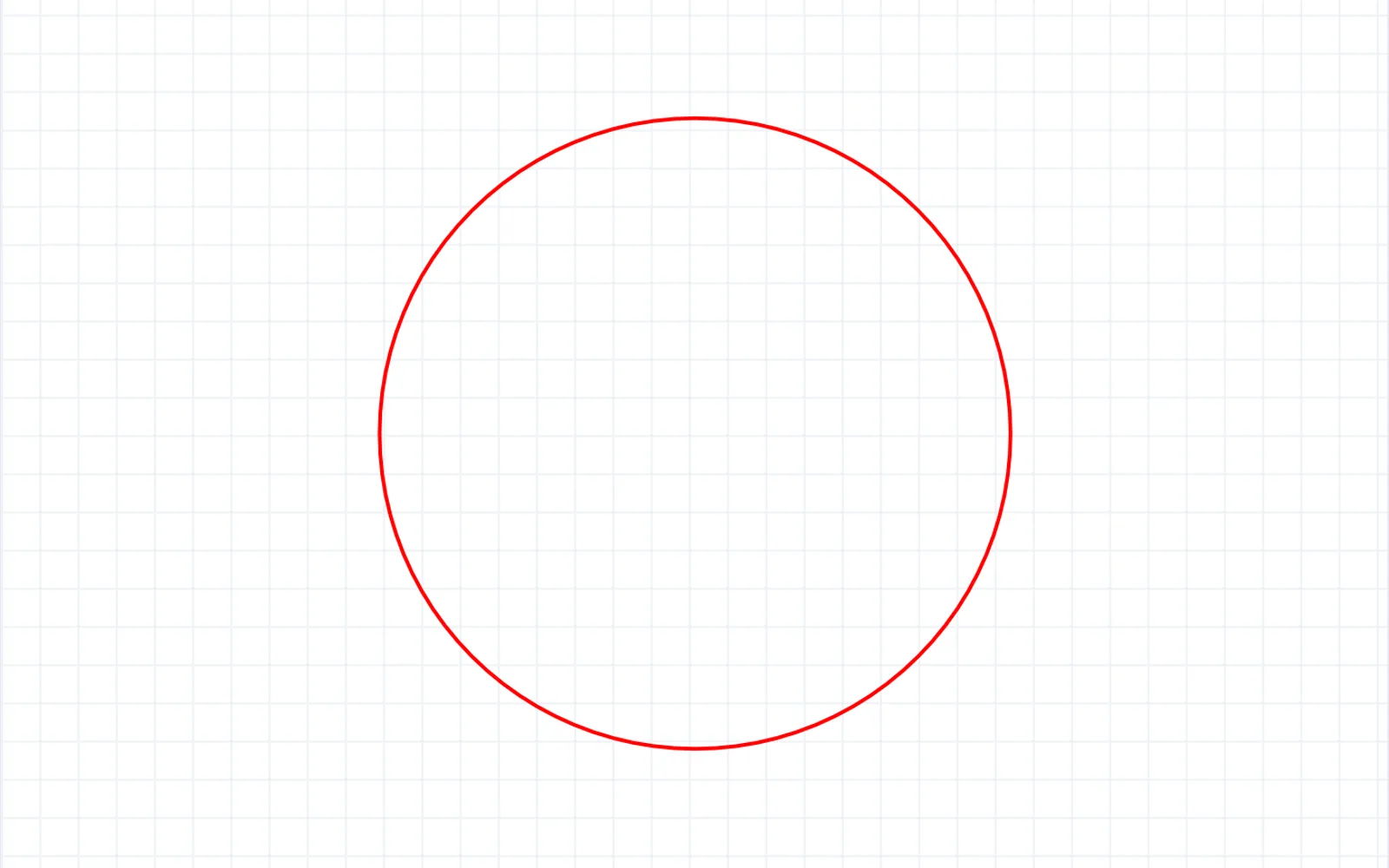
Cross-section at 50 %
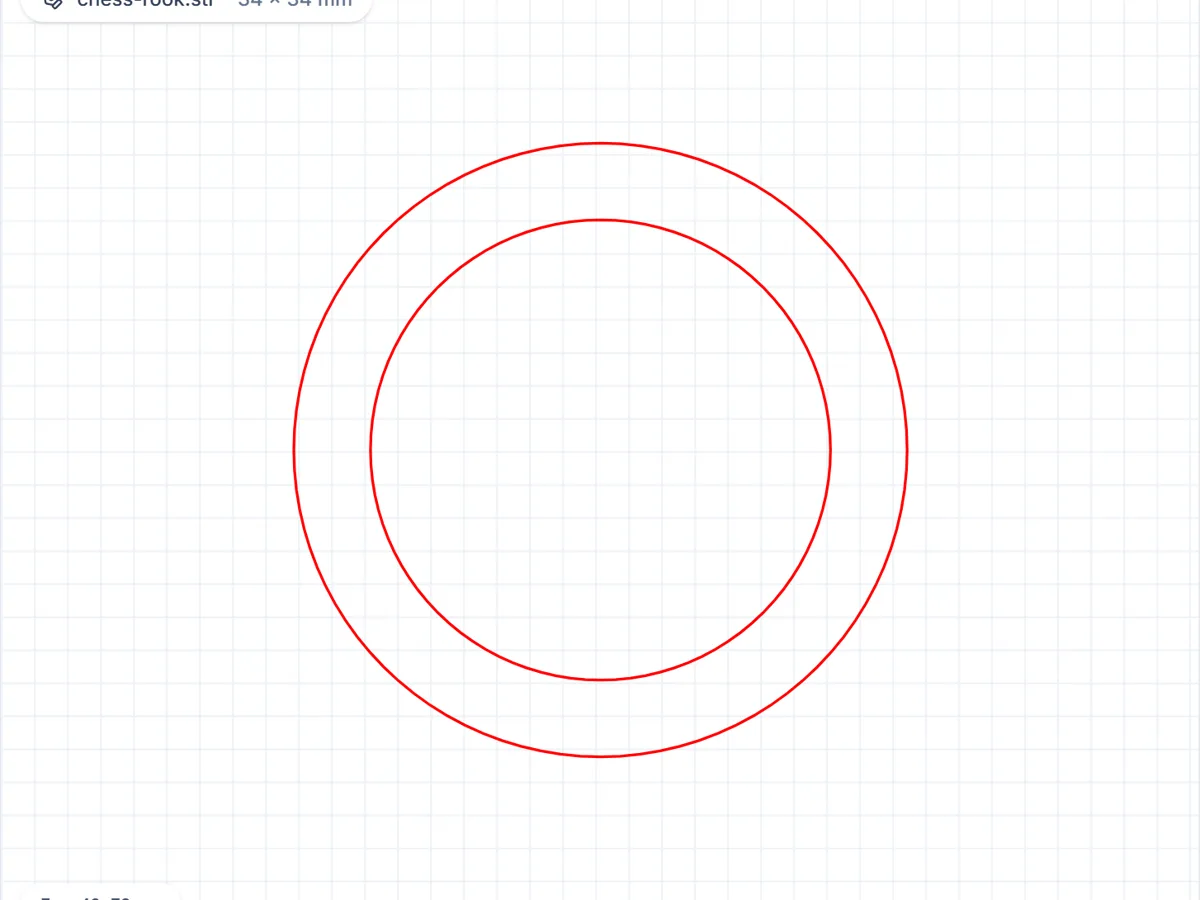
The chess rook cut half-way up its stem: one closed loop, 16.8 mm across, as a red hairline.
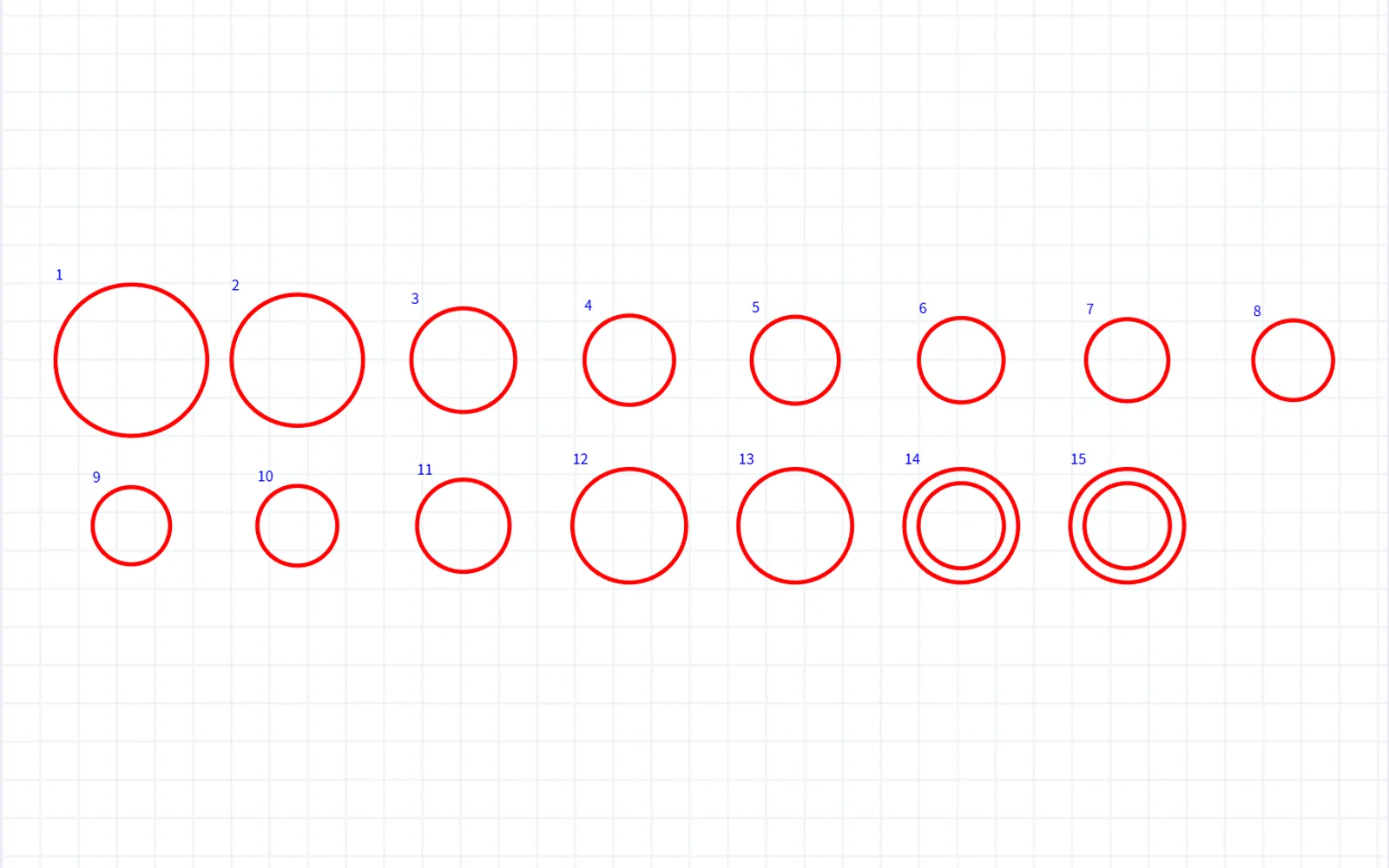
Layer stack for 3 mm plywood
The same rook sliced into 15 numbered rings and discs laid out on a 300 mm sheet.
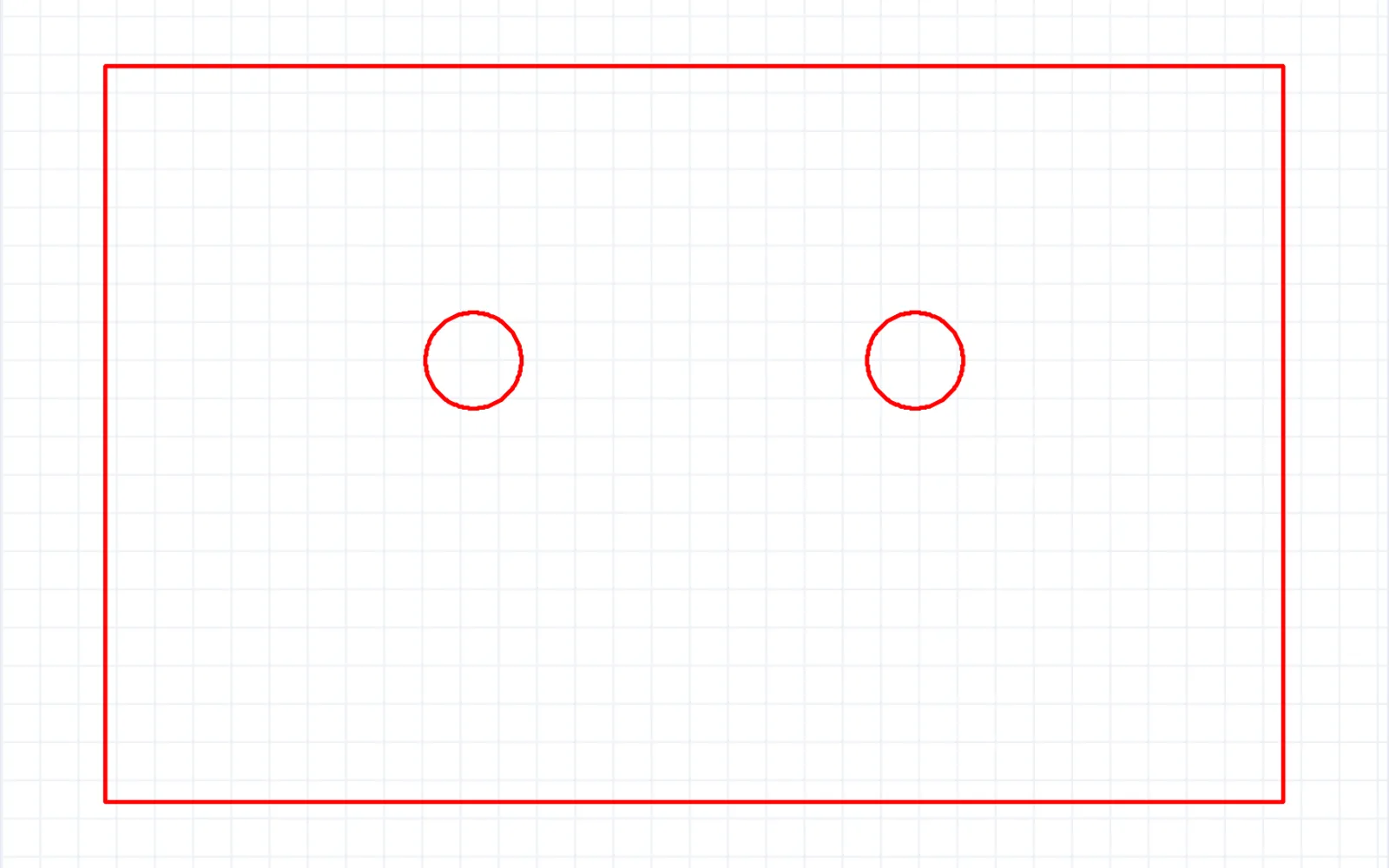
Front silhouette of a bracket
The mounting bracket seen from the front, with its two through-holes kept.
Why use this STL to SVG converter
For makers who print and cut: turn the 3D part you already have into a template, a stencil, a gasket or a stacked sculpture.
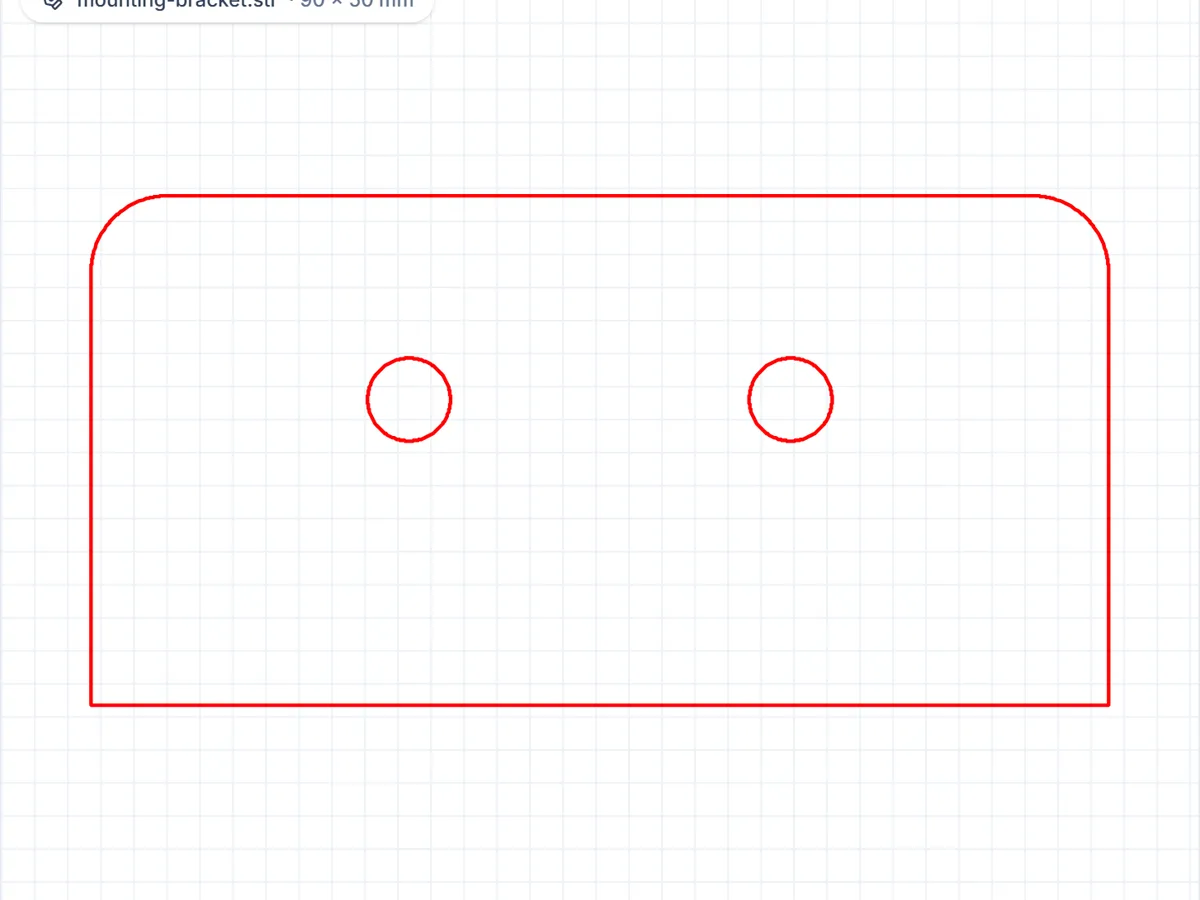
Top silhouette with holes
Trace the footprint of a part for a drilling template, a foam insert or a gasket — through-holes included.
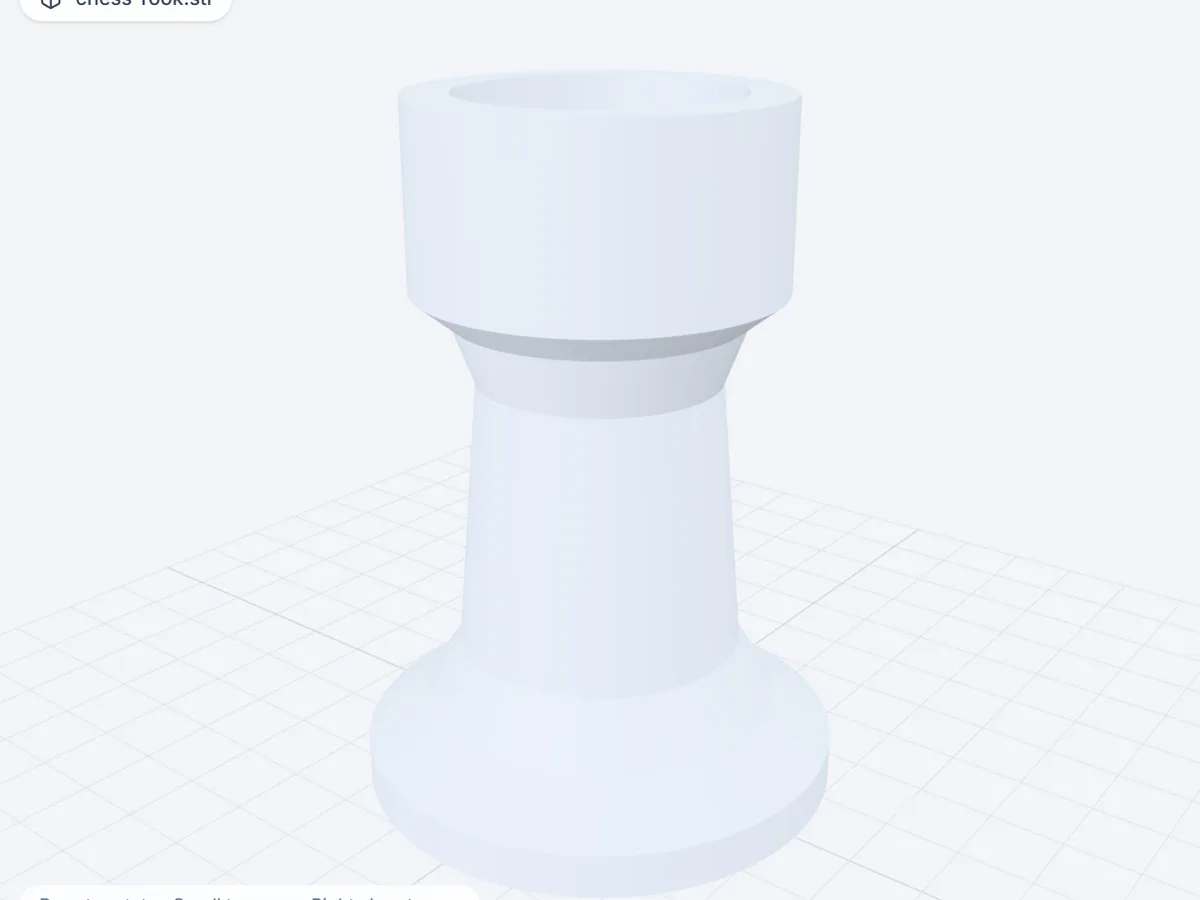
Check the model in 3D
Switch the preview to 3D to see which way the part is lying before you choose a height or a view.
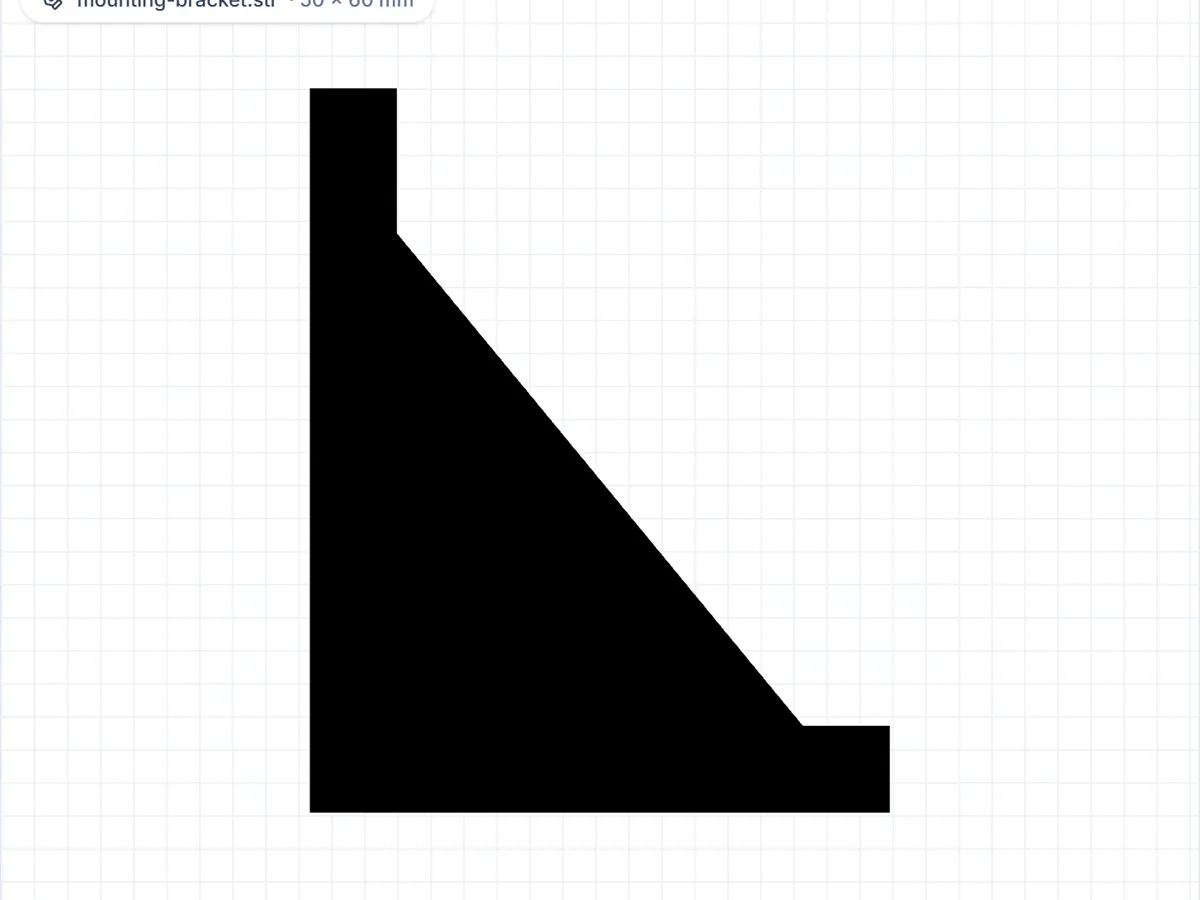
Cut lines or filled shapes
Red 0.1 mm hairlines for vector cutting, or black filled shapes (even-odd) for raster engraving, vinyl and screen printing.
Sizes you can trust
Width, height, outline and hole counts, total cut length and area are shown before download — useful for quoting laser time.
Hollow parts keep their walls
A section through a cup, tube or shelled print gives an outer and an inner loop, so the ring is cut, not filled.
Private by design
The STL is read and sliced in this browser tab. Nothing is uploaded and no account is needed.
STL to SVG — questions
Straight answers about converting STL files to SVG.
More ways to work with your 3D files
View, convert, or make a model from scratch.
DXF to STL
Extrude 2D DXF drawings into 3D printable STL parts.
STL to PNG
Render STL files to PNG images and thumbnails.
Heightmap Generator
Generate terrain heightmaps and export PNG or a printable STL.
SVG to STL
Extrude an SVG logo or drawing into a 3D STL.
STL Dimensions
Get the size, volume and area of an STL file.
STL viewer
Open STL, 3MF, OBJ or GLB and measure size, area and volume.
Don’t have a 3D model yet?
Kairo3D’s AI turns a photo or a prompt into a 3D model you can print, slice or cut.