
Braille STL Generator
Ready to print. Binary STL in millimetres.
Print tips
Use fine layers for round dots
Domes are only 0.7 mm tall: at 0.2 mm layers they print as three steps. Use 0.08–0.12 mm layers (adaptive layers on the top) or a resin printer for smoother dots.
Print face up, no ironing on dots
Print the plate flat, face up, with the dots on top. Ironing can flatten small domes; if you iron, limit it to the plate.
Check sizes against ADA
The defaults sit inside the ADA ranges. Measure a test print with calipers: FDM dots often come out 0.1–0.2 mm wider.
ADA 2010 §703.3 ↗Signs need Grade 2
ADA signs require contracted (Grade 2) braille. This tool writes uncontracted UEB; have the text transcribed by a braille transcriber for compliant signs.
ICEB · UEB rules ↗
Start from
Letters, digits and common punctuation. Enter starts a new braille line.
Braille (Unicode)
⠠⠅⠊⠞⠉⠓⠑⠝
Character → cells (dot numbers)
- ⇧ ⠠ 6
- K ⠅ 1-3
- i ⠊ 2-4
- t ⠞ 2-3-4-5
- c ⠉ 1-4
- h ⠓ 1-2-5
- e ⠑ 1-5
- n ⠝ 1-3-4-5
Built in your browser. Your text never leaves this page.
- Built in your browser, nothing uploaded
- Dot sizes from ADA 2010 §703.3
- Raised print text + braille
- English UEB Grade 1 only
A braille STL generator built on published sizes
Every dot size is a number you can check in the ADA table.
- 1.5 mmdot base diameter (ADA 1.5–1.6)
- 2.4 mmdot to dot (ADA 2.3–2.5)
- 6.3 mmcell to cell (ADA 6.1–7.6)
- 0.7 mmdot height (ADA 0.6–0.9)
How to 3D print braille
From English text to a tactile label in four steps.
1. Type the text
Type English words, numbers and punctuation. The braille appears as Unicode under the controls, with a table of the dots for every character.
2. Keep the ADA dot sizes
The dot diameter, height and spacing start inside the ADA 2010 ranges. Change them only if you print on a different standard, and use "Reset to ADA sizes" to go back.
3. Add print text and a plate
Turn on raised print letters above the braille, set the margin and thickness, and add a hanging hole for tags and keychains.
4. Download and print fine
Download the STL or the two-colour 3MF and print at fine layer heights so the dots come out round and smooth to the touch.
The braille cell and its sizes
Six dot positions per cell, numbered 1–3 down the left and 4–6 down the right.
Six positions, one character
Each letter is a pattern of raised dots in a 2 × 3 cell. a is dot 1, b is dots 1-2, c is dots 1-4, and so on; the tool shows the dot numbers for your text.
Spacing matters more than shape
Fingers read the gaps: 2.3–2.5 mm between dots in a cell, 6.1–7.6 mm from one cell to the next and 10.0–10.2 mm between lines (ADA 2010 Table 703.3.1).
Domed dots, not cylinders
ADA asks for domed or rounded dots. The generator builds each dot as a spherical cap 1.5 mm wide and 0.7 mm tall, sunk slightly into the plate.
Indicators come first
A number sign (dots 3-4-5-6) starts every number and a capital sign (dot 6) marks capitals. These extra cells are counted when the line wraps.
Braille dot sizes and where they come from
Defaults sit inside the ADA 2010 ranges; the right column says why.
| Setting | Default | Source and reason |
|---|---|---|
| Dot base diameter | 1.5 mm | ADA 703.3.1: 1.5–1.6 mm. FDM dots come out slightly wider, so start at the low end. |
| Dot height | 0.7 mm | ADA: 0.6–0.9 mm. Lower dots feel faint, taller ones feel sharp. |
| Dot to dot | 2.4 mm | ADA: 2.3–2.5 mm, centre to centre within a cell. |
| Cell to cell | 6.3 mm | ADA: 6.1–7.6 mm between the same dot in neighbouring cells. |
| Line to line | 10.1 mm | ADA: 10.0–10.2 mm between the same dot in cells one line apart. |
| Print text gap | 9.5 mm | ADA 703.4.1: braille sits below the raised text, at least 3/8 in away. |
| Print text | 8 mm, raised 1 mm | Raised characters need at least 0.8 mm (1/32 in) relief. |
Sizes: 2010 ADA Standards §703.3 and the Braille Authority of North America. Code: ICEB, The Rules of Unified English Braille (2013). Checked 2026-11-24.
What this braille STL generator does
- English letters, digits and common punctuation in uncontracted Unified English Braille (Grade 1).
- Capital, all-caps and number indicators, with the grade-1 sign after numbers when needed.
- Domed dots at ADA sizes, raised print text above, a plate with an optional hole.
- Shows the braille as Unicode and the dot numbers for each character.
What it does not do
- No Grade 2 (contracted) braille, which ADA requires on permanent room signs.
- No Chinese braille: Chinese uses its own pinyin-and-tone system (GF 0019—2018), not English letters.
- No maths, music or other national braille codes.
- It is not a certified transcription: have signs checked by a braille reader.
What 3D printed braille looks like
Photos of tactile prints by other makers, for reference.
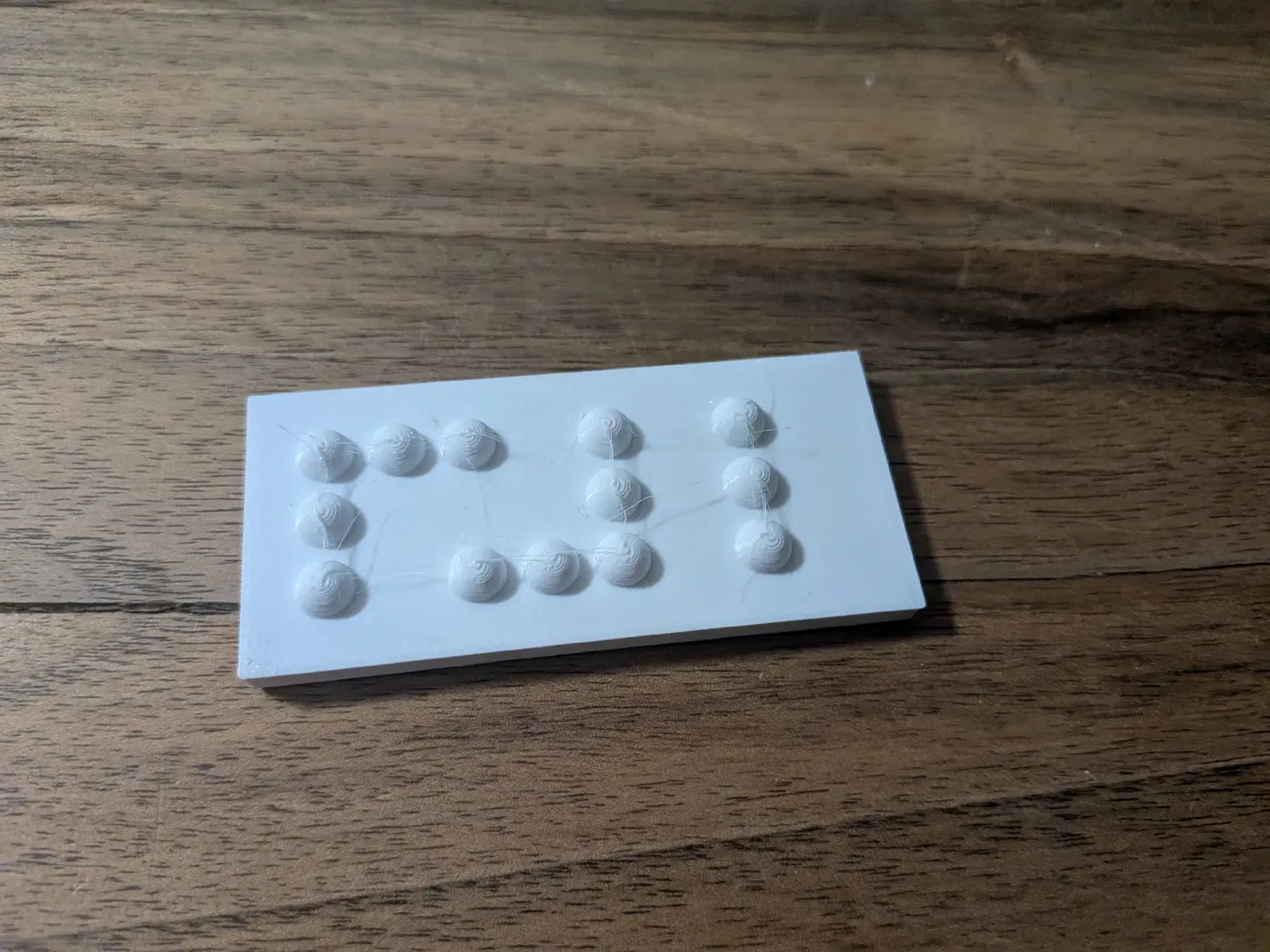 Reference example
Single-colour braille label printed in PLAvia printables.com · Michał Mietliński (CC0) 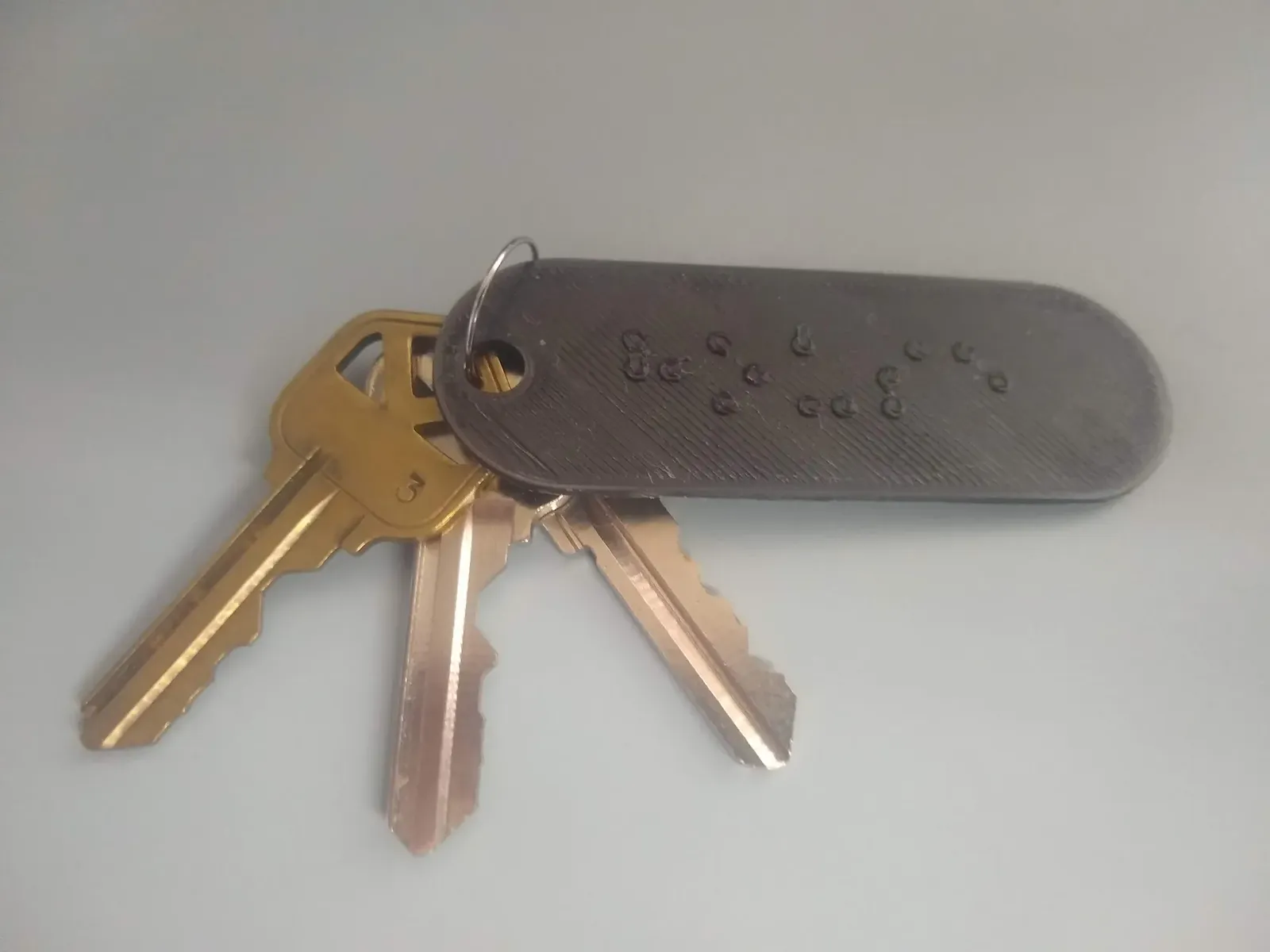 Reference example
Braille key tag on a key ringvia printables.com · BroJJ (CC0) 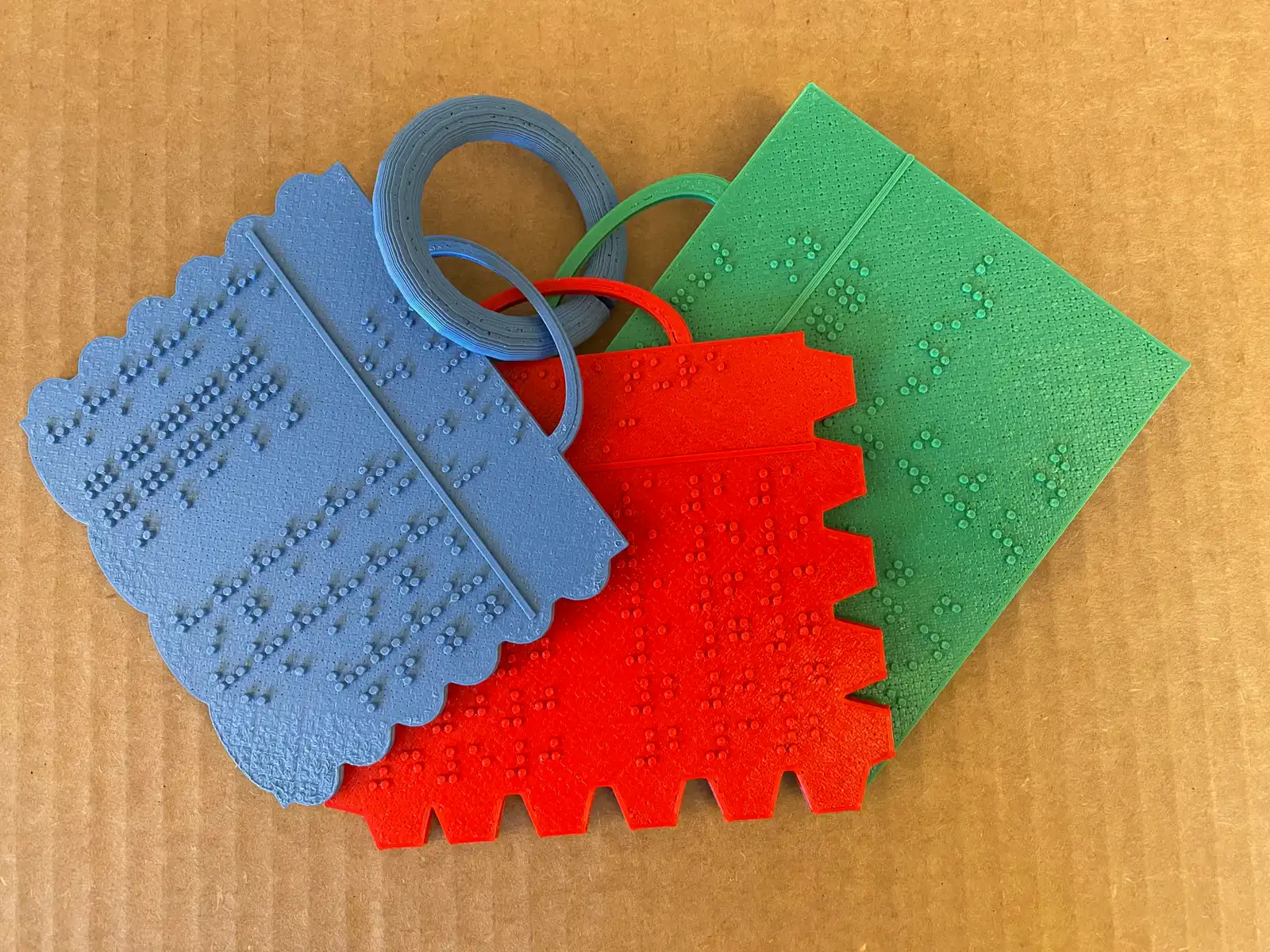 Reference example
Colour-coded braille kitchen labelsvia printables.com · Noah Puckett (CC BY)
Made with this braille STL generator
Previews of real outputs from the generator above.
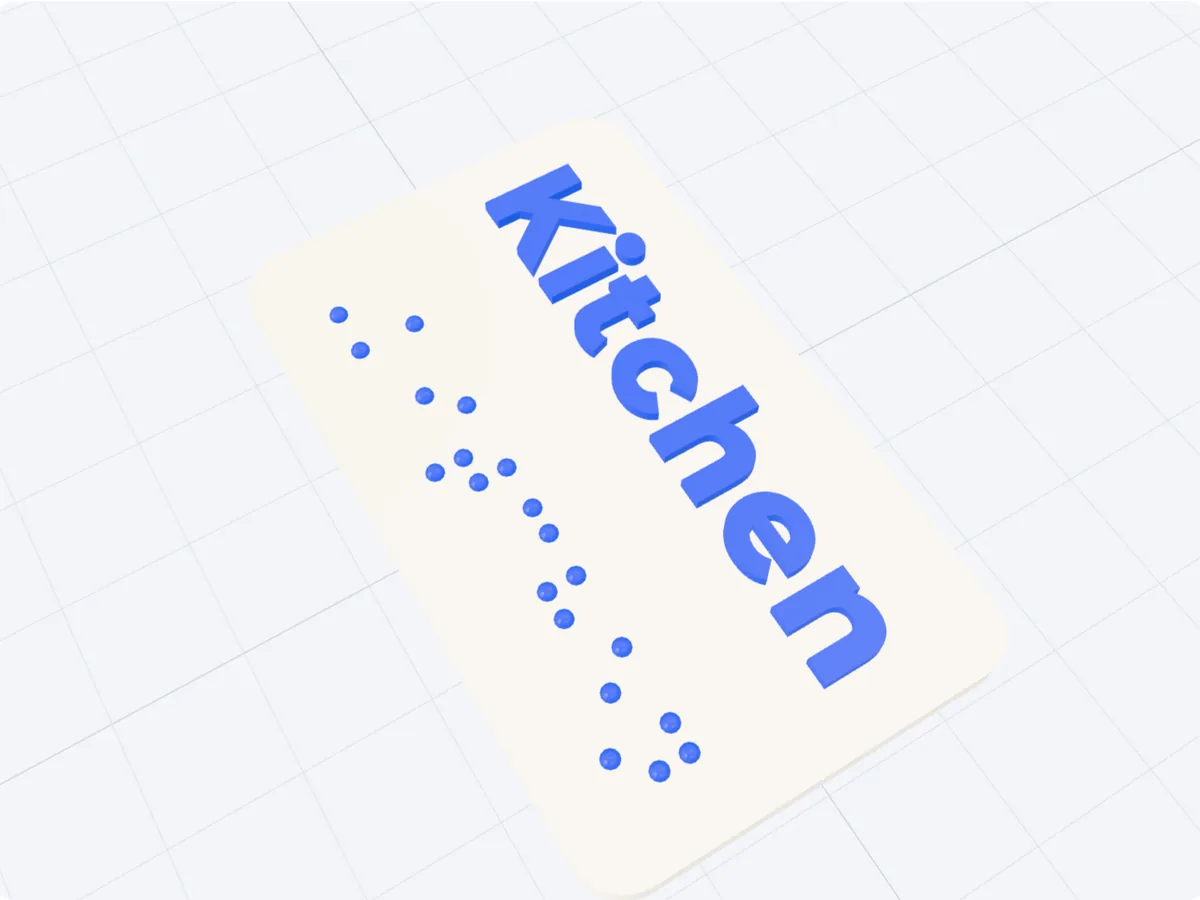
Room label
"Kitchen" in raised print with UEB braille underneath, blue on cream.
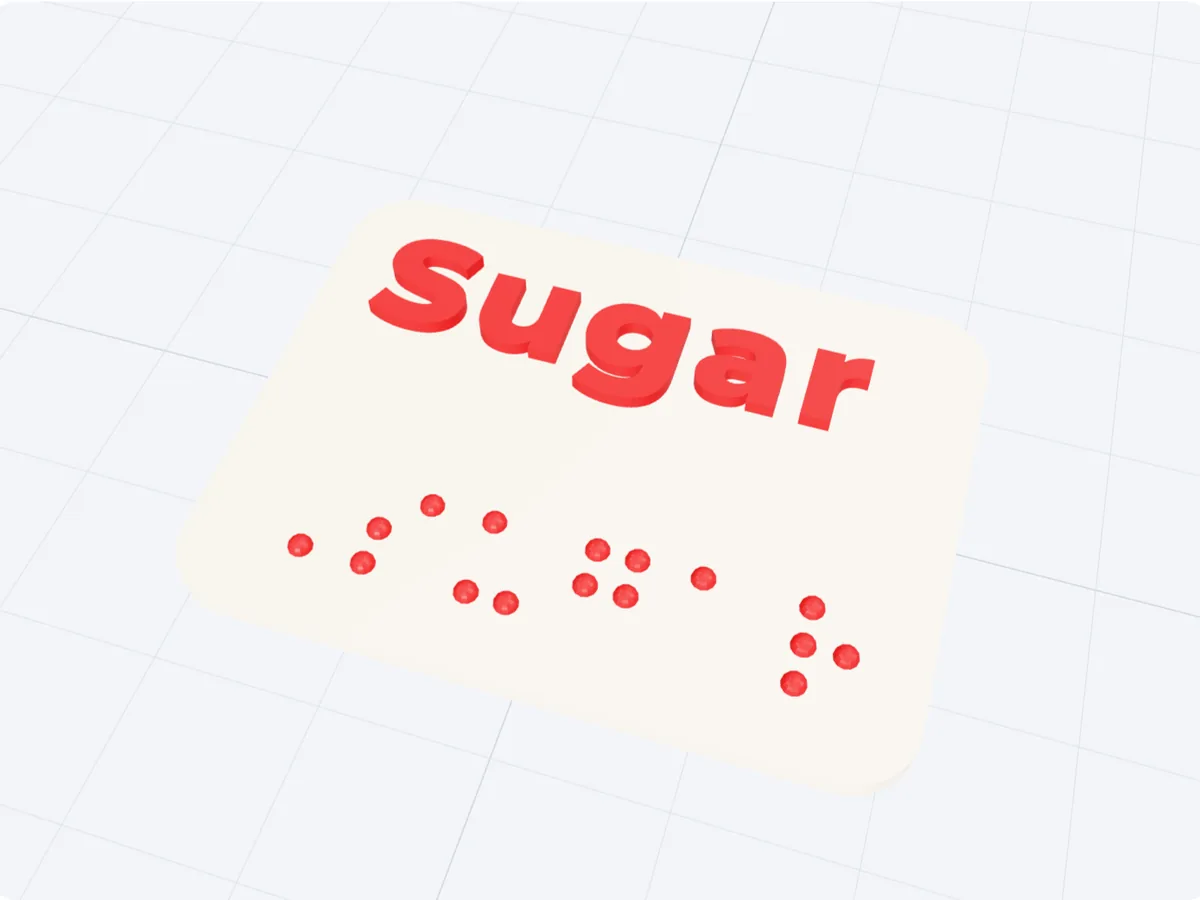
Jar label
A small thin label for a kitchen jar, red dots on white.
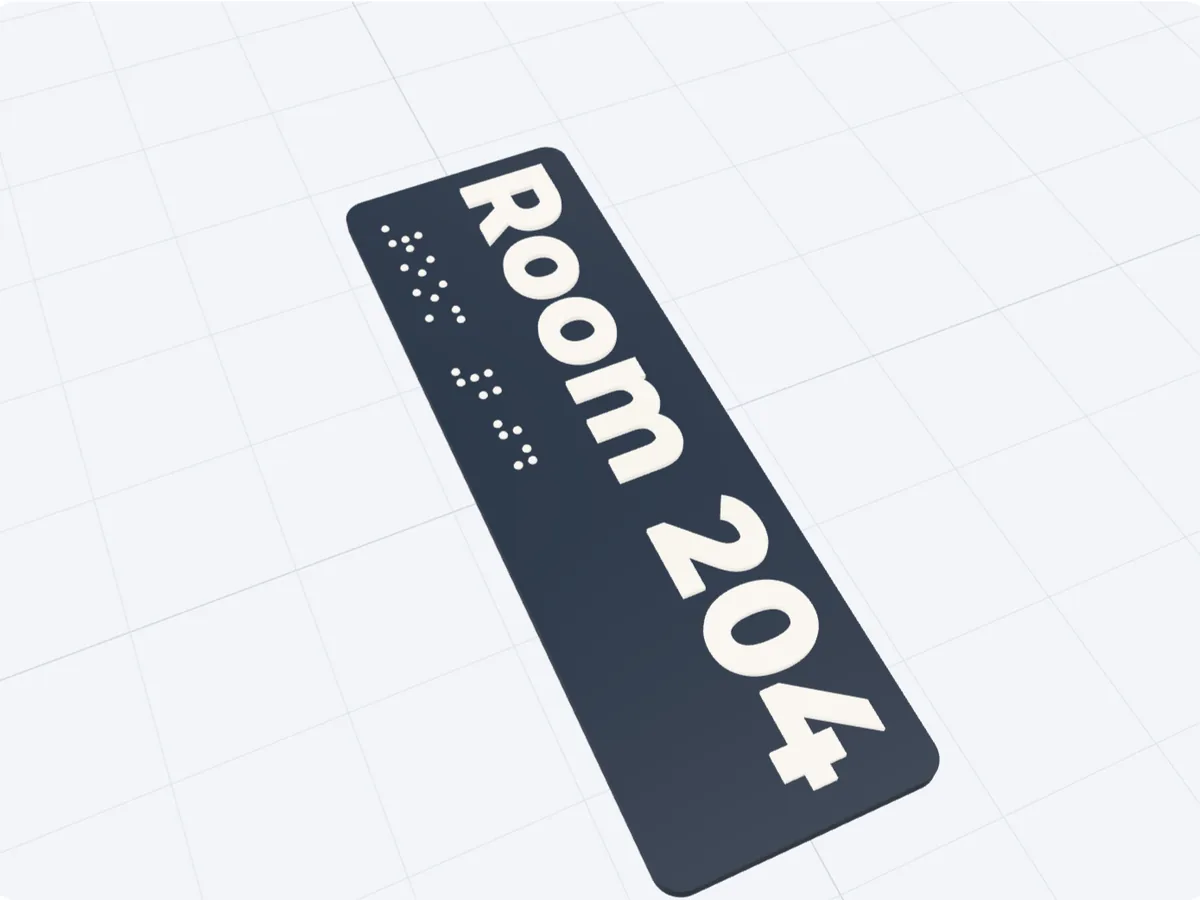
Room number
Large print digits with the number sign and braille digits.
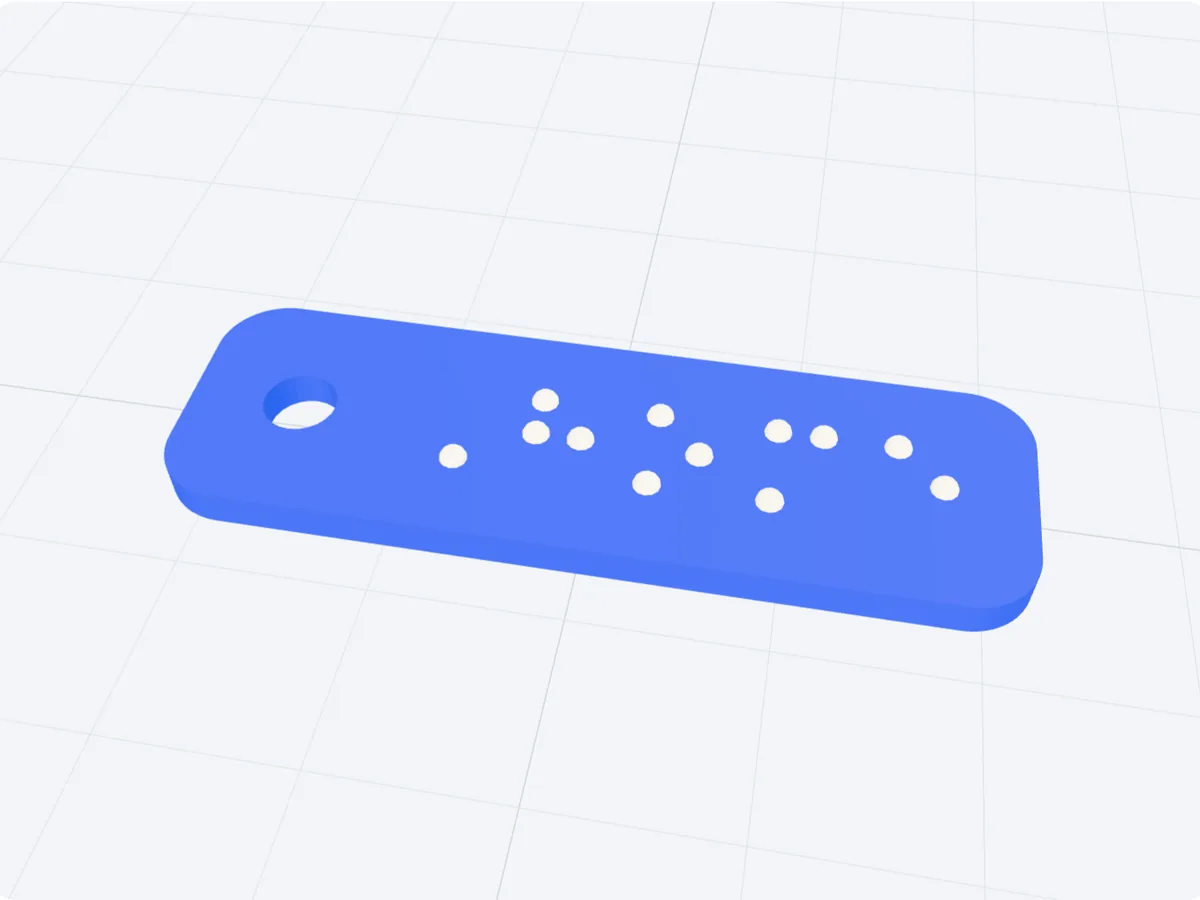
Braille keychain tag
Braille only, with a hanging hole on the left.
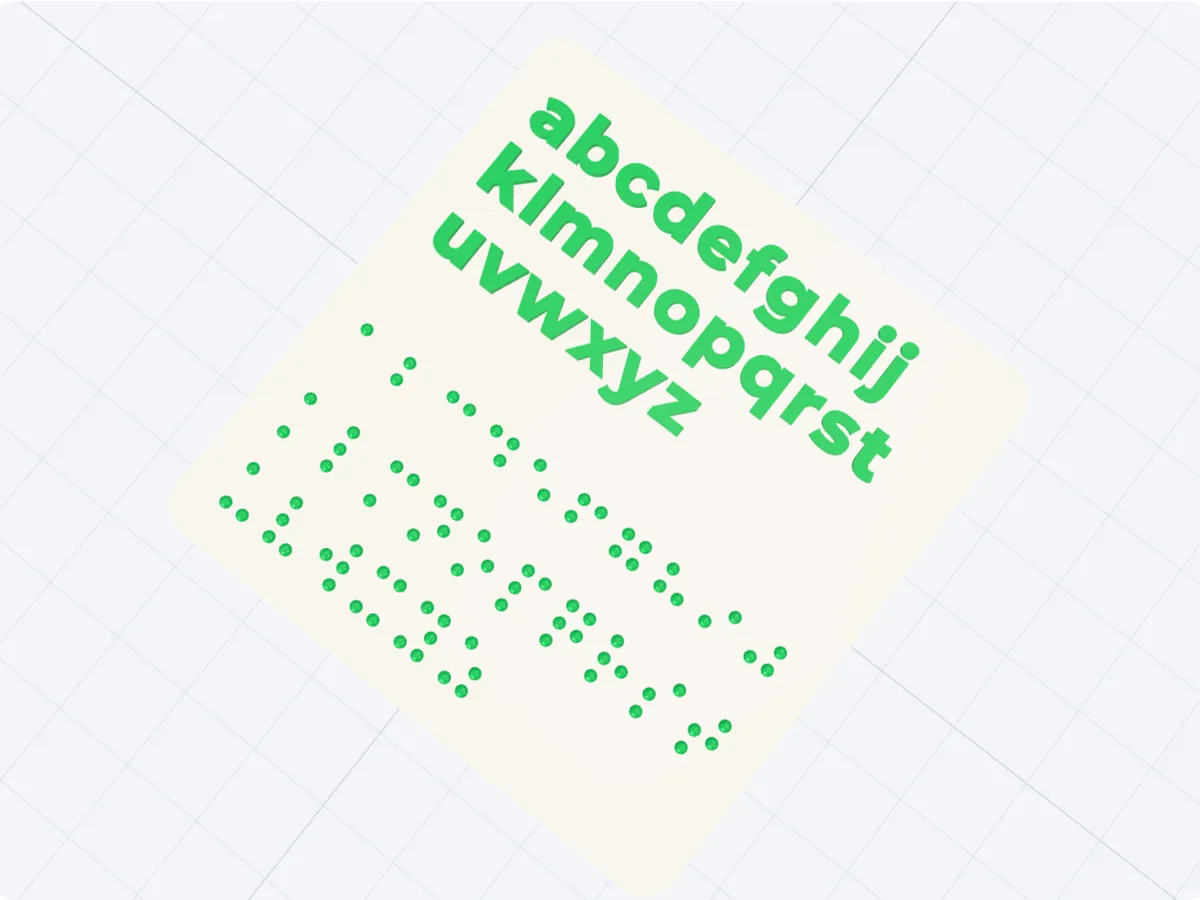
Alphabet learning card
a–z in three lines with print letters above, for learning.
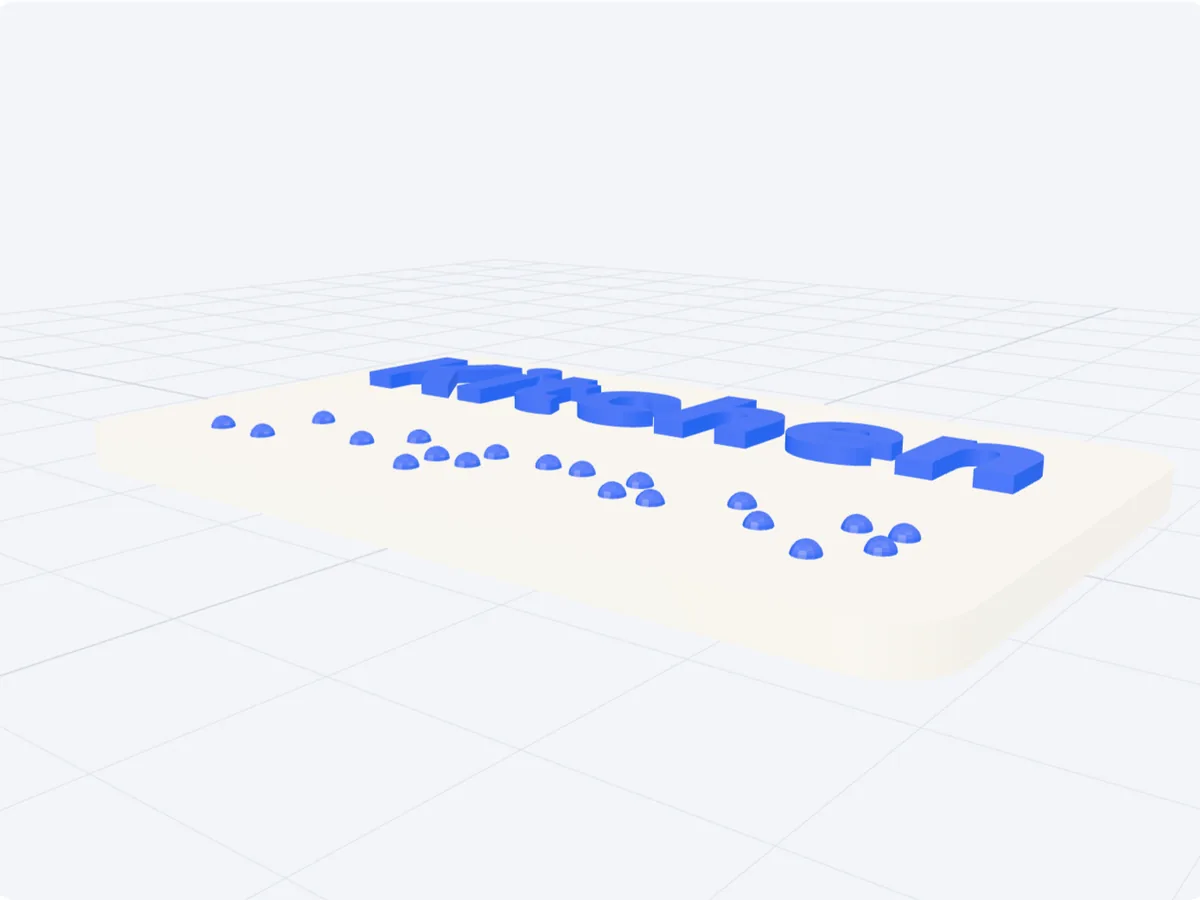
Close-up of domed dots
Low angle showing the spherical caps at 0.7 mm height.
Why use this braille STL generator
Sizes you can check, output you can print.
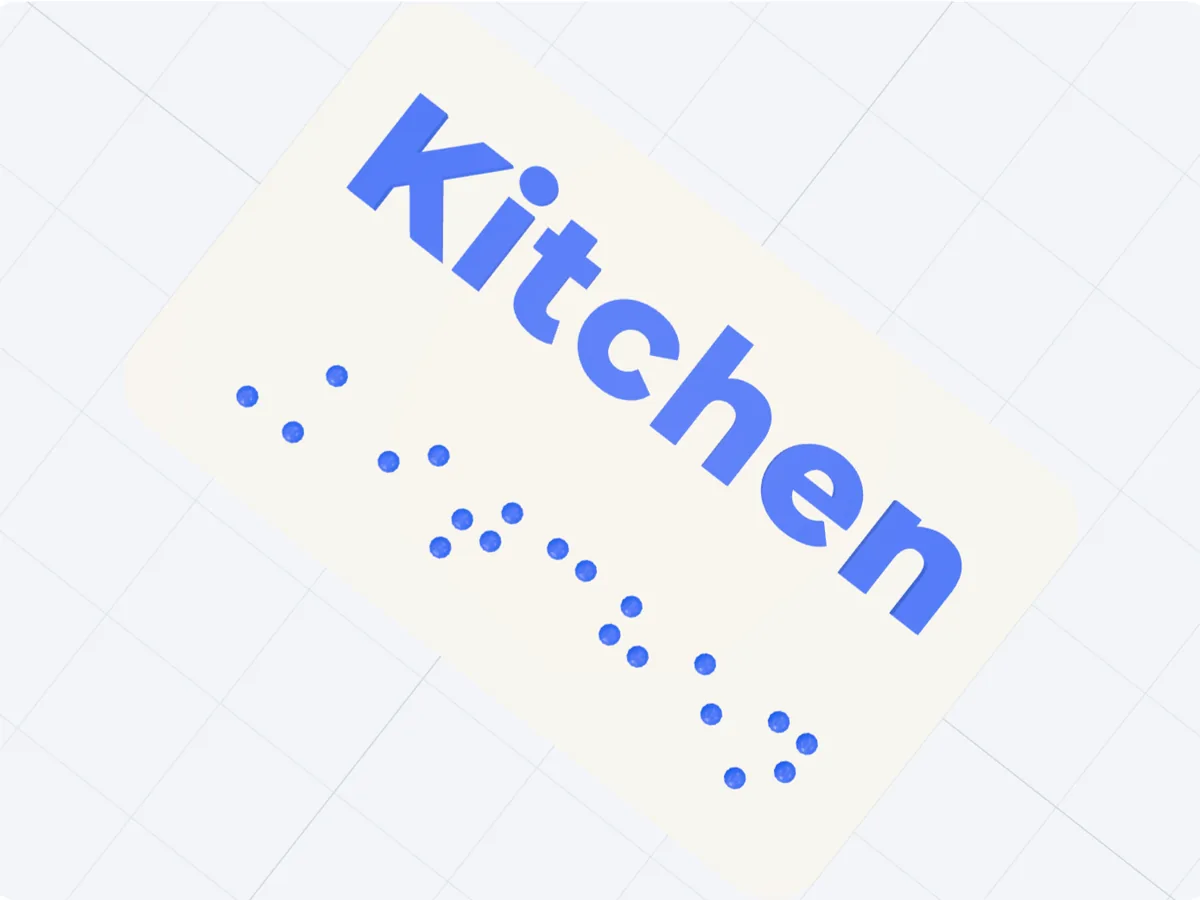
ADA dot sizes by default
Diameter, height and spacing start inside the ADA 2010 ranges, with a one-click reset if you change them.
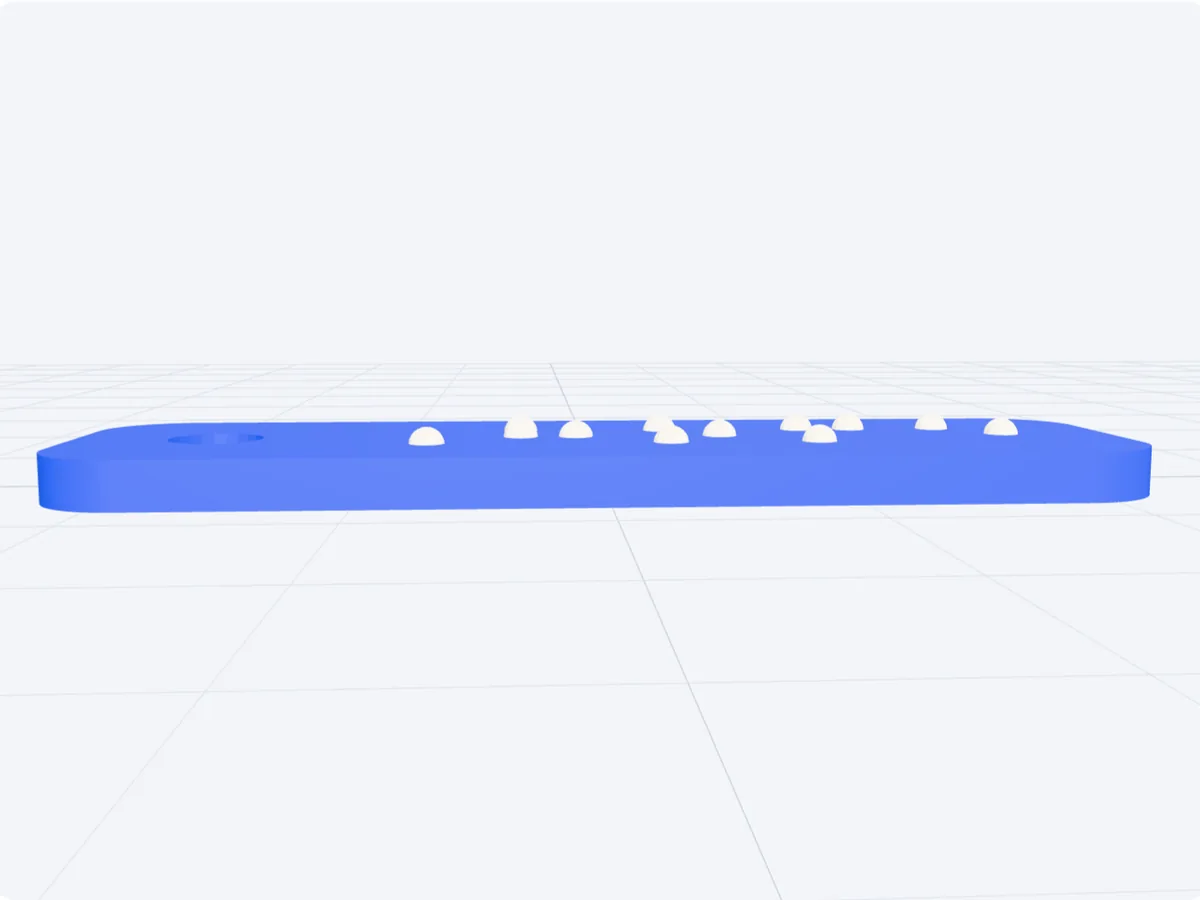
Real domed dots
Each dot is a smooth spherical cap, not a cylinder, so it feels like embossed braille.
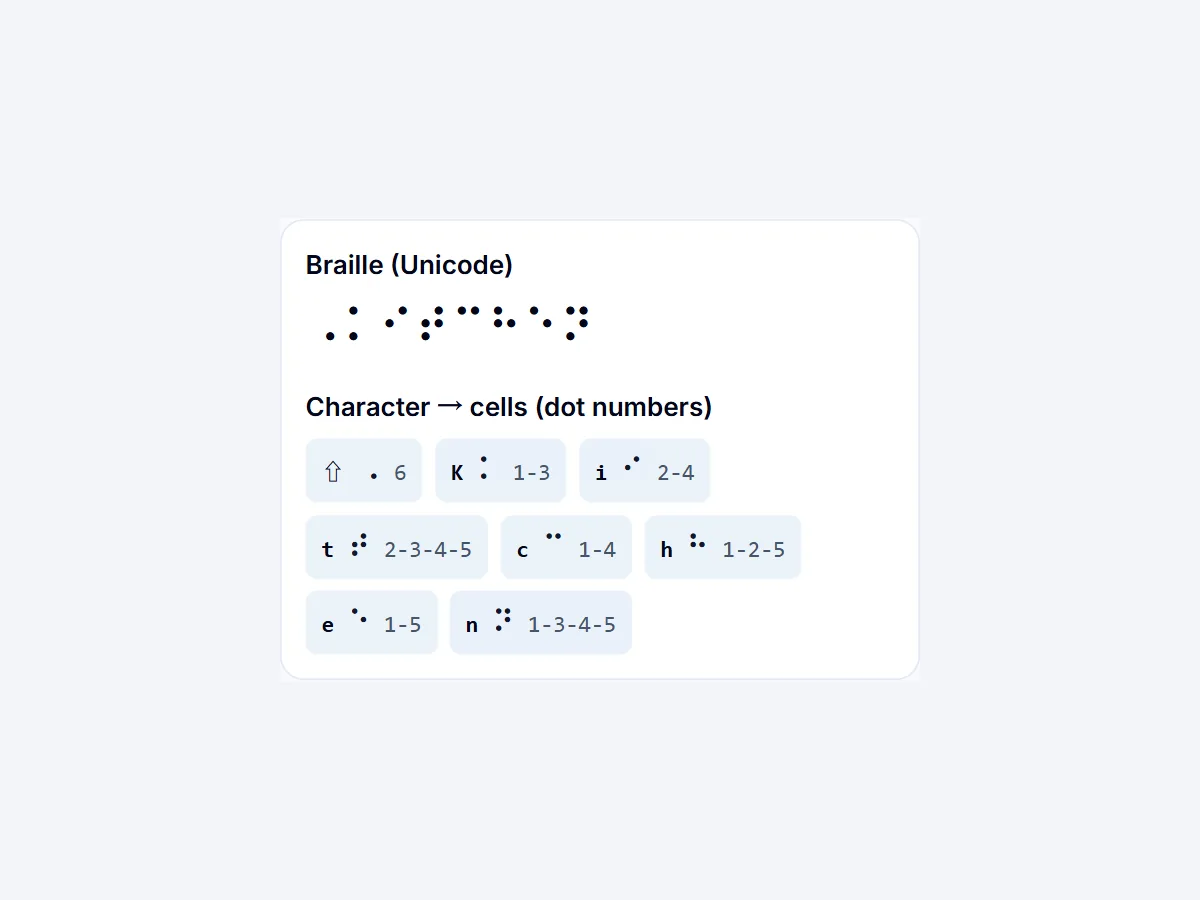
See the dots you print
The Unicode braille and a character-to-dots table let a sighted maker check the translation before printing.
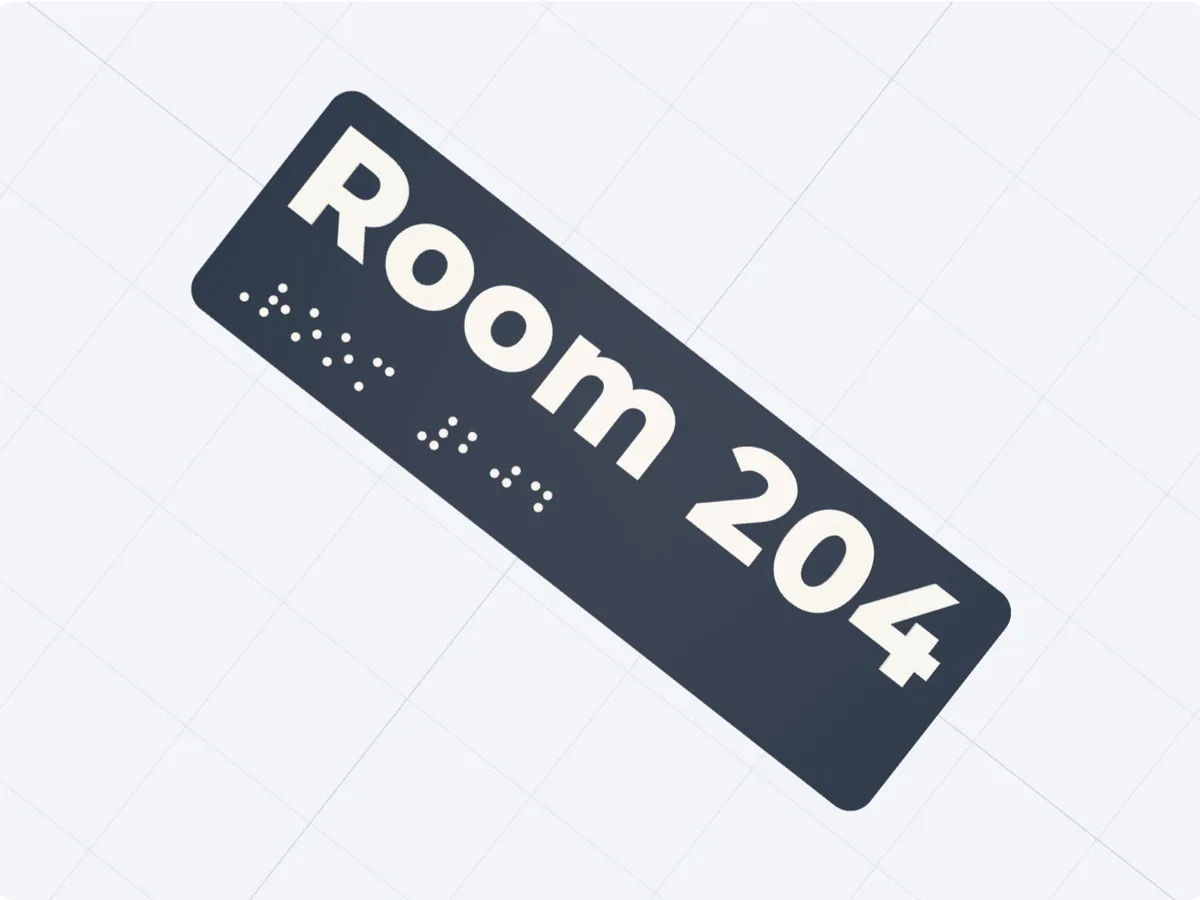
Print text above braille
Raised print letters above the braille, 9.5 mm apart, so sighted and blind readers share one label.
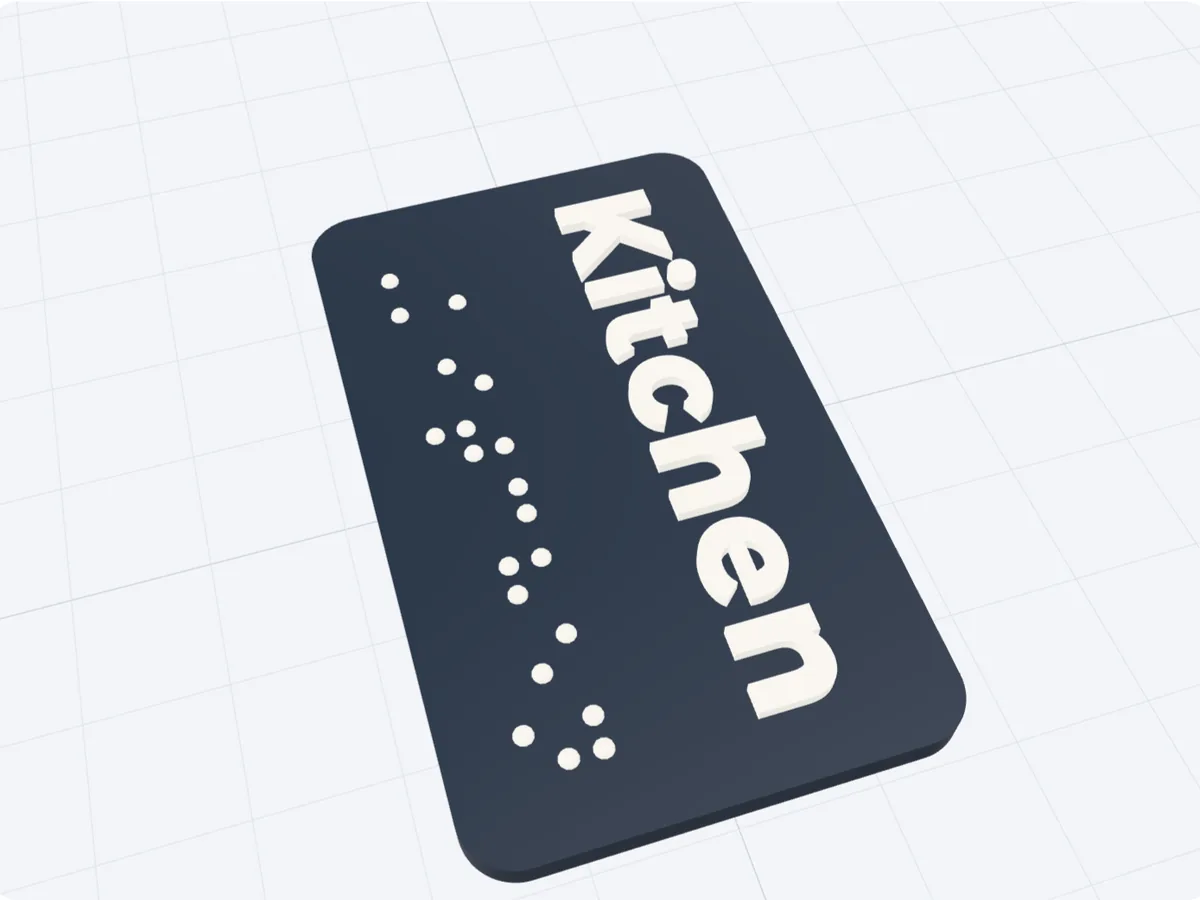
Two colours for contrast
Plate and dots are separate bodies: one colour change or a two-part 3MF gives high-contrast labels for low-vision readers.
Private and free
Built in your browser. No upload, no account, no watermark.
Braille STL generator: questions
Standards, sizes, printing and languages.
More ways to work with your 3D files
View, convert, or make a model from scratch.
3D Sign Generator
Make raised-letter signs and plaques ready to print.
Nameplate Generator
Design a printable name plate and download STL.
QR Code to STL
Turn a link or text into a 3D printable QR code plate.
Keychain Generator
Design a custom name keychain and download the STL.
Text to STL
Type text, pick a font, download 3D letters.
STL viewer
Open STL, 3MF, OBJ or GLB and measure size, area and volume.
Want to turn an idea into a 3D model?
Describe an object and Kairo3D’s text to 3D builds a printable model.