
ASA Print Temperature Chart
Variant
Brand
4 ASA / ASA+ sources: nozzle 230–280 °C; the window every one of them accepts is 250–260 °C.
Bambu Lab ASA
ASA / ASA+
- Nozzle
- 240–270 °C
- try first 255 °C
- Bed
- 80–100 °C
- try first 90 °C
- Enclosure / chamber
- 45–60 °C
- Part-cooling fan
- 0–80 %
- Drying
- 80 °C · 8 h
- Annealing
- —
- Water uptake
- 0.45 %
- saturated, 25 °C / 55 % RH
- Nozzle type
- Brass is fine
- Print speed
- up to 250 mm/s
- Density
- 1.05 g/cm³
- Heat resistance
- HDT 92 °C @1.8 MPa · HDT 100 °C @0.45 MPa · Vicat 106 °C
Fits your printer
TDS V3.0. Glue on the plate; drying alternative on an X1 heatbed: 90–100 °C for 12 h.
Can my printer print it?
4 of 6 filaments fit these limits
Set your printer’s limits; every row in the table is checked against its maker’s numbers.
ASA and ASA-CF print temperature by manufacturer
| Can my printer print it? | Filament | Variant | Nozzle | Bed | Enclosure / chamber | Part-cooling fan | Drying | Annealing | Water uptake | Heat resistance | Nozzle type |
|---|---|---|---|---|---|---|---|---|---|---|---|
| OK | Bambu Lab ASA | ASA / ASA+ | 240–270 °C | 80–100 °C | 45–60 °C | 0–80 % | 80 °C · 8 h | — | 0.45 % | HDT 92 °C @1.8 MPa · HDT 100 °C @0.45 MPa · Vicat 106 °C | Brass is fine |
| OK | Polymaker ASA | ASA / ASA+ | 230–260 °C | 75–95 °C | Closed, ambient temp | Off | 70 °C · 7 h | — | — | HDT 100 °C @1.8 MPa · HDT 103 °C @0.45 MPa · Vicat 105 °C · Tg 98 °C | Brass is fine |
| OK | Prusament ASA | ASA / ASA+ | 250–270 °C | 105–115 °C | — | 0–50 % | 80 °C · 4 h | — | 0.17 % | HDT 86 °C @1.8 MPa · HDT 93 °C @0.45 MPa | Brass is fine |
| OK | eSUN ASA+ | ASA / ASA+ | 250–280 °C | 90–110 °C | Enclosure needed | 0–30 % | — | — | — | HDT 96.4 °C (load not stated) | Brass is fine |
| needs a hardened nozzle | Bambu Lab ASA-CF | ASA-CF (carbon fibre) | 250–280 °C | 80–100 °C | 45–60 °C | On | 80 °C · 8 h | — | 0.33 % | HDT 102 °C @1.8 MPa · HDT 110 °C @0.45 MPa · Vicat 108 °C | Hardened steel |
| needs a hardened nozzle | Polymaker Fiberon ASA-CF08 | ASA-CF (carbon fibre) | 260–280 °C | 90–100 °C | Room temperature | Off | 90 °C · 6 h | — | 0.37 % | HDT 97.3 °C @1.8 MPa · Vicat 110.8 °C · Tg 106.6 °C | Hardened steel |
Values copied from each manufacturer’s datasheet or official page, checked 2026-11-24. The label on your spool wins if it differs.
- Enclosure temperatures included
- ASA, ASA+ and ASA-CF
- Copy or print the table
- Warping and cracking fixes
ASA print temperature in three numbers
Across the six ASA datasheets in the chart, this is the spread you have to work inside.
- 230–280 °Cnozzle range across all six ASA sources
- 75–115 °Cbed range, Polymaker lowest, Prusament highest
- 45–60 °Cchamber Bambu Lab gives for ASA and ASA-CF
Setting up for ASA in four steps
ASA prints like ABS: hot nozzle, hot bed and a closed printer. The recording shows the chart and the printer check in use.
Pick ASA or ASA-CF, then the brand on your spool
The card shows that maker’s nozzle and bed range with a first value to try, plus enclosure, fan, drying, water uptake and heat deflection.
Enter your printer’s limits
Max nozzle, max bed, open or closed frame, hardened nozzle or not. Every row turns green or red, with the reason.
Dry the spool and close the door
Dry at the maker’s setting, then let the bed heat the closed chamber for a few minutes before the first layer.
Print a temperature tower
Start from the suggested value and step 5 °C each way. Keep the fan low; raise it only for bridges and overhangs.
What the ASA datasheets agree on, and where they differ
Four makers, six products. The nozzle ranges overlap; the bed and enclosure advice does not.
ASA · nozzle temperature by variant
- ASA / ASA+230–280 °C
- ASA-CF (carbon fibre)250–280 °C
ASA · bed temperature by variant
- ASA / ASA+75–115 °C
- ASA-CF (carbon fibre)80–100 °C
ASA set-up at a glance · ASA / ASA+
Nozzle: 250–260 °C fits every plain ASA
Bambu Lab ASA lists 240–270 °C, Polymaker ASA 230–260 °C, Prusament ASA 260 ± 10 °C and eSUN ASA+ 250–280 °C. The only window all four accept is 250–260 °C, so 255 °C is a sound first ASA print temperature on an unknown printer.
Bed: there is no single right number
Polymaker asks for 75–95 °C, Bambu Lab 80–100 °C, eSUN 90–110 °C and Prusament 110 ± 5 °C. No value sits inside all four, which is why ASA bed temperature questions get such different answers. Follow the brand on your spool and use glue on smooth or textured PEI.
Enclosure: closed, and warm if you can
Bambu Lab gives a 45–60 °C chamber for ASA and ASA-CF. Polymaker says a closed chamber is needed but ambient temperature is fine. eSUN lists enclosed-chamber printing as a condition. Prusa suggests a skirt as tall as the part as a draft shield.
Fan: lower than you think
Polymaker ASA prints with the fan off. Bambu Lab allows 0–80 %, eSUN 0–30 %. Prusament starts at 30 % and goes up to 50 % only when overhangs need it; for large parts without bridges, Prusa notes that fan off can work better.
ASA-CF: hotter and abrasive
Bambu ASA-CF runs at 250–280 °C and Fiberon ASA-CF08 at 260–280 °C. Both need a hardened nozzle. Fiberon prints with a room-temperature chamber but recommends an enclosed printer because of odour, and warns to keep the filament bend diameter above 60 mm.
Heat resistance close to ABS
Heat deflection at 1.8 MPa is 86 °C for Prusament ASA, 92 °C for Bambu ASA and 100 °C for Polymaker ASA, against 84 °C for Bambu ABS. ASA is chosen over ABS for sunlight, not for extra heat.
ASA vs ASA-CF vs ABS print settings
Ranges span every datasheet of that type in the chart; ABS values come from our ABS temperature chart.
ASA / ASA+
- Nozzle
- 230–280 °C
- Bed
- 75–115 °C
- HDT 1.8 MPa
- 86–100 °C
- Enclosure
- closed
- Hardened nozzle
- no
ASA-CF (carbon fibre)
- Nozzle
- 250–280 °C
- Bed
- 80–100 °C
- HDT 1.8 MPa
- 97.3–102 °C
- Enclosure
- closed
- Hardened nozzle
- yes
| Setting | ASA / ASA+ | ASA-CF | ABS (for reference) |
|---|---|---|---|
| Nozzle | 230–280 °C | 250–280 °C | 240–270 °C (Bambu), 245–265 °C (PolyLite) |
| Bed | 75–115 °C | 80–100 °C, 90–100 °C | 80–100 °C, 90–100 °C |
| Enclosure | Closed; 45–60 °C chamber (Bambu) | 45–60 °C (Bambu); room temp, enclosed printer advised (Fiberon) | 45–60 °C (Bambu); required (Polymaker) |
| Part fan | Off (Polymaker) to 0–80 % (Bambu) | On (Bambu), off (Fiberon) | Off to 0–80 % |
| Drying | 70 °C 7 h to 80 °C 8 h | 80 °C 8 h, 90 °C 6 h | 70 °C 6 h, 80 °C 8 h |
| HDT at 1.8 MPa | 86–100 °C | 97.3–102 °C | 84 °C, 98 °C |
| UV / outdoor | Rated excellent (Polymaker guide) | “Exceptional weather and UV resistance” (Bambu) | Rated poor (Polymaker guide) |
| Nozzle type | Brass is fine | Hardened steel | Brass is fine |
Polymaker’s chamber advice for ASA reads “needed (ambient temperature)”: a closed box matters more than its exact temperature.
Outdoor parts, heat and finish
The reasons people put up with ASA’s demanding print temperature, each drawn from the maker data.
Why ASA is the outdoor choice
Polymaker’s material guide rates UV resistance “poor” for ABS and “excellent” for ASA, crediting ASA’s UV-resistant acrylic ester elastomer for keeping colour and strength after long sun exposure. Schematic, not a test result. Built for sunlight
Bambu Lab lists plant signs, mailboxes and wind vanes as typical ASA prints. Polymaker’s material guide rates ASA’s UV resistance excellent and ABS’s poor. If the part lives outside, that difference matters more than any temperature in the chart.
ASA heat deflection, 1.8 MPa
- Bambu Lab ASA-CF102 °C
- Polymaker ASA100 °C
- Fiberon ASA-CF0897.3 °C
- Bambu Lab ASA92 °C
- Prusament ASA86 °C
- ABS (Bambu ABS)84 °C
- PETG (Bambu PETG Basic)68 °C
- PLA (Bambu PLA Basic)54 °C
HDT at 1.8 MPa (ISO 75) from each datasheet, highest first; grey bars are PLA, PETG and ABS for scale. Products that publish no 1.8 MPa value are left out. Heat deflection you can compare
Every ASA here deflects at 86–102 °C under 1.8 MPa, well above PLA (54 °C) and PETG (68 °C) on Bambu’s own datasheets. That covers car interiors and parts near warm electronics.
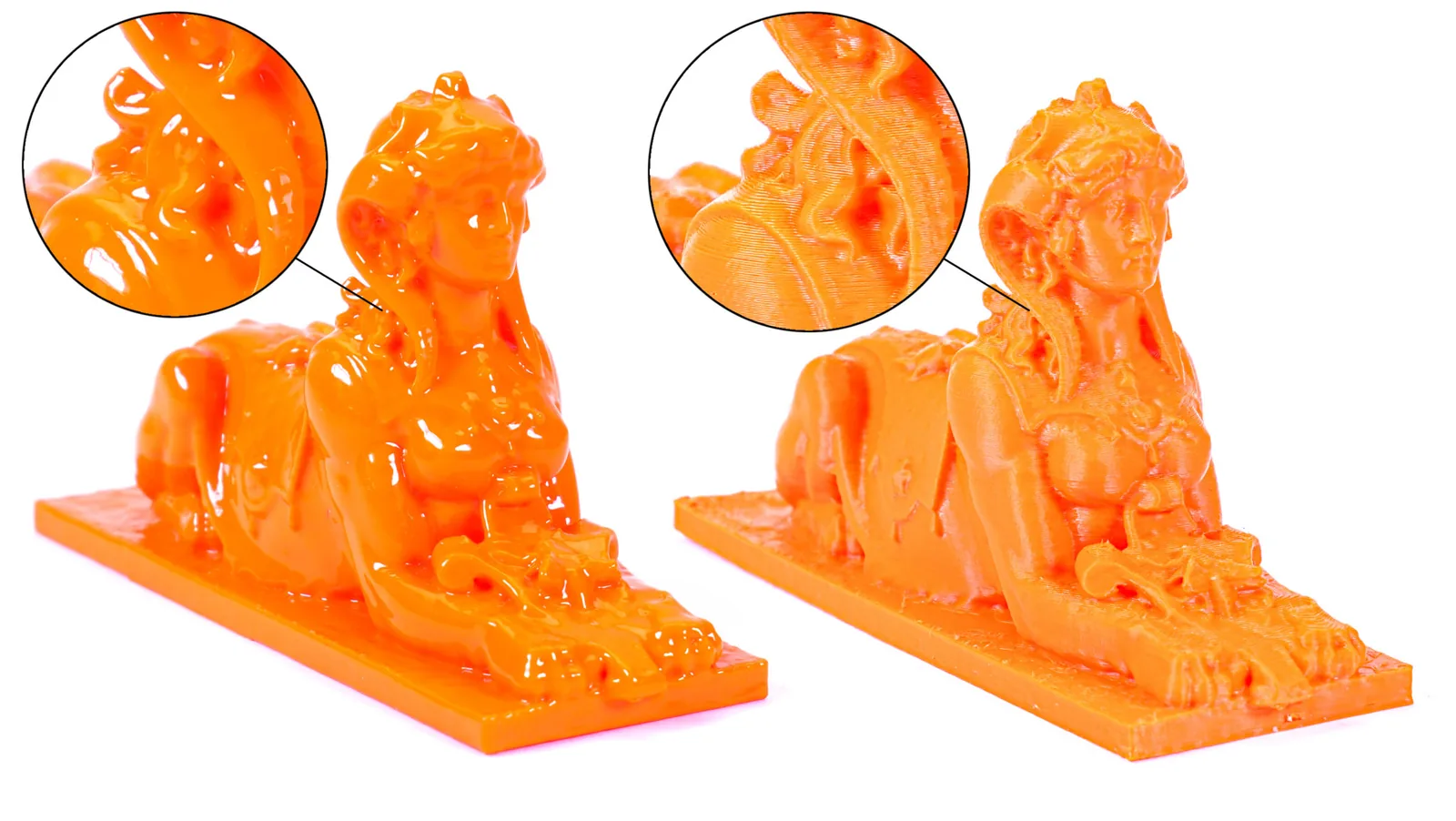
Smooths like ABS
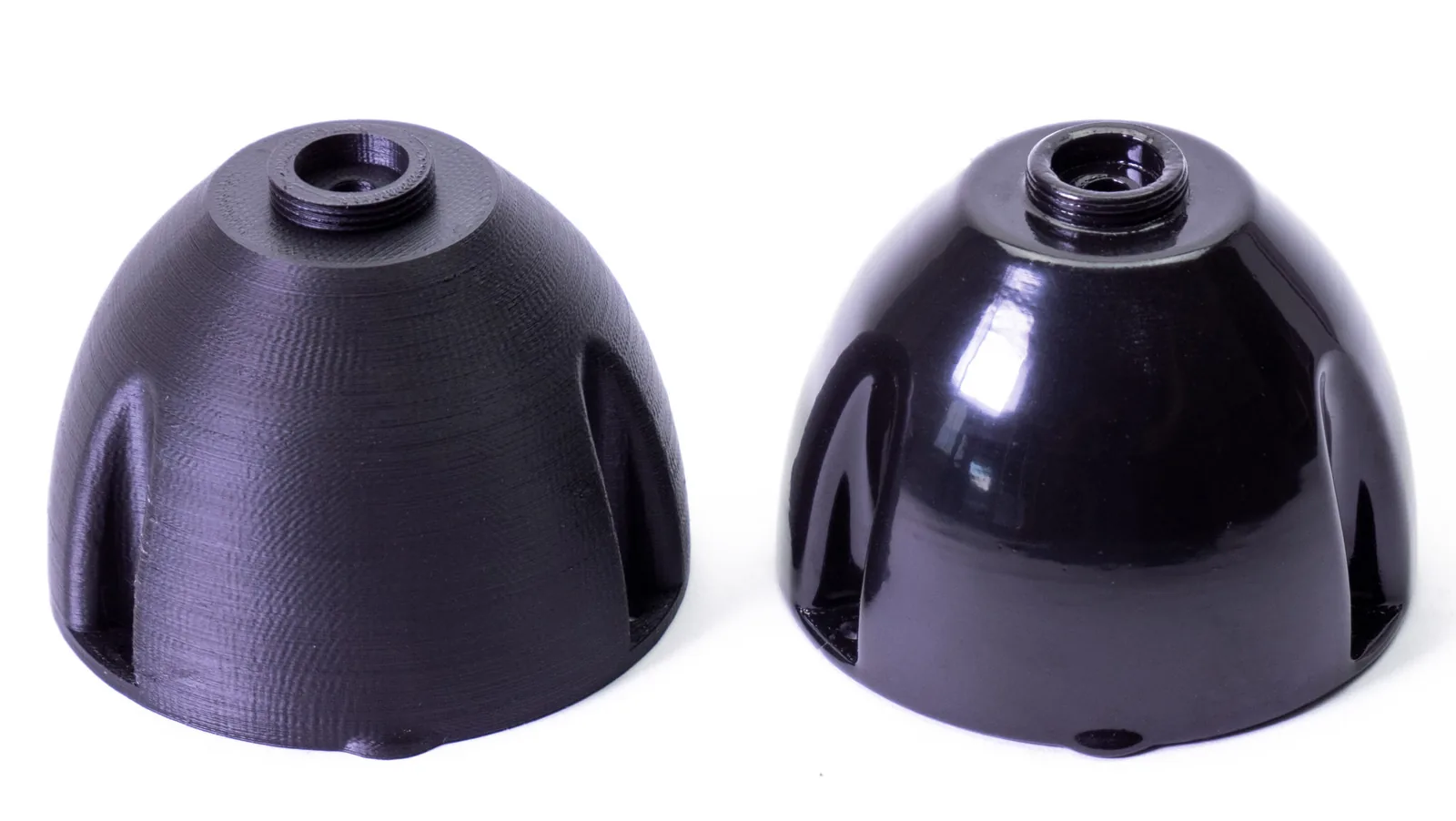
Polymaker notes ASA can be smoothed with acetone vapour, with care because acetone is flammable. Prusament’s ASA page shows the same print before and after: layer lines gone, gloss up.
Parts that live outdoors
Reference photos from the Prusament ASA page and Prusa’s ASA guide.
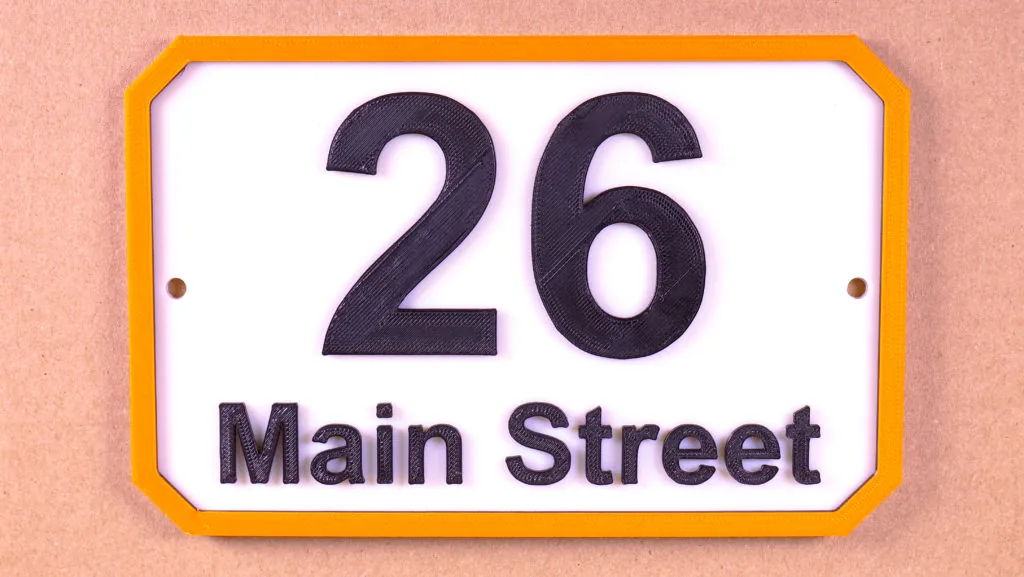
House numbers and signs
Flat, two-colour parts that sit in full sun for years. Print the plate flat with a brim and keep the chamber closed.
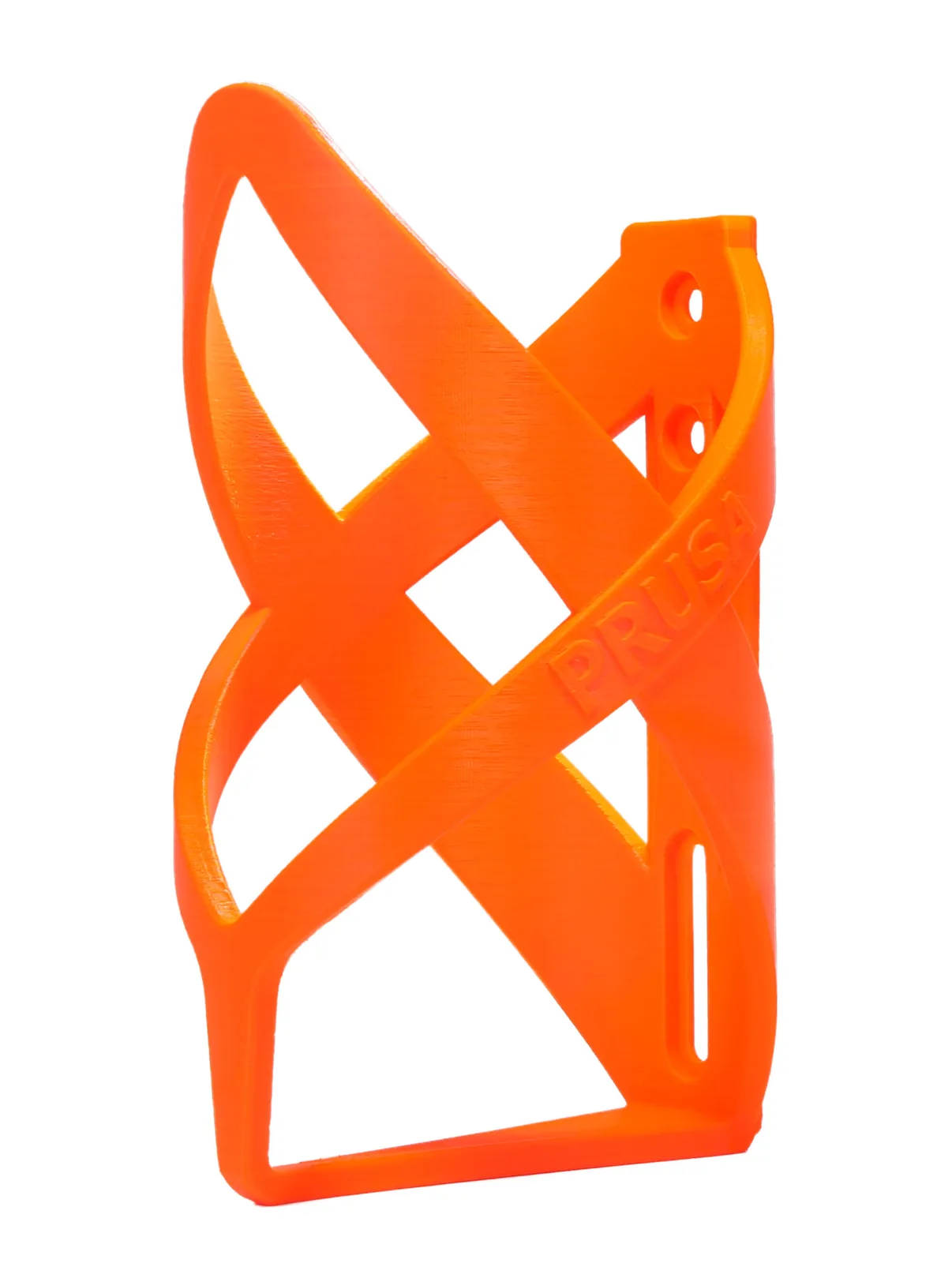
Bike and sports parts
A bottle cage takes knocks, sun and rain. Thin walls cool fast, so keep the fan near the low end of the brand’s range.
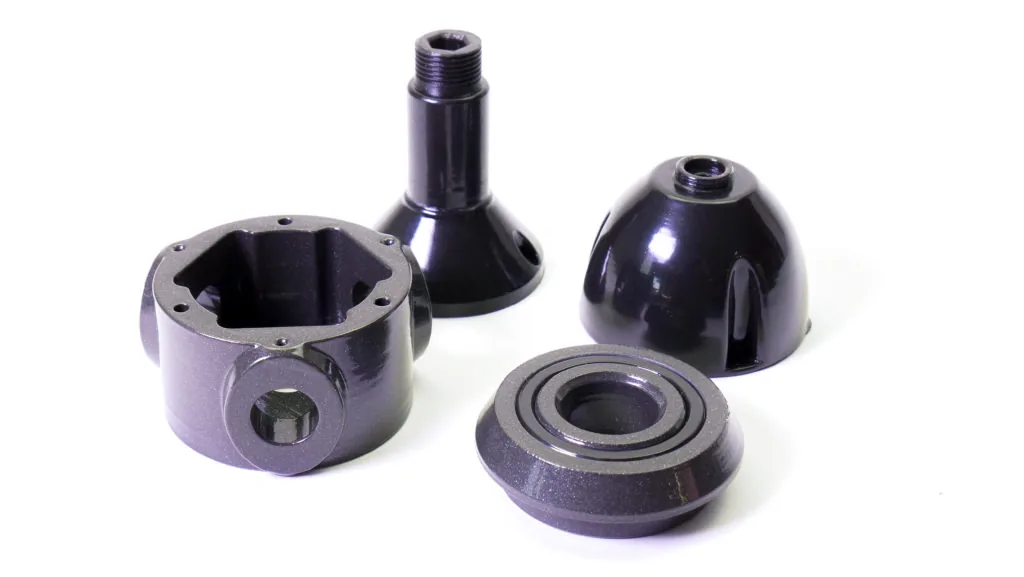
Functional outdoor hardware
Clips, brackets and housings for gardens, cars and boats. Dry the spool first; ASA absorbs little, but wet filament still bubbles.
ASA problems by symptom
Most ASA failures come from the part cooling unevenly. Close the gap first, then tune the temperatures.
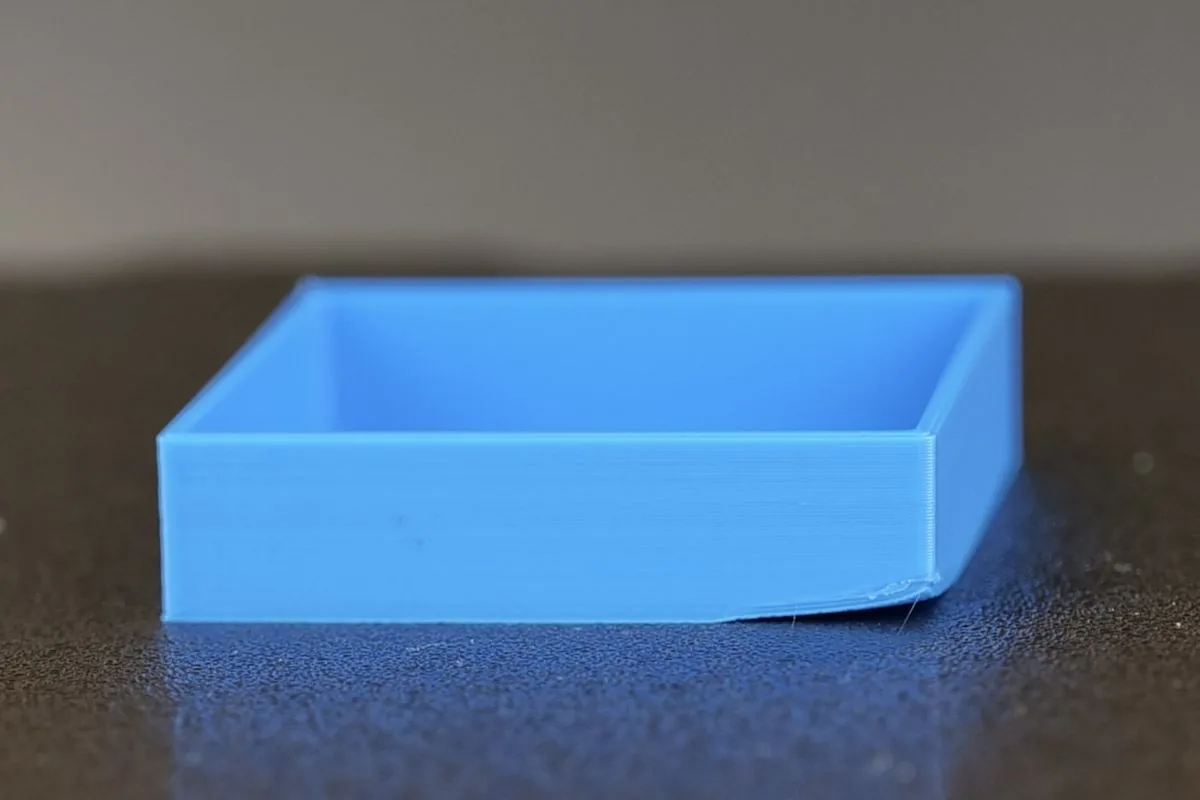 01
Corners lifting off the bed
Root cause: The part shrinks as it cools and the corners pull up first.
What helps
- Close the printer and pre-heat the chamber.
- Use the bed temperature your brand lists, with glue.
- Add a brim; round sharp corners in the design.
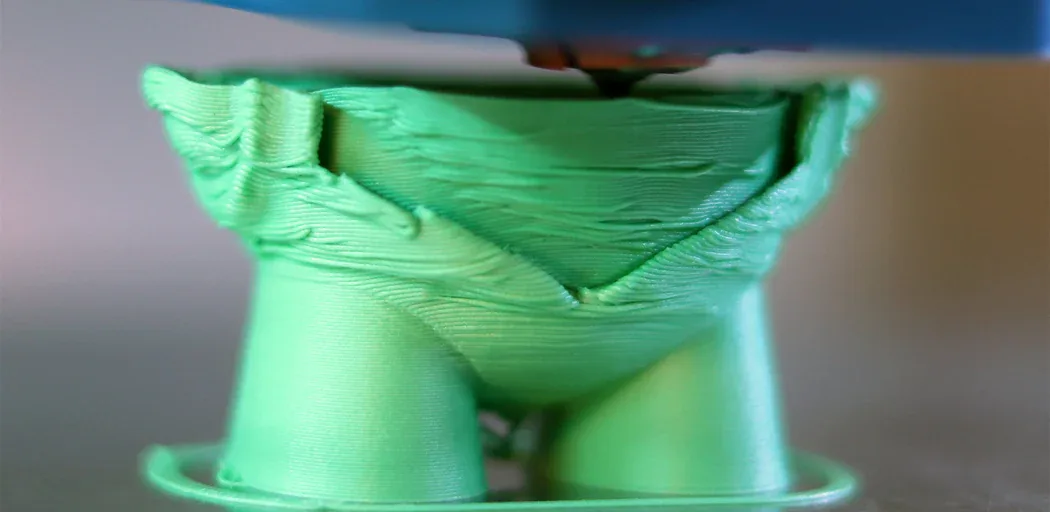 02
Curled overhangs and edges
Root cause: Thin edges cool faster than the body and curl upward.
What helps
- Add a little fan for overhangs only (Prusament starts at 30 %).
- Slow down on overhanging walls.
- Reduce overhang angles or add supports.
How layers split
A layer that has cooled too far before the next one lands bonds weakly. Tall parts split first, usually high up where the chamber is coolest. Layers cracking on tall parts
Root cause: Upper layers cooled too far before the next one landed.
What helps
- Turn the fan down or off (Polymaker: off).
- Keep the door shut; aim for the 45–60 °C chamber Bambu lists.
- Print toward the top of the nozzle range.
Why corners lift
Hot layers shrink as they cool. If the air above the part is much colder than the bed, the upper layers pull harder than the bed can hold. First layer peels mid-print
Root cause: A draught or a cool bed lets the base shrink before the part is done.
What helps
- Raise the bed toward the top of the listed range.
- Clean the plate; use glue on PEI.
- Use a skirt as tall as the part as a draft shield (Prusa).
ASA drying: temperature and time
- Fiberon ASA-CF0890 °C · 6 h
- Bambu Lab ASA80 °C · 8 h
- Prusament ASA80 °C · 4 h
- Bambu Lab ASA-CF80 °C · 8 h
- Polymaker ASA70 °C · 7 h
Bar length is the drying temperature; the label adds the hours. “+” means “at least”. Bubbles, popping or a rough surface
Root cause: Moisture in the filament turns to steam in the nozzle.
What helps
- Dry at the maker’s setting (Bambu 80 °C 8 h, Polymaker 70 °C 7 h).
- Store sealed with desiccant.
- Print long jobs straight from a dryer box.
Fibre-filled filament and the nozzle
Polymaker’s Fiberon datasheets put the life of a brass nozzle at roughly 9 hours with these filaments. Bambu Lab requires a hardened steel nozzle for PA-CF/GF and recommends 0.6 mm. ASA-CF under-extruding after a few spools
Root cause: Carbon fibre has worn the bore of a brass nozzle.
What helps
- Fit a hardened steel nozzle before printing ASA-CF.
- Use 0.4 mm or larger; the Bambu ASA-CF datasheet lists 0.4–0.8 mm nozzles only.
- Check the bore after long jobs.
Sources for the ASA chart
Read from these manufacturer documents on 2026-11-24. Where one field comes from a second official page, both are listed.
- Bambu Lab ASA — Datasheet (TDS)
- Polymaker ASA — Datasheet (TDS)
- Prusament ASA — Datasheet (TDS)
- Prusa Knowledge Base — Drying filament
- eSUN ASA+ — Official product page
- Bambu Lab ASA-CF — Datasheet (TDS)
- Polymaker Fiberon ASA-CF08 — Datasheet (TDS)
Why use this ASA temperature chart
Six datasheets in one place, with the settings most charts leave out.
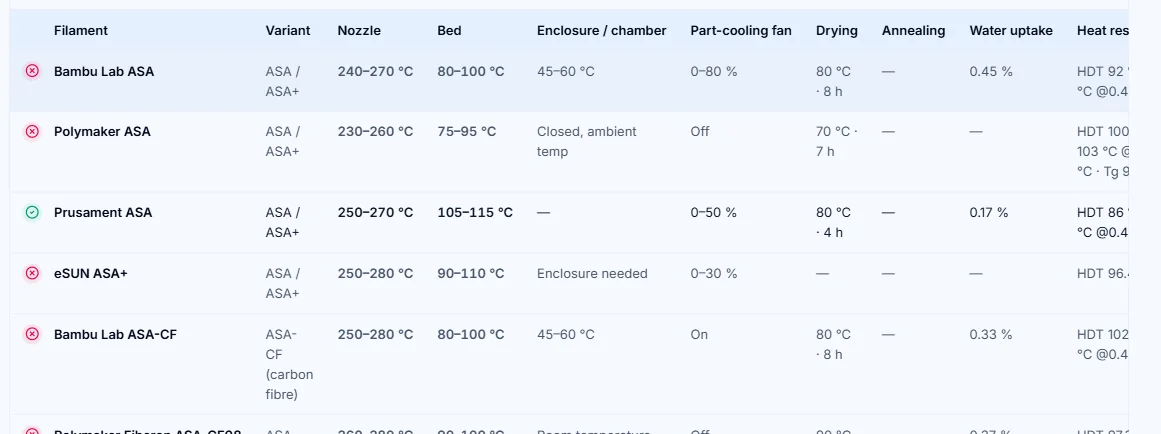
Every value has a source
Each row links to the datasheet or product page it came from. Nothing is averaged; a field the maker does not publish shows as a dash.
ASA enclosure temperature by maker
Bands are chamber temperatures stated on the datasheets; dots mark makers that only say “closed printer” or “room temperature”. Enclosure temperatures, not just nozzle
For ASA the chamber matters as much as the nozzle. The chart shows each maker’s enclosure advice, from “ambient is fine” to 45–60 °C.
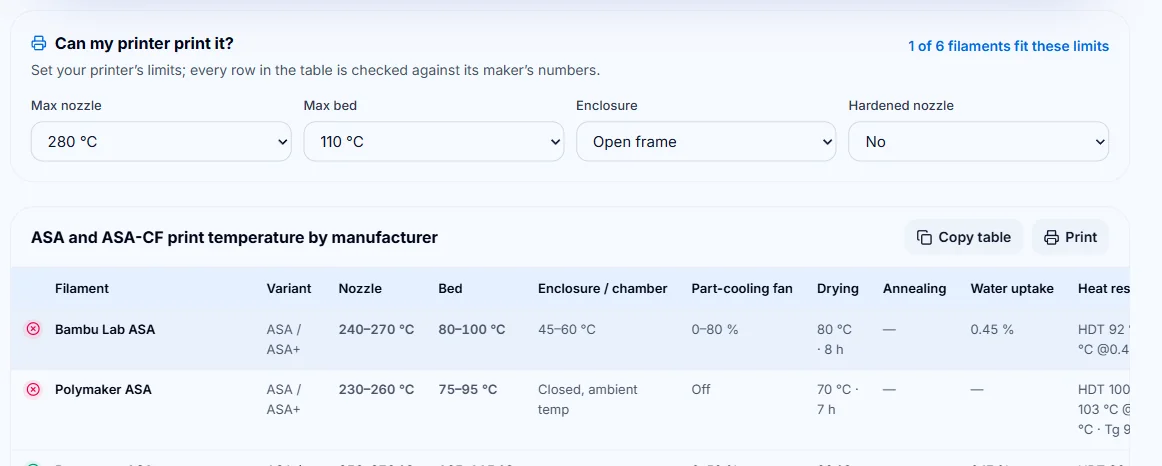
Checks your printer
Enter max nozzle, max bed, enclosure and nozzle type. You see at once which ASA and ASA-CF your machine can print, and why the others fail.
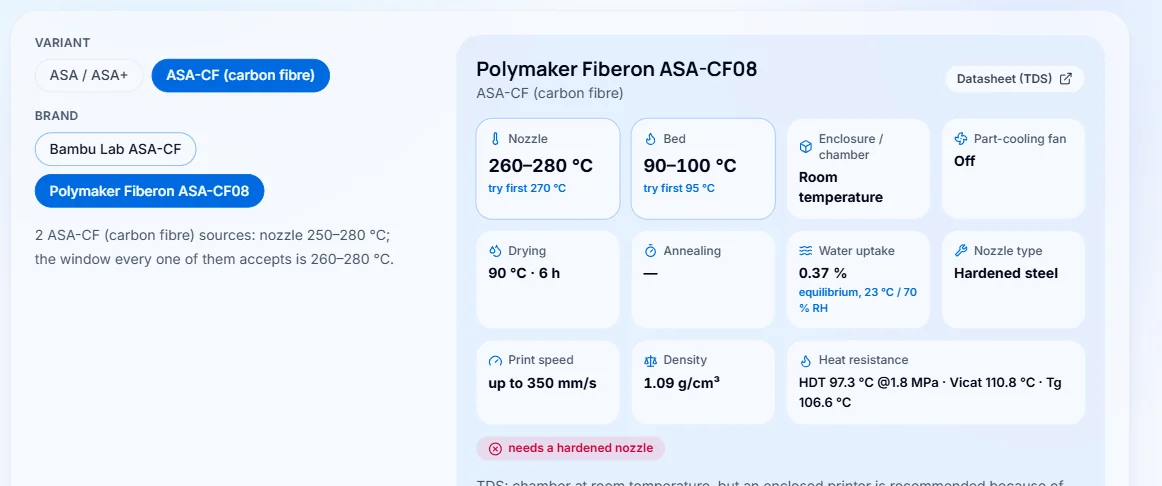
ASA-CF side by side
Carbon-fibre ASA runs hotter and needs a hardened nozzle. Its datasheet values sit in the same table for a direct comparison.
ASA water uptake by datasheet
- Bambu Lab ASA · saturated0.45 %
- Fiberon ASA-CF08 · equilibrium0.37 %
- Bambu Lab ASA-CF · saturated0.33 %
- Prusament ASA · after 7 days0.17 %
Each maker tests differently (saturated at 55 % RH, equilibrium at 70 % RH, or 7 days at 22 % RH), so compare within one brand first. Products without a published figure are left out. Drying and water uptake
Drying temperature and time from each maker, plus published water uptake, so you can tell how fast an opened spool goes off.
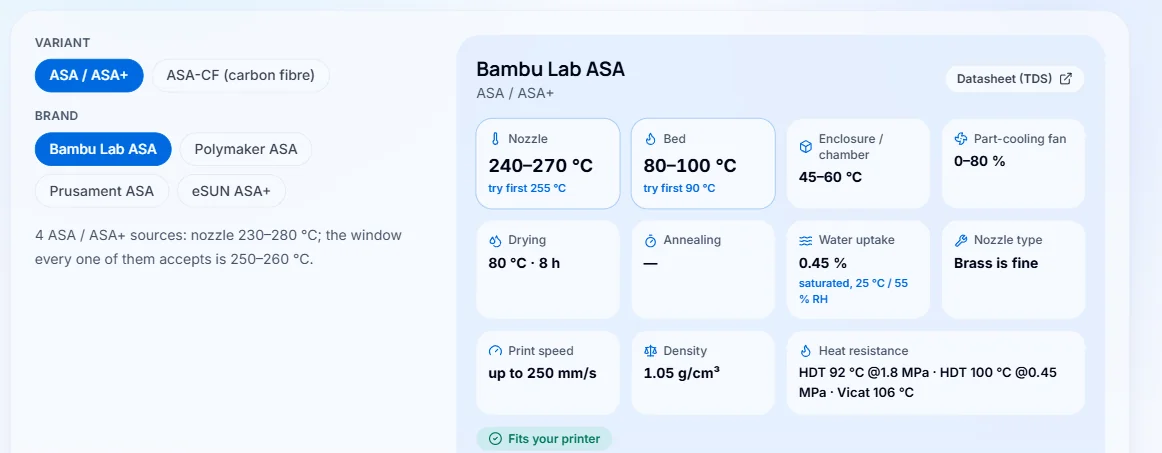
A first value to try
Every range gets a midpoint to start a temperature tower from, rounded to 5 °C. Copy or print the full table for the printer room.
ASA print temperature FAQ
ASA questions, answered from manufacturer datasheets.
More ways to work with your 3D files
View, convert, or make a model from scratch.
Need an outdoor part designed first?
Turn a photo into a printable 3D model, then print it in ASA for signs, brackets and parts that face the sun.