
Meshy vs Rodin
Meshy and Hyper3D Rodin, row by row
Every cell comes from meshy.ai, docs.meshy.ai or hyper3d.ai as they read on 21 Nov 2026, with the source next to it. We haven't run Meshy, so there are no output scores here.
An all-in-one 3D toolbox: generation, texturing, rigging, animation and print tooling under one subscription.
A generator focused on controllable geometry: effort levels, 3D ControlNet guidance, low-poly and quad options.
| Topic | Meshy | Hyper3D Rodin | Source |
|---|---|---|---|
| Current model | Meshy 7.1, which the API's "latest" tag points to; Meshy 7 leaves 3D generation on 31 Dec 2026 | Rodin Gen-2.5, with five "thinking effort" levels in the workspace, from about 4 s (Extreme-Low) to about 80 s (Extreme-High) | docs.meshy.aihyper3d.ai |
| Inputs and control | Image or text on every plan; multi-view image to 3D on paid plans | One image (extra views optional) or a text prompt; geometry can be guided with a bounding box, voxels or a point cloud | meshy.ai/pricinghyper3d.aihyper3d.ai/pricing |
| Free plan | 100 credits a month, up to 10 assets, one task at a time; only 10 downloads a month, all Meshy 6 Lite models | Free previews for some models, export from legacy models only, 10 private assets; you preview a result before you confirm spending credits | meshy.ai/pricinghyper3d.ai/pricing |
| Entry paid plan | Pro $20 a month billed monthly: 1,000 credits, up to 100 assets. Premium $40, Ultra $100 | Creator $288 a year (about $24 a month; Hyper3D estimates about 60 models). Business $1,152 a year with API access | meshy.ai/pricinghyper3d.ai/pricing |
| Rights to the models | Free: CC BY 4.0, commercial use with attribution. Paid: private and customer-owned | Paid plans: "unlimited export and any use". Hyper3D asks you to review its current terms for regulated uses | meshy.ai/pricinghyper3d.ai/pricing |
| Download formats | FBX, OBJ, USDZ, GLB, STL, BLEND and 3MF | STL, FBX, OBJ, GLB, glTF and USDZ | meshy.ai/pricinghyper3d.ai |
| Mesh and texture tools | AI texturing on all plans; remesh and AI texture editing on paid plans | Smart Low-Poly, HD and custom textures, baked normals (Creator); high-poly quads and high-resolution textures (Business); partial edits | meshy.ai/pricinghyper3d.ai/pricinghyper3d.ai |
| Rigging and animation | On every plan: 20 animations free, over 500 on paid plans; four-legged rigging added to the API on 18 Nov 2026 | Not listed for Rodin on Hyper3D's home or pricing page; avatars with facial controls are a separate product, ChatAvatar | meshy.ai/pricingdocs.meshy.aihyper3d.ai |
| API and plugins | API from the Pro plan; plugins for Blender and Unity | API on the Business plan (120 or 240 requests a minute); add-ons for Blender, Unity, Unreal and more | meshy.ai/pricinghyper3d.ai/pricinghyper3d.ai |
| On Kairo3D | Not offered | Rodin Gen-2.5 Fast only: 40 credits per image, 40 per prompt, typically ~30 s | Try it above |
Facts as listed on meshy.ai, docs.meshy.ai and hyper3d.ai on 21 Nov 2026 (checked 2026-11). Hyper3D showed an introductory discount on monthly billing that day, so we quote its yearly prices.
Kairo3D is independent and not affiliated with Meshy, Hyper3D or Deemos. Meshy is not offered on Kairo3D; Rodin Gen-2.5 Fast runs here via fal.ai. Meshy, Rodin and Hyper3D are trademarks of their owners.
Meshy or Rodin: which one fits you?
Neither is better at everything. Match the product to what happens after generation.
Meshy tends to fit if you…
Need characters that move
Rigging and a library of ready animations are part of every Meshy plan, and the API now rigs four-legged animals too.
Want to try before paying
The free plan generates up to 10 assets a month. Downloads are limited to Meshy 6 Lite models and carry a CC BY 4.0 licence.
Print with fewer extra steps
3MF is among the download formats, which suits slicers that open 3MF projects, such as Bambu Studio or PrusaSlicer.
Rodin tends to fit if you…
Want control over the shape
Bounding-box, voxel and point-cloud guidance, plus partial edits, let you steer geometry instead of rerolling it.
Trade time for quality per job
Effort levels from a few seconds to over a minute let you draft quickly and spend longer only on the final asset.
Ship to game engines
Smart Low-Poly, baked normals and, on Business, high-poly quads target real-time pipelines in Unity or Unreal.
Meshy vs Rodin for 3D printing
Both export STL. What differs is the tooling around it, and that matters more for a printed part than a nicer render.
Meshy
Downloads include STL and 3MF. Meshy's Auto Split cuts a Meshy model, textured or untextured, into printable parts and sends them to Bambu Studio, OrcaSlicer or ElegooSlicer in one click.
Hyper3D Rodin
STL is among the export formats and Hyper3D names 3D printing as a supported use. Smart Low-Poly can lighten a dense mesh; its pages don't list a print-splitting tool.
Rodin Fast on Kairo3D
Kairo3D gives you a GLB, and the free browser converter turns it into STL with Z-up orientation and a scale option, ready for a slicer. Splitting and hollowing stay in your slicer.
Open the GLB to STL converter
Before you hit print, whichever tool made the mesh
- Set the real size: STL has no units, so most slicers read the numbers as millimetres.
- Look for holes and flipped faces; run the slicer's repair if it warns about a non-manifold mesh.
- Check thin parts such as fingers, swords and tails against your nozzle size or resin minimum.
- Add supports under overhangs, or split the model into parts, before slicing.
Rodin on Kairo3D is the Fast tier, not the whole workspace
Kairo3D calls Rodin Gen-2.5 Fast through fal.ai. That is one tier of Hyper3D's model, so the results here say little about Rodin's slower, higher-effort settings.
Only in Hyper3D's own workspace
Effort levels and 3D ControlNet
Choosing a thinking-effort level, and guiding shape with boxes, voxels or point clouds, happen in Hyper3D's workspace.
Low-poly, quads and HD textures
Smart Low-Poly, baked normals, high-poly quads and HD or custom textures are Hyper3D plan features, not part of the Fast tier here.
Partial edits and redos
Editing one region of a model happens in Hyper3D's workspace, and how many geometry and material redos you get depends on the Hyper3D plan.
What you get with Rodin Fast on Kairo3D
A quick textured model
40 credits per image or 40 per prompt, typically ~30 s, with the cost shown before you start.
Refunds on failure
If a generation fails, its credits come back automatically, with nothing to claim.
Other engines one click away
The same picture can go to TRELLIS 2, Hunyuan 3D, Pixal3D or Tripo H3.1 for a second opinion.
Reference models to judge output by
Third-party example models, not made by Meshy, Rodin or us. Spin them to see what a clean silhouette and readable texture look like.
How to choose between Meshy and Rodin
Three checks that settle most cases faster than reading reviews.

List what happens after generation
Rigging and animation point to Meshy. Low-poly game assets or tight control over shape point to Rodin. A print-only job can go either way.
Read the free-tier limits
Meshy's free downloads are Meshy 6 Lite only; Hyper3D's free plan previews some models and exports from legacy ones. Neither free tier shows the full current model.
Test Rodin's fast tier on your own picture
Upload the image you care about above and run Rodin Gen-2.5 Fast for 40 credits. If the shape is close, the full Hyper3D workspace is worth a look.
Meshy vs Rodin in three numbers
From the makers' pages on 21 Nov 2026, and from our engine list.
- 7 formatsMeshy downloads, 3MF and BLEND among them
- 6 formatsRodin exports, glTF and USDZ among them
- 40 creditsper Rodin Gen-2.5 Fast image run here, typically ~30 s
Testing Rodin Fast here, step by step
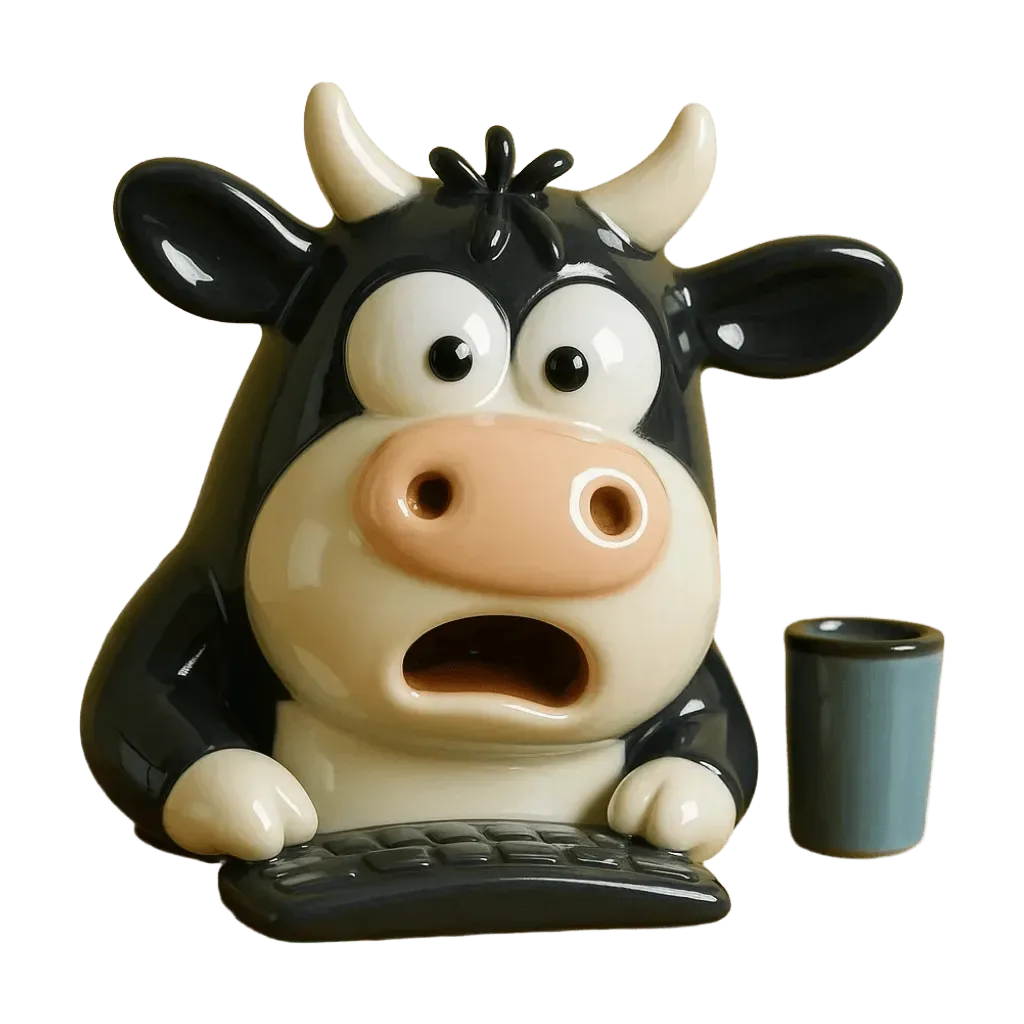
Screenshots of Kairo3D's generator and converter, plus one example picture from another source.
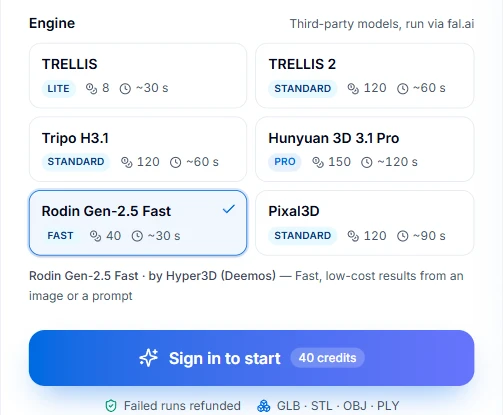
Rodin from a photo
Pick Rodin Gen-2.5 Fast in image mode: 40 credits, typically ~30 s. The button shows the cost before you start.
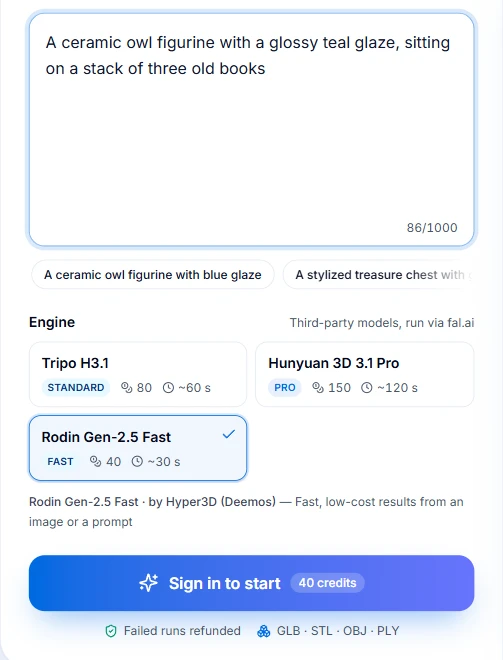
Rodin from a prompt
Text mode takes a written description; Rodin costs 40 credits per prompt, the same as per image.
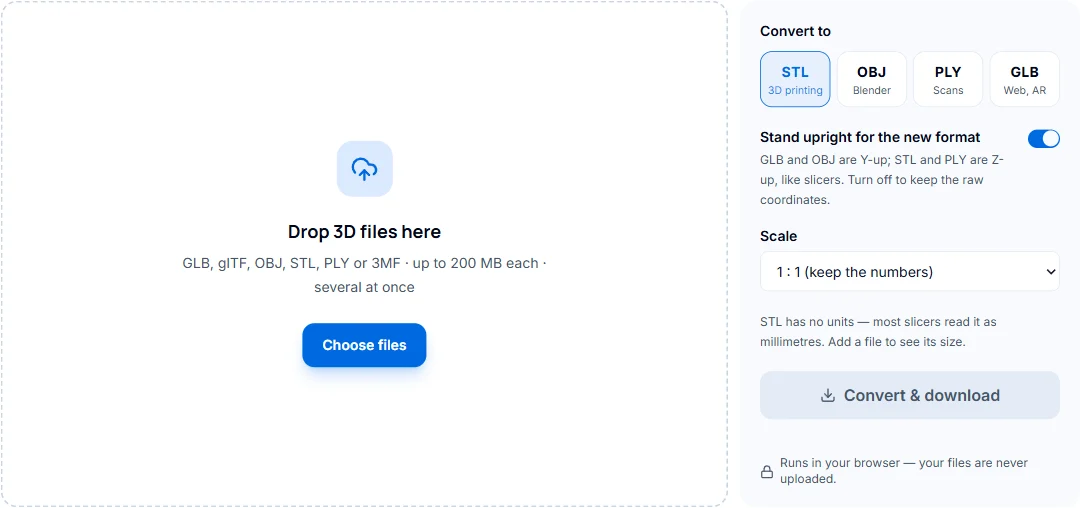
GLB to STL for the slicer
The free converter turns the downloaded GLB into STL, OBJ or PLY in your browser, with no upload.
What to compare before you subscribe
Feature lists look alike. These are the differences that change a monthly bill or a workflow.
Where your downloads come from
Both free tiers restrict what you can export: Meshy to Meshy 6 Lite models, Hyper3D to legacy models. Test with the model you'd actually pay for.
Who owns the output
Meshy's free output is CC BY 4.0, so commercial use needs attribution. Hyper3D's broader rights start with paid plans.
The format your next tool wants
Need BLEND or 3MF? Meshy lists both. Need glTF? Rodin does. Both cover FBX, OBJ, GLB, STL and USDZ.
Print tooling, not just STL
Splitting a model into printable parts is built into Meshy. With Rodin, plan on doing it in your slicer.
Speed you can choose
Hyper3D publishes rough times per effort level; Meshy publishes queue priority and "faster generation" by plan instead.
The API tier you'd need
Meshy opens its API on Pro; Hyper3D on Business. For an app or a pipeline, that gap matters more than headline prices.
Meshy vs Rodin: questions
Answers draw on meshy.ai and hyper3d.ai, checked in November 2026.
More comparisons
Neighbouring head-to-heads and the Rodin model page.
See what Rodin's fast tier does with your image
Upload a picture, pick Rodin Gen-2.5 Fast and spend 40 credits to judge the shape yourself.