
Rodin AI (Hyper3D Rodin Gen-2.5 Fast)
Example 3D models to explore
Example models for illustration. Hover or tap a card to spin it in 3D.
Rodin models you can spin in 3D
The first two are fal.ai's own example runs of the exact Fast endpoints this page uses. The others come from Hyper3D's public gallery. None were made on Kairo3D.
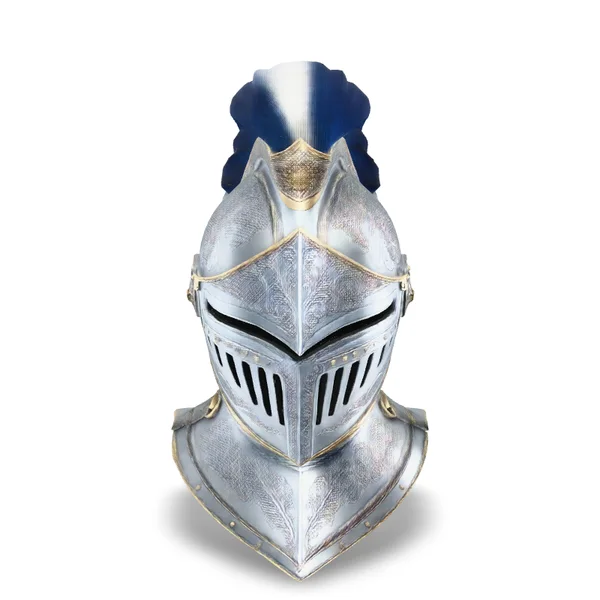

Knight's helmet, Fast tier
fal.ai's example run of Rodin Gen-2.5 Fast image-to-3D at the Extreme-Low tier, the same tier this page uses. Look at the visor slots and plume: the shape holds, the fine engraving softens.
Example on fal.ai (image to 3D, Fast)
Mushroom cottage from a prompt
fal.ai's example run of the Rodin Gen-2.5 Fast text-to-3D endpoint. A one-line prompt became a complete little building, a good fit for stylised props.
Prompt: “a whimsical fairytale mushroom cottage house with a red spotted cap roof and round door”
Example on fal.ai (text to 3D, Fast)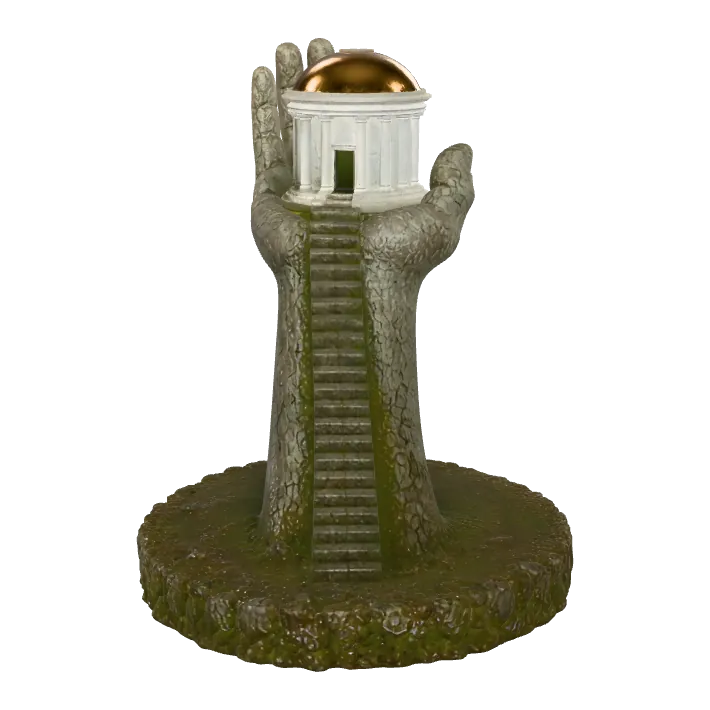
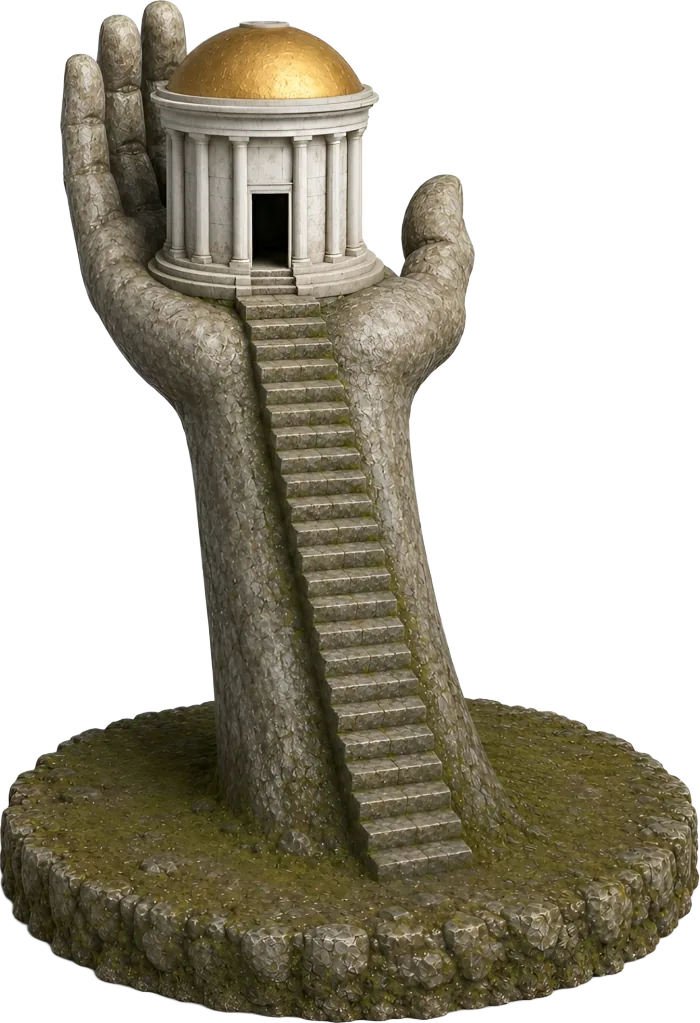
Stone hand temple
A model shared on Hyper3D's public gallery. The tier it was made with is not stated, so it may carry more detail than Fast output does.
Model on Hyper3D's gallery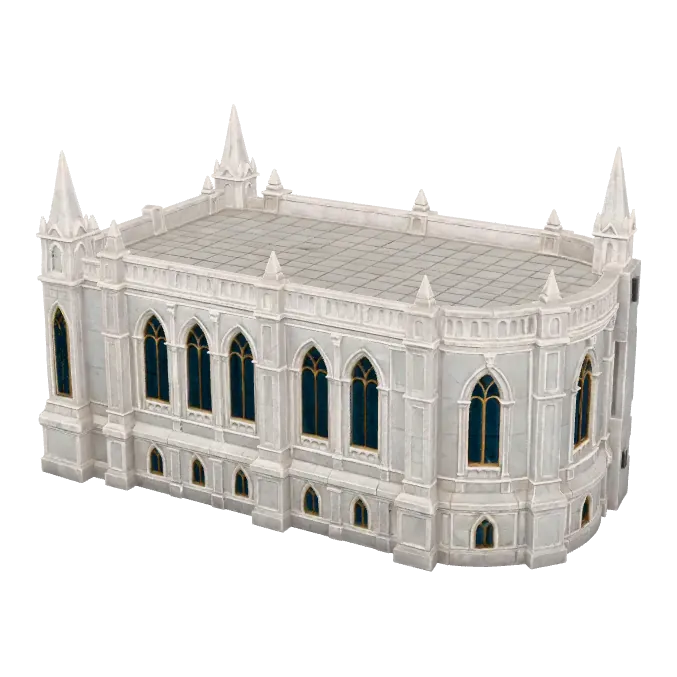
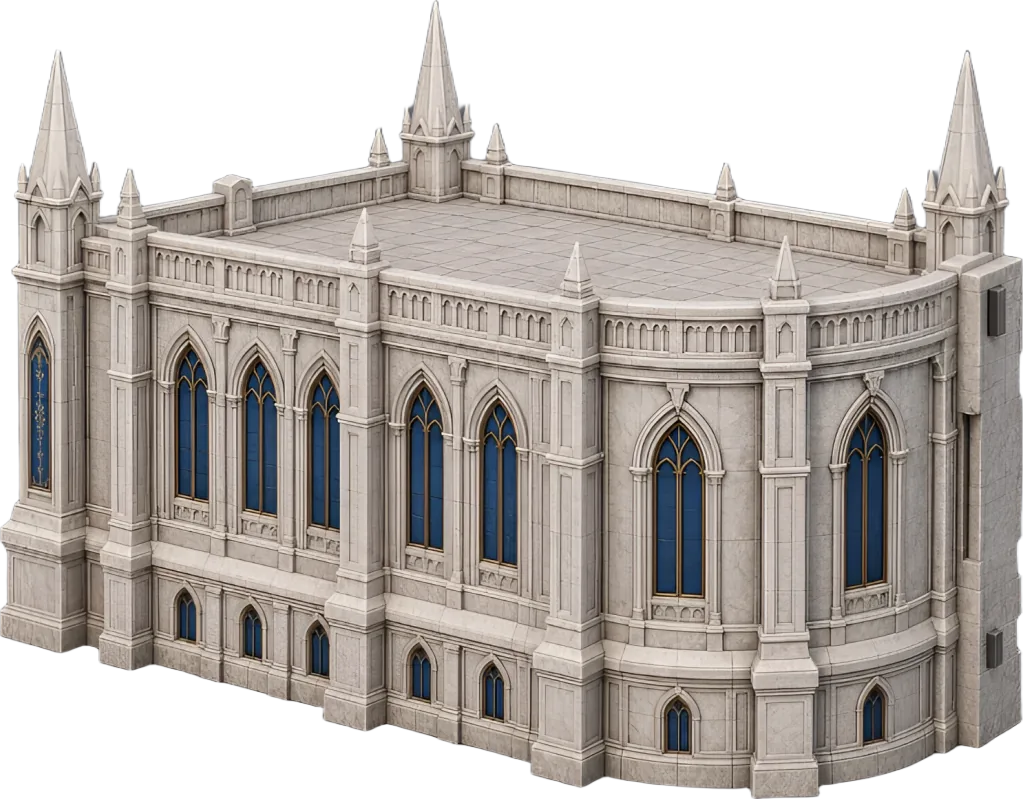
Gothic cathedral
Also from Hyper3D's public gallery, tier not stated. Architecture with repeated spires shows how Rodin keeps proportions from the reference picture.
Model on Hyper3D's galleryRodin Gen-2.5 Fast on Kairo3D, at a glance
This page runs Rodin's fast endpoint only. These are its numbers, not those of Hyper3D's higher tiers.
- 20Ktriangles per mesh: the fast endpoint's Auto setting
- 40credits per model, photo or prompt alike
- ~30 stypical time per model, upload to download
Rodin AI and the Fast tier, explained
Who builds Rodin, what Gen-2.5 Fast is for, and what it leaves out.
What is Rodin AI?
Rodin is the AI 3D model generator from Hyper3D, also searched as Rodin AI, Rodin 3D or Hyper3D Rodin. It turns an image or a text prompt into a textured 3D asset. Gen-2.5 is the current Rodin generation listed on hyper3d.ai, and Kairo3D runs its Fast tier: the quickest, lightest setting, meant for prototyping.
Who made it, and when
Rodin is developed by Deemos, the company behind Hyper3D (hyper3d.ai), which credits its research on Rodin, CLAY and CAST. Hyper3D sells Rodin through its own web studio and API, and fal.ai hosts it as a partner model. Kairo3D calls fal.ai's Rodin Gen-2.5 fast endpoints at the Gen-2.5-Extreme-Low tier with PBR materials.
What it's good at
Quick first drafts: blocking out props, testing whether a photo or an idea works in 3D, or filling a scene with background objects. At 40 credits a model, it is one of the cheapest engines on Kairo3D that also accepts text, so you can try several ideas before spending more on a detailed engine.
Limits to know
Fast means light. fal.ai describes this endpoint as mainly for prototyping and testing, and its Auto setting returns about 20K triangles, so fine engraving, thin straps and small text get simplified. Hyper3D's higher tiers, editing tools and larger meshes are not part of this page. Expect about 30 seconds per model.
Official sources
- Hyper3D Rodin official site
- Hyper3D Rodin API docs
- fal.ai: Rodin Gen-2.5 Fast image to 3D
- fal.ai: Rodin Gen-2.5 Fast text to 3D
Kairo3D is an independent service that runs Rodin AI through fal.ai. Not affiliated with Hyper3D or Deemos.
How to use Rodin AI online
From one photo to a downloadable 3D model in four steps — all in your browser.
Upload a photo or write a prompt
Drop in a JPG, PNG or WebP up to 10 MB, or switch to Text and describe one object, such as "a wooden treasure chest with iron bands". One clear subject works best.
Generate with Rodin AI
It's already selected. Press Generate — it typically takes about 30 seconds, and you can keep browsing while it runs.
Preview it in 3D
The finished model opens in the 3D viewer. Rotate it, check the texture and the back side, and run it again or try another engine if needed.
Download GLB, STL or OBJ
Save the textured GLB, or convert it to STL, OBJ or PLY in your browser. Every model stays in My creations until you delete it.
Why run Rodin AI on Kairo3D
The same model without the setup — plus the things a self-hosted install doesn't give you.
No GPU, no install
Rodin is offered as a hosted service rather than a model you install. Here it runs on fal.ai's servers, so any browser works, and you don't need a Hyper3D subscription or API key.
Pay per model, in credits
Each generation costs 40 credits from one balance that works with every engine. No separate plan per model.
Preview in 3D first
Spin, zoom and inspect the textured result in the built-in 3D viewer as soon as it finishes, then decide whether to keep it.
Export GLB, STL or OBJ
Download the textured GLB, or convert it in your browser to STL, OBJ or PLY for slicers, 3D printing and other 3D tools.
Switch engines anytime
Not happy with a result? Run the same photo through TRELLIS, TRELLIS 2, Tripo H3.1, Hunyuan 3D 3.1 Pro, and Pixal3D — same account, same credits.
Failed runs are refunded
If a generation fails, the credits go back to your balance automatically. Your files stay private in My creations.
Rodin AI vs the other engines
Every engine on Kairo3D draws from the same credits. Pick one per generation — here's what each takes and costs.
| Engine | Made by | Input | Licence | ||
|---|---|---|---|---|---|
| TRELLISMicrosoft | Microsoft | InputImage | Credits per model8 | Typical time~30 s | LicenceMIT |
| TRELLIS 2Microsoft | Microsoft | InputImage | Credits per model120 | Typical time~1 min | LicenceMIT |
| Tripo H3.1Tripo AI | Tripo AI | InputImageText | Credits per model120 image · 80 text | Typical time~1 min | LicenceCommercial API (Tripo AI terms) |
| Hunyuan 3D 3.1 ProTencent | Tencent | InputImageText | Credits per model150 | Typical time~2 min | LicenceTencent Hunyuan 3D licence (check territory terms) |
| Rodin Gen-2.5 FastThis pageHyper3D (Deemos) | Hyper3D (Deemos) | InputImageText | Credits per model40 | Typical time~30 s | LicenceCommercial API (Hyper3D terms) |
| Pixal3DTencentARC | TencentARC | InputImage | Credits per model120 | Typical time~90 s | LicenceMIT |
Credits are charged per generation and refunded automatically if a run fails. Times are typical, not guaranteed.
Rodin AI FAQ
Straight answers about running it online.
More engines and tools
Compare models, or jump straight to the job you need done.
Tripo 3D
Tripo H3.1 for more detailed image-to-3D and text-to-3D.
Hunyuan 3D
Tencent's Hunyuan 3D 3.1 Pro for high-detail models.
Image to 3D
Upload a photo and compare every image-capable engine.
Text to 3D
Describe an object and pick the text engine that suits it.
Tripo vs Rodin
Tripo H3.1 vs Rodin Gen-2.5 Fast on the same photo: mesh, textures, time and credits.
Meshy vs Rodin
Meshy and Hyper3D Rodin side by side: models, free plans, licences, formats and 3D printing.
TRELLIS 2
Microsoft's MIT-licensed image-to-3D model with PBR textures, up to 1536³.
Pixal3D
TencentARC's pixel-aligned image-to-3D model from SIGGRAPH 2026.
Draft a 3D model with Rodin AI
A photo or a prompt in, a textured Rodin Gen-2.5 Fast model out in about 30 seconds. Export GLB, STL or OBJ; failed runs are refunded.