
Repair STL Files Online — Find and Fix Mesh Errors
Drop an STL file to check and repair
STL, OBJ, 3MF, PLY or GLB up to 200 MB. The check starts as soon as the file opens.
- Nothing uploaded
- No sign-in
- Fills holes
- Fixes flipped normals
- Before / after report
What the STL repair tool checks
Plain facts about this repair tool.
- 9 checksOpen edges, holes, non-manifold and flipped edges, inside-out shells, collapsed and duplicate triangles, shells, watertight.
- 0 uploadsThe mesh is analysed and repaired inside this browser tab.
- 200 MBPer file — STL, OBJ, 3MF, PLY or GLB.
How to repair STL files in three steps
Check first, then fix only what is broken.
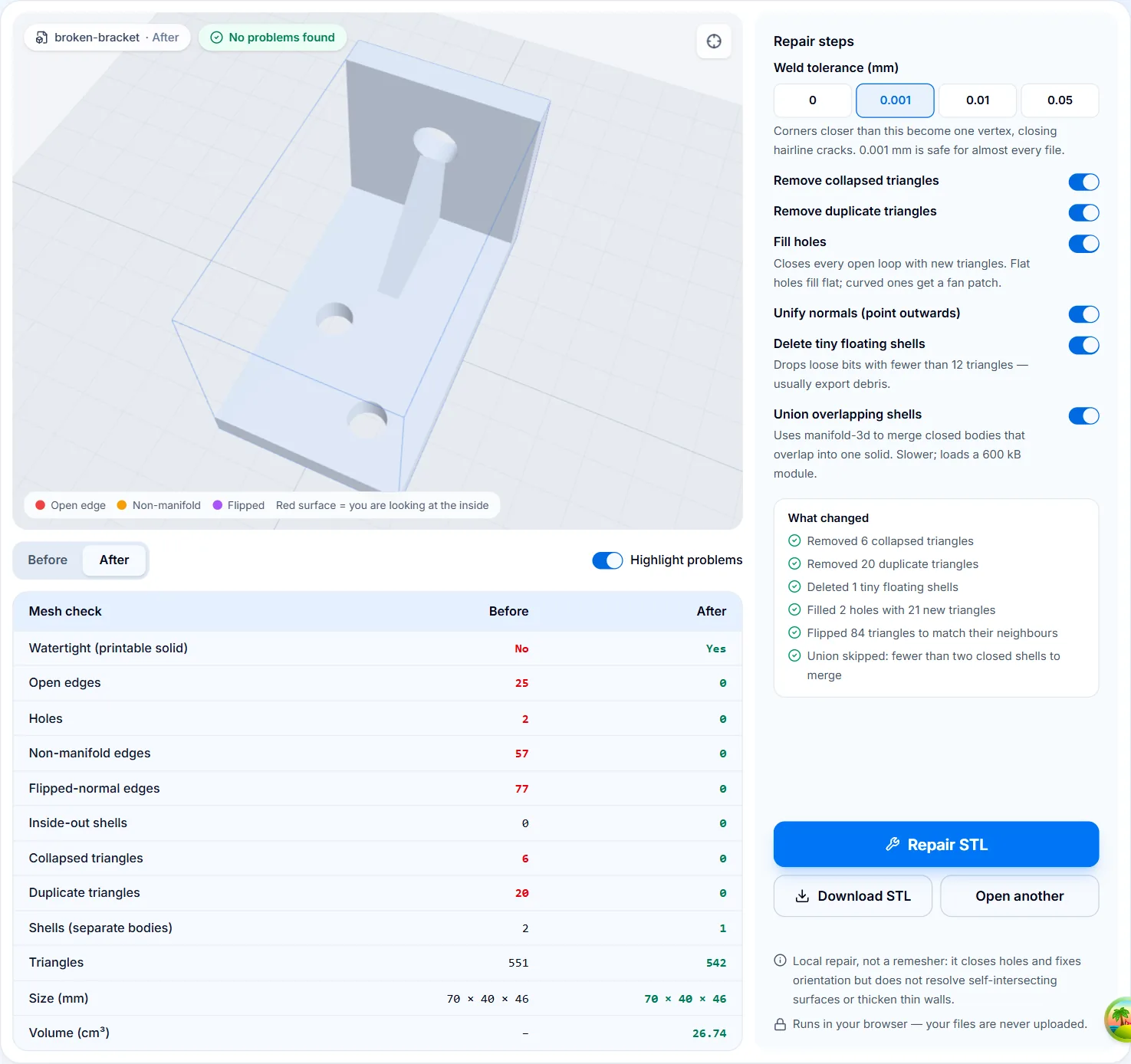
Open the file and read the check
The report lists every problem class with a count. Open edges glow red in the preview, non-manifold edges amber, flipped edges purple, and any surface you see from inside turns red.
Choose the repair steps
Welding, cleanup, hole filling and normal unification are on by default. Turn on “Delete tiny floating shells” or “Union overlapping shells” when the report shows stray or overlapping bodies.
Repair, compare, download
Click Repair STL. The After column and the preview show the result; flip between Before and After, then download a binary STL ready for your slicer.
Repair STL files in 14 seconds
A real screen recording of this tool on the broken sample bracket, at normal speed.
- 1The check runs on open0:00185 problems in the sample: red open edges, amber non-manifold edges and purple flipped ones are drawn on the model.
- 2Turn the model to find them0:03Problem edges stay visible through the surface, so you can see where the hole and the bad faces are.
- 3One click on Repair STL0:06The default steps weld, clean up, fill holes and unify normals. The After column drops to zero.
- 4Flip Before and After0:09Compare the two meshes in the same view before you download the fixed STL.
Common STL problems, what they break and what gets fixed
An STL is just a list of triangles. A printable one encloses a volume: every edge is shared by exactly two triangles that face outward. These are the ways files break that rule.
Holes and open edges (missing triangles)
A few triangles are missing, so the edge around the gap belongs to only one face. The slicer cannot tell inside from outside there.
- Detected
- Fixed here
Hairline cracks (unwelded vertices)
Two corners that should be one sit a few microns apart. The surface looks closed but is not connected.
- Detected
- Fixed here
Flipped normals / inside-out shells
One triangle, or a whole body, faces inwards. Slicers may skip it or fill the wrong side.
- Detected
- Fixed here
Duplicate and collapsed triangles
The same face stored twice, or a sliver whose three corners lie on one line and has no area.
- Detected
- Fixed here
Non-manifold edges from duplicates
A copied face makes its edges look shared by three triangles instead of two. Removing the copy fixes it.
- Detected
- Fixed here
Non-manifold fins and touching parts
Two bodies meet along one edge, or a loose fin sticks out. Someone has to decide which faces stay.
- Detected
- Fixed here
Overlapping closed shells
Two solids pass through each other. Most slicers cope; tools that need one body can merge them.
- Detected· Shell count
- Fixed here· Union option
Self-intersections, thin walls
A surface folds through itself, or a wall is thinner than the nozzle. This needs a desktop mesh tool.
- Detected
- Fixed here
Slicers often print a slightly broken mesh anyway by guessing, which is where missing layers and stray “strings” inside a part come from. Repairing the STL removes the guesswork.
The same bracket, before and after the STL repair
Screenshots from this tool, same camera angle. The colours follow the legend under the preview.
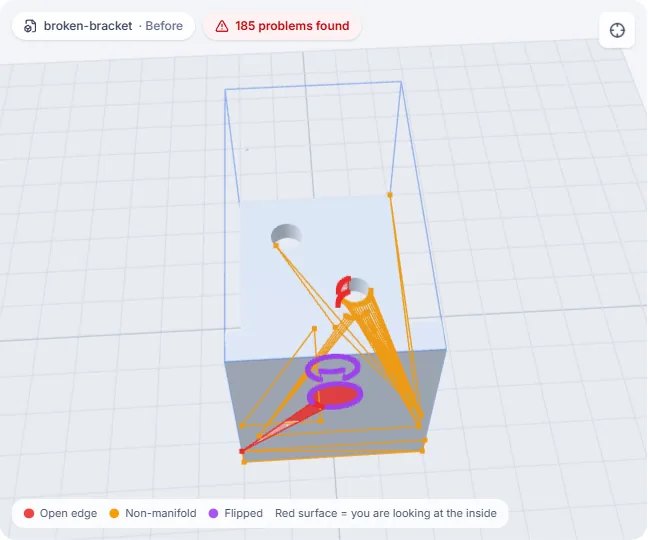 Before
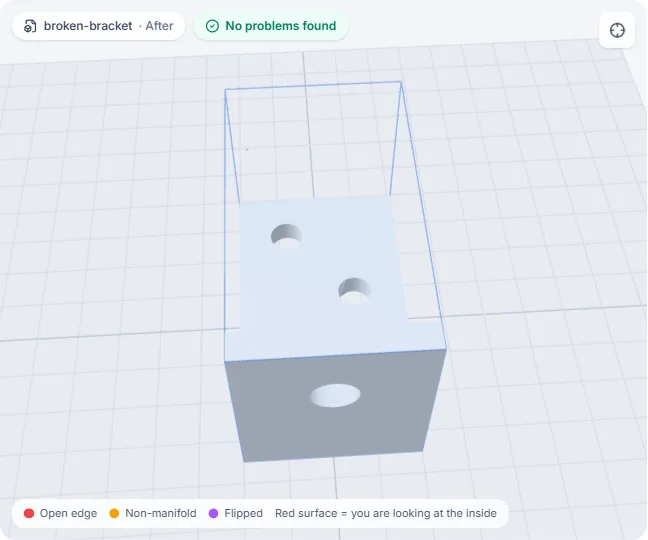 After
STL repair online, one problem at a time
Each repair step targets one kind of mesh error, and you can see what it did.
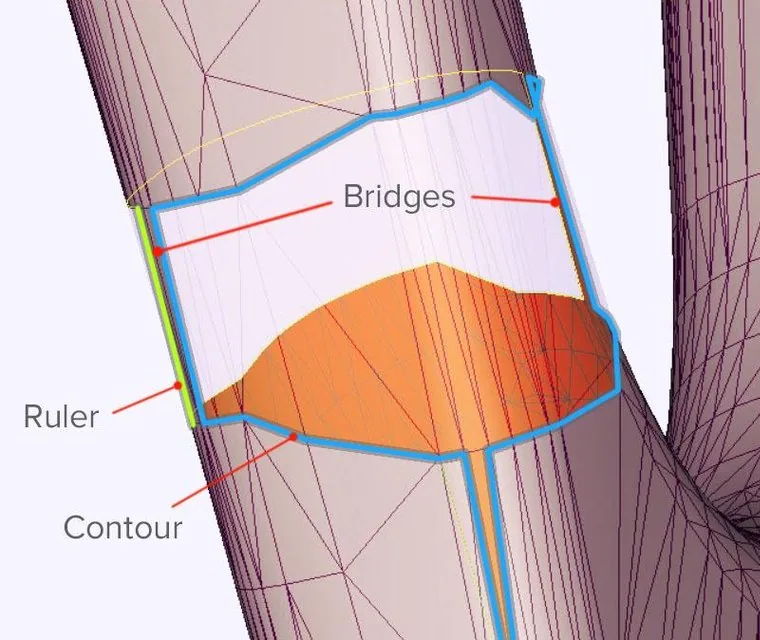
Reference example Hole filling
Every loop of open edges is traced and closed. Flat openings are triangulated across the plane; curved ones get a patch around their centre, so the shell becomes watertight.
Normal unification
Triangles are walked across shared edges and flipped to agree with their neighbours. A closed shell whose volume comes out negative is turned the right way out as a whole.
Vertex welding
Exporters sometimes write the same corner twice with a tiny difference, leaving an invisible crack. Welding within 0.001–0.05 mm joins them into one vertex.
Duplicate and collapsed triangles
Repeated triangles make an edge look non-manifold and confuse slicers; collapsed ones have no area. Both are removed without touching the rest of the mesh.
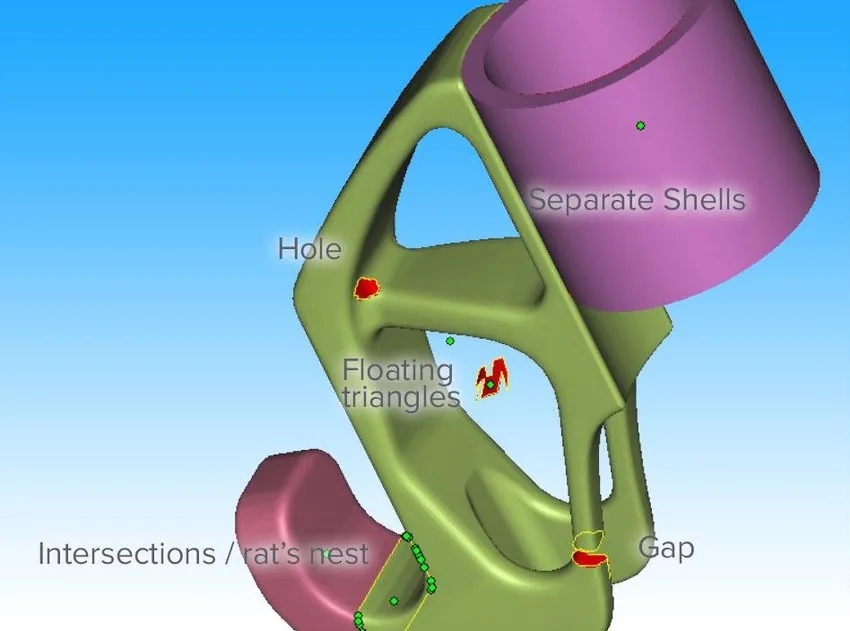
Reference example Shells: clean up or union
The report counts separate bodies. Delete tiny floating debris, or merge overlapping closed bodies into one solid with the manifold-3d kernel, loaded only when you ask for it.
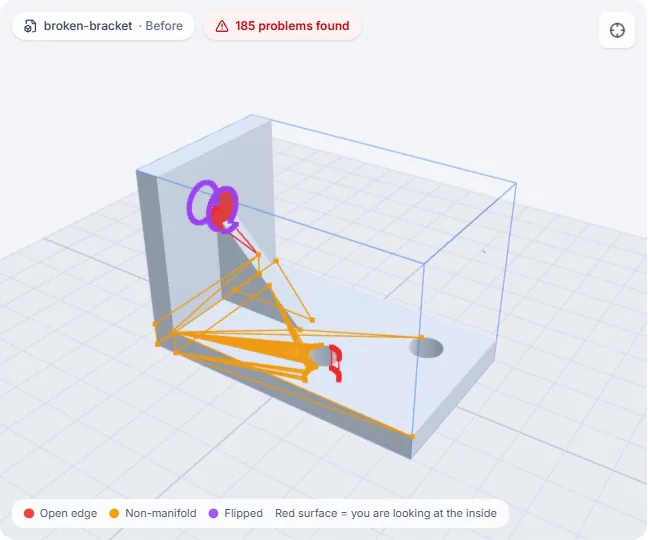
Problem edges shown in 3D
Open, non-manifold and flipped edges are drawn on top of the model and stay visible through it, so you can see where a file is broken before and after the repair.
Mesh errors you will meet in real STL files
Reference pictures of the problems this STL repair tool looks for, and of the print they can ruin.
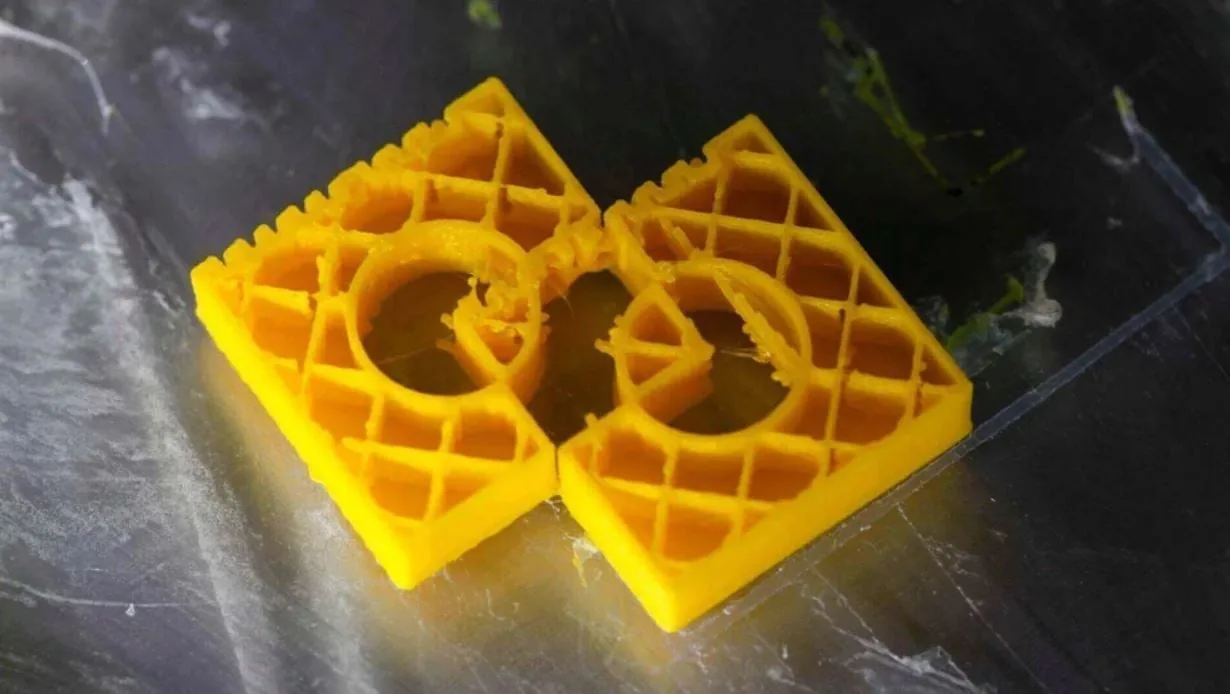
Reference example A print that lost its top
Missing or flipped faces confuse the slicer, so whole surfaces can vanish from the toolpath.
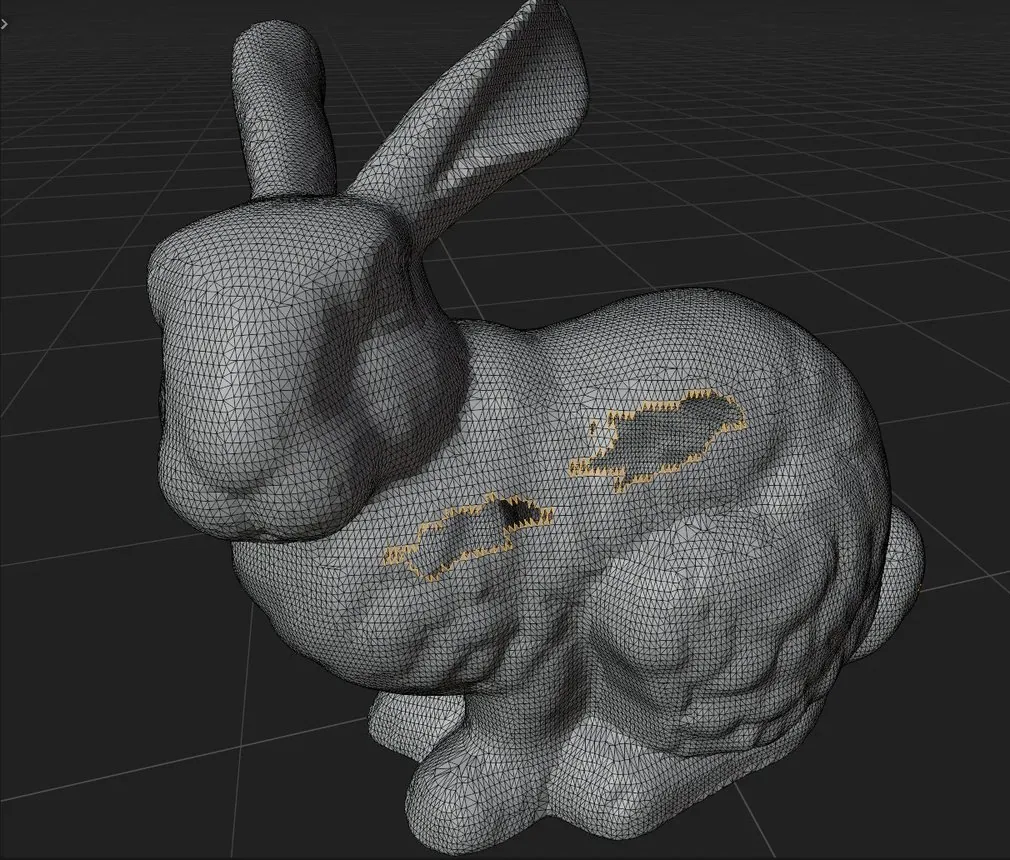
Reference example Holes in a 3D scan
Scans leave gaps where the camera could not see. Each one is a loop of open edges to close.
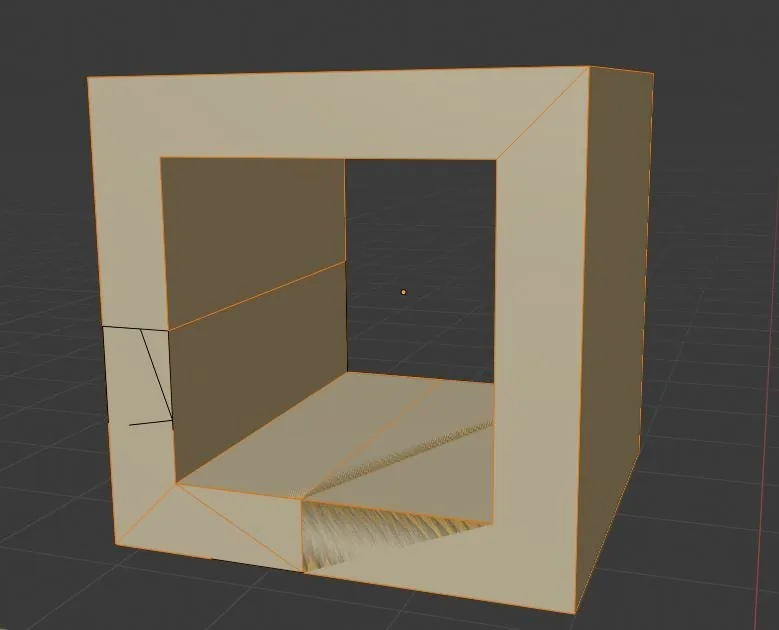
Reference example Non-manifold edges after a boolean
Cutting one shape out of another can leave edges shared by the wrong number of faces.
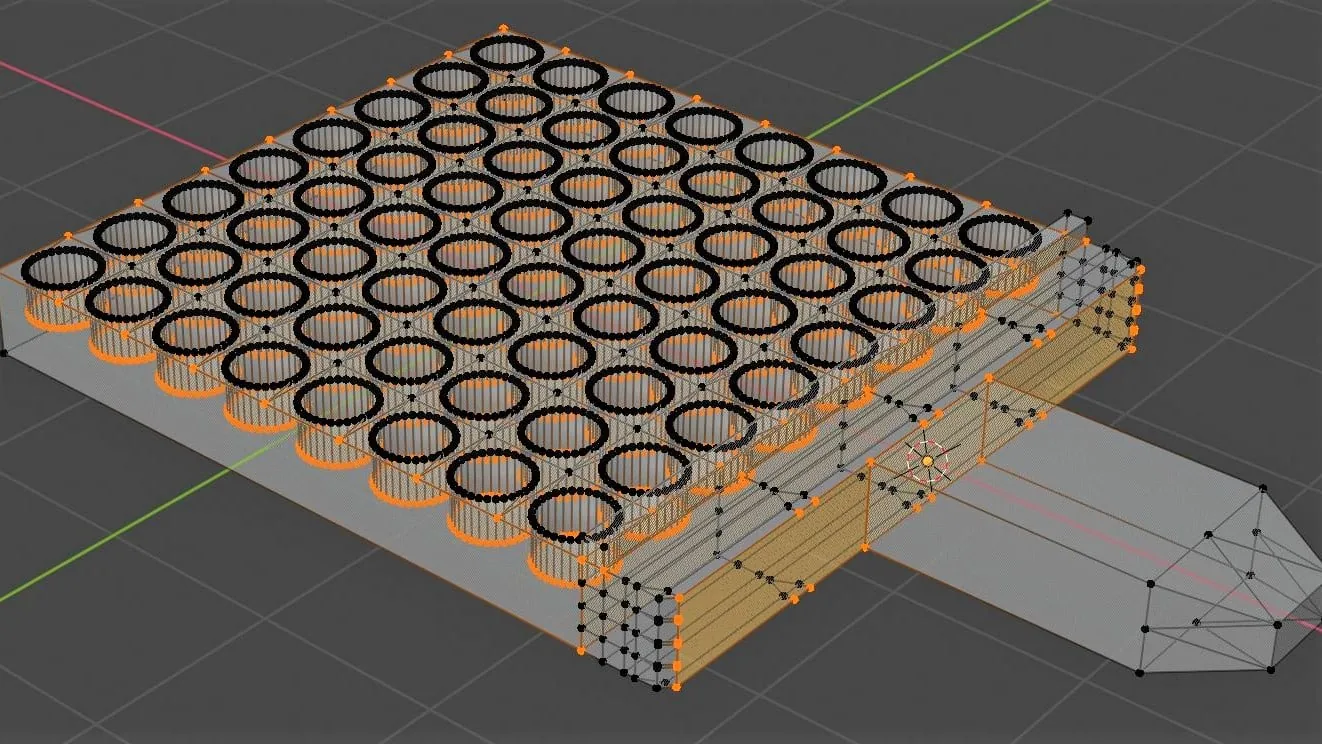
Reference example Problem edges, highlighted
Mesh checkers draw bad edges in colour, as this tool does in its preview.
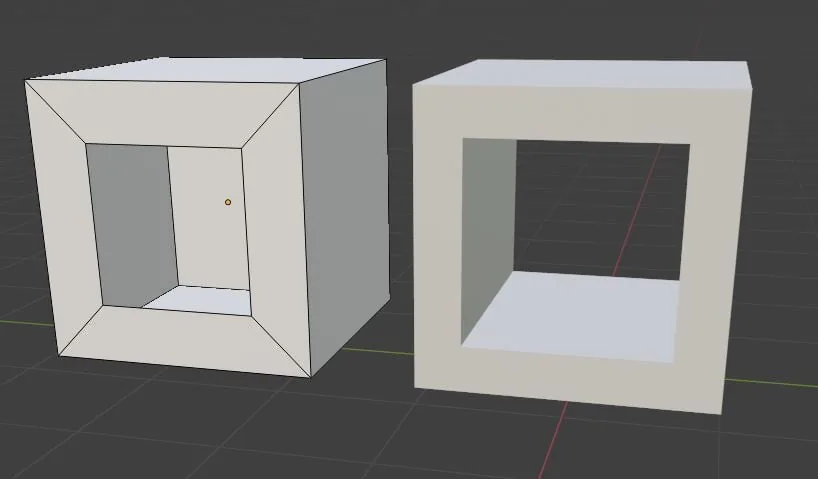
Reference example Open hole versus closed hole
Left: the hole has no inner wall, so the mesh is open. Right: the hole is walled and the part is solid.
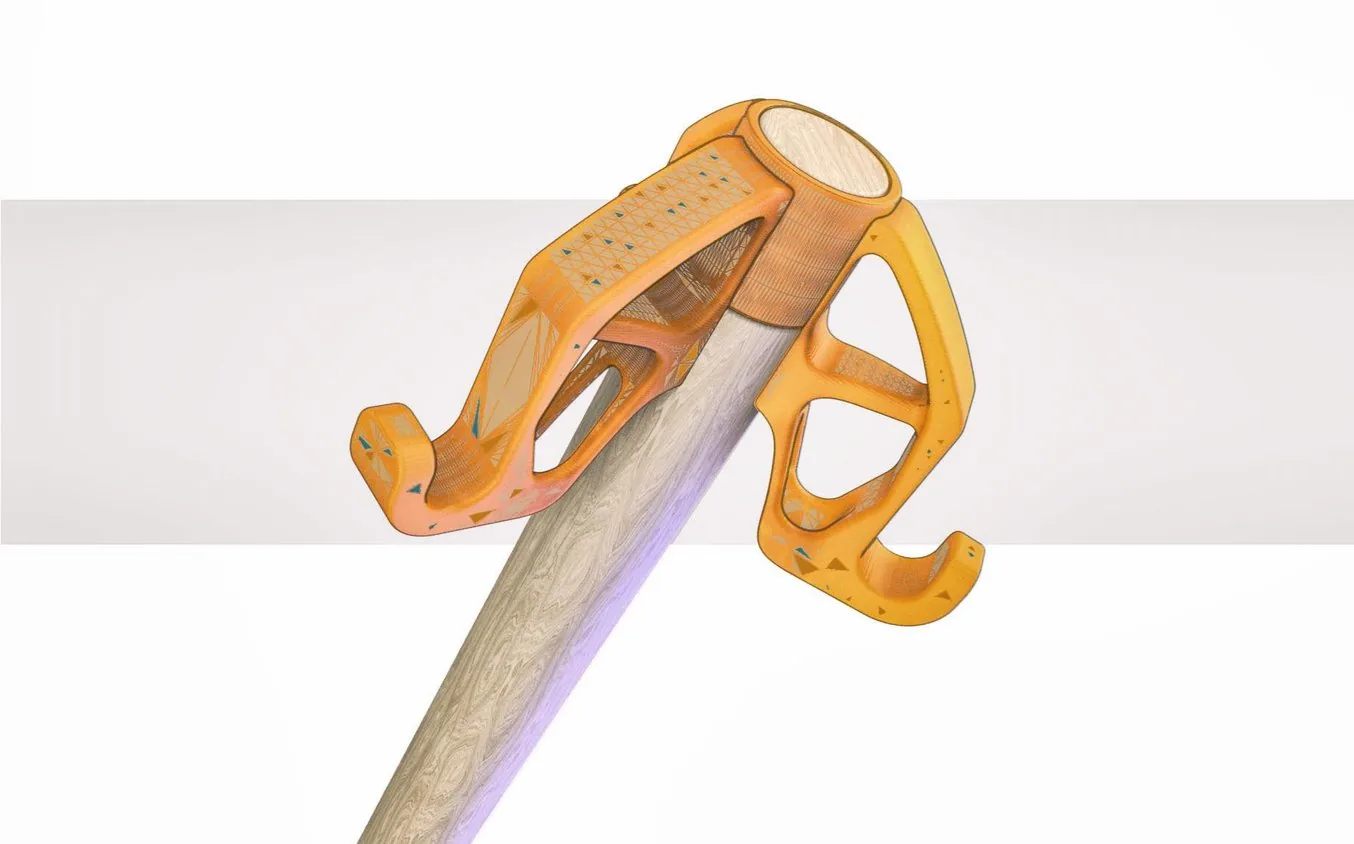
Reference example The goal: one closed solid
A watertight model with outward normals slices predictably, with no guesswork by the slicer.
STL repair FAQ
Common questions about how to fix an STL file.
More ways to work with your 3D files
View, convert, or make a model from scratch.
Start from a cleaner model
Kairo3D turns a photo into a 3D model you can download as STL. Check it here before printing.