
ABS Print Temperature Chart
Variant
Brand
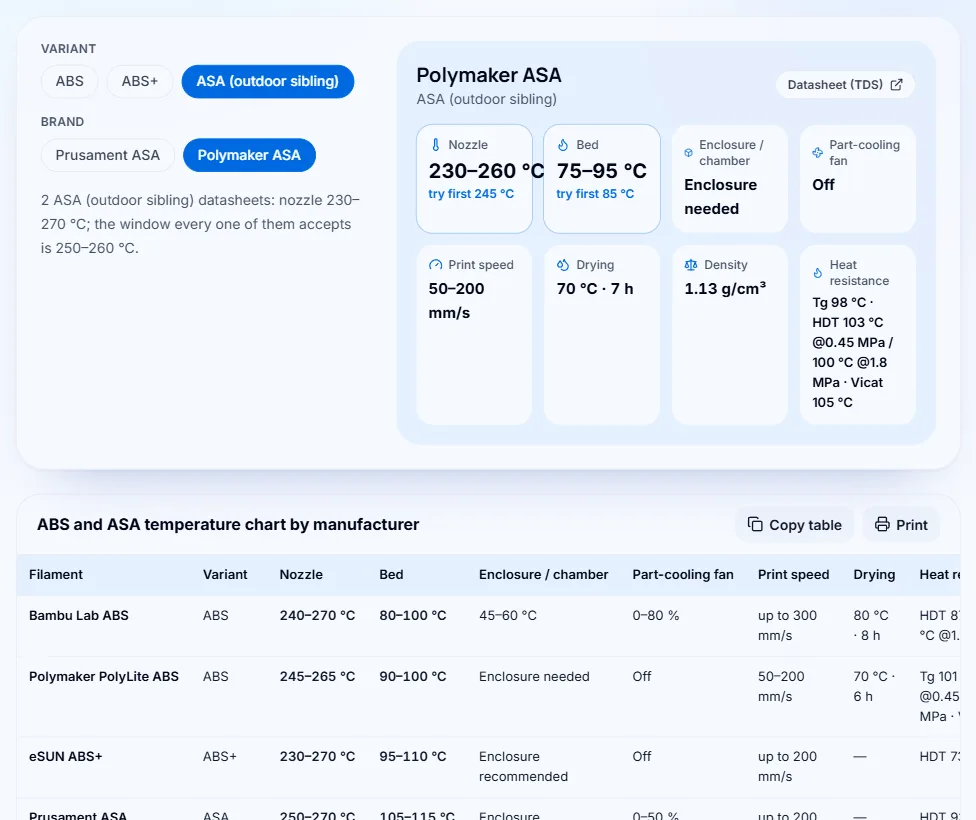
2 ABS datasheets: nozzle 240–270 °C; the window every one of them accepts is 245–265 °C.
Polymaker PolyLite ABS
ABS
- Nozzle
- 245–265 °C
- try first 255 °C
- Bed
- 90–100 °C
- try first 95 °C
- Enclosure / chamber
- Enclosure needed
- Part-cooling fan
- Off
- Print speed
- 50–200 mm/s
- Drying
- 70 °C · 6 h
- Density
- 1.12 g/cm³
- Heat resistance
- Tg 101 °C · HDT 100 °C @0.45 MPa / 98 °C @1.8 MPa · Vicat 104 °C
ABS and ASA temperature chart by manufacturer
| Filament | Variant | Nozzle | Bed | Enclosure / chamber | Part-cooling fan | Print speed | Drying | Heat resistance | Density |
|---|---|---|---|---|---|---|---|---|---|
| Bambu Lab ABS | ABS | 240–270 °C | 80–100 °C | 45–60 °C | 0–80 % | up to 300 mm/s | 80 °C · 8 h | HDT 87 °C @0.45 MPa / 84 °C @1.8 MPa · Vicat 94 °C | 1.05 g/cm³ |
| Polymaker PolyLite ABS | ABS | 245–265 °C | 90–100 °C | Enclosure needed | Off | 50–200 mm/s | 70 °C · 6 h | Tg 101 °C · HDT 100 °C @0.45 MPa / 98 °C @1.8 MPa · Vicat 104 °C | 1.12 g/cm³ |
| eSUN ABS+ | ABS+ | 230–270 °C | 95–110 °C | Enclosure recommended | Off | up to 200 mm/s | — | HDT 73 °C (load not stated) | 1.06 g/cm³ |
| Prusament ASA | ASA (outdoor sibling) | 250–270 °C | 105–115 °C | Enclosure recommended | 0–50 % | up to 200 mm/s | — | HDT 93 °C @0.45 MPa / 86 °C @1.8 MPa | 1.07 g/cm³ |
| Polymaker ASA | ASA (outdoor sibling) | 230–260 °C | 75–95 °C | Enclosure needed | Off | 50–200 mm/s | 70 °C · 7 h | Tg 98 °C · HDT 103 °C @0.45 MPa / 100 °C @1.8 MPa · Vicat 105 °C | 1.13 g/cm³ |
Values copied from each manufacturer’s datasheet or product page, checked 2026-11. The label on your spool wins if it differs.
- Chamber temperature included
- ABS, ABS+ and ASA
- Copy or print the table
- Warping and cracking fixes
ABS needs heat everywhere
Nozzle, bed and the air around the part: the ABS and ABS+ sources in the chart ask for all three to be hot.
- 230–270 °Cnozzle range for the listed ABS and ABS+
- 80–110 °Cbed range for ABS and ABS+
- 45–60 °Cchamber Bambu Lab recommends for its ABS
Setting up for ABS
Get the temperatures right and close the printer: ABS warps when one layer cools faster than the next.
Pick ABS, ABS+ or ASA
Select the variant and brand to see its nozzle and bed range, chamber advice and heat deflection.
Heat-soak the enclosure
Let the bed run for several minutes with the door shut before printing, so the chamber warms toward the maker’s value.
Keep the fan low
Polymaker and eSUN want it off. Bambu Lab allows up to 80 %, and Prusament ASA starts at 30 %. Add fan only for overhangs and bridges.
ABS vs ABS+ vs ASA
Three related materials, three slightly different sets of numbers. Here is what the datasheets say about each.
ABS / ASA · Nozzle temperature by variant
- ABS240–270 °C
- ABS+230–270 °C
- ASA (outdoor sibling)230–270 °C
ABS / ASA · Bed temperature by variant
- ABS80–100 °C
- ABS+95–110 °C
- ASA (outdoor sibling)75–115 °C
ABS / ASA set-up at a glance
ABS: 245–265 °C fits both datasheets
Bambu Lab ABS lists 240–270 °C and Polymaker PolyLite ABS 245–265 °C. Beds are 80–100 °C (Bambu) and 90–100 °C (Polymaker). Start around 255 °C and a 95 °C bed.
The enclosure is not optional
Polymaker marks an enclosure as needed, eSUN recommends one, and Bambu Lab gives a 45–60 °C chamber for its ABS. Without it, the upper layers cool and shrink while the lower ones are still warm, and the part curls or splits.
ABS+: a hotter bed
eSUN ABS+ asks for 230–270 °C at the nozzle and a 95–110 °C bed, with the fan at 0 %. It is the hottest bed in this chart, so check that your printer can hold 100 °C or more.
ASA: ABS for outdoor parts
ASA is chosen for sunlight and weather. Prusament ASA lists 260 ± 10 °C and a 110 ± 5 °C bed; Polymaker ASA 230–260 °C and 75–95 °C with an enclosure. Prusa makes ASA, not ABS.
Heat resistance: why people put up with ABS
Heat deflection at 1.8 MPa is 84 °C for Bambu ABS, 98 °C for PolyLite ABS and 86–100 °C for the two ASAs, far above PLA and PETG. That is what makes ABS suitable for parts near motors or in a hot car.
Drying and ventilation
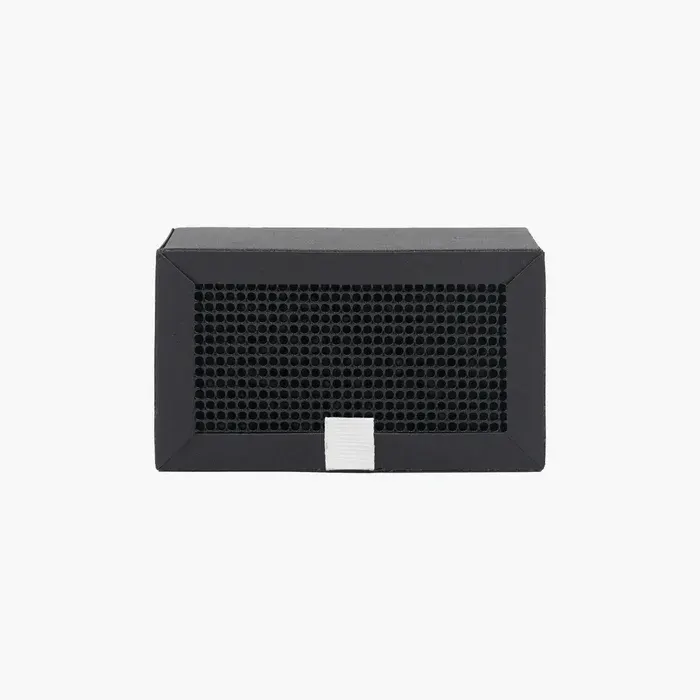
Bambu Lab dries ABS at 80 °C for 8 hours; Polymaker dries ABS at 70 °C for 6 hours and ASA at 70 °C for 7 hours. ABS and ASA smell while printing, so print in a ventilated room or use a printer with a filter.
ABS problems by symptom
Almost every ABS failure is a temperature difference somewhere in the part. Close the gap first, then tune.
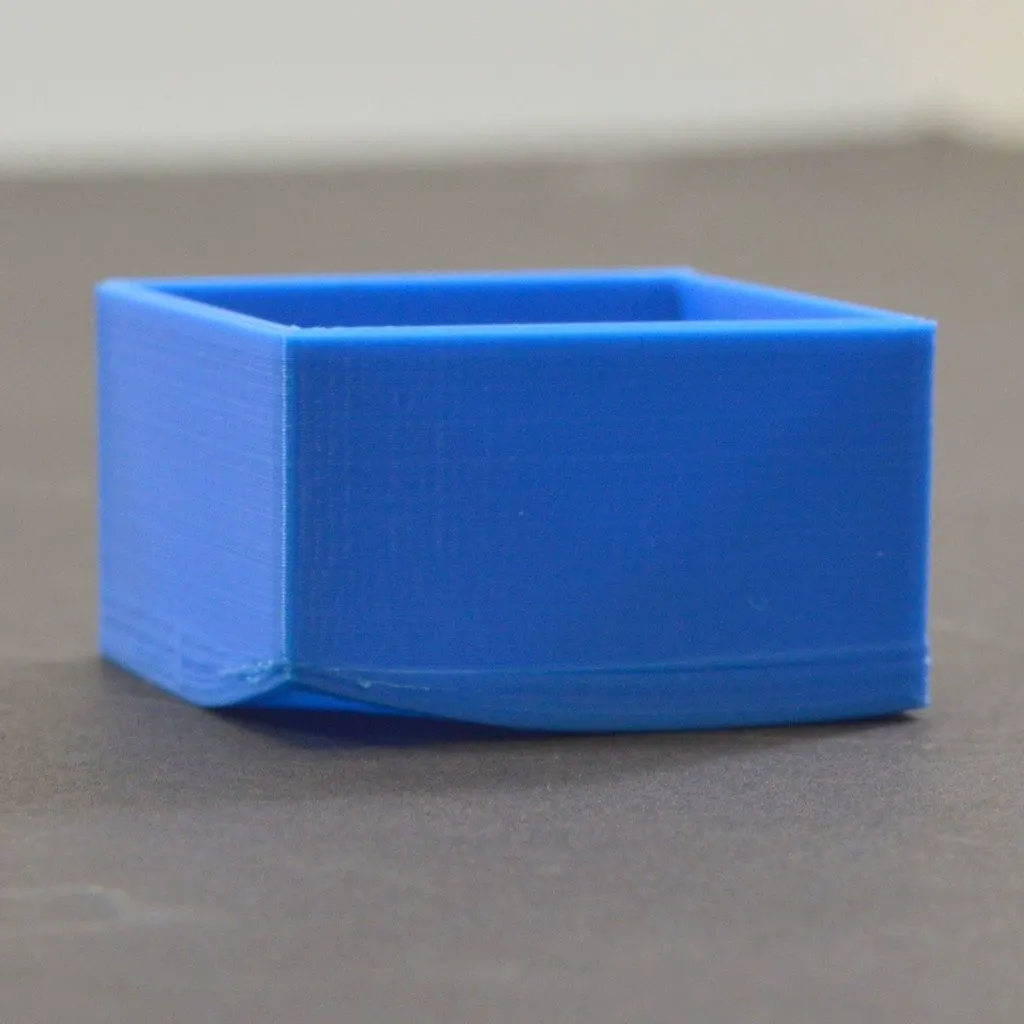 01
Corners warping up
Root cause: The part shrinks as it cools, and the corners pull away first.
What helps
- Close the enclosure and pre-heat it.
- Raise the bed toward the top of the listed range (e.g. 100 °C).
- Add a brim and round sharp corners in the design.
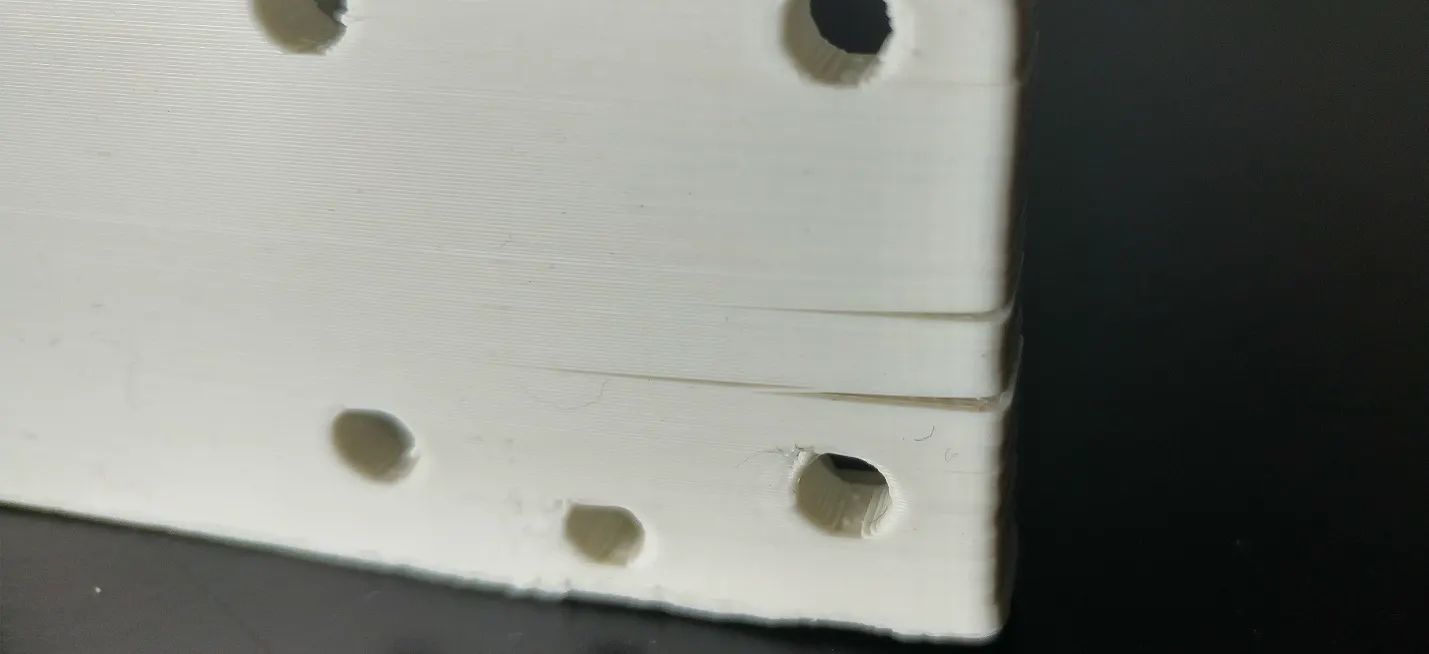 02
Layers cracking apart
Root cause: Upper layers cooled too much before the next one landed.
What helps
- Turn the part fan off or very low (Polymaker: off).
- Raise the chamber temperature; keep the door shut.
- Print hotter toward the top of the nozzle range.
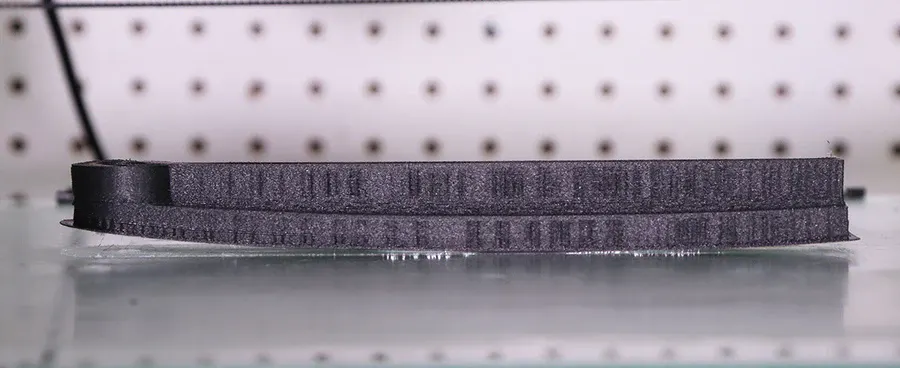 03
First layer will not stay down
Root cause: Plate too cold, or the wrong surface for ABS.
What helps
- Use the plate the maker lists (textured or engineering PEI) with glue.
- Clean the plate thoroughly; oils ruin ABS adhesion.
- Slow the first layer down.
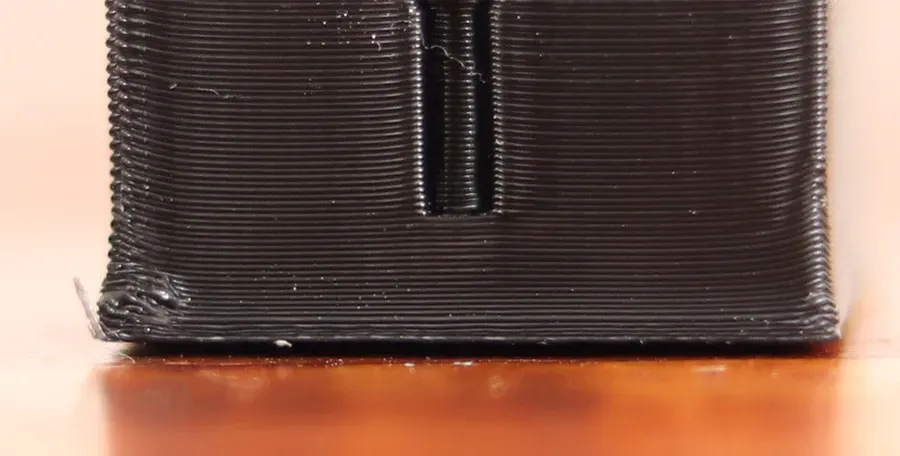 04
Elephant foot on tall parts
Root cause: A very hot bed keeps the bottom layers soft.
What helps
- Drop the bed 5–10 °C after the first few layers.
- Use elephant-foot compensation in the slicer.
- Check the first-layer height is not too low.
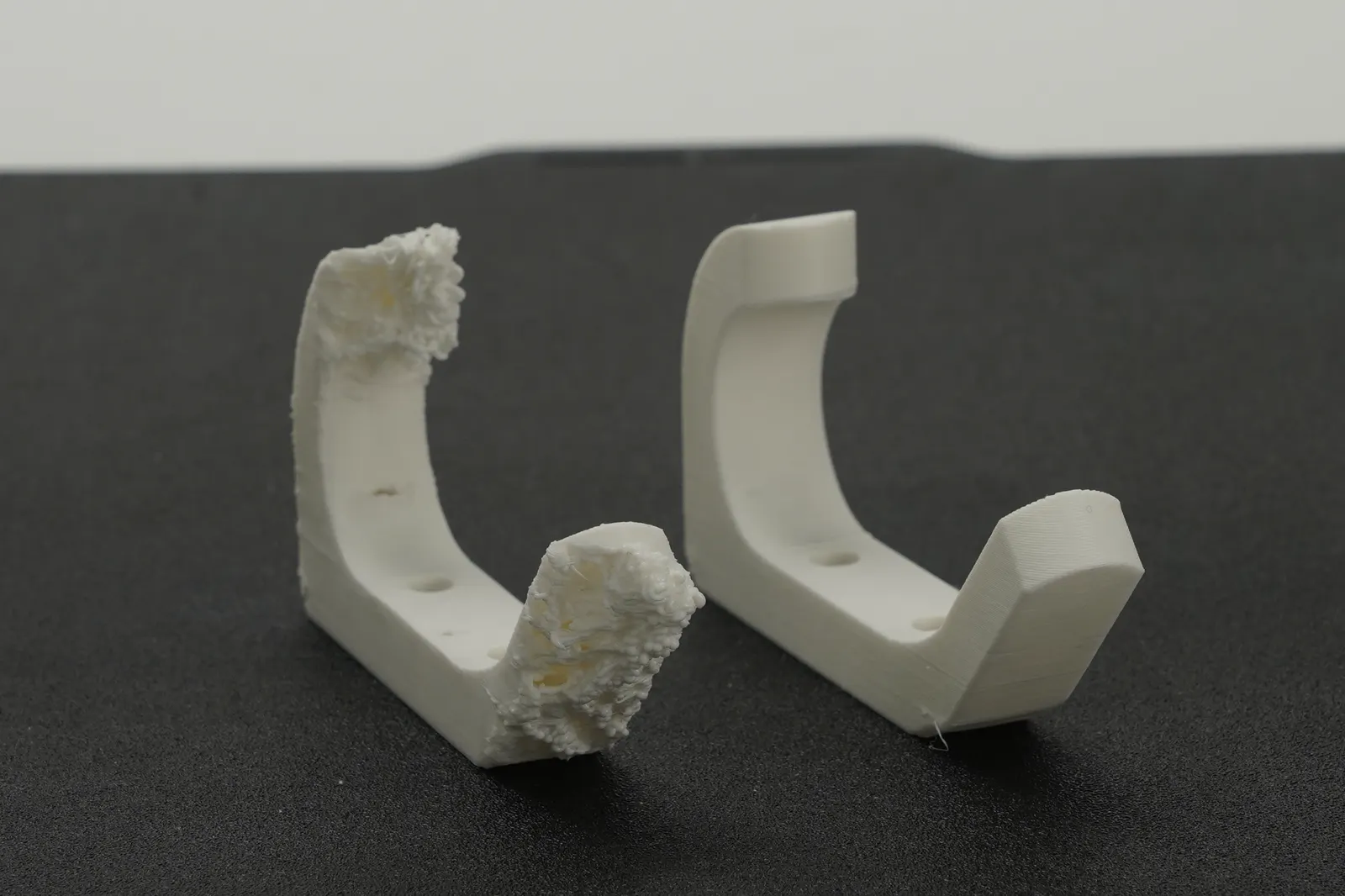 05
Rough overhangs and droop
Root cause: Little or no cooling, which ABS needs for strength.
What helps
- Allow a little fan for overhangs and bridges only.
- Reduce overhang angles or add supports.
- Slow down on overhanging walls.
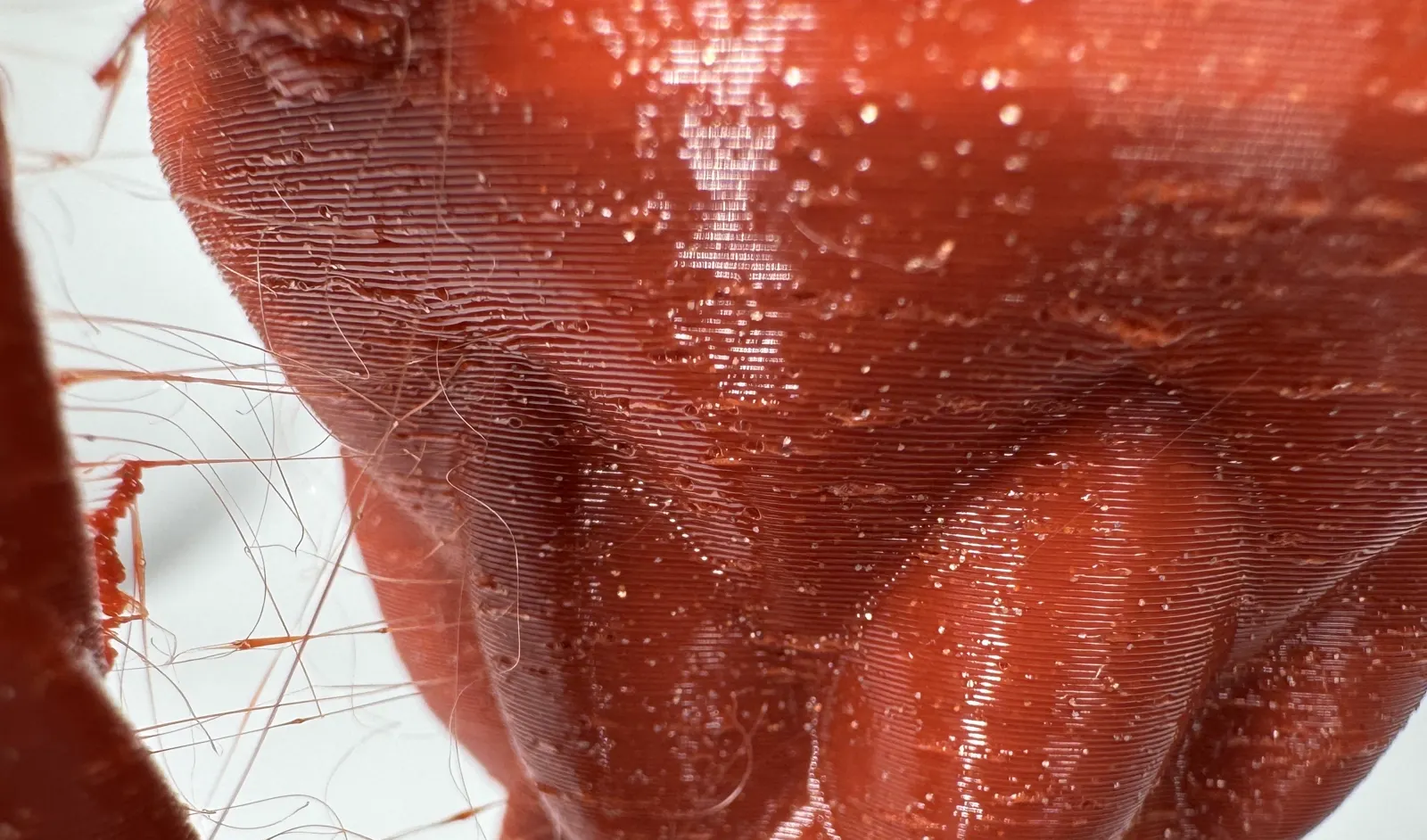 06
Bubbles, popping, rough surface
Root cause: Moisture in the filament.
What helps
- Dry the spool (Bambu Lab: 80 °C, 8 h; Polymaker: 70 °C, 6 h).
- Store it sealed with desiccant.
- Print straight from the dryer on long jobs.
- manufacturer documents
- 5manufacturer documents
- 4 brands: Bambu Lab · Polymaker · eSUN · Prusament
- 4 technical data sheets · checked 2026-11
Sources for the ABS and ASA chart
Read from these manufacturer documents on 2026-11-23. Prusa publishes no ABS, so its ASA is listed instead.
- Bambu Lab ABS — Datasheet (TDS)
- Polymaker PolyLite ABS — Datasheet (TDS)
- eSUN ABS+ — Official product page
- Prusament ASA — Datasheet (TDS)
- Polymaker ASA — Datasheet (TDS)
Why this ABS temperature chart
ABS is the material where a wrong number costs the most, so every one here is sourced.
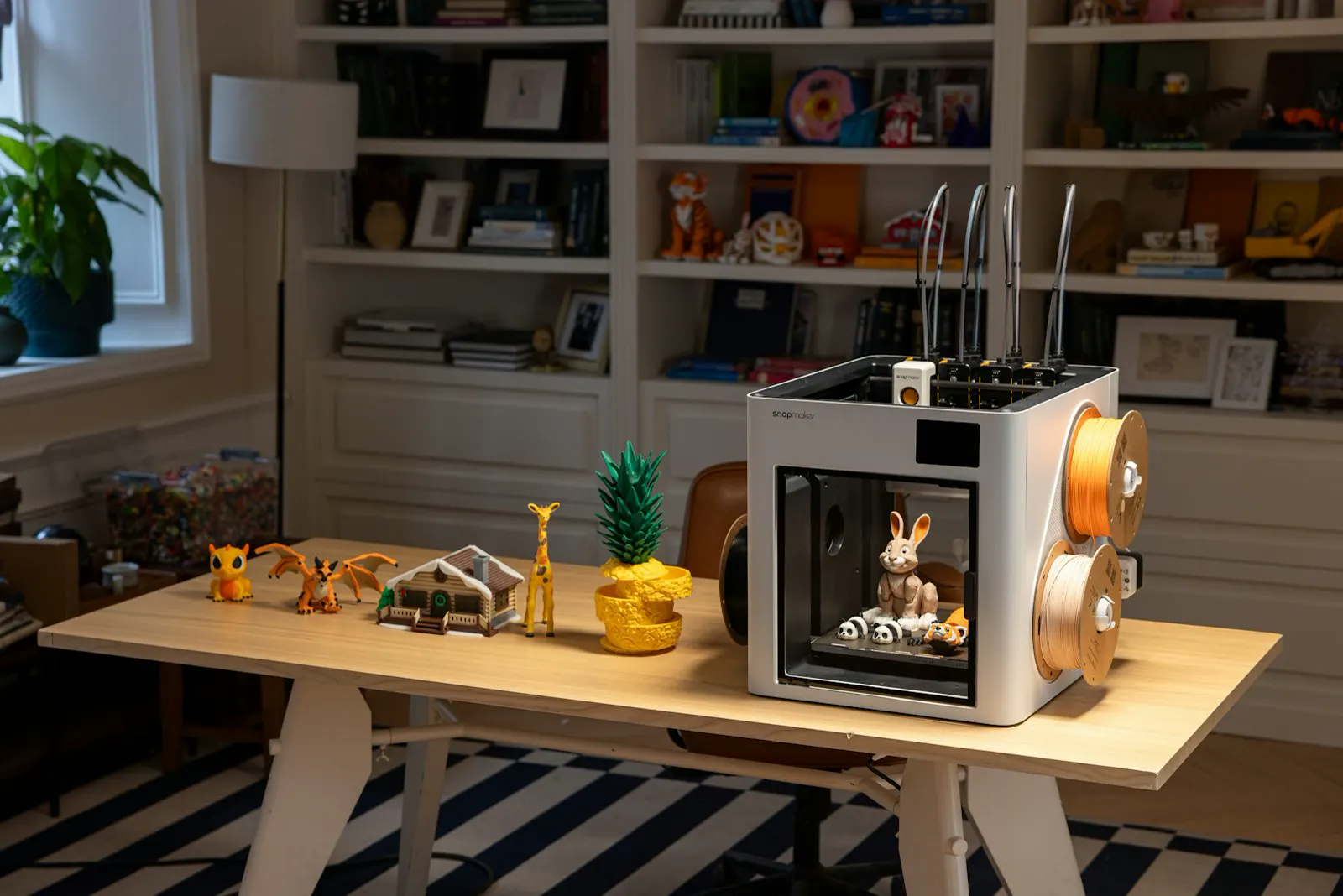
Enclosure and chamber values
Most charts stop at nozzle and bed. For ABS the chamber matters just as much, so each maker’s enclosure advice is shown.
ASA alongside ABS
If the part lives outdoors, ASA is the better pick. Its datasheet values sit in the same table for a direct comparison.
Heat deflection, 0.45 MPa
60 °CPLA78 °CPETG103 °CABS/ASALowest to highest HDT published on the datasheets in the four charts.
Heat deflection you can compare
HDT is shown at the stated load, so you can check whether ABS really beats PETG for your hot part.
Fan settings by maker
From off (Polymaker, eSUN) to 0–80 % (Bambu Lab), each recommendation is shown, with what to try first.
Drying temperatures
ABS dries hotter than PLA or PETG. The chart lists the maker’s temperature and time where it is published.
Printable reference
Copy the table into a spreadsheet or print it, source links included, for the printer room wall.
ABS print temperature FAQ
ABS and ASA questions, answered from manufacturer data.
More ways to work with your 3D files
View, convert, or make a model from scratch.
Need a heat-proof part designed first?
Create a printable 3D model from a photo, then print it in ABS or ASA for parts that face heat or sunlight.