
PNG to STL Converter
Drop a PNG or JPG here
Photos for a relief, logos for a silhouette. PNG, JPG or WebP up to 20 MB.
Softens noise and jagged edges.
Runs in your browser — your files are never uploaded.
This makes a flat relief or extrusion. For a full 3D object from a photo, use AI image to STL- Nothing uploaded
- PNG · JPG · WebP
- Relief or silhouette
- Size in mm
One picture, two kinds of STL
Pick the mode that matches the picture: tones for photos, outlines for logos.
- 2modes — height-map relief and traced silhouette
- 256grey levels mapped onto your height range in relief mode
- 0files uploaded — pixels are read on your device
How to convert PNG to STL
From image file to a millimetre-accurate STL in under a minute.
Drop a PNG or JPG
Any PNG, JPG or WebP up to 20 MB. Logos with a transparent background are read by their alpha channel.
Choose relief or silhouette
Relief turns light and dark into high and low. Silhouette keeps only the shape and gives it straight walls.
Size it and download
Set the width in mm, the base and the height, check the triangle count and file size, then save the STL.
Brightness becomes height
A PNG or JPG has no depth, so the converter reads each pixel’s brightness as a height.
Each pixel is a height
In Relief mode the image is a height map: light pixels rise, dark pixels stay low — or the reverse with “Dark is high”.
A base keeps it in one piece
Everything sits on a solid base, so the STL is one watertight part.
Silhouette ignores tones
Silhouette mode traces the shape at the threshold and extrudes it flat — the better choice for logos and icons.
Which PNG to STL mode fits your image
Both are 2.5-D: the front has shape, the back is flat. The difference is what the pixels control.
| Question | Relief (height map) | Silhouette (extrude) |
|---|---|---|
| What the pixels drive | Height of every point | Only inside vs. outside |
| Best input | Photos, textures, coins, terrain | Logos, icons, stencils, signs |
| Edges | Soft slopes between tones | Vertical walls along the outline |
| Holes in the shape | Become low areas, not holes | Kept as real holes |
| Typical settings | Base 1.6 mm, relief 2–4 mm | Depth 3–5 mm, threshold 0.5 |
| File size | Large (grid of triangles) | Small (outline only) |
Neither mode guesses depth that is not in the picture. A photo of a cat becomes a textured plaque, not a cat you can hold — for that, use the AI image to STL generator, which builds a full 3D object.
Background:Heightmap (Wikipedia)Marching squares (Wikipedia)
What a printed relief looks like
Height maps print as reliefs, terrain and textured plaques. Reference prints and renders from other makers and tools.
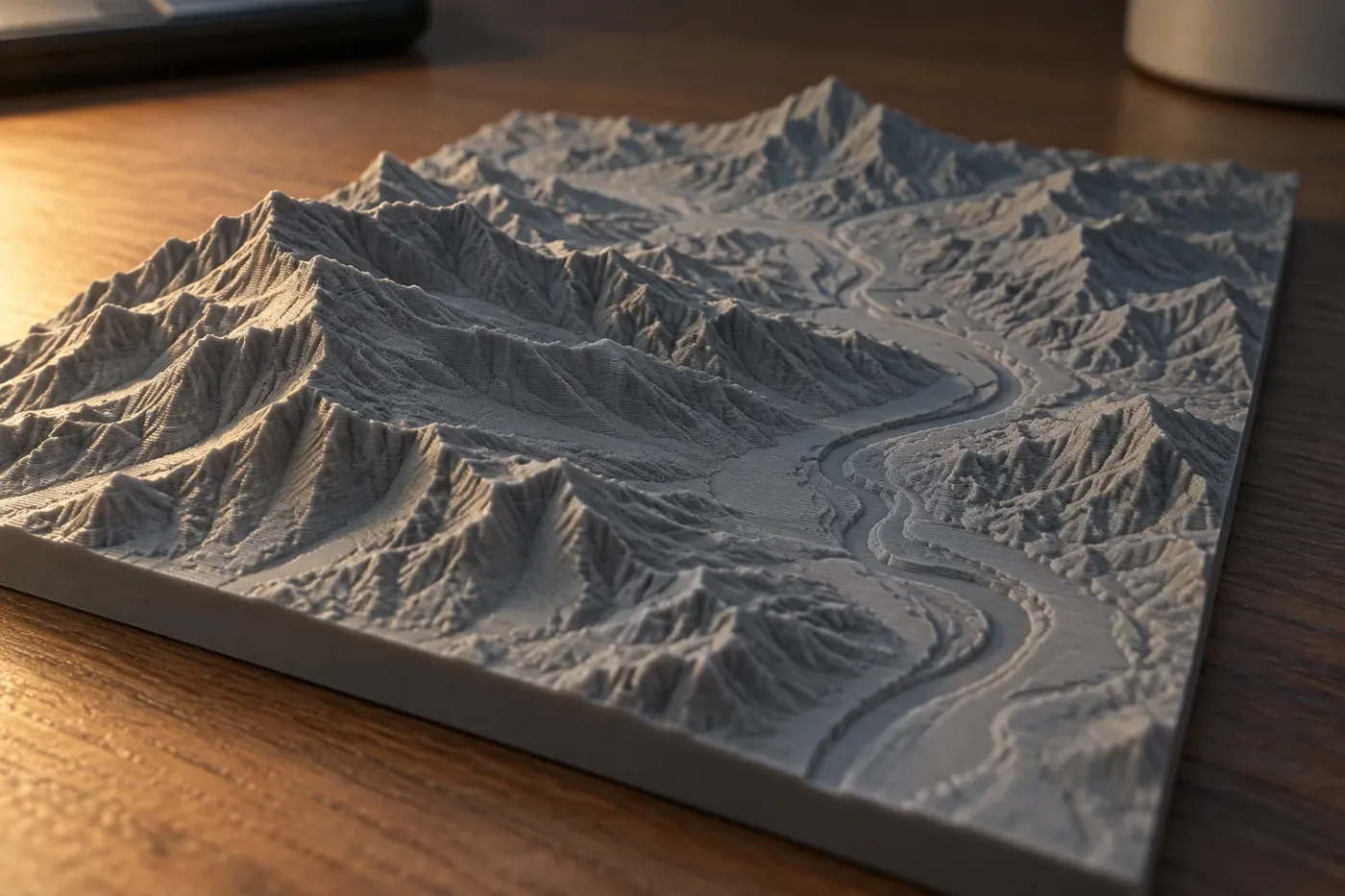 Reference example
Terrain relief from a height mapvia supavoxel.com 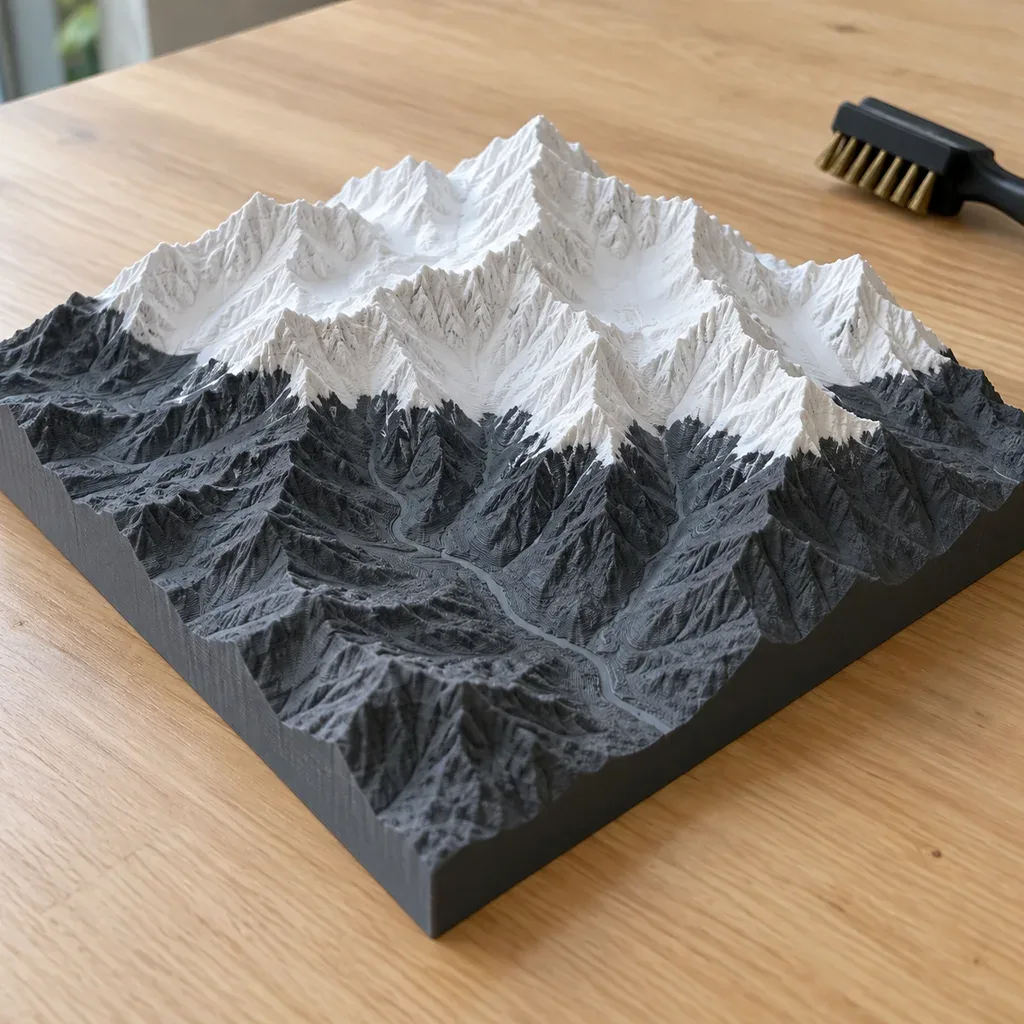 Reference example
Two colours split by heightvia supavoxel.com 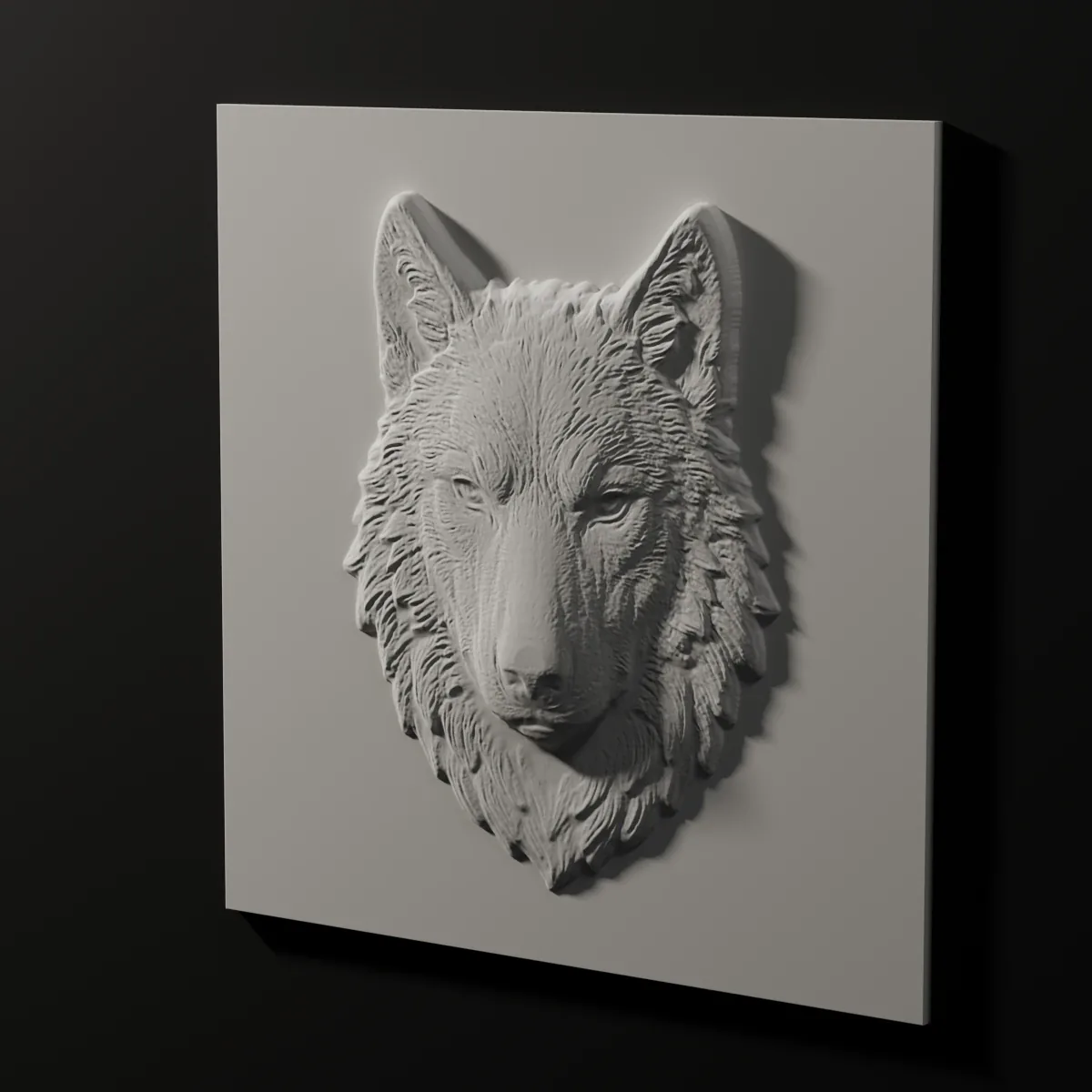 Reference example
Low-relief wall panelvia meshy.ai 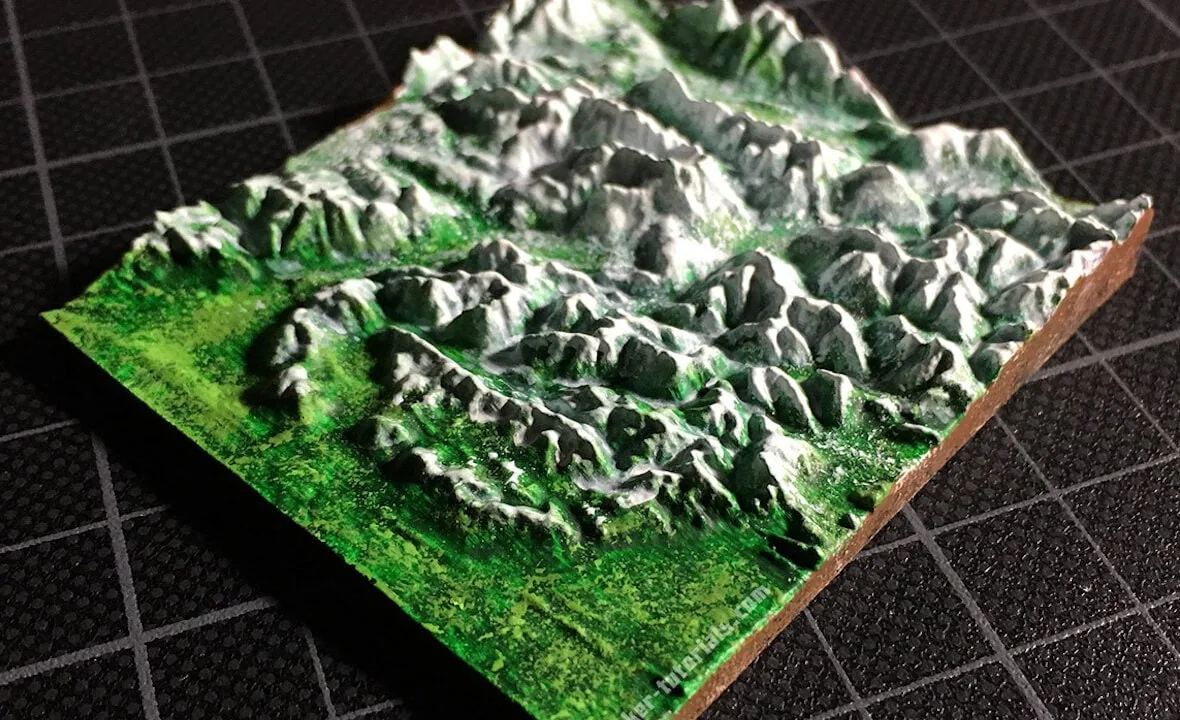 Reference example
Painted topographic printvia all3dp.com 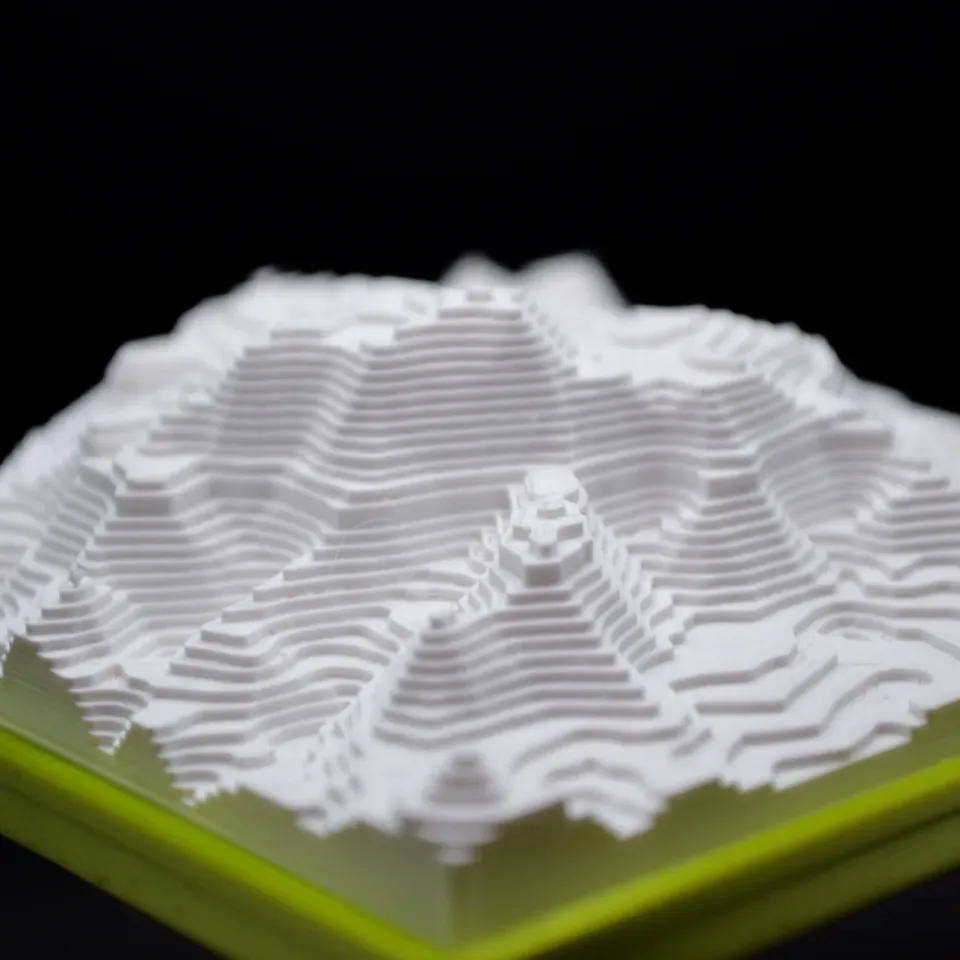 Reference example
Layer steps up closevia printables.com
Reference examples by other makers and sites, shown to illustrate the printed result. They were not made with this tool.
Made with this PNG to STL converter
Screenshots of real outputs from the tool above, before download.
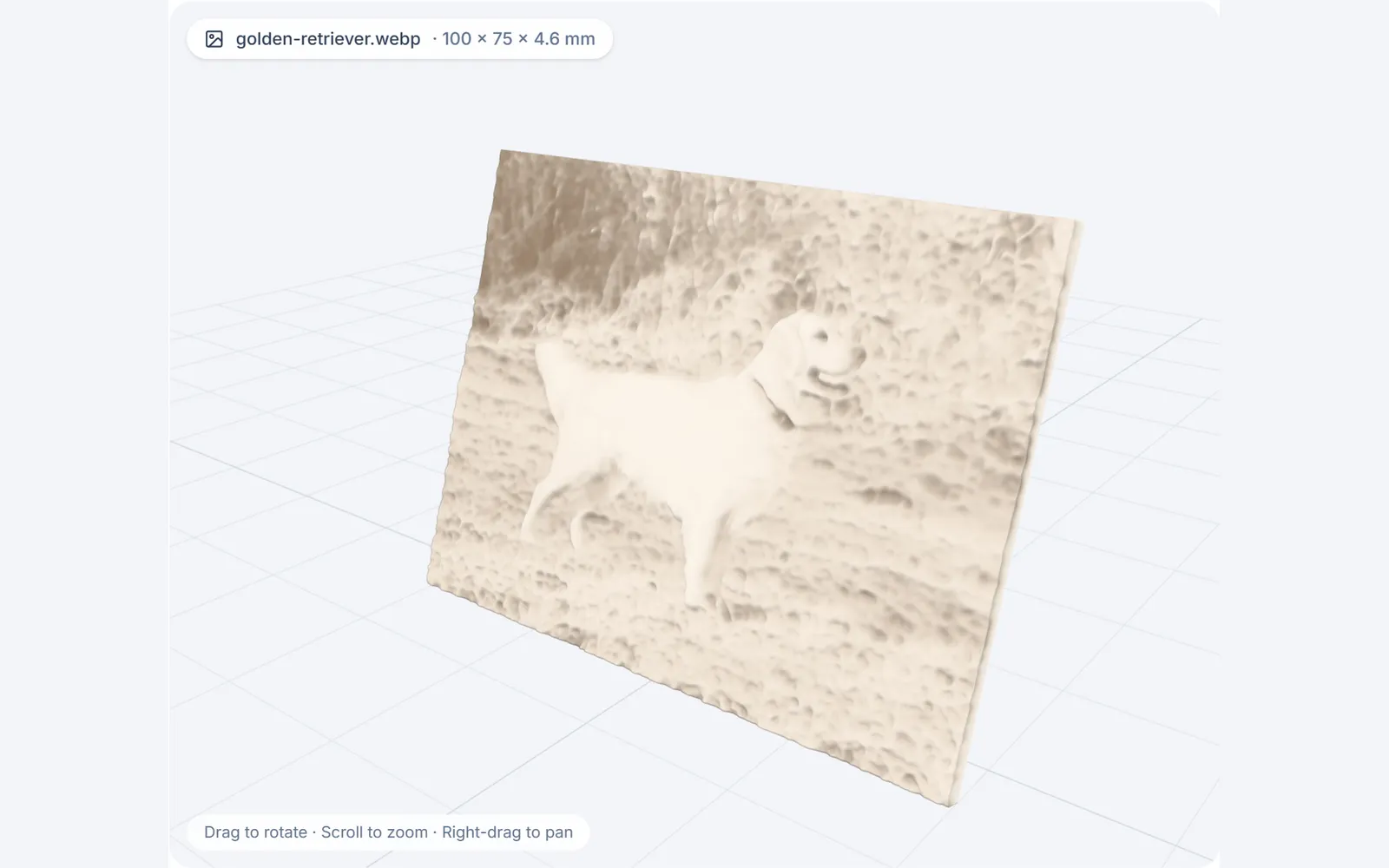
Photo relief
A dog photo as a 100 mm relief: 1.6 mm base, 3 mm of relief, light areas high.
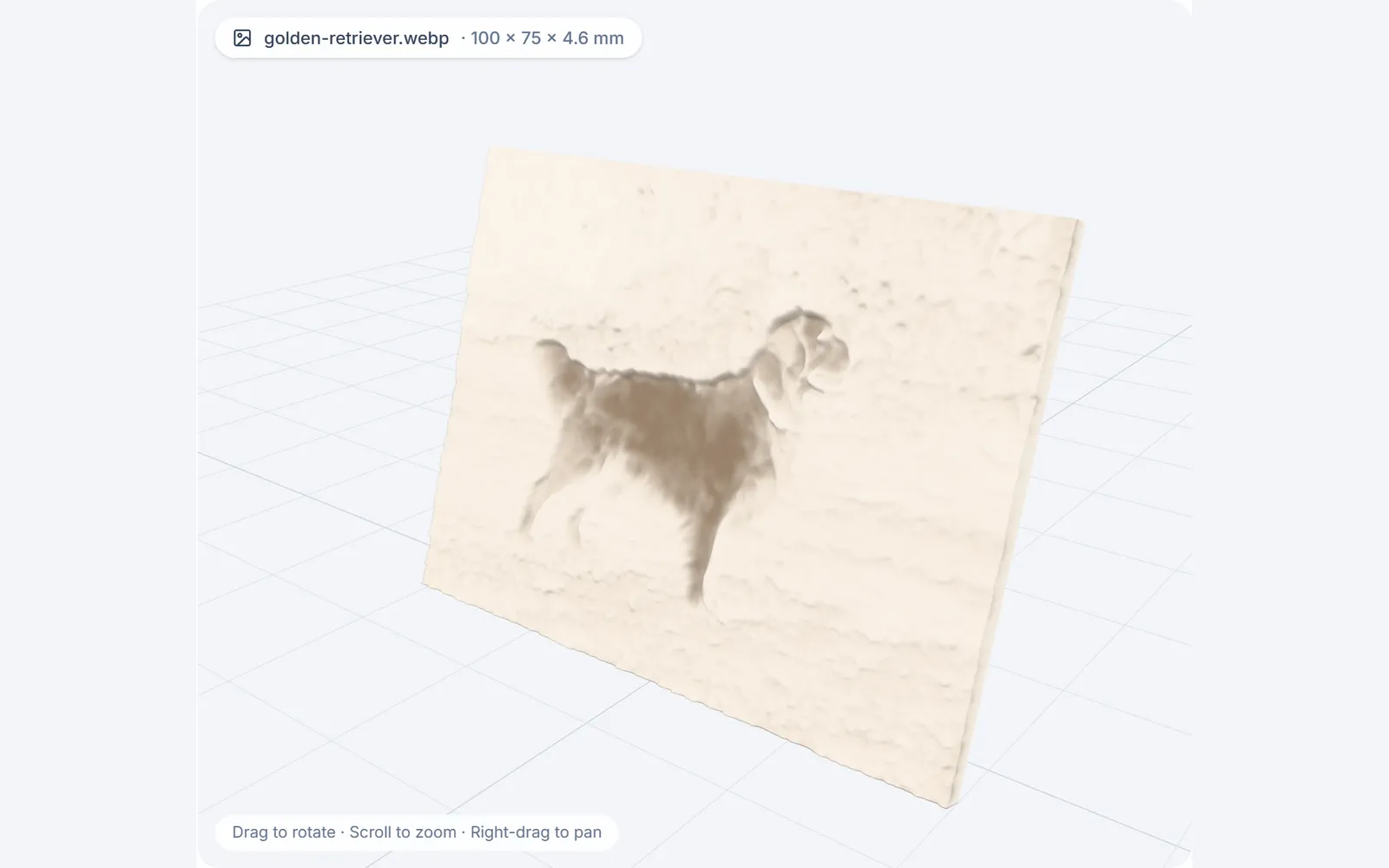
Dark-is-high relief
The same photo with dark areas raised — the look of an engraved or stamped plate.
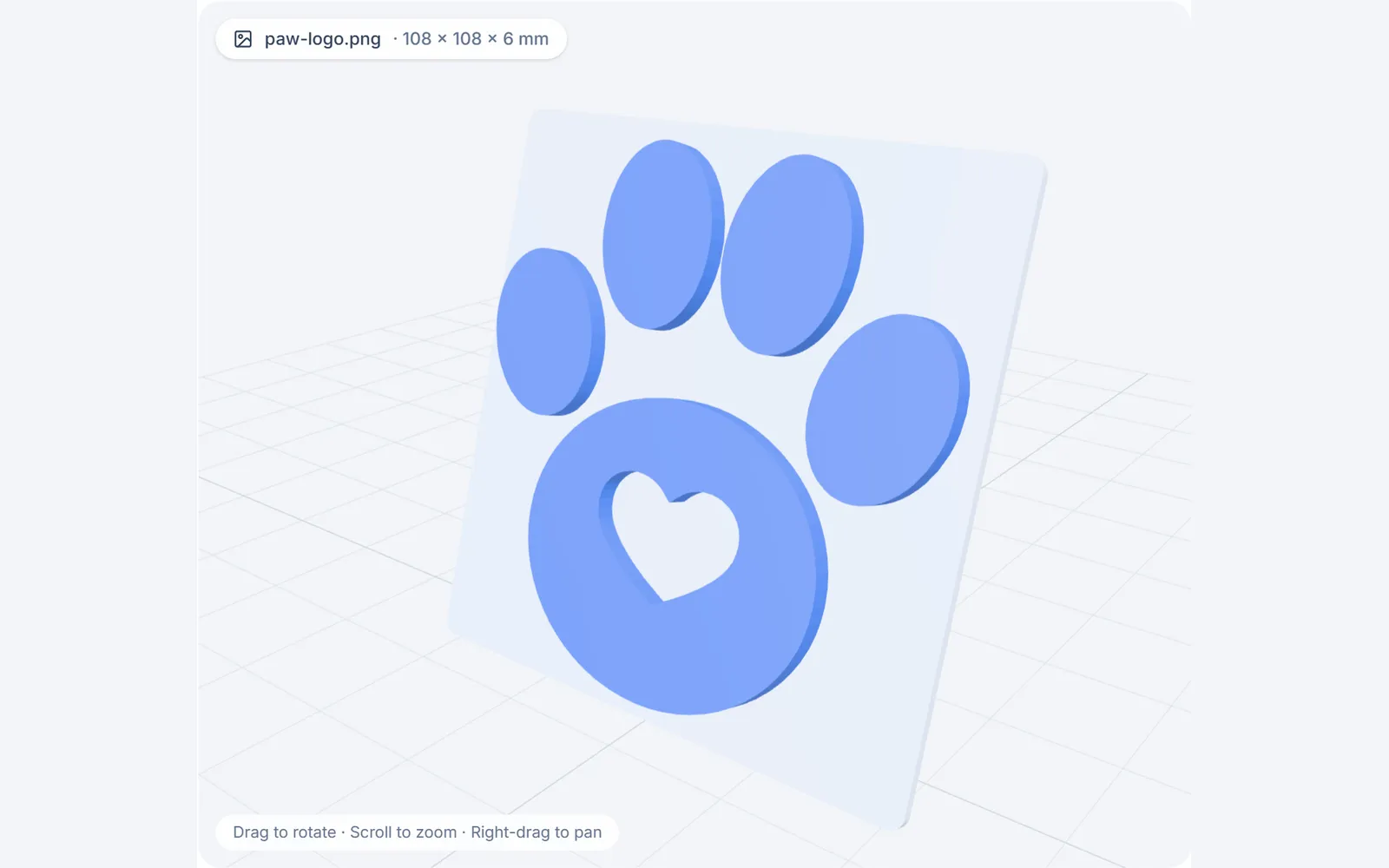
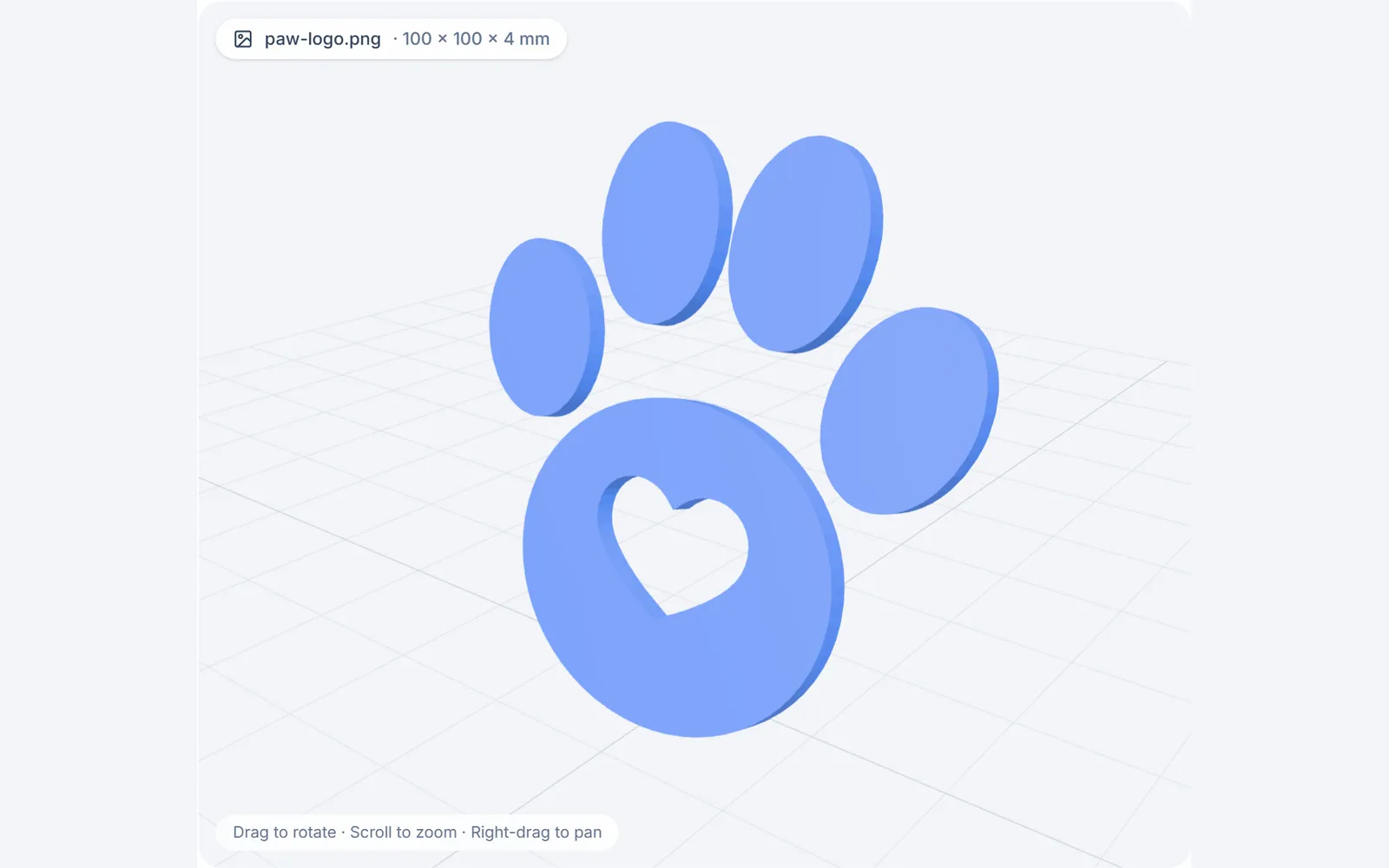
Logo silhouette on a plate
A paw PNG traced at threshold 0.5, 4 mm extrusion on a 2 mm base plate.
What this PNG to STL converter does well
A free image to STL tool for the flat jobs — plaques, signs, stamps and textures.

Two modes in one tool
Height-map relief for photos and textures, traced silhouette for logos — switch without reloading the image.
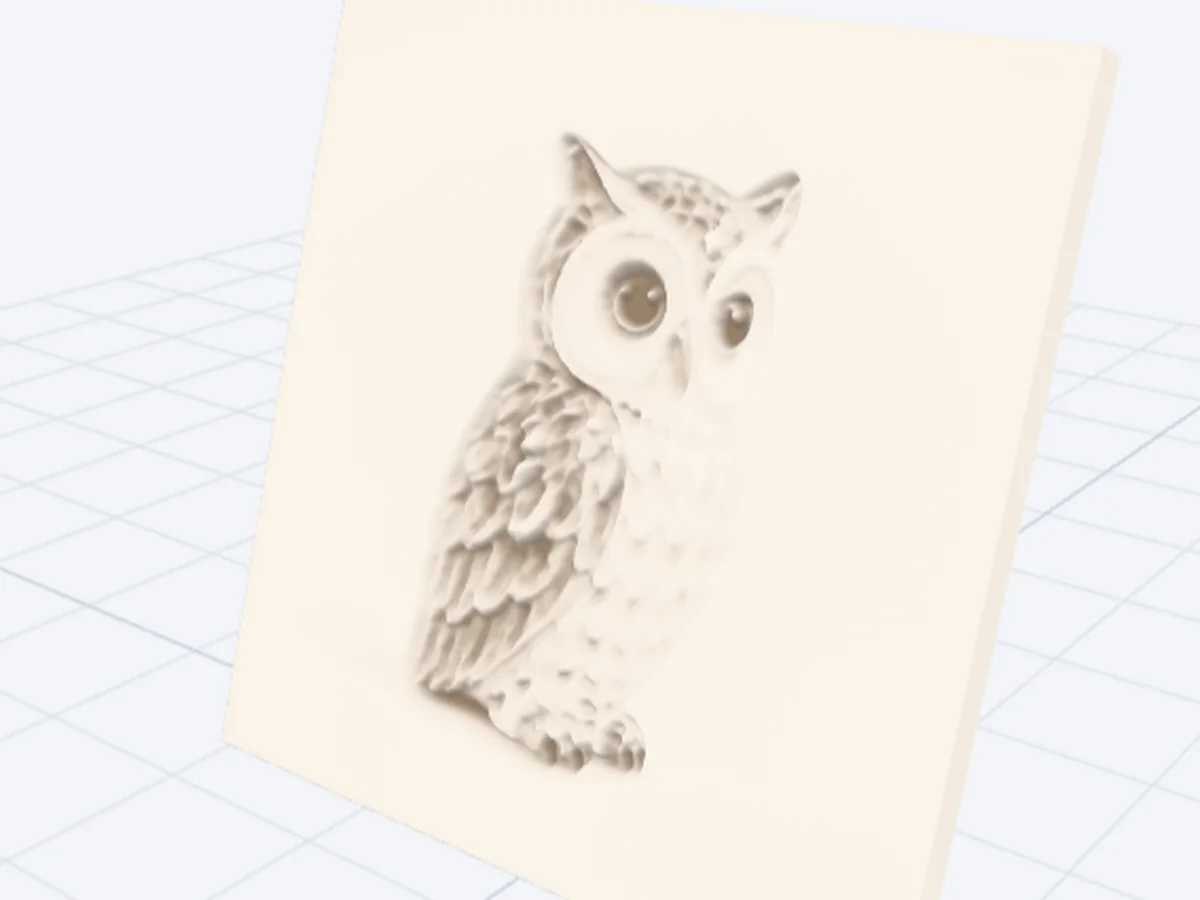
JPG to STL too
PNG, JPG, JPEG and WebP all work. Transparent PNGs use their alpha channel, so logos need no clean-up.
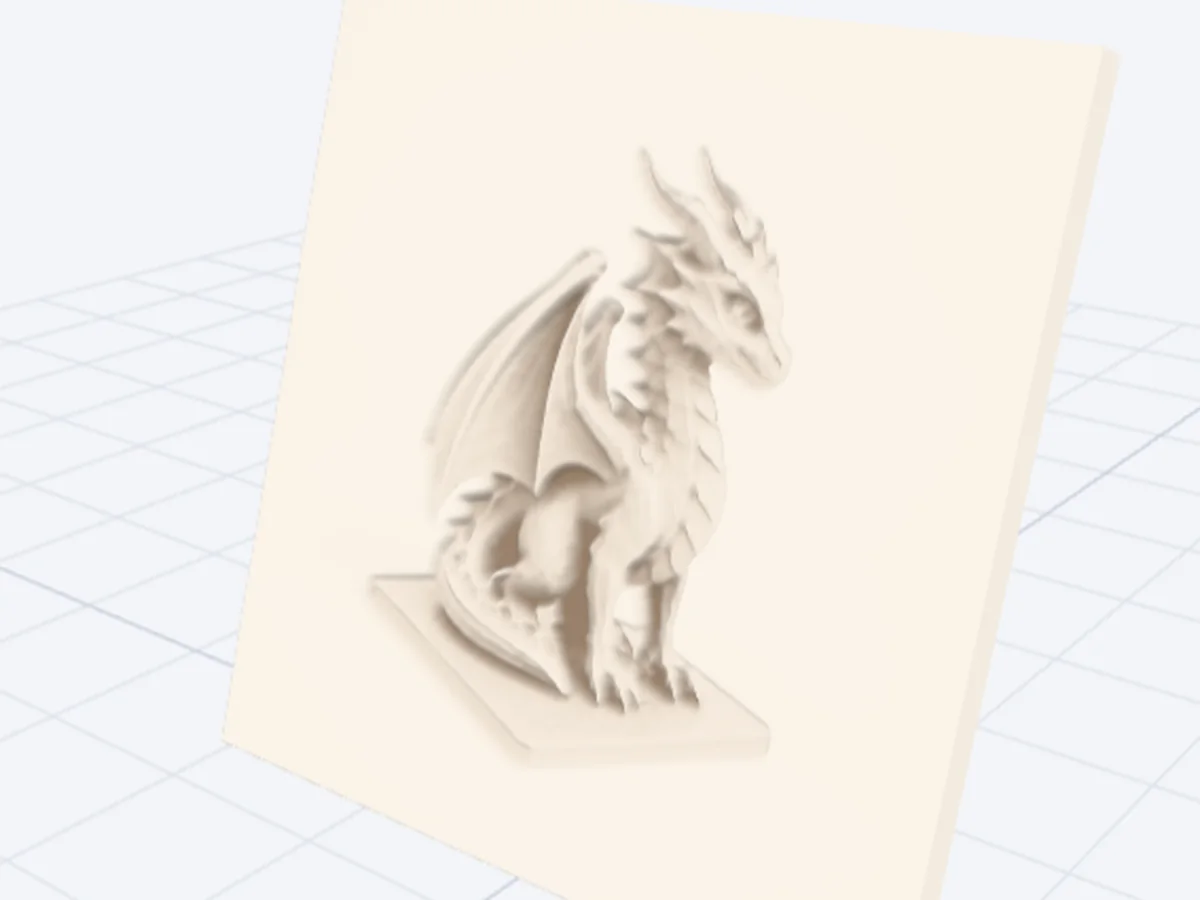
Smoothing and auto contrast
Blur away JPEG noise and stretch flat photos to the full height range before they become geometry.

Real holes in silhouettes
Outlines are traced with sub-pixel marching squares; inner shapes such as letter counters stay open.
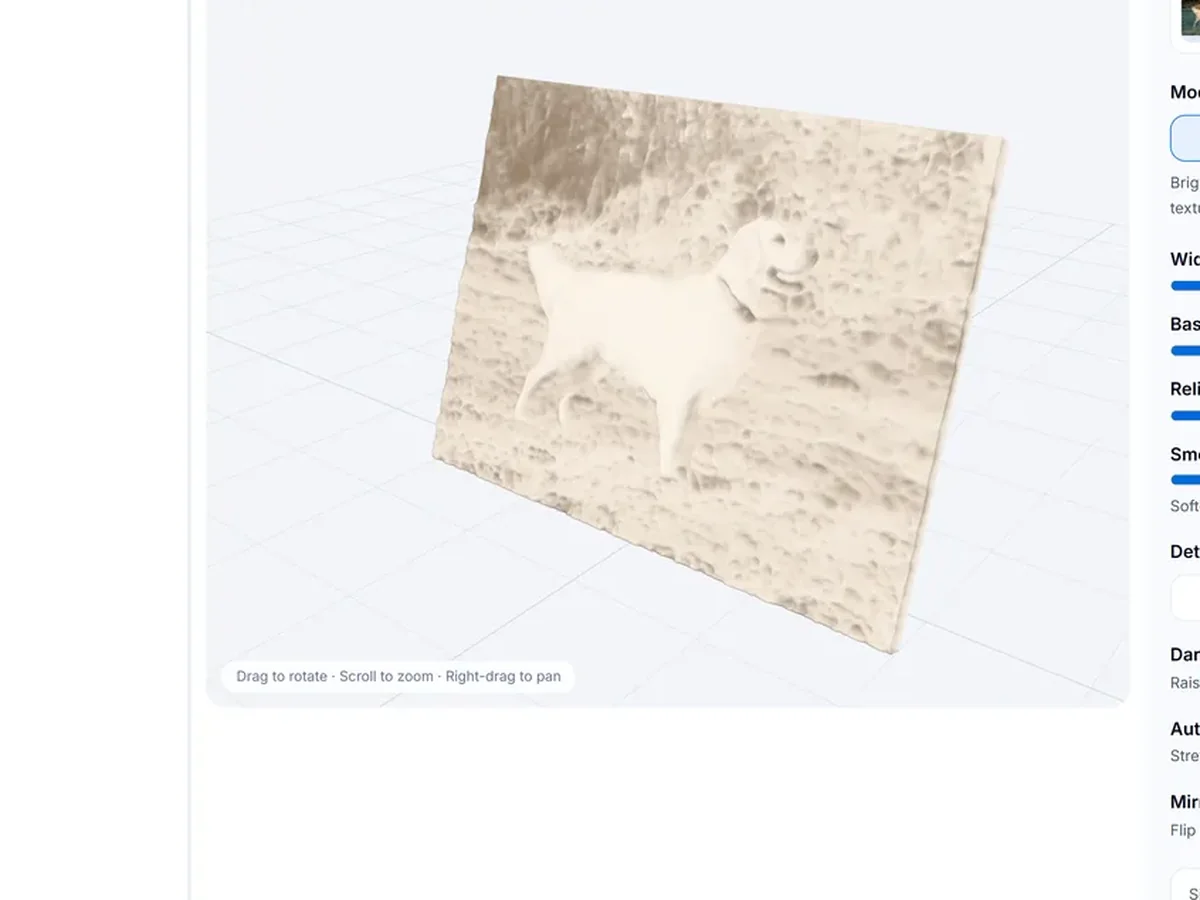
Printable by default
Every output is a closed solid in millimetres with a flat back that sits on the bed — no repair step.
Private and free
No account, no upload, no watermark. The picture never leaves the browser tab.
PNG to STL — questions
What people ask before converting images to STL.
More ways to work with your 3D files
View, convert, or make a model from scratch.
Want the object, not a plaque?
Kairo3D’s AI image to STL builds a full 3D model from one photo, ready for your slicer.