
The Tripo Alternative That Runs 6 Engines
Should you switch away from Tripo?
It depends on what you do after the model exists. Tripo Studio is a production suite built around Tripo's own models; Kairo3D is a place to try several generators on the same input and export the winner.
Stay with Tripo Studio if you need…
Rigging and animation
Tripo's pricing page lists auto-rigging at 20 credits per rig, plus rigging and animation tools in Studio. Kairo3D only produces static meshes.
Quad topology and part-level editing
Smart Mesh P2.0 outputs quad meshes between 500 and 25K polygons, and Studio adds smart segmentation, retopology and part-based texture edits.
A DCC bridge and a large monthly allowance
Paid Tripo plans connect to Blender, 3ds Max, Unity, Unreal, Maya, Cocos, Godot and ZBrush, and Pro includes 3,000 credits every month.
Try Kairo3D if you want…
More than one engine per idea
Send the same picture to TRELLIS, TRELLIS 2, Hunyuan 3D 3.1 Pro, Rodin Gen-2.5 Fast, and Pixal3D, then compare the shapes side by side before you spend more on any one of them.
One balance for every model
All engines on Kairo3D draw from the same credit balance, and the cost of the engine you picked is printed on the button before you press it.
Tripo H3.1 without giving it up
Tripo's high-detail model is one of the engines here, so switching doesn't mean losing it. You simply gain the others next to it.
Kairo3D vs Tripo Studio, row by row
Tripo's column was checked on tripo3d.ai on 21 Nov 2026. Kairo3D's column is read from our engine list, so it always matches the generator above.
A multi-engine generator: pick the model per run, pay in credits, download GLB or convert to STL.
Tripo's own studio for its models, with texturing, segmentation, retopology, rigging and plugins.
| What you get | Kairo3D | Tripo Studio | Source |
|---|---|---|---|
| Models you can run | 6 engines from different makers: TRELLIS, TRELLIS 2, Tripo H3.1, Hunyuan 3D 3.1 Pro, Rodin Gen-2.5 Fast, and Pixal3D | Tripo's own models, led by H3.1 (High Detail, up to 2 million polygons) and Smart Mesh P2.0 (quad meshes, 500–25K polygons) | tripo3d.ai/featurestripo3d.ai |
| Inputs | One JPG, PNG or WebP image up to 10 MB on all 6 engines; a text prompt on 3 of them | One image, several views of the same object, or a text prompt; multi-view to 3D is on paid plans | tripo3d.ai/featurestripo3d.ai/pricing |
| Free tier | No free monthly plan. The file converters and viewers are free and need no account | 200 credits a month (Tripo estimates about 13 models), one task at a time, public models for non-commercial use, 15 exports of H2.5 models only | tripo3d.ai/pricing |
| Paid plans | Monthly or yearly credit plans and one-off credit packs, listed on our pricing page | Pro $240 a year (3,000 credits a month), Max $1,080 a year (25,000 credits a month); extra credits from $10 per 1,000 | tripo3d.ai/pricing |
| Cost of one model | 8 to 150 credits depending on the engine, shown before you generate | 15 credits for an HD generation, plus optional add-ons such as Ultra (+15), texture generation (+10) or HD texture (+10) | tripo3d.ai/pricing |
| Commercial use | Follows each engine's licence: MIT for the open models, the vendor's API terms for Tripo and Rodin, Tencent's terms for Hunyuan 3D | Free plan: public models, non-commercial use. Pro and above: private models, commercial use | tripo3d.ai/pricing |
| Download formats | Textured GLB; STL, OBJ and PLY through the built-in browser converter. No FBX, USD or 3MF export | GLB, FBX, OBJ and USD; STL and 3MF for 3D printing | tripo3d.aitripo3d.ai/features |
| Rigging, segmentation, retopology | Not offered: results are static, textured meshes | Auto-rig (20 credits), smart segmentation, retopology and Smart Low Poly | tripo3d.ai/pricingtripo3d.ai |
| When a run goes wrong | A failed generation refunds its credits automatically | Free retries depend on the plan; Max and Team list unlimited free retries | tripo3d.ai/pricing |
| Tripo H3.1 | Included: 120 credits per image, 80 per prompt, typically ~1 min | Tripo's current High Detail model in Tripo Studio | tripo3d.ai/featuresTry it above |
Tripo plans, credits and features as listed on tripo3d.ai on 21 Nov 2026 (checked 2026-11). Tripo shows its paid plans as yearly prices, so we quote only those. Tripo pricing
Kairo3D is independent and not affiliated with Tripo AI. Tripo is a trademark of its owner. Tripo H3.1 runs on Kairo3D via fal.ai.
6 engines, and when each one is the better call
Credits and typical times come straight from the generator. The notes say what each engine is built for according to its maker; they are guidance, not benchmark scores.
TRELLIS
by Microsoft
- 8 credits per image
- ~30 s
The lightest option. Use it to find out cheaply whether a photo converts cleanly at all before you spend on a heavier engine. Image only, MIT licence.
TRELLIS 2
by Microsoft
- 120 credits per image
- ~1 min
Microsoft's larger open model: a 4-billion-parameter network that outputs PBR-textured GLB. A strong default for objects and props photographed on a plain background. MIT licence.
TRELLIS 2 page- Tripo, also here
Tripo H3.1
by Tripo AI
- 120 credits per image
- 80 credits per prompt
- ~1 min
The same Tripo model you may already know. Keep using it here for detailed figures and for text prompts, where it is the default engine.
Tripo H3.1 page Hunyuan 3D 3.1 Pro
by Tencent
- 150 credits per image
- 150 credits per prompt
- ~2 min
Tencent's Pro tier takes an image or a prompt and is the slowest, most expensive run here. Worth it for a final pass on a hero asset; check Tencent's territory terms first.
Hunyuan 3D 3.1 Pro pageRodin Gen-2.5 Fast
by Hyper3D (Deemos)
- 40 credits per image
- 40 credits per prompt
- ~30 s
Hyper3D's fast tier of Rodin Gen-2.5. Quick and low on credits, from an image or a prompt: good for iterating on a design before a slower final run.
Rodin Gen-2.5 Fast pagePixal3D
by TencentARC
- 120 credits per image
- ~90 s
A pixel-aligned model from TencentARC (SIGGRAPH 2026 paper) that tries to keep the result close to the input photo. Image only, MIT licence.
Pixal3D page
What image-to-3D output looks like
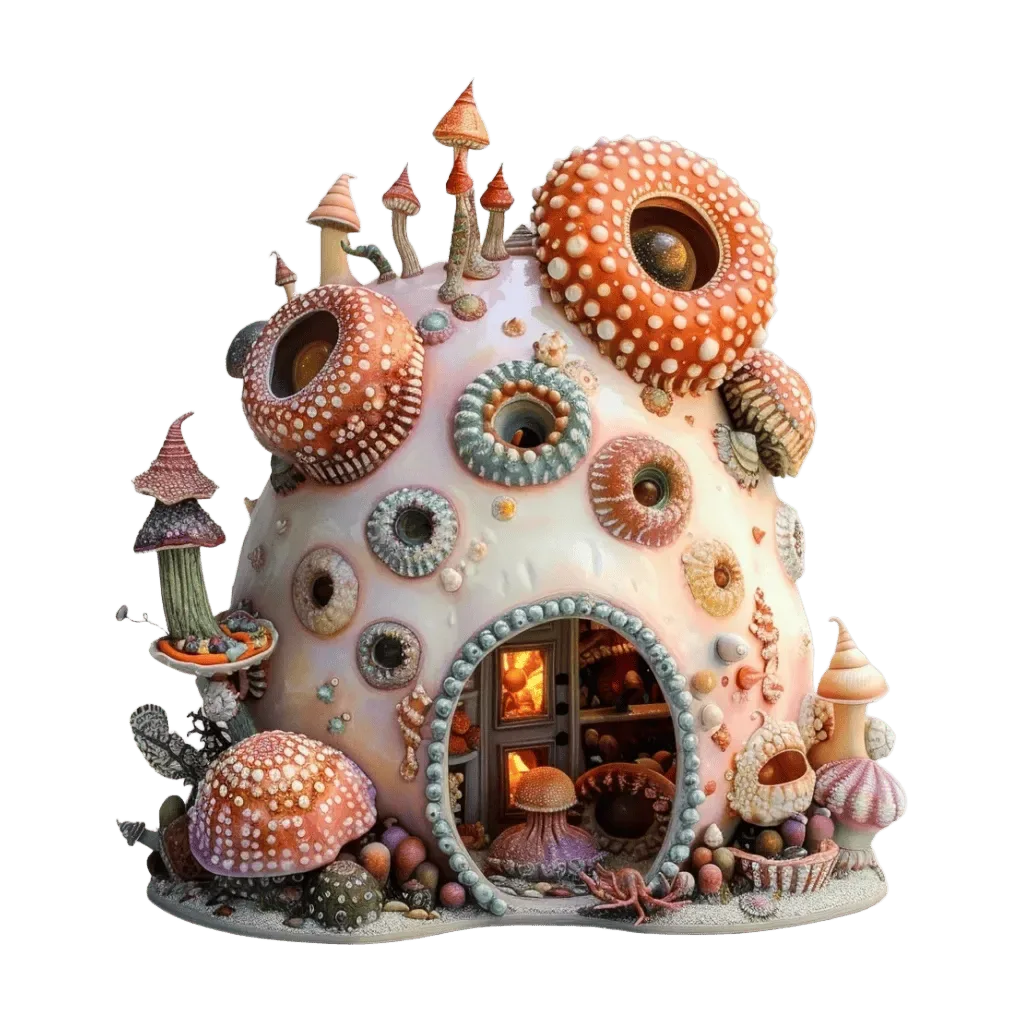
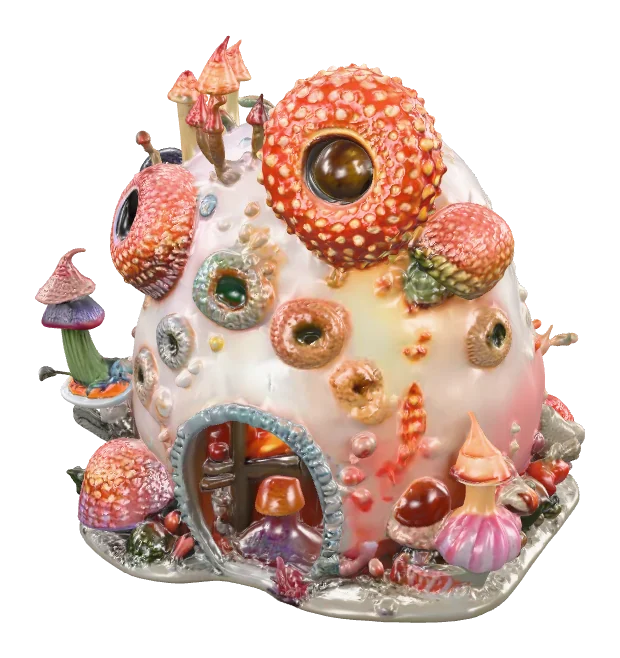
Third-party example models, shown for reference only. They were not made with Tripo or with us; drag any of them to inspect the mesh.
Moving from Tripo in four steps
You don't need to migrate anything. Bring the reference pictures you already have and test them here.
Save the Tripo files you want to keep
Tripo's free plan limits exports to 15 models made with H2.5, so download the GLB, FBX or OBJ files you care about before your plan changes.
Reuse your best reference images
A clear photo or render of one object, on a plain background, works across every engine here. The same image makes the comparison fair.
Draft cheap, then compare
Start with a 8-credit draft on TRELLIS. If the silhouette holds up, run the same picture on two heavier engines and keep the better result.
Download GLB, or convert for printing
Every result is a textured GLB. Convert it to STL for a slicer, OBJ for Blender or PLY in the browser, with nothing uploaded again.
The numbers behind this Tripo AI alternative
Read live from the generator's engine list, not typed into this page.
- 6 engineson one account, Tripo H3.1 among them
- 8 creditsfor the cheapest image-to-3D run, on TRELLIS
- 3 for textengines that accept a text prompt
What the workflow looks like here
Screenshots of the Kairo3D generator, plus one example picture from another source.
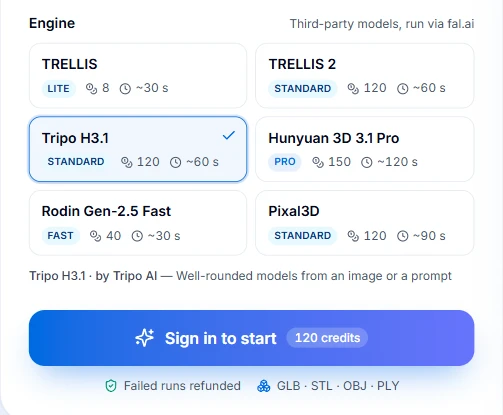
Every engine in one picker
Image mode lists all 6 engines with their credit cost and typical time. Tripo H3.1 sits right next to the others.
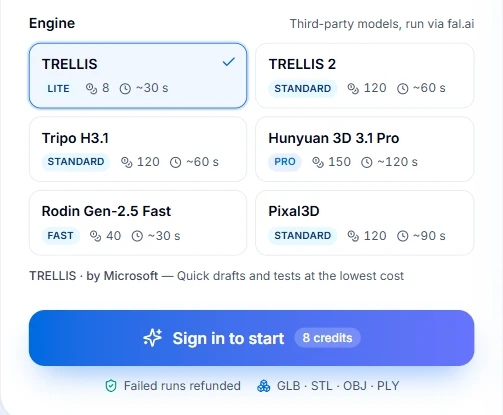
Start cheap with TRELLIS
The lightest engine costs 8 credits per image, which makes it an inexpensive way to test whether a photo works at all.
Text prompts, Tripo first
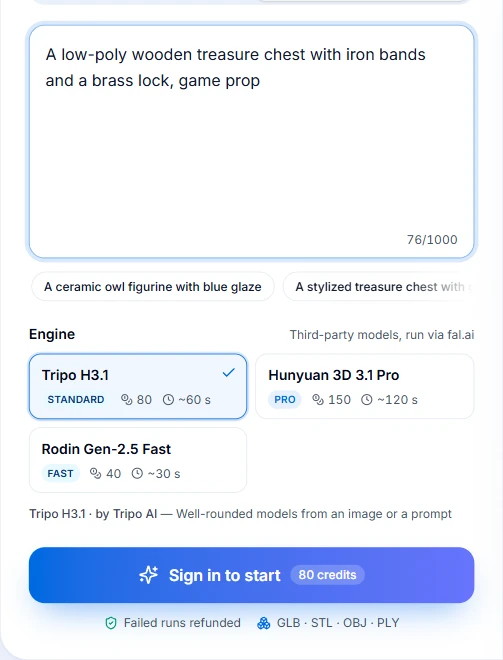
Text to 3D opens on Tripo H3.1; Hunyuan 3D 3.1 Pro and Rodin Gen-2.5 Fast also take prompts if you want a second opinion.
Why people pick Kairo3D as a Tripo AI alternative
Small things that add up when you generate a lot of models.
Compare before you commit
Same input, different engines. You see which model handles your subject before you put a bigger budget behind it.
The cost is on the button
The credit price of the selected engine is printed on the start button, and a run that fails gives its credits back on its own.
GLB out, STL or OBJ in a click
Results arrive as textured GLB. The built-in converter makes STL for slicers, OBJ for Blender or PLY, right in the browser.
Private by default
Generations go to your own library, not to a public gallery, and stay there until you delete them.
Free tools for any mesh
The GLB, 3MF and OBJ to STL converters and the STL and GLB viewers need no account and work on files from any generator, Tripo included.
Licences you can read
Kairo3D names each engine's licence instead of one blanket promise, so you can check commercial use per model before you ship.
Tripo alternative: questions
Tripo facts below were checked on tripo3d.ai in November 2026.
Keep comparing
Other comparisons and the engine pages behind them.
Meshy alternative
The same multi-engine idea, checked against Meshy's plans and formats.
Tripo 3D (H3.1) online
Everything about running Tripo H3.1 here: inputs, credits and exports.
Tripo vs Rodin
Tripo H3.1 and Rodin Gen-2.5 Fast tested on the same images.
Plans and credit packs
What each plan includes and how far the credits go per engine.
Try a Tripo alternative on your next image
Upload one picture, run it on two engines and keep the better mesh. Tripo H3.1 is in the list too.