
Photo to Bust: Image to STL Bust of a Person
From portrait photo to 3D bust
Ordinary portraits next to the white busts made from them. Third-party reference examples that show the classic look many people print.
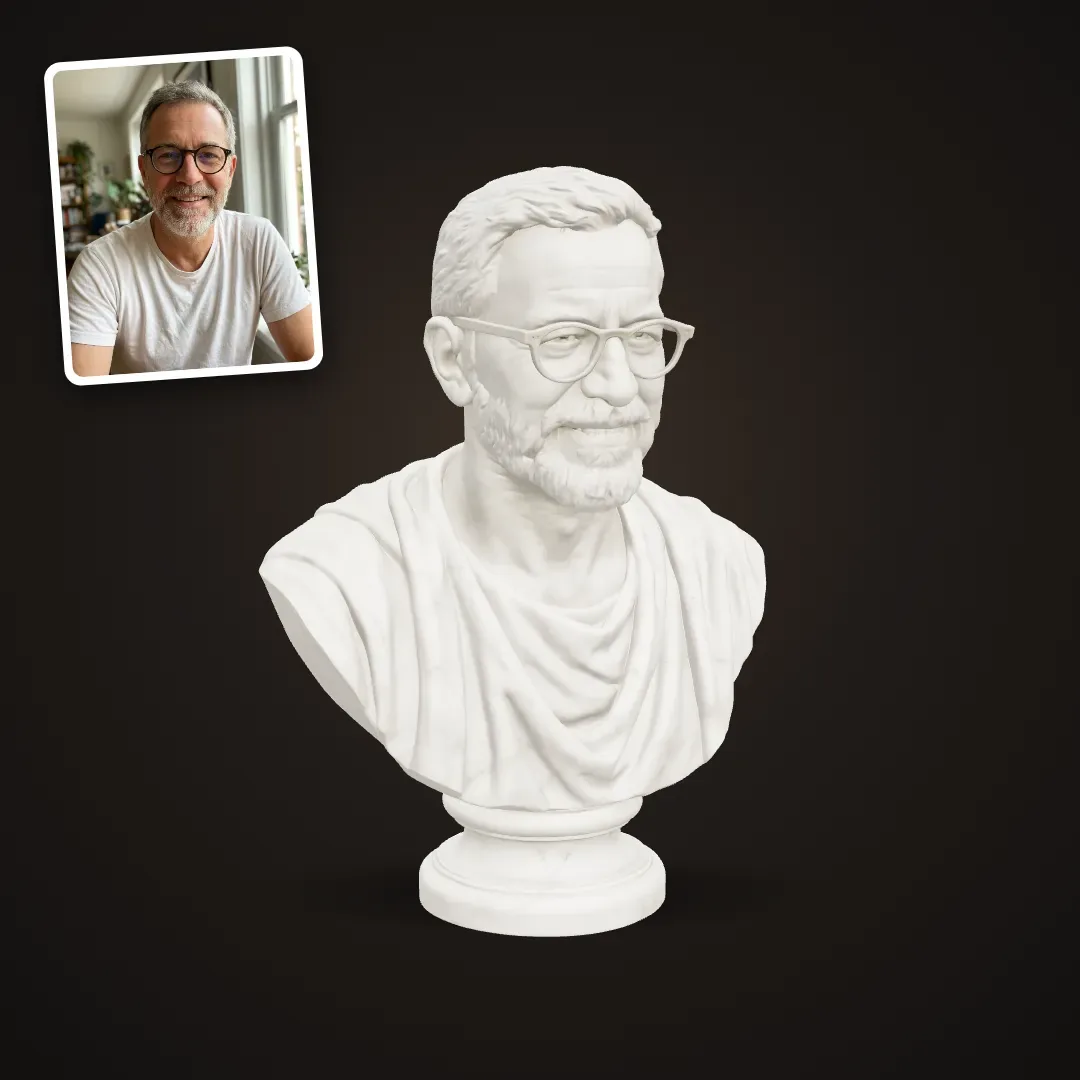 Reference example
Glasses become sculptureFrames turn into solid stone. Thin rims are fragile in print, so thicken them in the STL editor or leave them off. 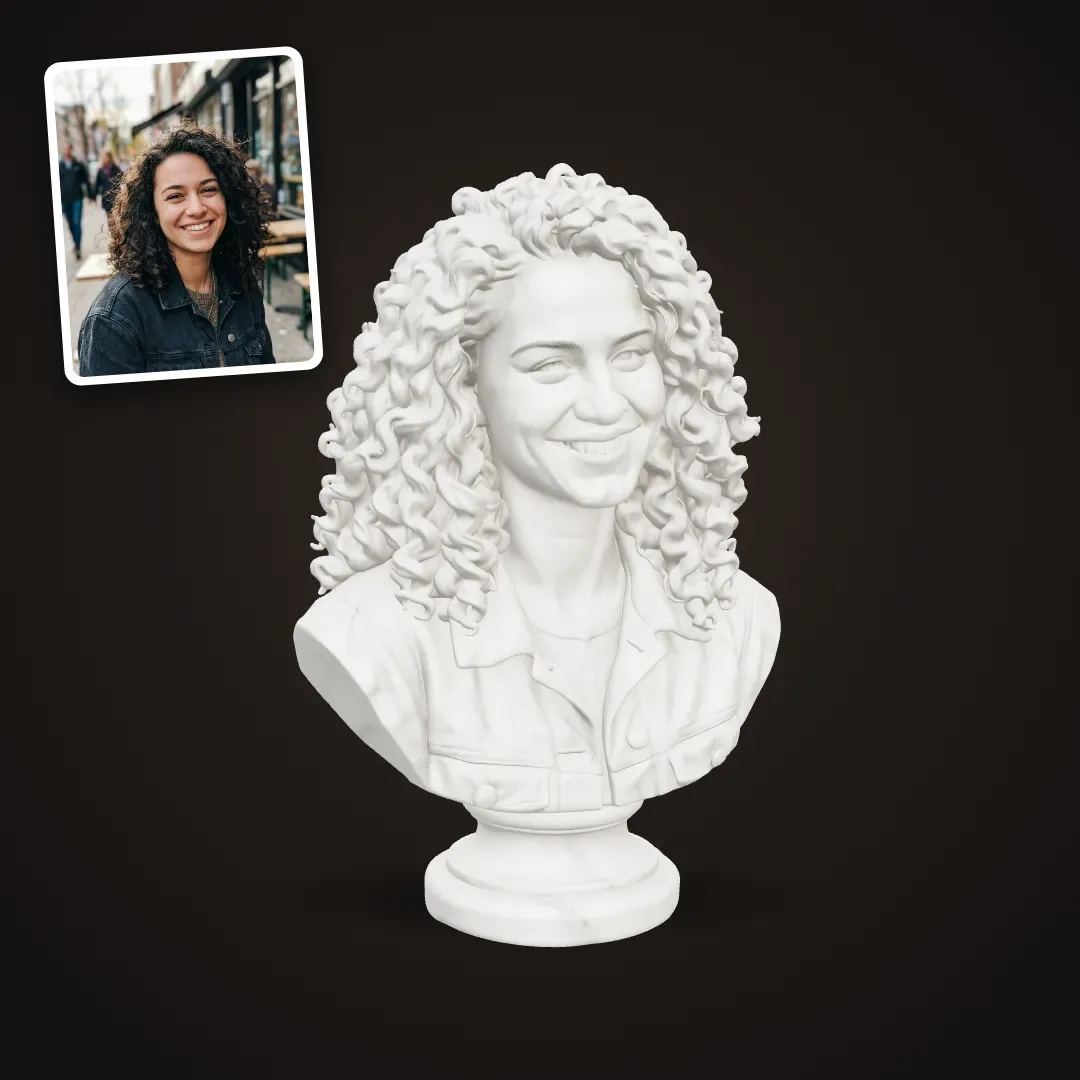 Reference example
Curly hair, full volumeBig hair reads beautifully as a bust silhouette; individual curls are simplified into clusters. 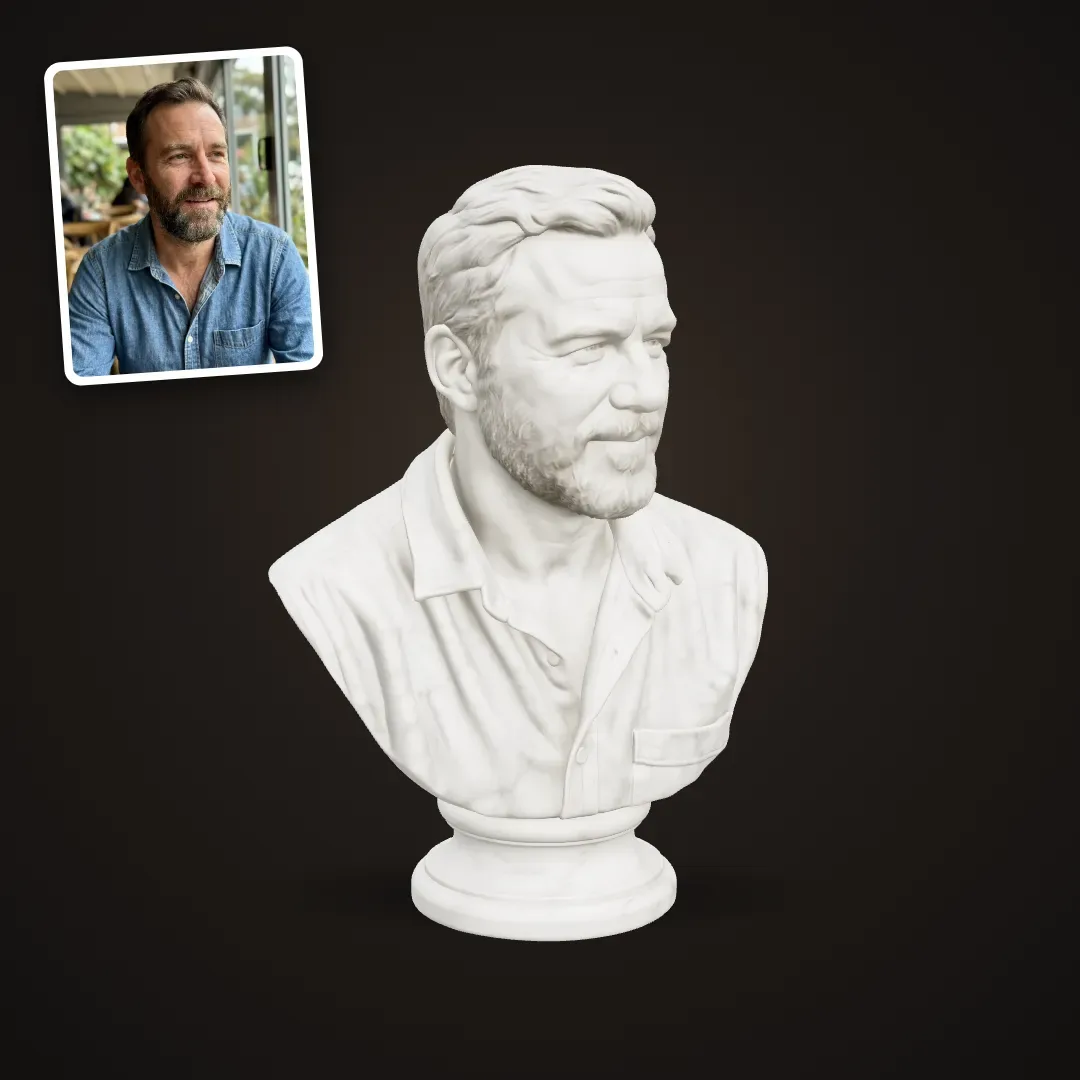 Reference example
Beards and stubbleA full beard gives the jaw strong shape. Light stubble becomes texture at best, so expect a cleaner chin. 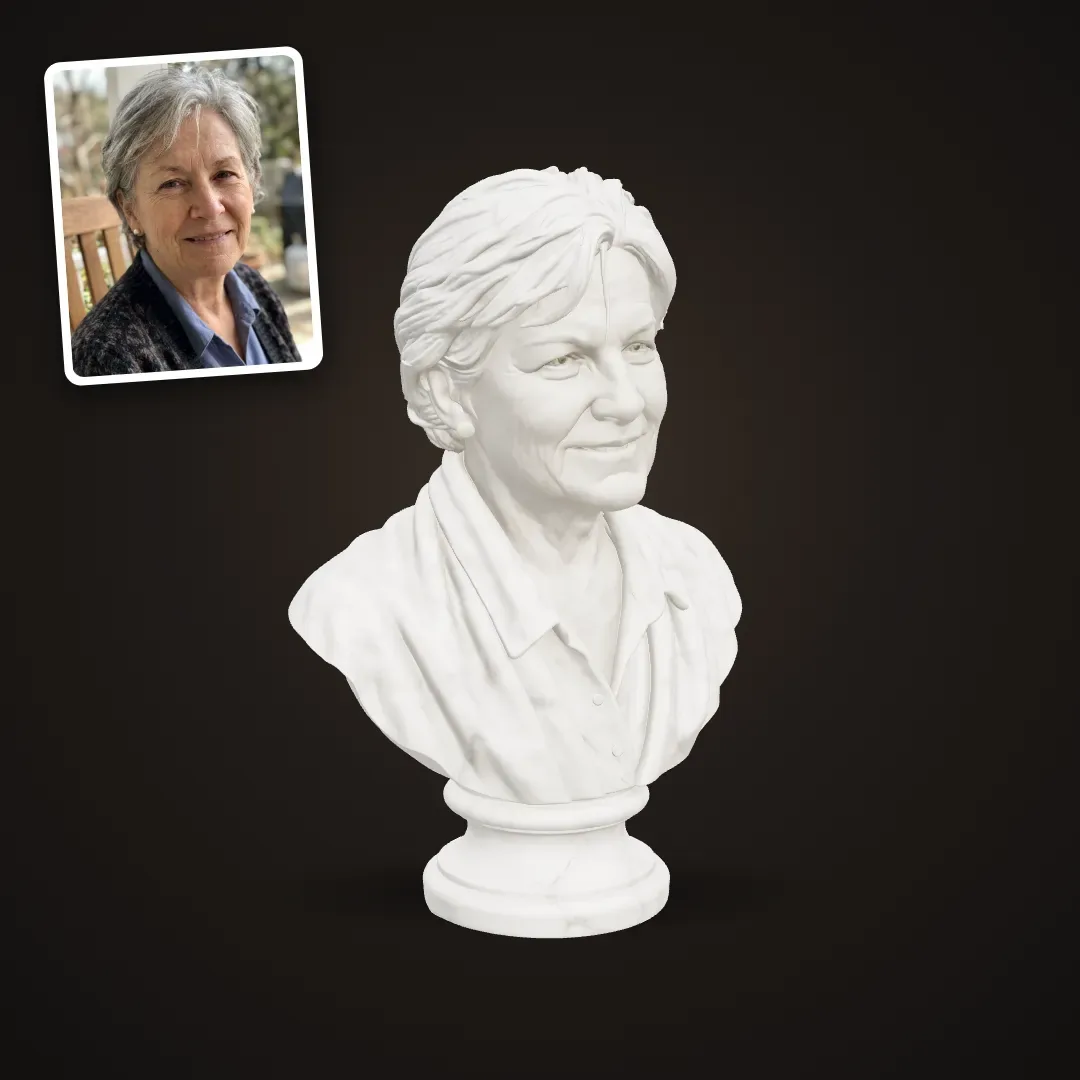 Reference example
A portrait of a grandparentSoft, even light keeps wrinkles and smile lines as gentle surface detail rather than deep grooves. 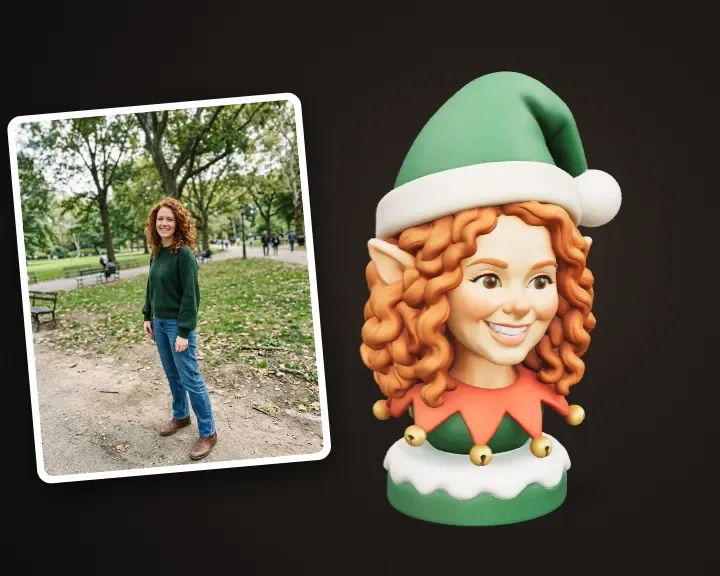 Reference example
Stylised head bustsA themed or cartoon bust trades likeness for character. Hair colour and face shape carry the resemblance. 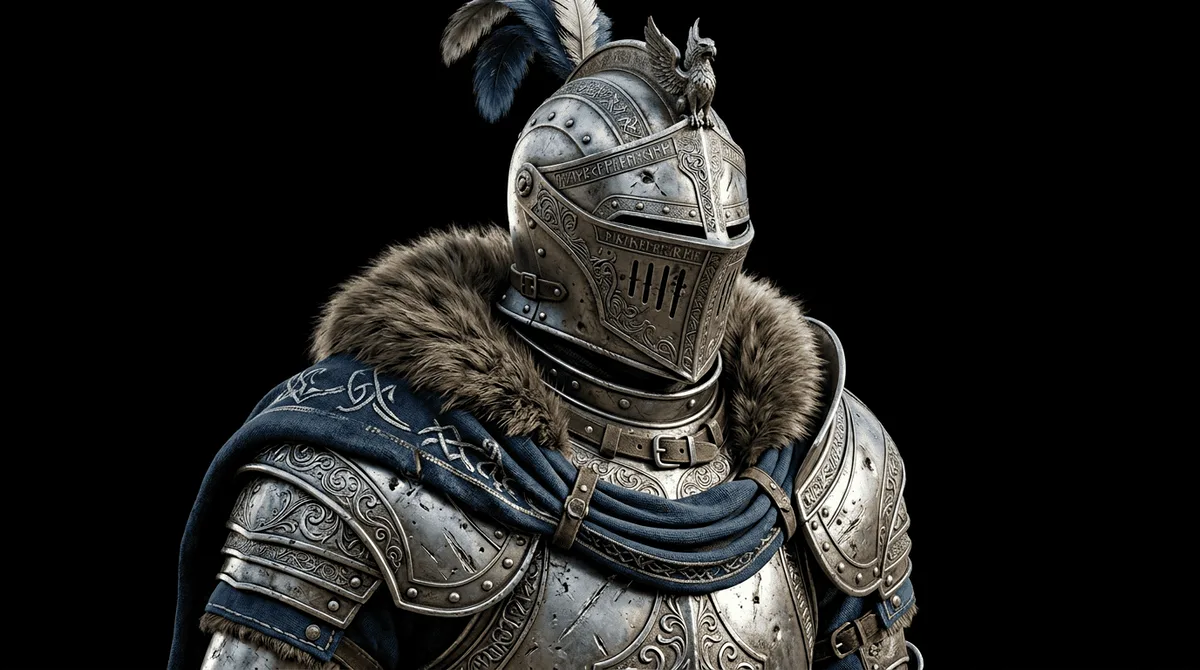 Reference example
Costume and character bustsArmour, fur collars and helmets give a bust a strong silhouette. Describe them in text mode, or wear them in the portrait.
Reference examples from another service (3D AI Studio), shown as placeholders. They were not made with Kairo3D; the portraits are that vendor’s own AI-generated demo people.
From portrait photo to printed bust
The bust workflow from start to finish: one portrait, one model, one print, then paint. Each stage shown with a third-party reference picture.
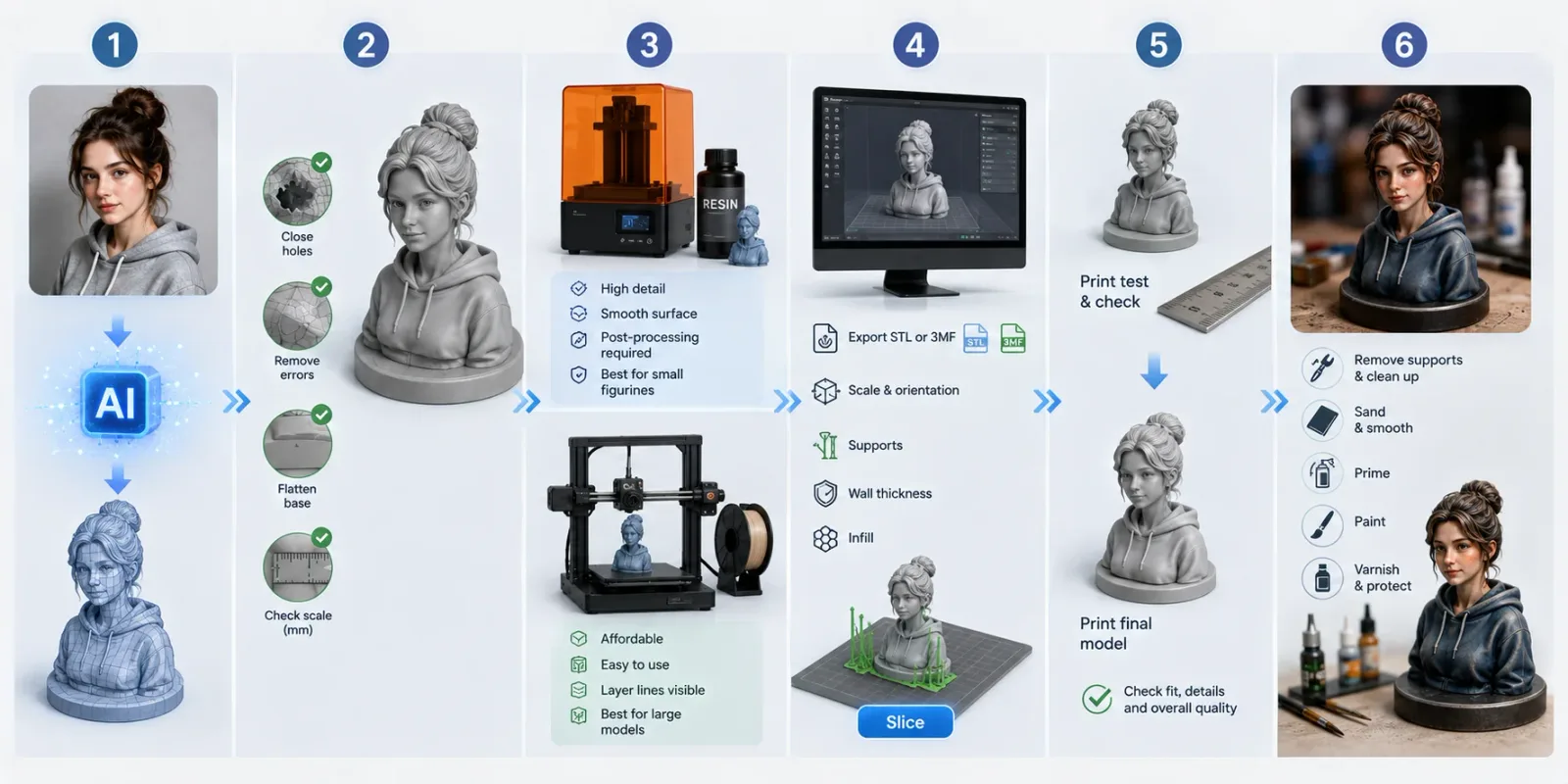 1OverviewReference example
The whole route on one pagePortrait in, AI model out, repair, print on resin or filament, slice, test, then paint and seal. 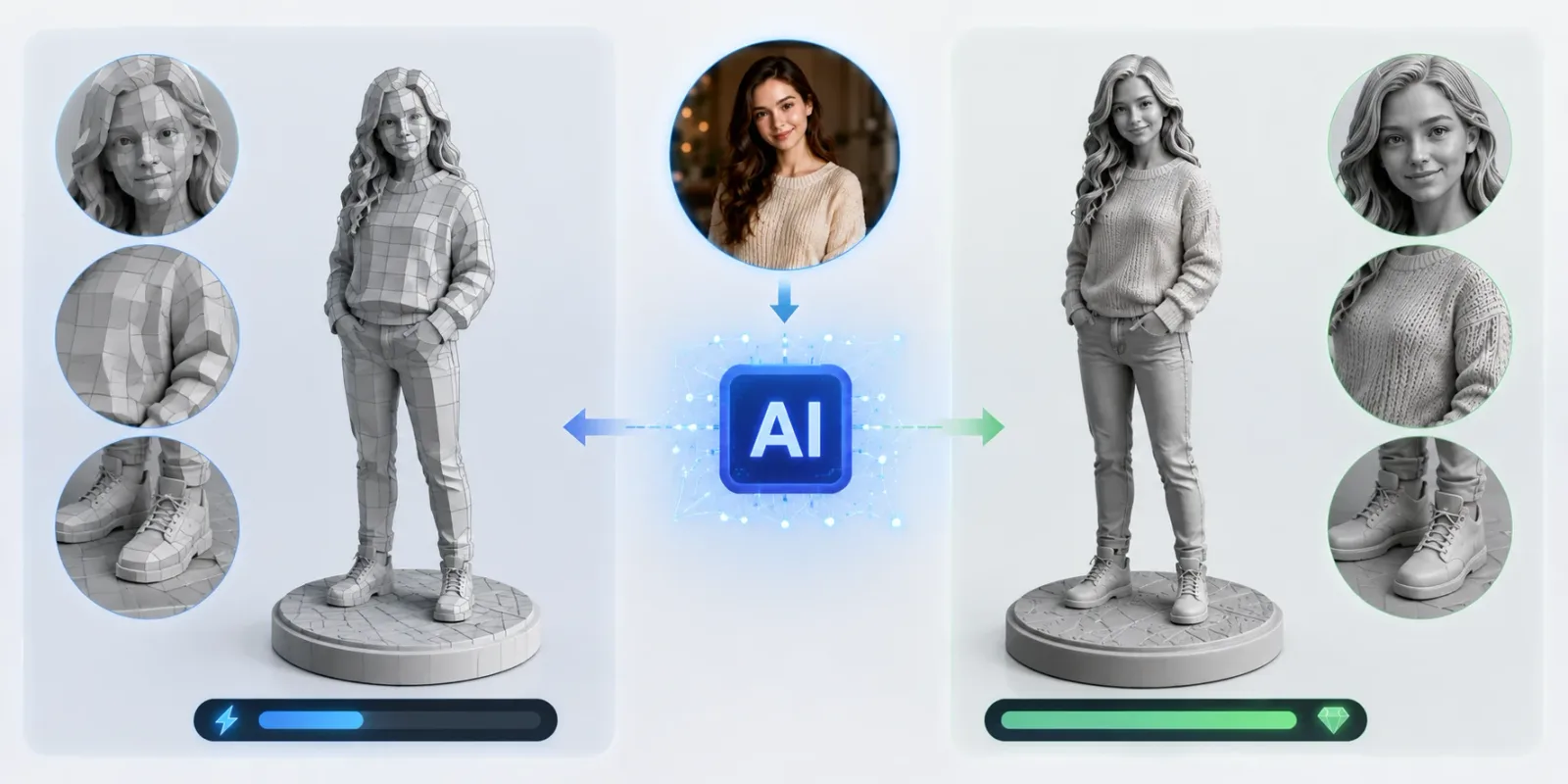 2ModelReference example
Preview first, then the detailed versionA quick run on a low-cost engine shows whether the pose and proportions work before you spend more credits on a detailed one. 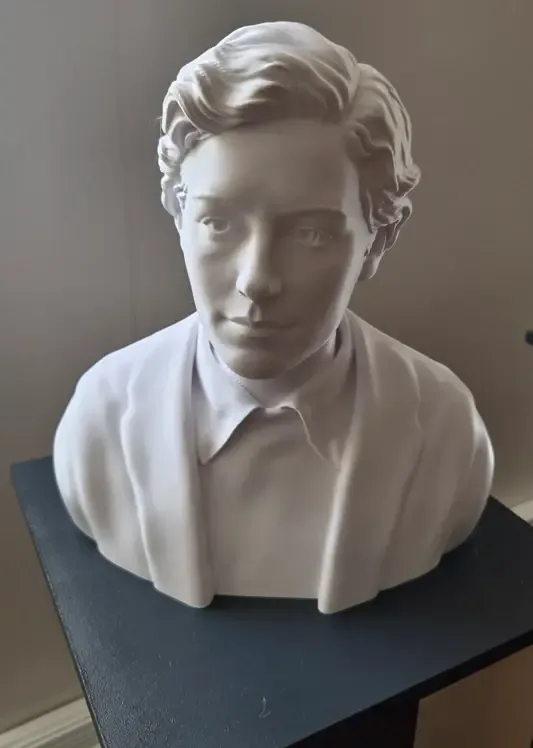 3PrintReference example
Print it in one colourA plain white or grey print already reads as a classical bust. A dark pedestal finishes the look. 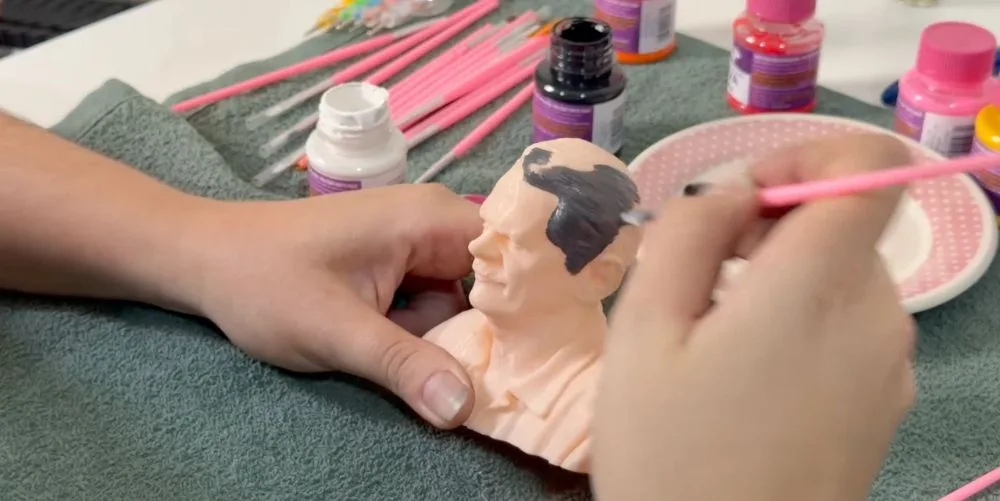 4PaintReference example
Paint for a lifelike finishPrime first, then paint the skin, hair and eyes with thin layers and a fine brush.
Reference examples from Tripo, Hi3D and Meshy blog pages. Not made with Kairo3D.
Which photo makes a good 3D bust
A bust is all face and hair, so the portrait matters more than for a full figurine.
Head and shoulders
Frame from the top of the head to just below the shoulders. The shoulders decide where the bust is cut off.
Front or slight turn
Look at the lens or turn about 15–30°. A full profile hides half the face, and the engine has to invent it.
Soft light from the front
A window in front of the person, no overhead spotlights. Shadows under the eyes are carved in as deep sockets.
Do
- Use a high-resolution original, face in sharp focus
- Keep hair away from the eyes and off the face
- Choose a relaxed expression; a soft smile works well
- Use a plain wall behind the head
- Upload portraits only of people who agreed
Avoid
- Selfies taken at arm’s length (wide-angle face distortion)
- Sunglasses, glare on glasses, hats and hoods
- Hands near the face or a phone in the shot
- Beauty filters that smooth away the face shape
- Strong coloured lighting or backlight
How to turn a photo into a bust STL
Four steps from portrait to printable bust. Your models stay in your history for later downloads.
Crop the portrait
Head and shoulders only, one person, face centred. Cropping tight tells the engine you want a bust, not a full figure.
Generate the 3D bust
TRELLIS 2 is the default; 6 engines take a portrait. Credits are shown before you start and refunded if a run fails.
Check the face from the side
Look at the nose, chin and ears in profile, where single-photo guesses show first. Re-run on another engine if it looks flat.
Download the STL, add a pedestal
Choose STL, add a round plinth in the STL editor if the cut is uneven, then slice and print.
Which engine for a portrait bust?
All 6 engines take a single portrait. One run costs 8 to 150 credits depending on the engine.
| Engine | Typical time | Credits per run | Licence |
|---|---|---|---|
| TRELLISMicrosoft | ~30 s | 8 credits | MIT |
| TRELLIS 2MicrosoftDefault | ~60 s | 120 credits | MIT |
| Tripo H3.1Tripo AI | ~60 s | 120 credits | Commercial API (Tripo AI terms) |
| Hunyuan 3D 3.1 ProTencent | ~2 min | 150 credits | Tencent Hunyuan 3D licence (check territory terms) |
| Rodin Gen-2.5 FastHyper3D (Deemos) | ~30 s | 40 credits | Commercial API (Hyper3D terms) |
| Pixal3DTencentARC | ~90 s | 120 credits | MIT |
Faces are where engines differ most. For a bust of someone you know well, it is worth comparing two engines on the same portrait before printing.
Printing a 3D bust from a photo
Busts are compact and stand on a flat cut, which makes them friendlier to print than full figures.
Choose the height
A 6 cm bust fits a bookshelf gap, 10–12 cm sits well on a desk, 20 cm+ becomes a statement piece. Set the height in the slicer; STL carries no units.
Flat bottom, fewer supports
Print upright on the cut. Only the chin, nose tip and back of the head may need supports. If the base isn’t flat, trim it in the STL editor.
Hollow it for resin
A solid resin bust wastes resin and can crack. Hollow it with 2–3 mm walls and add drain holes in the base. FDM busts print fine with 10–15% infill.
Finish like marble or bronze
White PLA or resin looks like plaster straight away. For marble, sand and add a satin varnish; for bronze, paint dark brown and dry-brush gold on the high points.
| Size | Height | Best printer | Notes |
|---|---|---|---|
| Mini bust | 5–6 cm | Resin | Facial features simplified; good for collections |
| Desk bust | 10–12 cm | Resin or FDM | Clear likeness, a few hours on FDM |
| Display bust | 18–25 cm | FDM | Fine layers or sanding for smooth skin |
| Life-size head | ~30 cm + | FDM, in parts | Split and glue if it exceeds your build plate |
Heights measure base to crown. Hollow resin prints above about 8 cm.
Printed busts, from desk to exhibition
One portrait per bust is enough. These references show how far a single photo can go once it is printed.
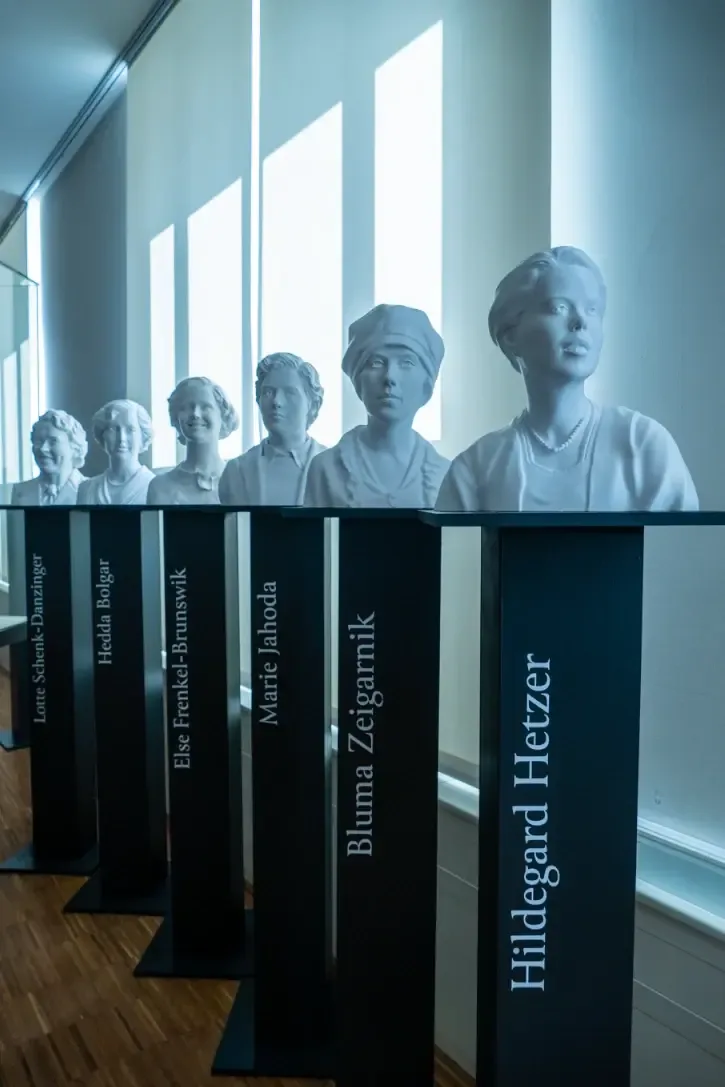 Reference example
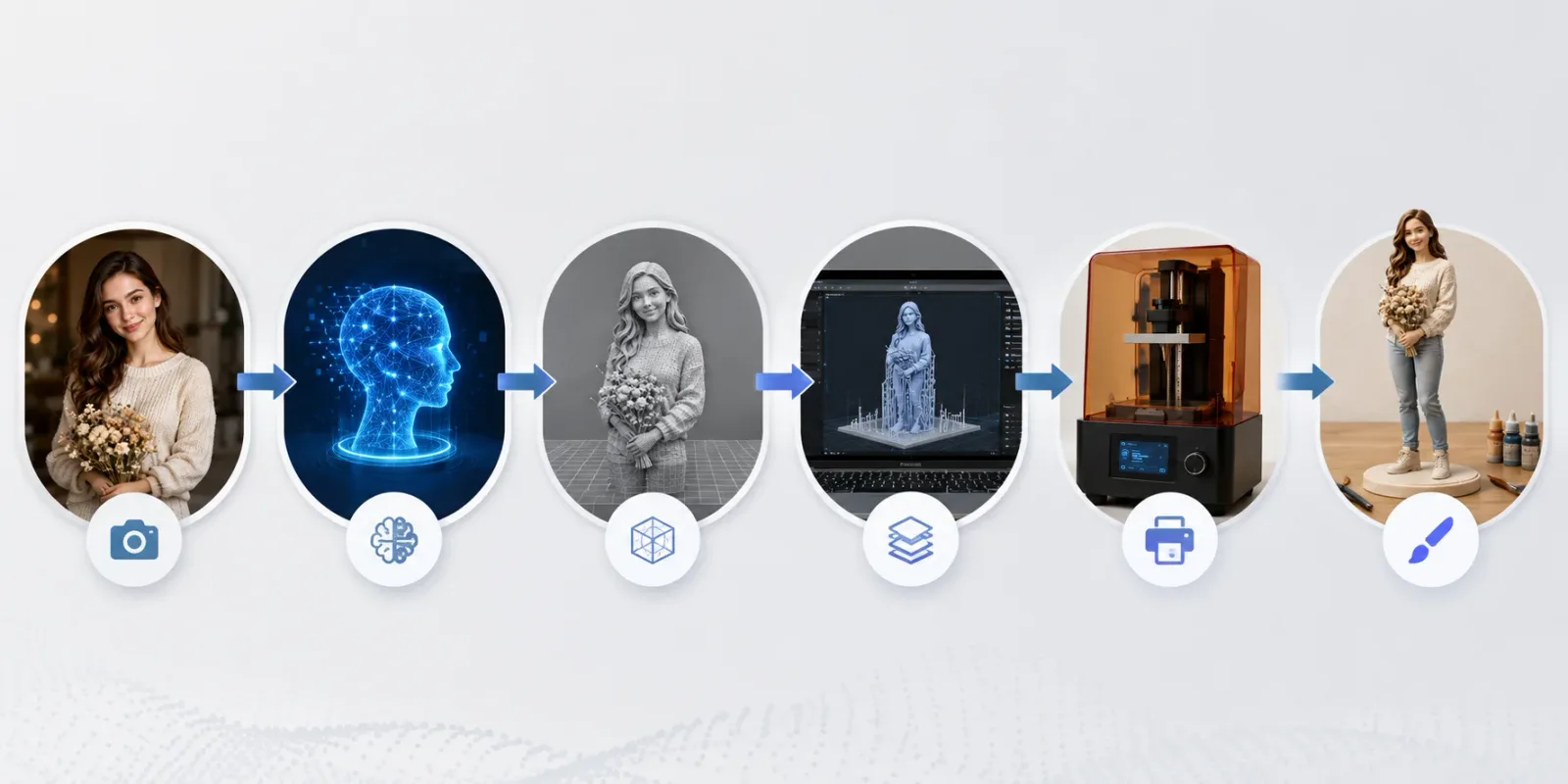 Reference example
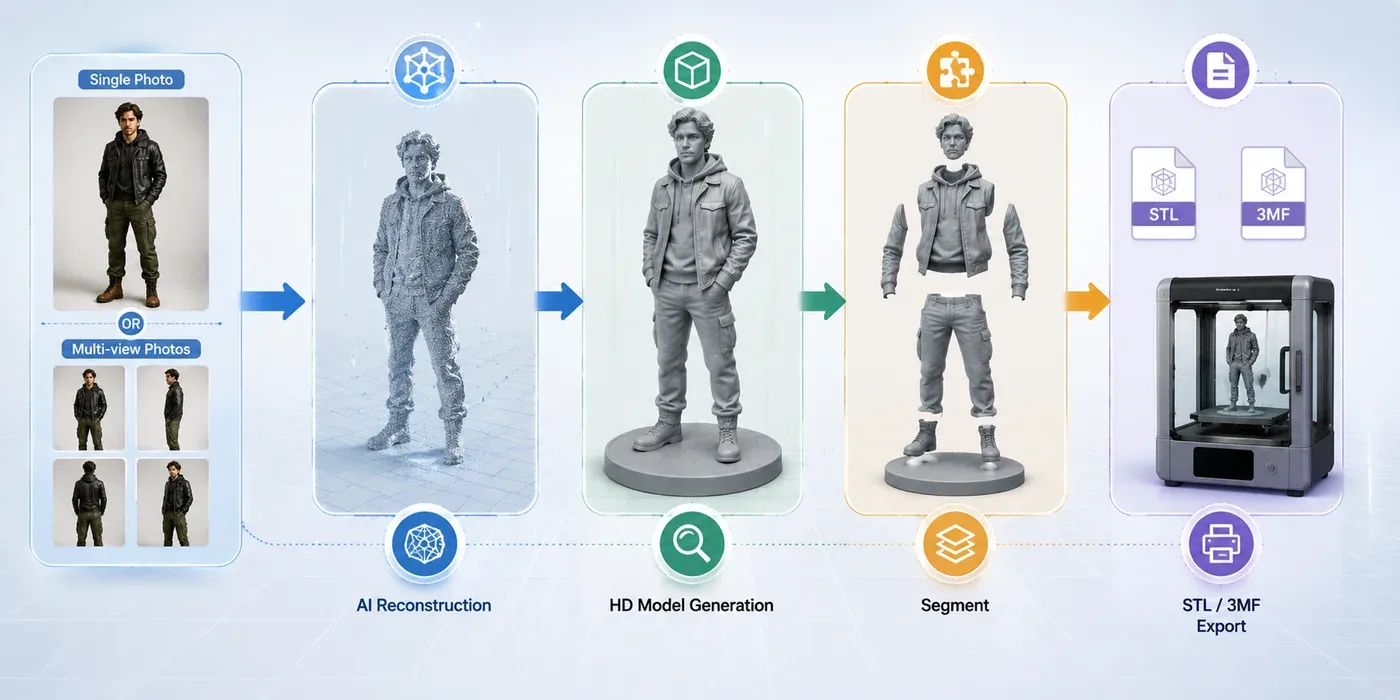 Reference example
s from Meshy (blog: photo to 3D-printed bust) and Tripo (blog). Shown for inspiration only; they were not made with Kairo3D.
Busts, masks and heads in 3D
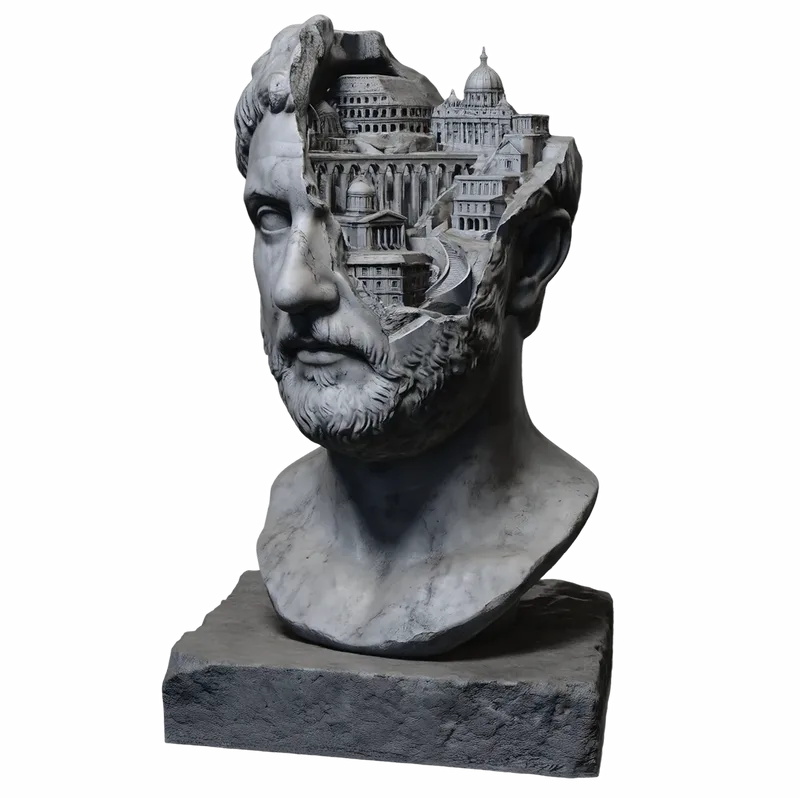
Third-party reference models, shown for reference and not made with Kairo3D. Rotate them to judge sculpted faces and hair from every angle.
Why make a bust from a photo here
You don’t need to sit for a 3D scan or wait for a sculptor: one portrait gives you an STL you can print as often as you like.
A portrait is enough
No scanner, no studio session. A sharp head-and-shoulders photo is the whole input.
Printable STL
Download the bust as STL for any slicer, or keep the textured GLB for screens and AR.
Classic or stylised
Print plain white for the marble look, or paint a stylised head bust in full colour.
Several engines
6 image-to-3D engines, so you can compare likeness on the same portrait.
Tidy it in the browser
Cut the base flat, scale and mirror in the STL editor; close holes with STL repair.
Refund on failure
You see the credit cost first, and a failed generation returns the credits automatically.
Photo to bust: FAQ
Likeness, photos, printing and rights.
Related generators and tools
Go full-body, make a pet, or finish the bust STL.
Custom Figurine from Photo
Turn a photo into a printable figurine STL.
Custom Pet Figurine
Make a 3D figurine of your dog or cat.
Image to STL
Go from a photo to a 3D-printable STL file.
AI miniature generator
Turn a hero into a printable tabletop mini.
Image to 3D
Turn a photo or picture into a textured 3D model.
STL Editor
Scale, rotate, mirror and merge STL files online.
STL Repair
Find and fix holes, flipped normals and bad edges.
STL Dimensions
Get the size, volume and area of an STL file.
Turn a portrait into a bust
Upload one head-and-shoulders photo and download an STL bust you can print today.