
glTF Viewer Online
Drop a .gltf with its files, a folder, a .zip or a .glb
Select the .gltf together with its .bin and texture images (PNG, JPG, WebP) — or drop the whole folder. Up to 300 MB in total.
Read and packed on your device — nothing is uploaded.
- Nothing uploaded
- No sign-in
- Scene tree, materials, animations
- Folders, ZIP and .glb accepted
What the glTF viewer shows
Measured on the two Khronos sample models built into the page.
3 clips · 24 bones
The Fox sample: Survey (3.42 s), Walk (0.71 s) and Run (1.16 s) drive the same 24-bone skeleton, each through 21 animation tracks. Pick a clip, change the speed or scrub frame by frame.
4 materials · 7 textures
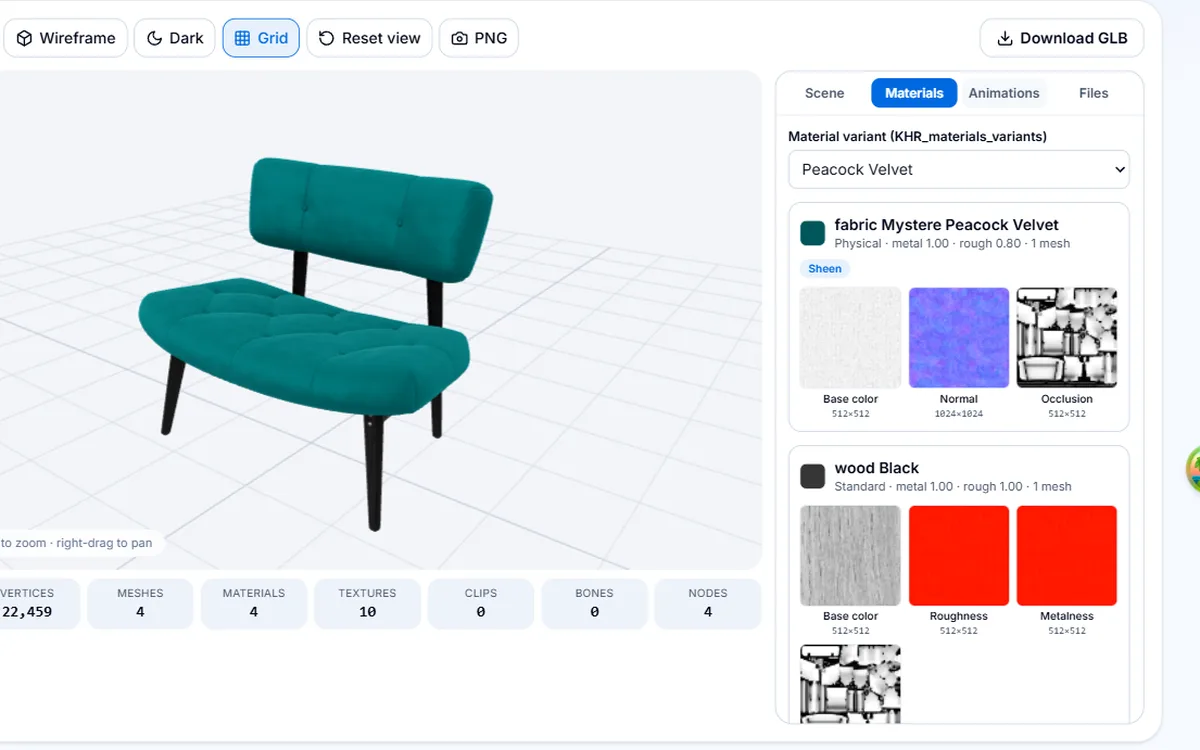
The Sheen Chair sample opens with its fabric, wood, metal and label materials, the sheen extension and two material variants you can switch between.
0 uploads
The .gltf, .bin and images are read with the browser’s File API and drawn with WebGL. Close the tab and nothing remains anywhere.
How to view a glTF file online
Three steps. Works with exports from Blender, Maya, 3ds Max, Unity, SketchUp and AI 3D generators.
Select the .gltf and every file next to it
A .gltf is only the JSON part of the model. Select it together with its .bin and texture images, drop the whole export folder, drop a ZIP, or open a self-contained .glb. Missing files are listed by name.
Look through the scene, materials and animations
Orbit the model, then use the side panel: the Scene tab lists every node, mesh and bone; Materials shows colours, PBR factors and thumbnails of each texture map; Animations plays every clip.
Save a screenshot or a single GLB
Take a PNG of the current view, or download the model packed into one .glb — handy when an engine, a website or a client wants one file instead of a folder.
glTF and GLB carry the same model
glTF 2.0 comes in two containers. The viewer opens both; only the way the files travel differs.
.gltf: JSON + .bin + images
.glb: everything in one binary file
| glTF and GLB carry the same model | .gltf | .glb |
|---|---|---|
| Meshes, materials, PBR textures | Yes | Yes |
| Skins, morph targets, animations | Yes | Yes |
| Extensions (Draco, sheen, variants…) | Yes | Yes |
| Readable / editable in a text editor | Yes | No |
| One file to share or upload | No | Yes |
| Needs its .bin and images beside it | Yes | No |
Need the single-file version? The glTF to GLB converter packs a .gltf, its .bin and its textures into one GLB without re-encoding anything.
Checking glTF animations before you ship them
What the animation panel tells you, and what to look for.
One skeleton, several clips
In glTF an animation is a list of channels: each channel targets one node (a bone, a mesh or a camera) and one property — translation, rotation, scale or morph weights. The fox’s three clips all drive the same 24 joints, which is why only one should play at a time. The viewer plays exactly one clip and lets you switch.
Loops, speed and the first frame
A walk or run cycle should end on the pose it starts with. Slow the clip to 0.25× and watch the moment it wraps: a jump means the first and last keyframes differ. Drag the timeline to the end and back to compare them directly.
When the character explodes or stays in T-pose
A model that renders but does not move usually has its animation exported to a separate file or baked to an unused node. A mesh that stretches wildly usually has wrong inverse bind matrices or more than four bone influences per vertex that the exporter did not normalise. Both show up here before they reach your engine.
| Channel path | What it moves | Typical source |
|---|---|---|
| translation | Node position | Root motion, props, cameras |
| rotation | Node orientation (quaternion) | Skeletal animation (bones) |
| scale | Node size | Squash and stretch, pop-in effects |
| weights | Morph target blend | Facial expressions, shape keys |
What glTF scenes can hold
Public sample and scan models that show the range of the format — materials, refraction, clearcoat and dense scanned meshes.
 Reference example
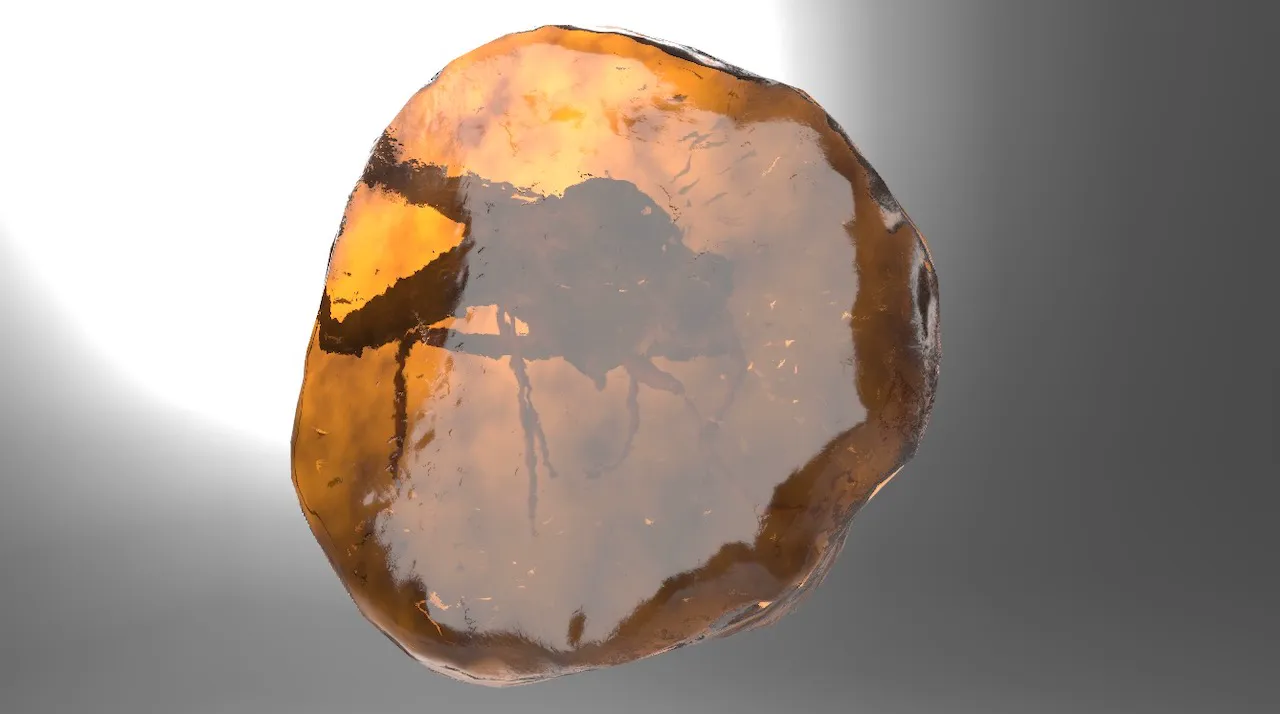
Refraction and volumeA mosquito in amber uses KHR_materials_transmission and volume, so light bends through the resin. 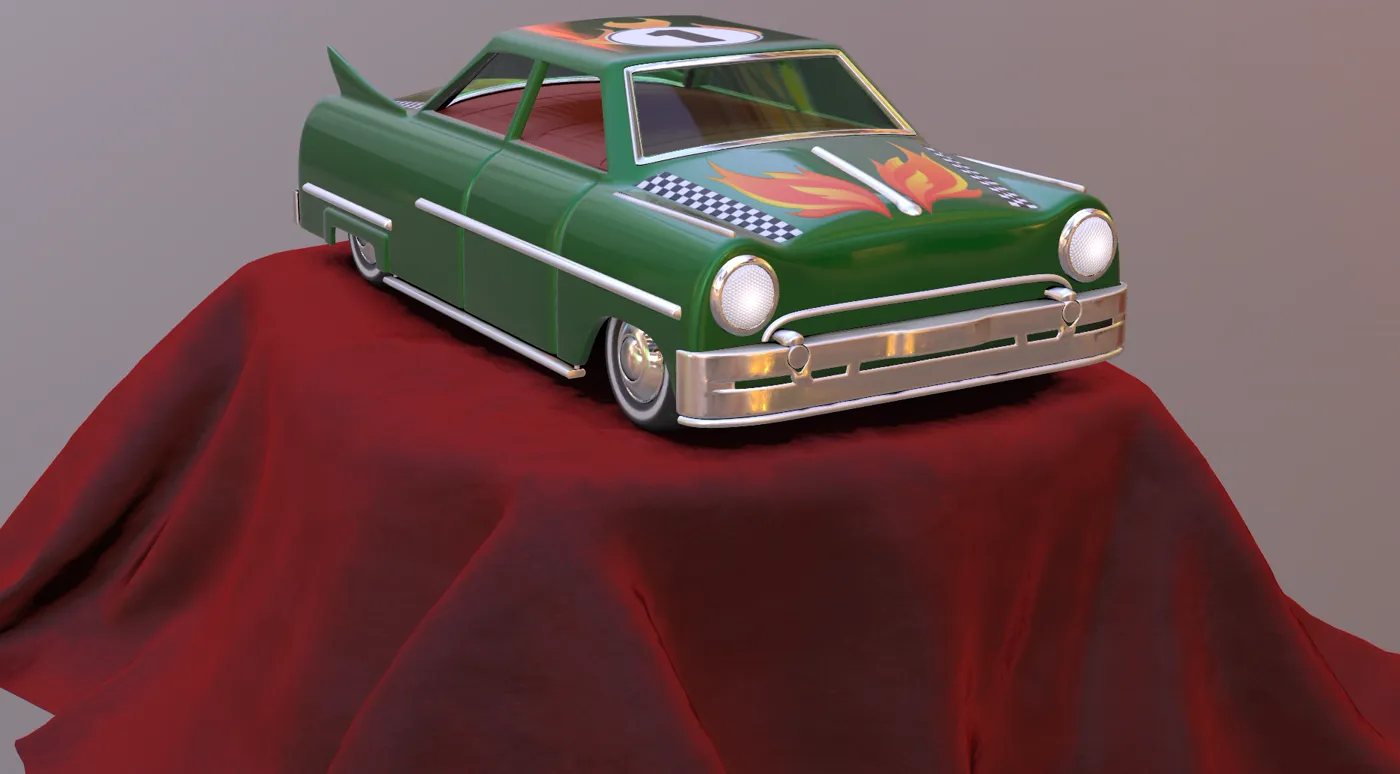 Reference example
Clearcoat and texture transformA toy car with clearcoat paint and tiled fabric — several KHR extensions in one scene. 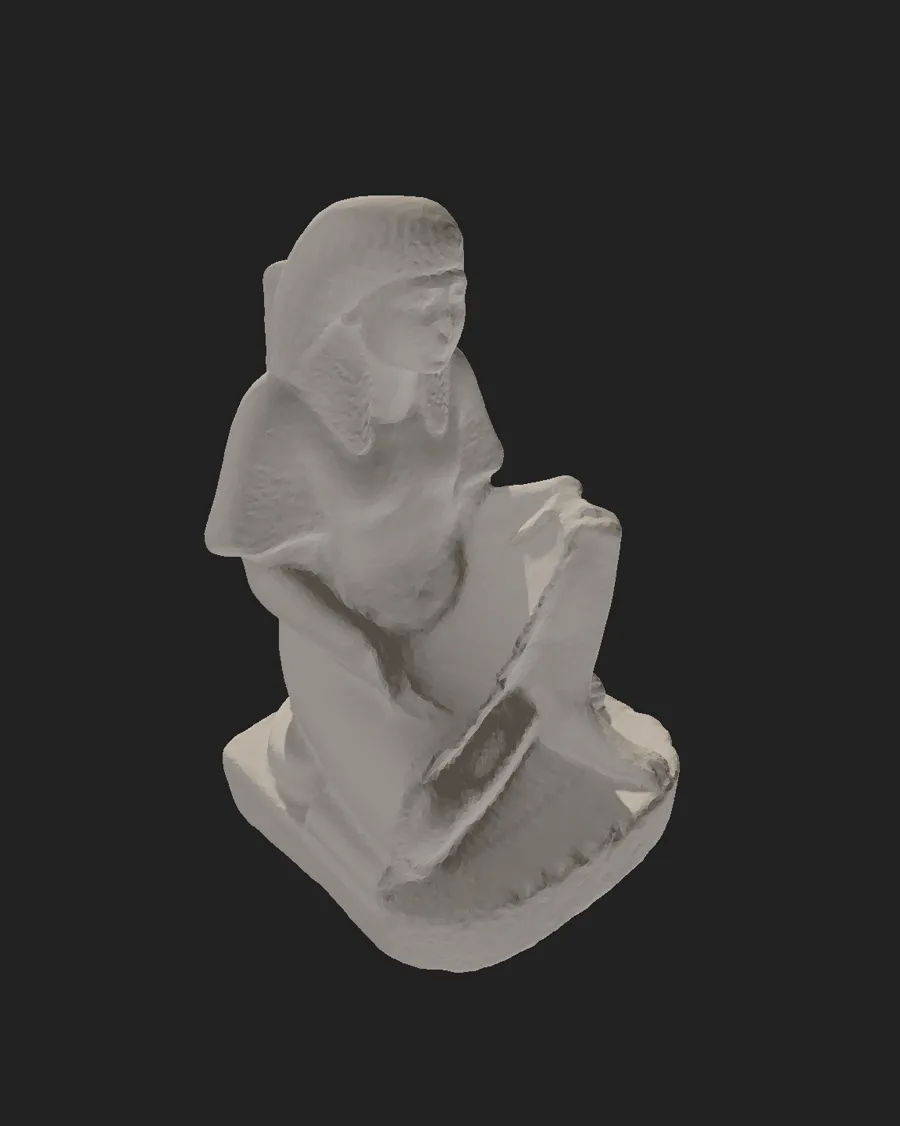 Reference example
Dense scanned meshPhotogrammetry scans carry hundreds of thousands of triangles; the wireframe view shows how dense they are.
Pictures from the Khronos glTF Sample Assets and Wikimedia Commons (CC BY / CC BY-SA). Not made with Kairo3D.
Models made with Kairo3D
Every model from our AI generators downloads as GLB — open one here to see its materials.
A glTF viewer that shows what is inside the file
Built for checking an export before it goes to an engine, a website or a printer.
Material inspector
Every material with its type, base colour, metalness and roughness, double-sided flag and the extensions it uses (sheen, clearcoat, transmission). Texture maps appear as thumbnails with their pixel size.
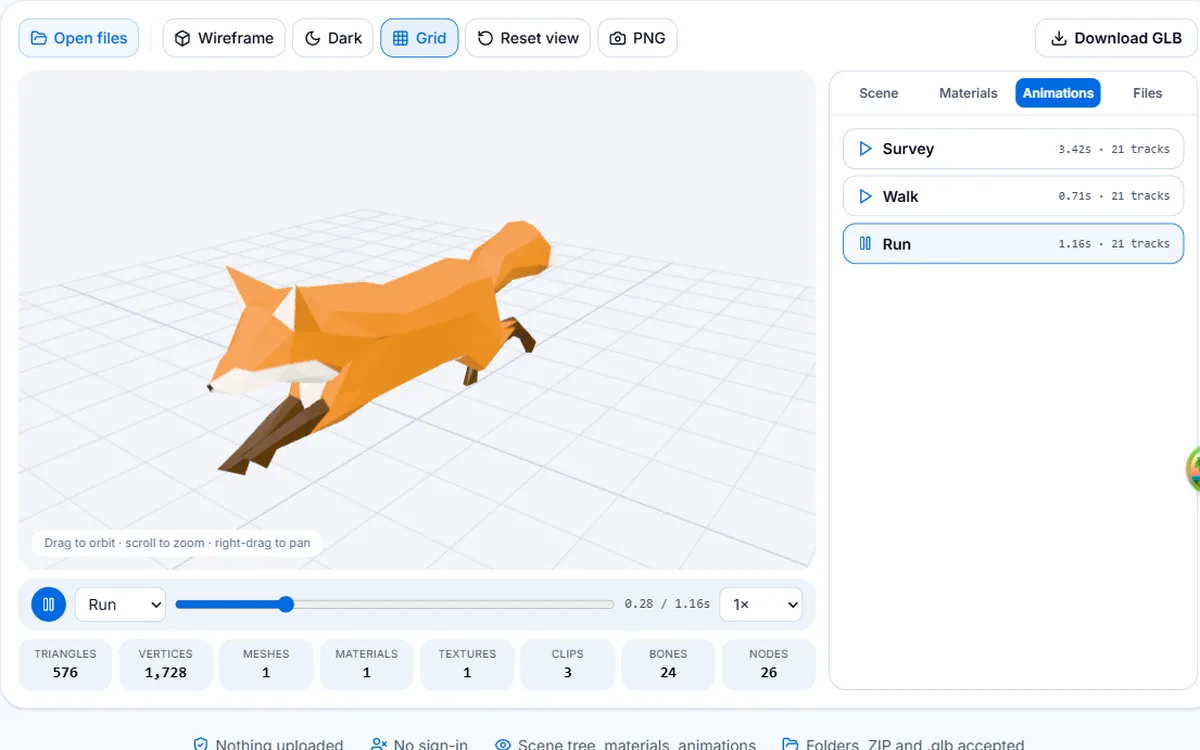
Animation player
Play, pause, scrub and slow down each clip. Skinned characters, node animations and morph targets all play, so you can see whether the walk cycle loops before you import it.
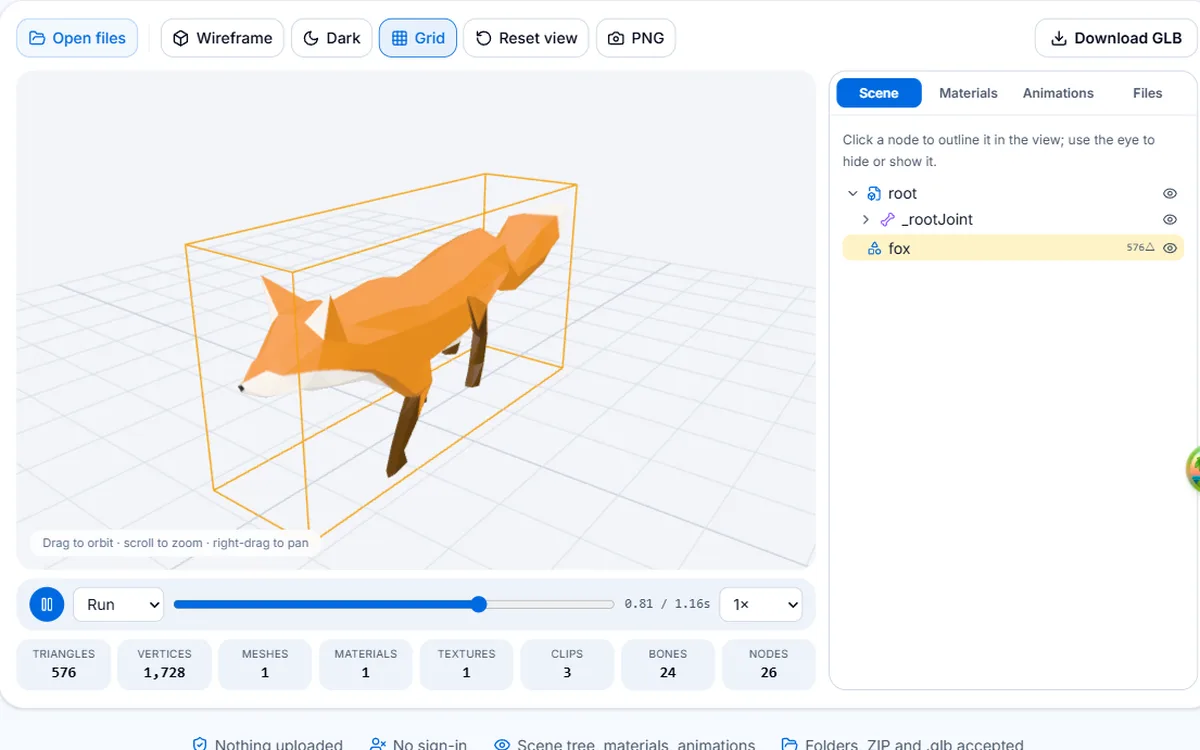
Scene tree with show / hide
The node hierarchy as the exporter wrote it, with meshes, bones, cameras and lights marked. Click a node to outline it; hide parts to look inside an assembly.
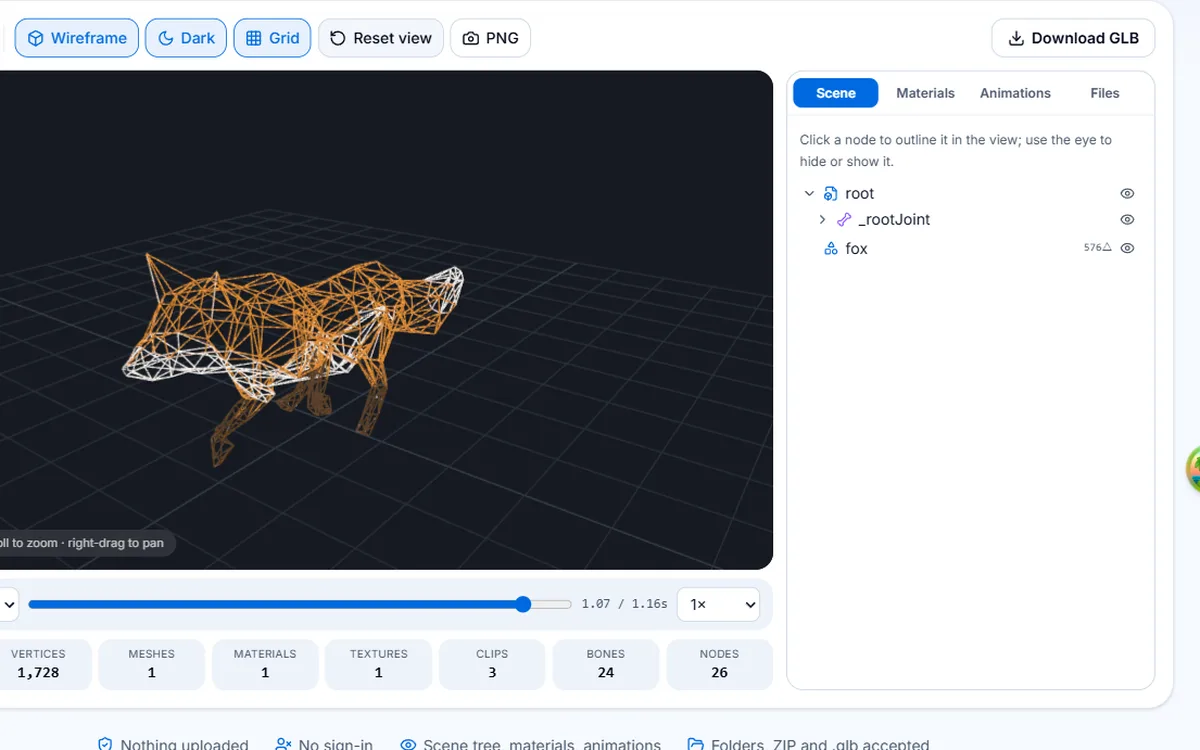
Wireframe and studio views
Switch to wireframe to judge topology and triangle density, flip to a dark background for light materials, and toggle the ground grid for scale.
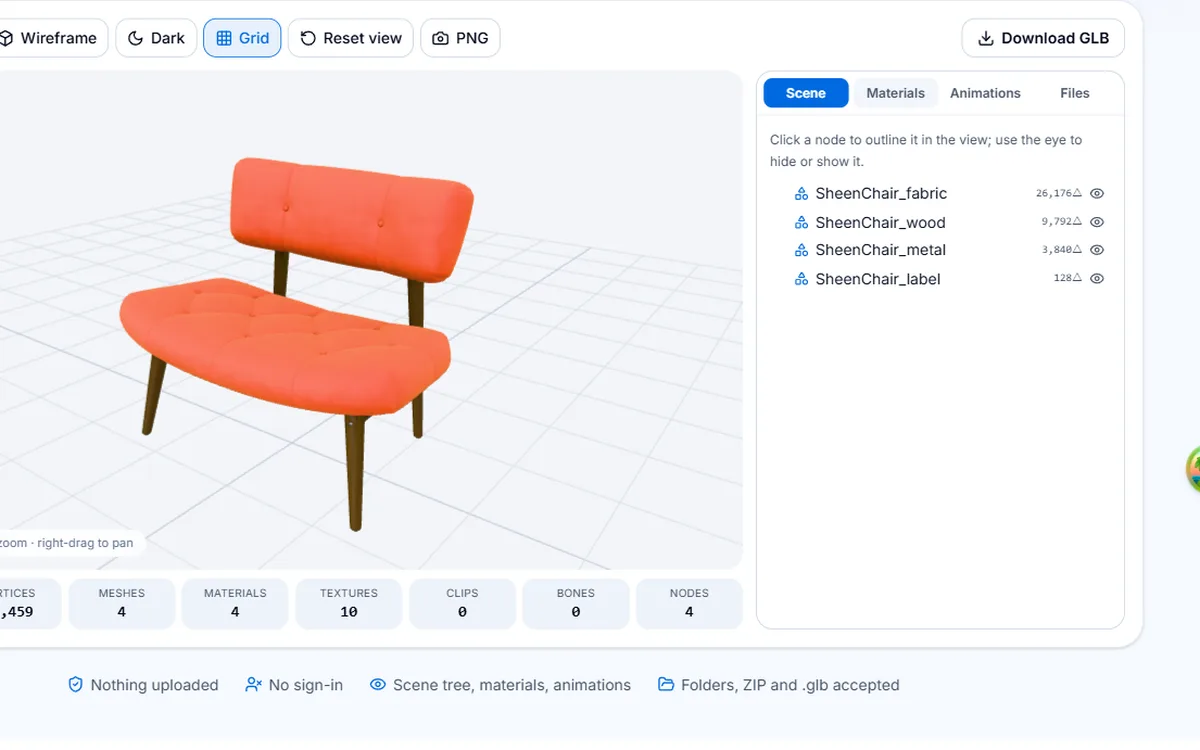
Material variants
Files with KHR_materials_variants — furniture in several fabrics, products in several colours — get a variant picker. Each variant swaps in the materials the file defines.
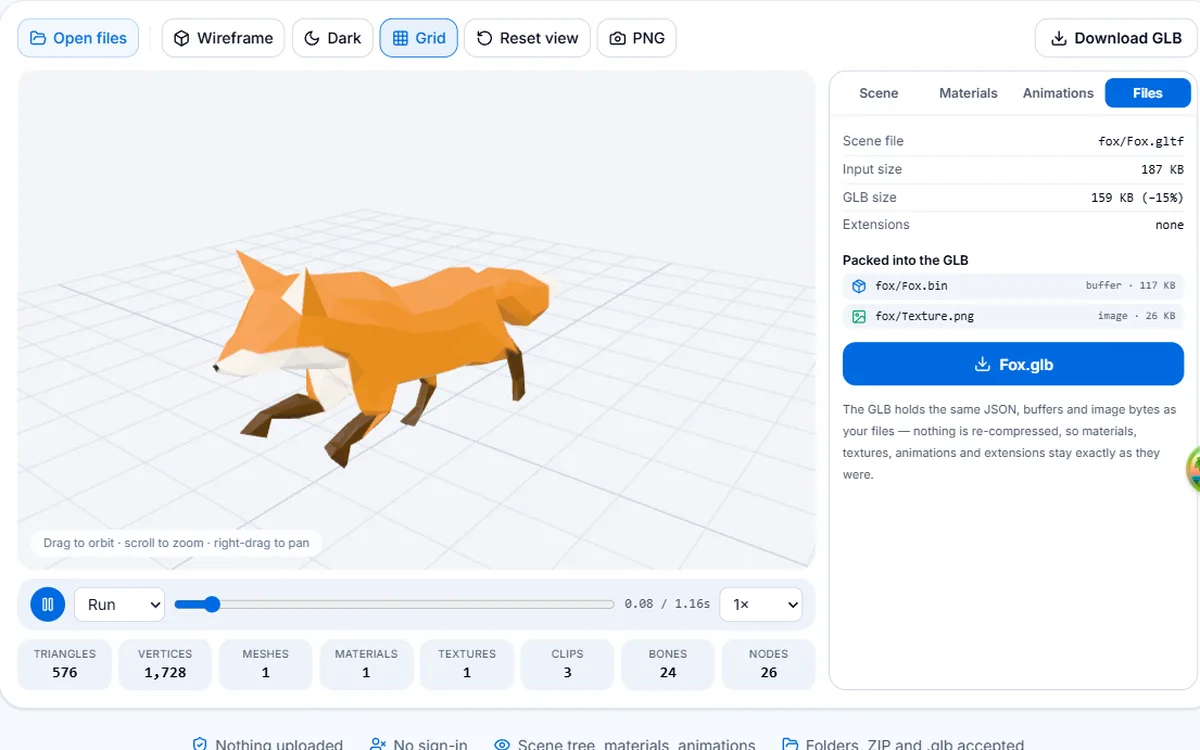
Missing-file report
The Files tab lists which .bin and images were found, which URIs had no file and which dropped files went unused — the quickest way to find out why a glTF opens grey elsewhere.
glTF viewer FAQ
Opening .gltf files, missing textures and animation playback.
More ways to work with your 3D files
View, convert, or make a model from scratch.
glTF to GLB
Pack a .gltf with its .bin and textures into one GLB file.
Online 3D Viewer
Open STL, OBJ, GLB, 3MF, STEP, FBX and more in one viewer.
GLB viewer
Open GLB and glTF files with their textures, then measure them.
DAE Viewer
View Collada .dae models with textures right in the browser.
USDZ to GLB
Convert Apple AR Quick Look USDZ files to GLB.
GLB to STL converter
Turn a GLB or glTF into a slicer-ready STL, with nothing uploaded.
No glTF yet? Make one from a picture
Upload a photo or drawing and Kairo3D builds a textured 3D model you can download as GLB.