
Tripo vs Hunyuan 3D
Tripo vs Hunyuan: which one should you use?
A commercial model from VAST: PBR-textured meshes from an image, several views or a prompt.
Tencent's 3.1 Pro model, served by API. The open-source Hunyuan3D weights are the older 2.x line.
The short version
Pick Hunyuan 3D 3.1 Pro when detail is the point. By default it aims for a mesh of about 500,000 faces, which suits sculpt-like characters, busts and renders. It is the slower and pricier run here, and on this site its output comes without separate PBR maps.
Pick Tripo H3.1 when you want PBR materials, fewer credits and a shorter wait: about a minute instead of about 2 minutes. It is also the obvious next try if Tencent's territory terms don't work for your country or your business.
Results depend on the photo, so the honest test is the same image on both engines. One photo on each costs 270 credits here.
Tripo H3.1 vs Hunyuan 3D 3.1 Pro, fact by fact
Taken from the makers' pages, fal.ai and GitHub, with a source on every row. The last row is what Kairo3D sends to each engine.
| Feature | Tripo H3.1 | Hunyuan 3D 3.1 Pro | Source |
|---|---|---|---|
| Made by | VAST, which builds Tripo Studio and the Tripo API | Tencent's Hunyuan team | github.com/VAST-AI-Researchgithub.com/Tencent-Hunyuan |
| Version | H3.1, Tripo's High Detail model | 3.1 Pro, announced on Tencent's global platform on 28 Jan 2026 and also offered on fal.ai | tripo3d.ai/featuresx.com/TencentHunyuan |
| Open weights | No. H3.1 is used through Tripo Studio or the Tripo API | Not for 3.1 Pro, which is API-only. Hunyuan3D 1, 2 and 2.1 have public repositories on GitHub | github.com/VAST-AI-Researchgithub.com/Tencent-Hunyuan |
| Inputs | One image, several views or a text prompt | A front image plus up to seven optional views (back, left, right, top, bottom and two 45° fronts), or a text prompt | tripo3d.ai/featuresfal.ai · Hunyuan 3D 3.1 Pro |
| Mesh | Up to 2 million polygons (Tripo's figure); optional face limit and quad mesh through the API | Target of 40,000 to 1,500,000 faces, 500,000 by default; a geometry-only mode; no LowPoly or Sketch mode in 3.1 | tripo3d.ai/featuresfal.ai · Tripo H3.1fal.ai · Hunyuan 3D 3.1 Pro |
| Materials | Textures and PBR materials on by default | Textured by default; PBR maps (metallic, roughness, normal) are an extra option | fal.ai · Tripo H3.1fal.ai · Hunyuan 3D 3.1 Pro |
| Files from the API | GLB and a PBR GLB; FBX when a quad mesh is requested. Tripo Studio also exports OBJ and STL | GLB and OBJ | tripo3d.ai/featuresfal.ai · Hunyuan 3D 3.1 Pro |
| Licence | Tripo AI's terms. On Tripo's free plan, models are public and non-commercial | Tencent's terms for the hosted model. The open 2.1 licence excludes the EU, the UK and South Korea | tripo3d.ai/pricingHunyuan3D-2.1 LICENSE |
| On Kairo3D | Image or text; standard geometry and textures, PBR on; textured GLB | Image or text; Normal (textured) mode, one front image, PBR maps off, default face count; textured GLB | Try it above |
Checked on 2026-11 on tripo3d.ai, fal.ai, Tencent's GitHub and Tencent Hunyuan's announcement. Versions move quickly, so follow the links for the latest details.
The licence question, answered carefully
This is the part of the Tripo vs Hunyuan choice that has nothing to do with how the models look. Read the terms before you sell anything you make.
Tripo H3.1
Tripo is a commercial service, and which terms apply depends on where you use it.
- On Tripo's own free plan, models are public and for non-commercial use; paid plans list private models and commercial use.
- On Kairo3D, Tripo H3.1 runs through fal.ai under Tripo AI's commercial API terms.
- Kairo3D doesn't add rights beyond the maker's terms, and you keep the rights to your uploads.
Hunyuan 3D
Two different things share the Hunyuan 3D name, and their terms differ.
- Hunyuan 3D 3.1 Pro is served by API, from Tencent's global platform, fal.ai and others. Tencent's terms for the hosted model apply, so check them for your country.
- The open-source Tencent Hunyuan 3D 2.1 Community License says it does not apply in the European Union, the United Kingdom or South Korea.
- The same 2.1 licence asks services with more than 1 million monthly active users to request a separate licence from Tencent.
- What is true of the open 2.x weights doesn't automatically apply to 3.1 Pro, and the other way round.
Credits, time and settings for each run
The numbers come straight from the engine list the generator uses, so the cost you read here is the cost you see before generating.
Tripo H3.1
- Made by
- Tripo AI (VAST)
- Image to 3D
- 120 credits
- Text to 3D
- 80 credits
- Typical time
- ~1 min
- You get
- Textured GLB with PBR materials; convert to STL, OBJ or PLY in your browser
- Settings we use
- Standard geometry and texture quality, triangle mesh, face count chosen by the model
Hunyuan 3D 3.1 Pro
- Made by
- Tencent
- Image to 3D
- 150 credits
- Text to 3D
- 150 credits
- Typical time
- ~2 min
- You get
- Textured GLB without separate PBR maps; the same STL, OBJ and PLY conversions
- Settings we use
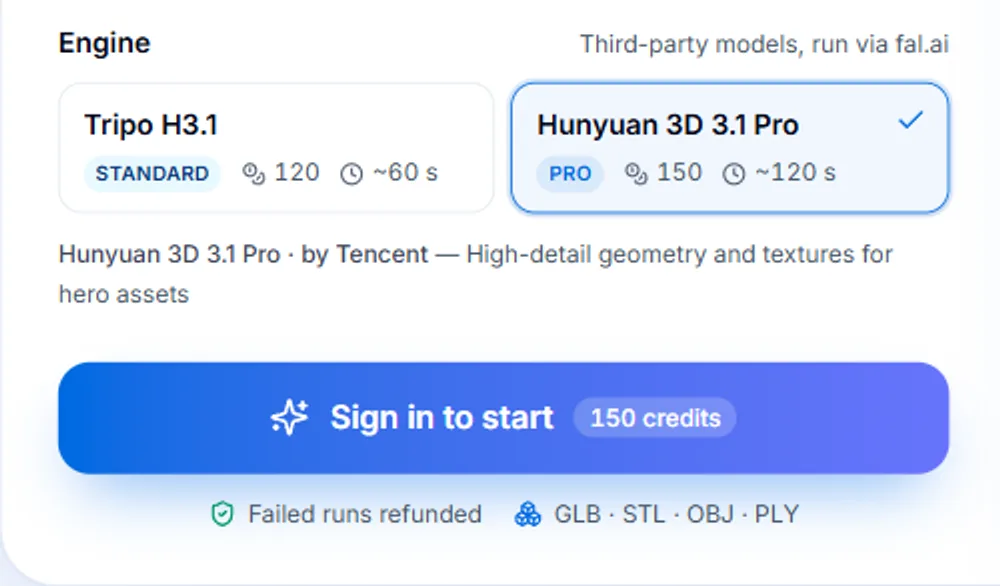
- 3.1 Pro in Normal (textured) mode, one front image, default face count of about 500,000
Testing Tripo and Hunyuan on one photo
A very dense mesh and a lighter one can both look great as a thumbnail. These steps show where the two really differ.
Start with a clear front view
Hunyuan 3D 3.1 Pro treats your picture as the front view, and its documentation asks for a simple background, one object, and the object filling more than half the frame. That advice suits Tripo too, so use the same photo for both.
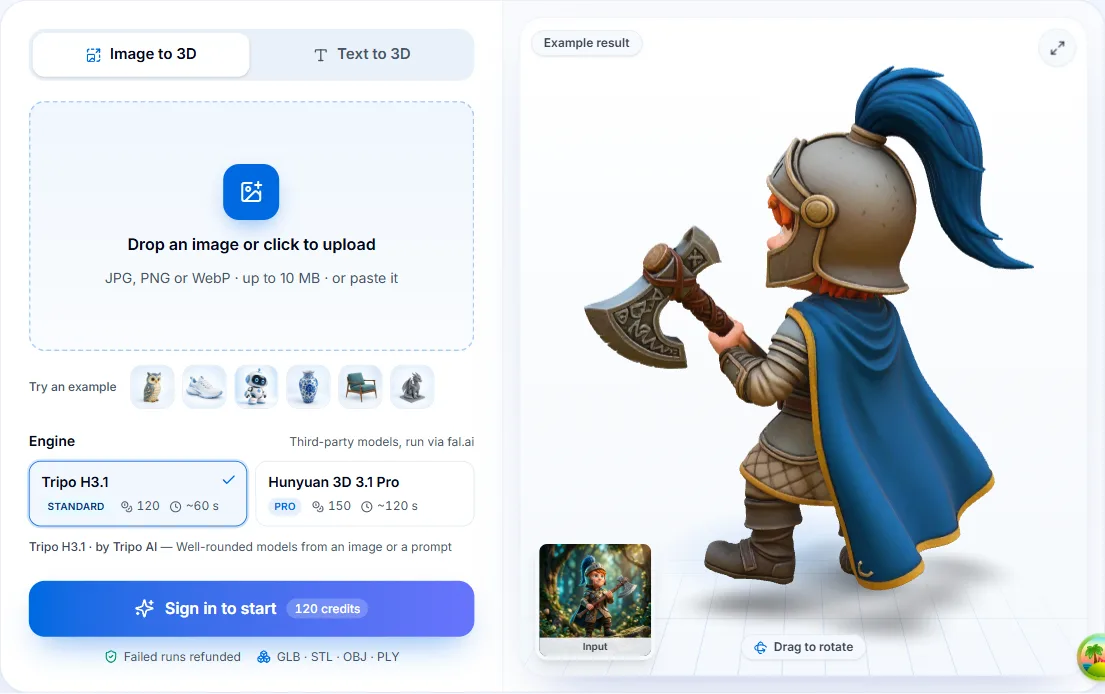
Generate with Tripo H3.1
It is preselected in the generator above. Its typical time here is about a minute.
Switch to Hunyuan 3D 3.1 Pro
Choose it in the engine list and run the same file. Plan for about 2 minutes; the finished model is saved to My creations next to the Tripo one.
Check density, not just looks
Open both GLBs in the free STL viewer and compare triangle counts and file sizes. A mesh near 500,000 faces is great for renders and printing, but usually needs decimating before it goes into a game engine or onto a web page.
Look at the materials
Turn each model under different light. Here, Tripo returns PBR materials and Hunyuan a colour texture without separate PBR maps, which matters if the model is going into a real-time engine.
Subjects that show the difference
Mesh density matters more for some subjects than others. These third-party example models illustrate each type; they were not made on Kairo3D.
 Example
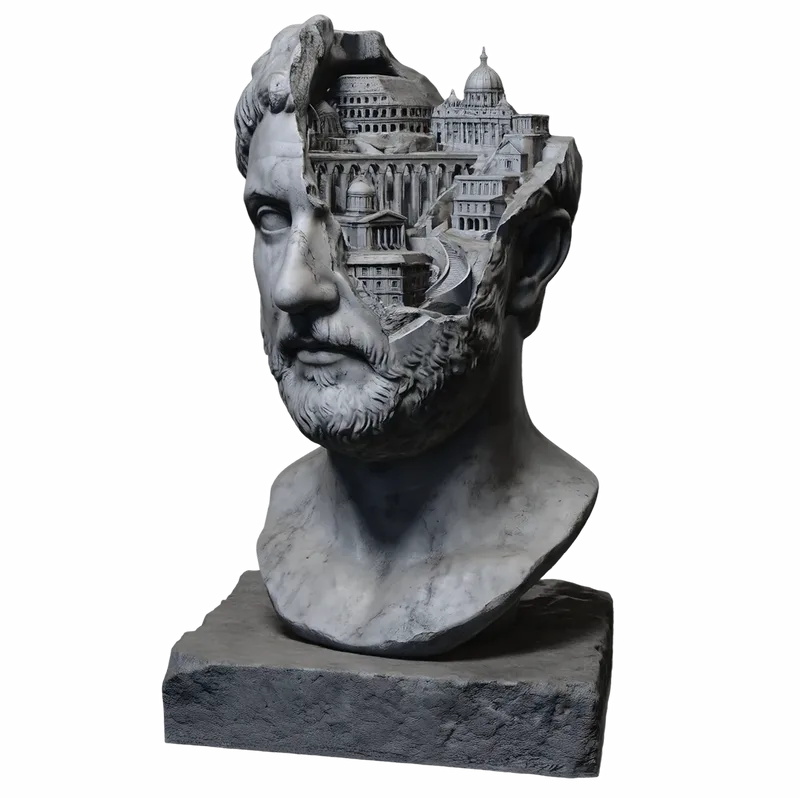
A sculpted bust
Busts and statues are where a dense mesh earns its keep. Check fine relief and sharp edges at close range.
 Example
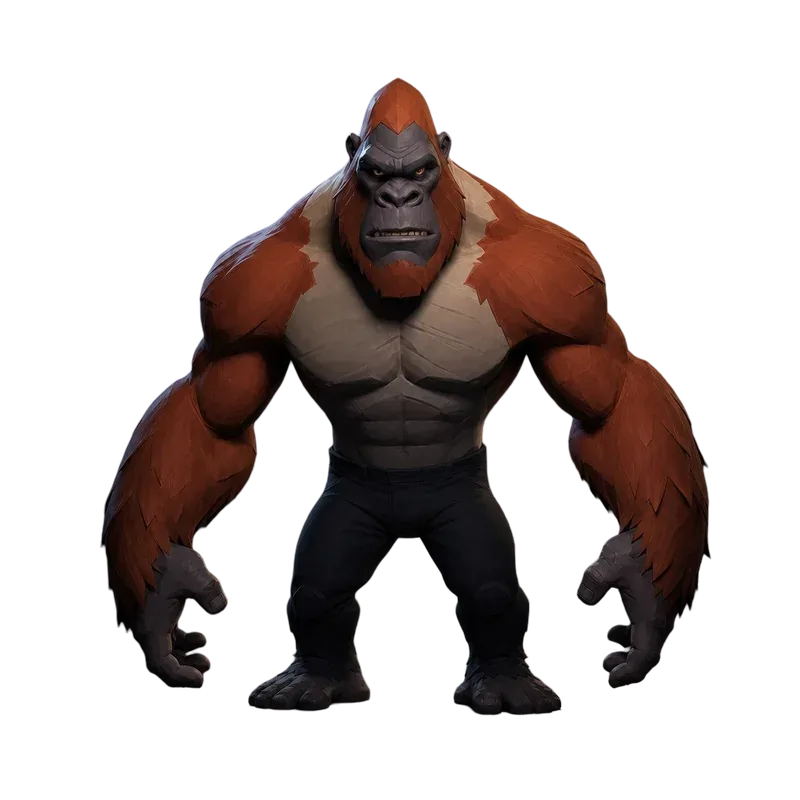
A stylised creature
Fur, muscle and big readable shapes. Compare how each engine fills in the back it never saw.
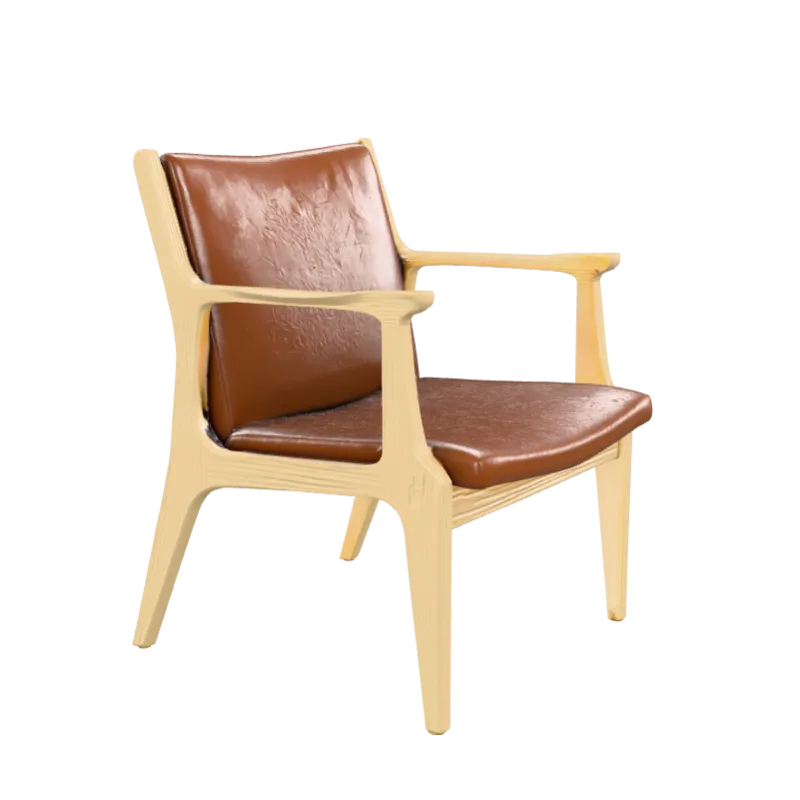 Example
A piece of furniture
Straight lines, symmetry and thin legs, which is useful if you work on products or interiors.
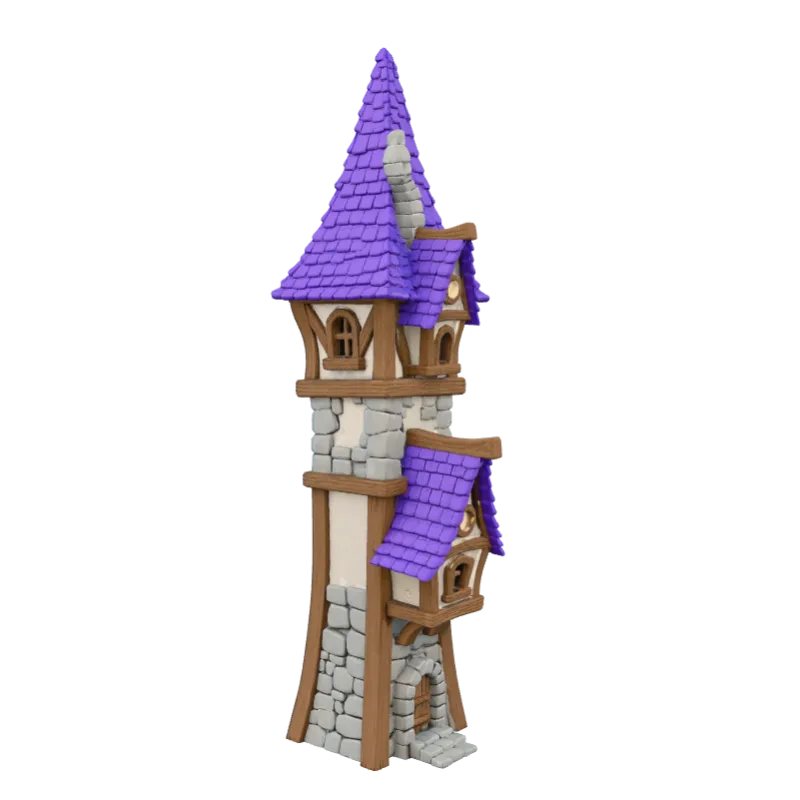 Example
A building or diorama
Lots of small repeated parts, such as windows and tiles. See which mesh keeps them distinct and which melts them together.
Tripo or Hunyuan: which fits which job
Hunyuan 3D 3.1 Pro fits
Busts, statues and sculpts
A default target of around 500,000 faces leaves room for fine relief that shows up in renders and prints.
Stills and offline renders
When the model will be lit and rendered rather than run in real time, a heavy mesh costs you little.
Projects where Tencent's terms work
If the licence fits your country and your use, it is a natural candidate for detailed characters and collectibles.
Tripo H3.1 fits
Real-time and PBR workflows
PBR materials come back by default here, ready for engines that expect metallic and roughness maps.
Faster iteration
A typical about a minute instead of about 2 minutes, and fewer credits per run, make it easier to try several photos in a row.
When territory terms rule Hunyuan out
If Tencent's terms don't fit where you work, Tripo H3.1 runs under Tripo AI's own terms. Read those too.
Options you'd only get from the makers
Kairo3D sends one front image to each engine at the settings listed above. Both makers offer more, so a result here is not the ceiling of either model.
Tripo, on its own platform
Paid Tripo plans add production tools around H3.1.
- Multi-view to 3D, quad meshes and a target face limit
- Detailed geometry plus textures up to 8K
- Smart segmentation and part-based retopology
Hunyuan 3D, through its API or GitHub
The 3.1 Pro API has options this site leaves off, and the open line can run on your own machine.
- Up to seven extra views next to the front image
- A custom face count from 40,000 to 1,500,000
- Geometry-only output and PBR material maps
- Self-hosting the open Hunyuan3D 2.1 weights, under the 2.1 community licence rather than 3.1's terms
Sources:fal.ai · Hunyuan 3D 3.1 Progithub.com/Tencent-Hunyuan
Tripo vs Hunyuan 3D: common questions
Versions, licences, time and credits, answered plainly.
Keep comparing
Each engine on its own page, and the other comparisons that involve them.
Hunyuan 3D
Tencent's Hunyuan 3D 3.1 for text and image to 3D.
Tripo 3D
Tripo H3.1 in detail: inputs, settings and what a run costs.
TRELLIS 2 vs Hunyuan 3D
Hunyuan against Microsoft's open-source engine: licence, inputs and speed.
Tripo vs Rodin
Tripo H3.1 against Rodin Gen-2.5 Fast, the lighter and quicker option.
Run Tripo and Hunyuan on the same photo
Upload an image, generate with Tripo H3.1, then with Hunyuan 3D 3.1 Pro, and keep the one that fits. One credit balance covers both.
Facts checked on 2026-11. Kairo3D is independent and not affiliated with VAST/Tripo, Deemos/Hyper3D or Tencent. Tripo and Hunyuan are trademarks of their owners. Tripo H3.1 and Hunyuan 3D 3.1 Pro run on Kairo3D through fal.ai.