
PLY Viewer
Drop a PLY mesh
ASCII or binary, up to 200 MB. The PLY needs faces: point clouds can't be opened.
- Nothing uploaded
- No sign-in
- Vertex colours
- ASCII + binary
- Meshes only
What the PLY viewer handles
A PLY can hold a mesh or just points. This tool is for meshes.
- 2 encodingsASCII and binary PLY both open, the two ways scanners and mesh tools write the format.
- RGB per vertexColour stored on each vertex is painted on the surface, so a coloured scan still looks like the real object.
- Faces requiredPoint clouds and Gaussian splat files have no faces, so they are refused with a clear message.
How to view a PLY file online
From a scan export to a measured mesh in three steps.
Export a mesh
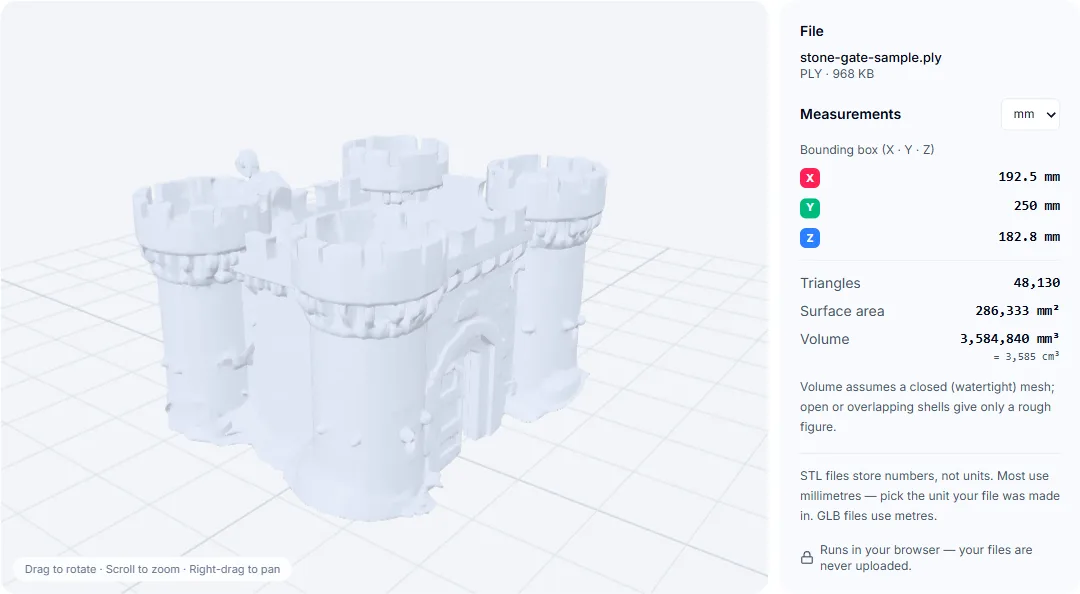
Save your scan or photogrammetry result as a PLY mesh, not a point cloud. Drag it onto the viewer, or load the stone castle sample.
Look it over
Orbit around the capture, use wireframe to see where the mesh is dense and the dark background for pale stone or plaster.
Measure, then move on
Pick the unit the scan was saved in, read size and area, then save a PNG or convert it with PLY to STL.
Mesh or point cloud: what a PLY holds
PLY (Polygon File Format, also called the Stanford Triangle Format) is a header followed by element lists: vertices with optional colour and normals, and, in a mesh, the faces that join them.
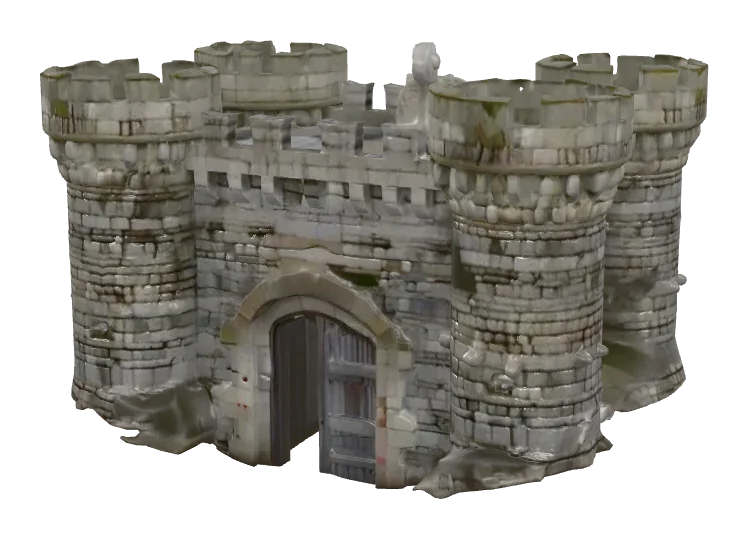
A coloured, scan-like mesh
The dense triangles underneath
| Mesh or point cloud: what a PLY holds | PLY file | This viewer |
|---|---|---|
| Vertices joined by faces (a mesh) | Yes | Yes |
| Red, green, blue per vertex | Yes | Yes |
| ASCII or binary encoding | Yes | Yes |
| Points only (point cloud) | Yes | No |
| Gaussian splats (3DGS) | Yes | No |
Got a point cloud? Reconstruct a surface first, for example with screened Poisson in MeshLab or CloudCompare, then save the result as a PLY mesh.
Scan-like examples to spin
Example models from other sources, not made with Kairo3D, drawn live in your browser.
Made for scan and photogrammetry meshes
Look a capture over before you clean, print or share it.
Vertex colour shown
Scans that store colour per vertex keep it on screen under soft, even studio light.
Density in wireframe
Dense areas, thin slivers and noisy patches stand out, a quick hint on whether to decimate in another tool.
Real-world size
Many scanners save in metres. Switch the unit and confirm the object is life-size before printing or sharing.
Area and volume
Get surface area and volume; holes in a raw scan make the volume rough until the mesh is closed.
Clear point-cloud message
A PLY without faces doesn't fail silently: you're told no mesh was found, so you know to reconstruct one.
Captures stay local
Scans of people, rooms or products are read in your browser tab and never uploaded.
PLY viewer FAQ
Scans, point clouds, colours and converting.
More ways to work with your 3D files
View, convert, or make a model from scratch.
No scanner? Start from a photo
Make a textured 3D model from a single picture with AI, then download it as GLB, STL or OBJ.