
OBJ Viewer
Drop an OBJ file
Geometry only, in neutral grey: the .mtl and texture images aren't read. Up to 200 MB.
- Nothing uploaded
- No sign-in
- Geometry only
- Unit you choose
- Triangle count
What you get from the OBJ viewer
Plain readings for a format that stores no units and no colours of its own.
- Mesh onlyThe .mtl and texture images are skipped, so flaws in the shape itself are easy to spot.
- 4 unitsOBJ stores bare numbers. Read them as mm, cm, m or inches to match the app that exported the file.
- Any polygonQuads and n-gons are split into triangles on load, so the count matches a triangulated export.
How to view an OBJ file online
Drop it in, look at the mesh, then decide what it needs.
Open the .obj
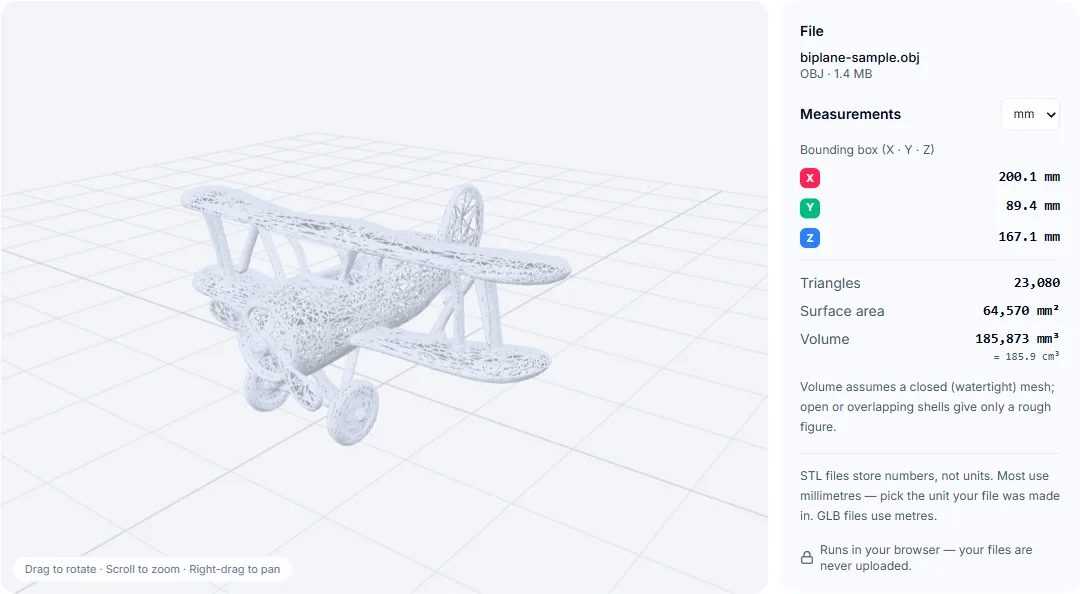
Drag in the .obj alone, click Open file or load the biplane sample. You don't need the .mtl or the texture folder.
Inspect the mesh
Wireframe reveals topology and stray faces; the dark background helps the light-grey material stand out.
Set the scale
Pick the unit the OBJ was exported in, read size and volume, then save a PNG or send it on to OBJ to STL.
OBJ, its .mtl, and what this viewer reads
Wavefront OBJ is a plain-text list of vertices (v), texture coordinates (vt), normals (vn) and faces (f). Materials and textures live in a separate .mtl file and image files.
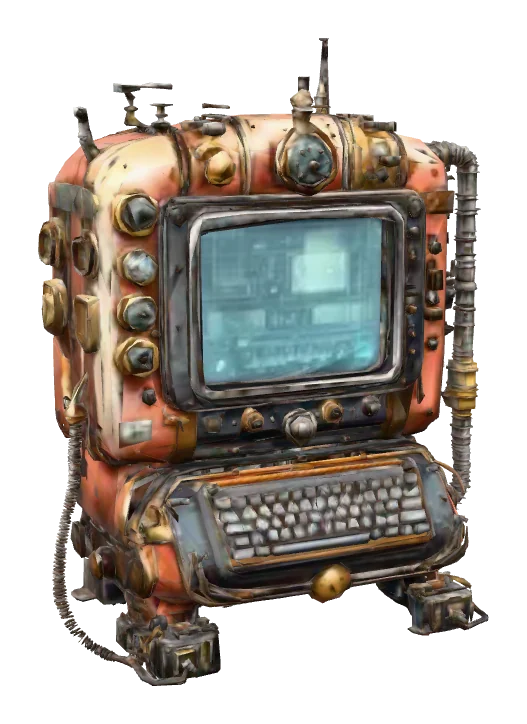
In a 3D app: with its materials
Here: the bare mesh in neutral grey
| OBJ, its .mtl, and what this viewer reads | OBJ + .mtl | This viewer |
|---|---|---|
| Vertices and faces | Yes | Yes |
| Objects and groups (o, g) | Yes | Yes |
| Materials from the .mtl | Yes | No |
| Texture images | Yes | No |
| Unit of measure | Not stored | You choose |
Need to see the textures? Export a GLB from your 3D app and open it in the GLB viewer, which shows materials and texture maps.
Game props and models to spin
Example models from other sources, not made with Kairo3D, drawn live in your browser.
Built for checking OBJ geometry
For Blender exports, game assets and 3D print prep.
Topology at a glance
Wireframe shows triangle density, long thin faces and leftover helper geometry before an asset goes into a game.
Scale check
Many 3D apps write one OBJ unit per metre. Switch to m and confirm a door is 2 m tall, not 2 mm.
All parts together
Every object and group in the file is drawn at once, so a modular kit shows exactly as it was exported.
Area and volume
Read surface area for paint or coating and volume for print cost; the volume holds for closed meshes.
PNG for reviews
Save the current angle as a PNG for a bug ticket, a print request or a quick note to a client.
No 3D app needed
Works in any WebGL browser, so you can look at an OBJ on a work laptop or a shared PC with nothing installed.
OBJ viewer FAQ
Materials, units, triangle counts and what to do next.
More ways to work with your 3D files
View, convert, or make a model from scratch.
OBJ to STL converter
Make a slicer-ready STL from any OBJ, upright and to scale.
OBJ to GLB converter
Pack an OBJ mesh into one compact GLB for the web, AR or three.js.
GLB viewer
Open GLB and glTF files with their textures, then measure them.
STL viewer
Open STL, 3MF, OBJ or GLB and measure size, area and volume.
Need a prop? Describe it
Type what you want and get a textured 3D model from AI, ready to download as GLB, STL or OBJ.