
Voxel 3D Models from Text or Images
What voxel 3D models look like
Animals, people, props and buildings, all snapped to the same cube grid. Each card has a prompt written the way we would ask for something similar.
 Reference example
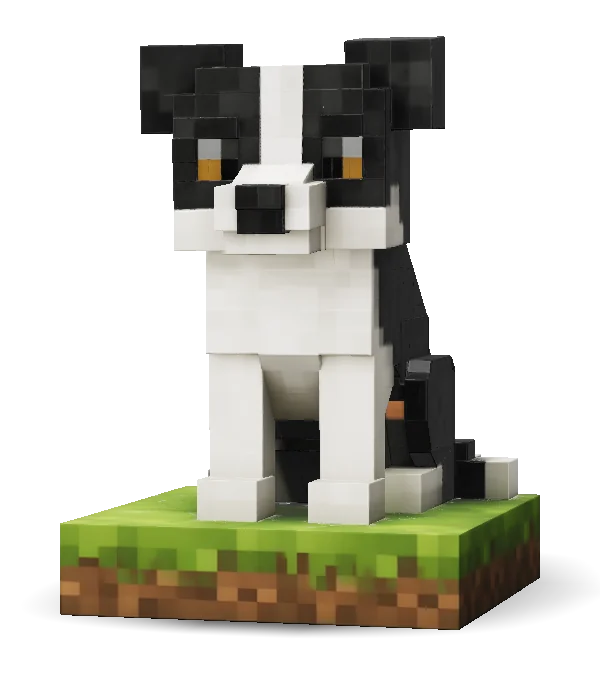
Border collie on a grass blockPrompt ideavoxel art border collie sitting on a grass block, black and white cubes, blocky, cube-built 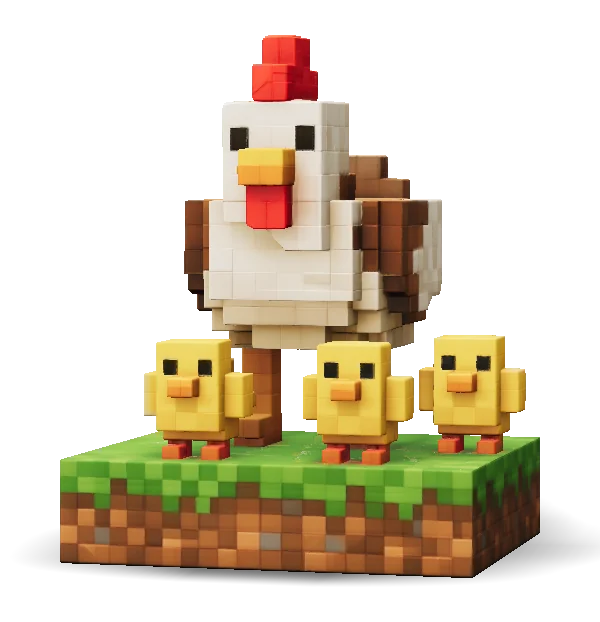 Reference example
Hen and chicksPrompt ideavoxel hen with three yellow chicks on a grass block, cube-built, farm diorama, bright palette 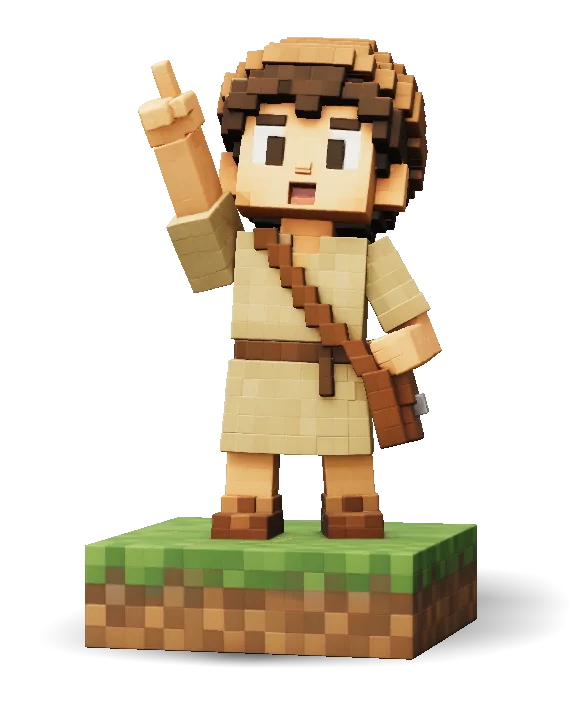 Reference example
Waving villagerPrompt ideavoxel villager character waving, tan tunic and leather satchel, blocky face, on a grass base 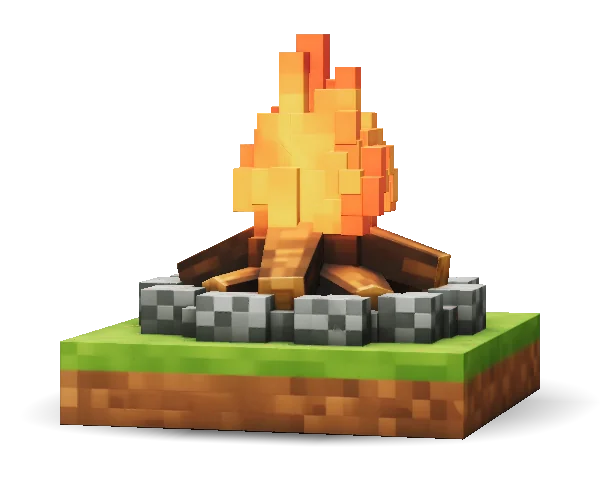 Reference example
CampfirePrompt ideavoxel campfire in a ring of stones, flames as stacked orange and yellow cubes, grass base 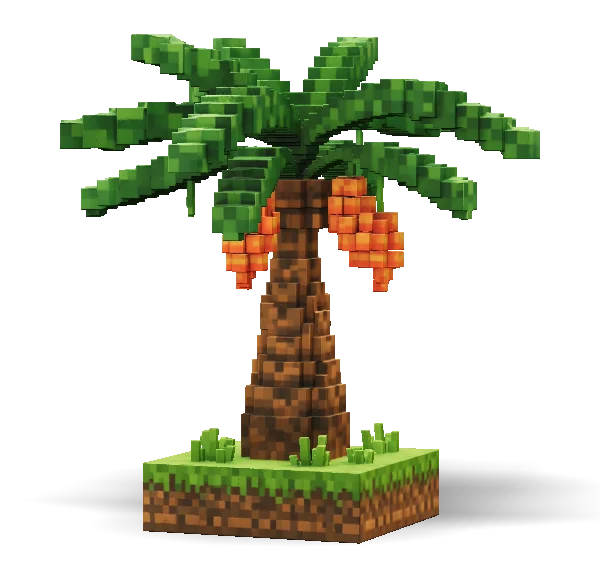 Reference example
Palm treePrompt ideavoxel palm tree with orange fruit, stepped trunk, green leaves made of cubes, small island base 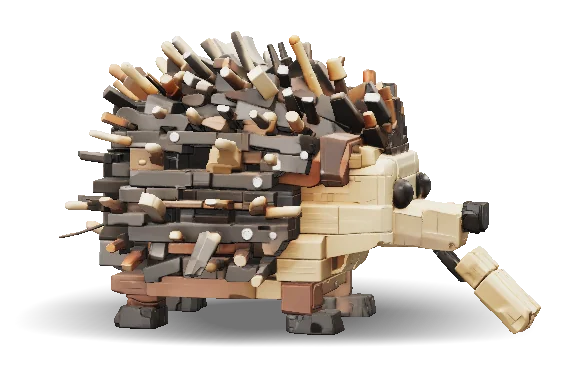 Reference example
HedgehogPrompt ideavoxel hedgehog walking, spines as brown and cream cubes, cute, single object, no base 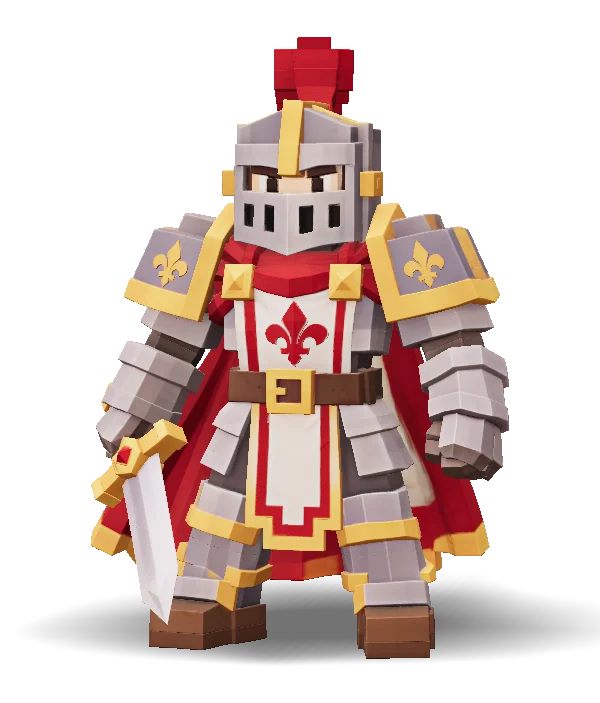 Reference example
Crusader knightPrompt ideavoxel knight in grey armour, white tabard with red cross, sword and red plume, cube-built 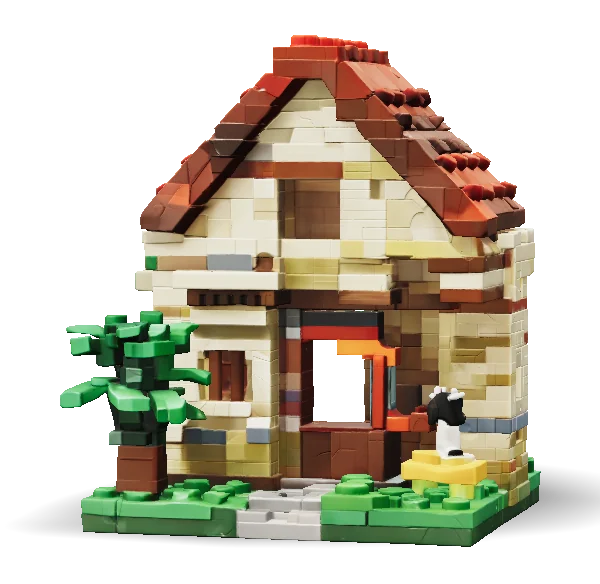 Reference example
Cottage with gardenPrompt ideavoxel cottage with red roof tiles, wooden walls, garden and two trees, isometric diorama
Reference examples from the Tripo Studio community gallery (studio.tripo3d.ai/3d-model-gallery/voxel), shown to illustrate the style. They were not made with Kairo3D, and the prompt ideas are ours, not the creators’ prompts.
What makes a model read as voxel
Voxel art is pixel art with a third dimension. Its rules come from the grid: every part lines up with the same cube size.
One cube size for everything
Every part of the model is made of cubes of the same size. When some cubes are bigger or smaller, the eye reads it as a toy brick model rather than voxel art.
Stair-stepped curves
Slopes and round shapes become staircases. A head is a rounded box, a roof is a stack of offset rows, a tree crown is a lumpy cluster.
One colour per cube
Colour comes from a small palette, one flat colour per cube. Eyes, stripes and patterns are drawn by choosing which cubes get which colour.
Grid resolution sets the detail
A 16-cube-tall character only has room for big features; at 64 cubes tall you can fit fingers and buttons. Choose the resolution before the details.
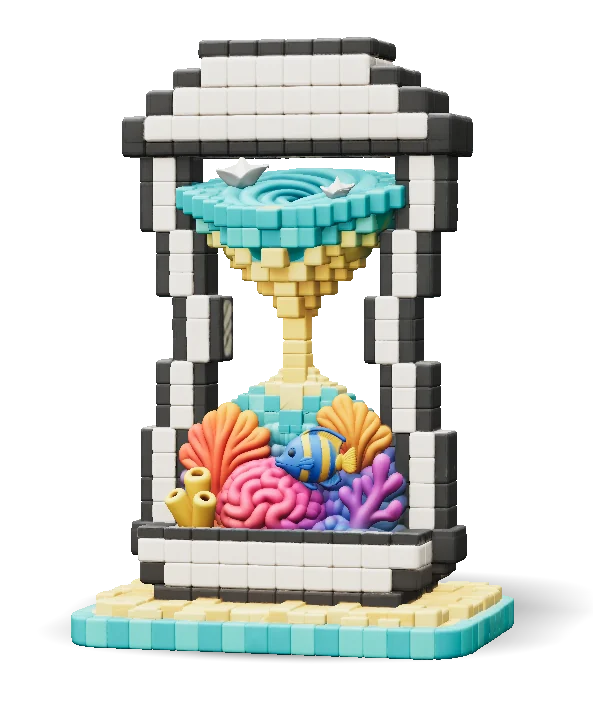 Reference example
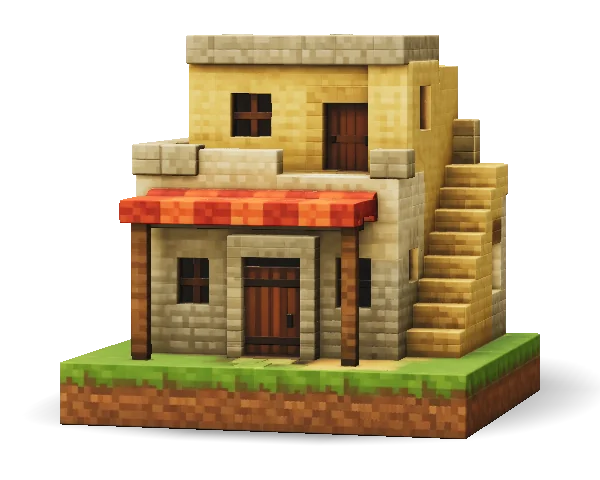 Reference example
How to write a voxel prompt
Say "voxel" and describe the cubes. Name a base, a palette and a view, and the result looks like a voxel art piece instead of a smooth toy.
Voxel style suffix — paste it after any subject
voxel art style, built from small equal cubes, stepped blocky edges, flat colour per cube, limited palette, MagicaVoxel style
Works in text mode. In image mode, upload a picture that is already voxel art; a smooth photo comes back smooth.
Voxel prompt writing examples
Writing examples to copy and adapt. They show the wording, not results we have published.
- 1Pet
voxel art orange cat sleeping on a cushion, cube-built, flat colours, small square base
- 2Character
voxel wizard character with a tall hat and staff, blocky face, 16-colour palette, standing
- 3Creature
voxel baby dragon, green and yellow cubes, stubby wings, cute, single object
- 4Building
voxel lighthouse on a rocky islet, red and white stripes, stepped rocks, isometric diorama
- 5Vehicle
voxel pickup truck, chunky wheels, flat blue paint, made of small cubes, toy look
- 6Food
voxel cheeseburger, each layer a stack of cubes, bright colours, single object
- 7Scene
voxel camping scene on a square grass plot, tent, campfire and pine tree, MagicaVoxel style
- 8Ornament to print
voxel snowman ornament with a thick hanging loop on top, chunky cubes, flat back
Do
- Use "voxel" plus a plain description: "built from small equal cubes", "stepped edges".
- Give a palette size ("16 colours") so the colours stay flat per cube.
- Add a base ("on a grass block", "square plinth") — it keeps the piece together and helps printing.
- Mention "isometric" or "diorama" for small scenes; it pushes the engine towards the classic voxel look.
Avoid
- Realism words like "photorealistic", "soft fur", "detailed skin"; they smooth the cubes away.
- Mixing "voxel" with "low poly" in one prompt — you get odd triangles between blocks.
- Naming a game or brand as the style; describe the look instead.
- Tiny details smaller than one cube, such as eyelashes or small text.
How to make a voxel 3D model with AI
From a prompt or a voxel picture to a mesh you can open in Blender, a game engine or a slicer.
Describe the model in cubes
Choose text mode, write the subject and paste the voxel style suffix, or click a prompt chip. In image mode, upload a voxel art picture you made or drew.
Pick an engine
The workspace shows each engine’s credit price and usual time before you run it. Try a second engine if the cubes come out soft.
Check the grid
Rotate the preview and look at the edges. If cubes look melted or bevelled, repeat "equal cubes, sharp stepped edges" and remove realism words.
Download the mesh
Take GLB for engines and the web, OBJ or PLY for editing, STL for printing. The file is a mesh, not a .vox project, so cubes are surfaces rather than editable blocks.
Printing voxel 3D models
Yes, and they look great on a shelf. The flat tops and straight walls print cleanly; the many little steps need a bit of care.
Steps are tiny overhangs
Every step on the underside of a voxel slope hangs out by one cube. At small scales that is a fraction of a millimetre and bridges fine; at large scales each step may sag without support.
Layer height
Choose a layer height that divides the cube size, so step edges land on a layer line. As a rule of thumb, cubes of 1 mm or more print crisply at 0.2 mm layers.
Loops and keychains
For ornaments and keychains, ask for a thick loop. A ring two cubes thick and at least about 2 mm wide survives being hung; one-cube rings often snap.
Solid or hollow
AI meshes are surfaces, so the slicer decides the inside. Normal infill is fine for small pieces; for big dioramas use lower infill to save filament and time.
| Setting | FDM (0.4 mm nozzle) | Resin (MSLA) |
|---|---|---|
| Layer height | 0.1–0.2 mm, a divisor of the cube size | 0.03–0.05 mm |
| Cube size on the print | ≥ 1 mm | ≥ 0.5 mm |
| Orientation | Flat base down, tops up | Tilted 30–45° to soften step lines |
| Supports | Under deep overhangs only | Light supports on the base side |
| Finish | Paint cube by cube, or print multi-colour | Prime, then flat colours |
Rules of thumb for common printers, not guarantees. Your slicer preview shows which steps need support.
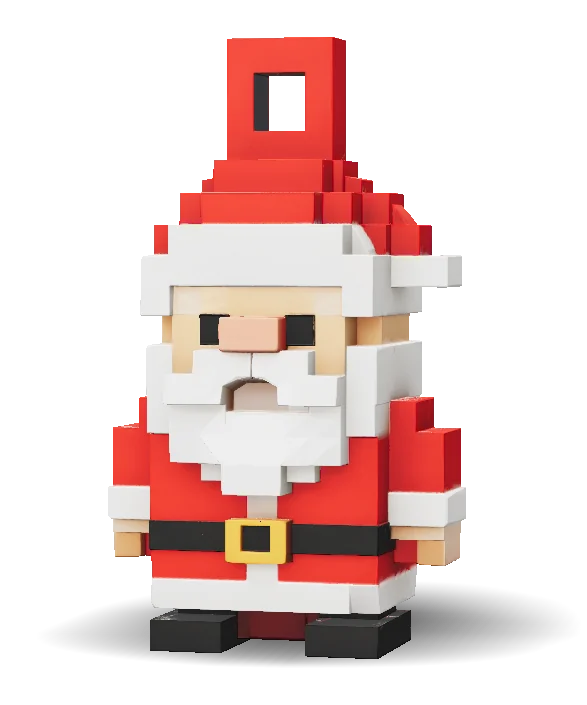 Reference example
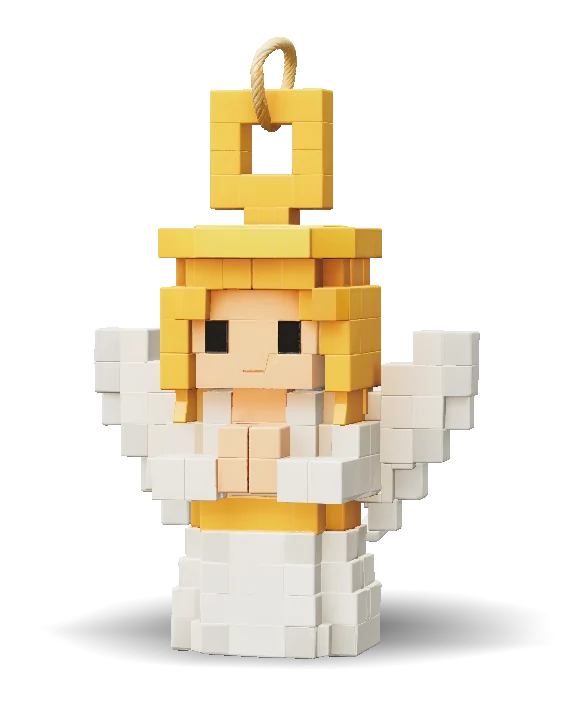 Reference example
Voxel vs low poly vs chibi
Voxel is the only one of the three that forces a grid. That makes it the most recognisable — and the least forgiving with diagonals.
| Voxel | Low poly | Chibi | Realistic | |
|---|---|---|---|---|
| Unit | Equal cubes on a grid | Flat triangles, any angle | Any surface | Dense smooth mesh |
| Slopes and curves | Staircases | Faceted ramps | Soft and round | Smooth |
| Colour | One colour per cube | 2–6 flat colours | Bright, soft shading | Photo textures |
| File size | Small once faces are merged | Very small | Medium | Large |
| 3D printing | Good, watch the steps | Easy, crisp edges | Easy, compact | Depends on detail |
| Best for | Block games, pixel-art fans, ornaments | Mobile games, web scenes | Gifts, desk figures | Statues, products |
General tendencies of each style, not fixed rules.
Voxel works well for
- Assets for block-building and pixel-art games, and fan-style dioramas.
- Christmas ornaments, keychains and fridge magnets with a strong graphic look.
- Turning 2D pixel art or sprites into 3D figures.
- Teaching 3D printing: flat surfaces, simple supports, easy painting.
Pick another style for
- Anything that must look round or smooth, such as a vase or a face portrait.
- Very small prints where one cube would be thinner than a nozzle line.
- Projects that need an editable .vox file: our downloads are meshes.
- Stylised game models with diagonal shapes — low poly fits better.
Rotate blocky and toy-like 3D models
Live 3D reference examples with a toy or diorama feel. Drag to orbit and compare the edges with the voxel pictures above.
Voxel 3D models FAQ
What people ask before making voxel art in 3D.
More styles and tools
Other 3D looks, the character and miniature generators, and tools for prints like keychains.
Low Poly 3D Models
Faceted, flat-shaded characters and props built from a few hundred to a few thousand triangles.
Chibi 3D Figures
Cute big-head figures with a 1:2 to 1:3 head-to-body ratio, sized for desks and keychains.
AI 3D character generator
Turn character art or a prompt into a textured 3D character.
AI miniature generator
Turn a hero into a printable tabletop mini.
AI Game Asset Generator
Generate game-ready 3D props and characters from text or images.
Keychain Generator
Design a custom name keychain and download the STL.
Build your first voxel model
Paste the voxel style suffix after your idea and generate. Failed generations refund their credits.