
3MF Viewer
Drop a 3MF file to open it
Up to 200 MB, unpacked in this tab. Every object in the build shows together.
- Nothing uploaded
- No sign-in
- Unit tag read
- All objects shown
- Standard colours shown
What the 3MF viewer takes from the package
A 3MF is a ZIP of XML parts. These are the parts we read.
- 6 unitsMicron, millimetre, centimetre, inch, foot or metre: the unit tag is honoured, and sizes start in mm.
- Every itemEach object listed in the build appears where the file places it, so a multi-part print reads as one scene.
- 200 MBPer 3MF package. The ZIP is unpacked inside the browser tab, never on a server.
How to open a 3MF file online
Three steps, no slicer required.
Drop the .3mf
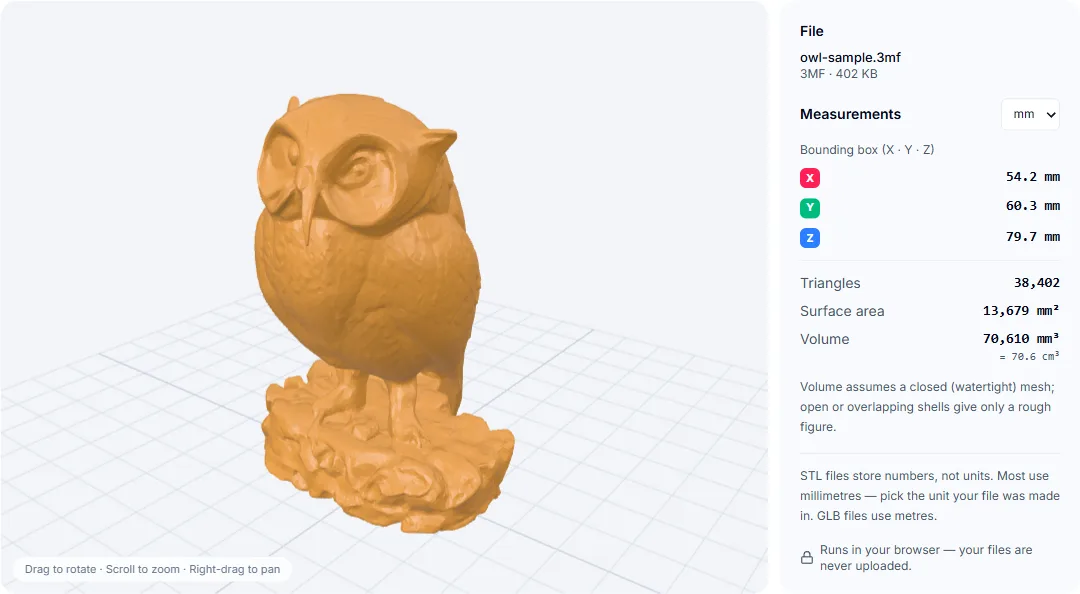
Drag the project onto the viewer, click Open file, or load the owl sample. Packages that keep objects in separate model parts open too.
Check each part
Orbit around the build, zoom in on small features and switch to wireframe to judge how dense the mesh is.
Read the numbers
Compare the X, Y and Z size with your build plate, note the volume for a material estimate, then save a PNG or convert the file.
Inside a 3MF, and what the viewer shows
3MF (3D Manufacturing Format) is a ZIP package: an XML model with vertices, triangles, a unit and optional colours, often joined by thumbnails and a slicer's own settings.
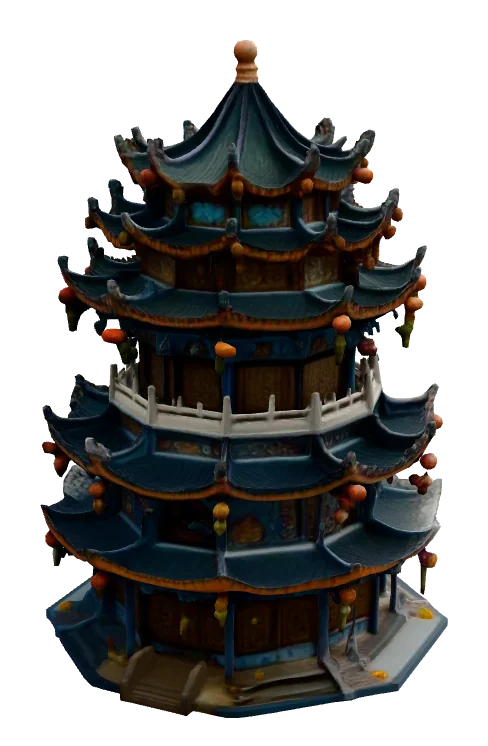
In the package: mesh, colours, unit
What the printer builds: the solid shape
| Inside a 3MF, and what the viewer shows | 3MF file | This viewer |
|---|---|---|
| Triangle mesh | Yes | Yes |
| Unit of measure | Stored | Shown in mm |
| Several objects in one build | Yes | Yes |
| Base materials and colour groups | Yes | Yes |
| Plates, supports, slicer settings | Yes | No |
Colour painted in a slicer may be saved in that slicer's own data instead of standard 3MF colours, so it may not appear here. The viewer never edits or re-saves the 3MF.
Printable examples to spin
Example models from other sources, not made with Kairo3D, drawn live in your browser. Drag any card.
Why check a 3MF here before printing
A quick second look at a print project without opening a slicer.
True size in any unit
Sizes follow the file's own unit tag, so a 3MF saved in inches still reads correctly in mm, cm, m or in.
Multi-object builds
Every item in the build is drawn in place: handy for a plate of parts or a kit that prints in one go.
Colours where stored
Base materials and colour groups saved in standard 3MF show on the model, so you can tell the parts apart.
Volume for material
A closed mesh gives its volume in mm³ and cm³, a quick starting point for a filament or resin estimate.
Slicer-style shading
3MF stores no normals, so faces are shaded flat, much like a slicer preview. Wireframe shows each triangle.
Projects stay private
Client jobs and unreleased parts stay on your machine: the package is unpacked in this tab only.
3MF viewer FAQ
Opening, checking and converting 3MF print files.
More ways to work with your 3D files
View, convert, or make a model from scratch.
3MF to STL converter
Turn a 3MF project into a plain STL mesh, right in your browser.
3MF to OBJ converter
Pull the mesh out of a 3MF print project as an OBJ for Blender.
STL viewer
Open STL, 3MF, OBJ or GLB and measure size, area and volume.
3MF vs STL guide
What each format stores, and when to print from which.
Need something to print?
Turn a photo into a print-ready STL with AI, then check its size in a viewer like this one.